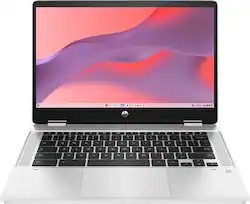
HP - 2-in-1 14" Touch-Screen Chromebook - Intel Celeron - 4GB Memory - 64GB eMMC - Natural Silver
- Key Specs
- Screen Size: 14 inches (Size of the screen, measured diagonally from corner to corner.)
- Screen Resolution: 1366 x 768 (HD) (Screens come in a range of resolutions (measured in pixels, horizontal x vertical). The higher the resolution, the greater the picture quality.)
- Touch Screen: true (Touch-screen devices make navigating more intuitive. Using a touch-screen display, you can do things such as tap to select, hold and drag to move items, swipe to scroll, and pinch to zoom.)
- Processor Model: Intel Celeron (Your computer's processor is like its brain. Working in combination with system memory, the power of the processor determines the complexity of software you can run, how many programs you can have open at the same time, and how fast those programs will run. Most computers feature an AMD, Intel or Snapdragon processor.)
- CPU Base Clock Frequency: 2.8 gigahertz (Actual central processing unit (CPU) speed may vary by device configuration and design. The average rate at which the processor is able to execute tasks under normal operating conditions as asserted by the manufacturer.)
- Storage Type: eMMC
- Total Storage Capacity: 64 gigabytes
- System Memory (RAM): 4 gigabytes (Random-access memory (RAM) is a computing device's short-term data storage, which allows active information to be accessed quickly. The size and type of RAM determines how efficiently the device can handle large amounts of information at one time. For example, gaming or video editing requires more RAM for optimal performance.)
- Graphics: Intel UHD Graphics (Often referred to as a "graphics processing unit" (GPU), this device is responsible for displaying image content and decoding/encoding video content in programs and games.)
- Display Connector(s): No external display connection (The number and type of connectors used to connect to an external display.)
- Battery Life (up to): 13.5 hours (Battery life will vary depending on the product configuration, product model, applications loaded on the product, power management setting of the product and the product features used by the customer. As with all batteries, the maximum capacity of this battery will decrease with time and usage.)
- Battery Chemistry: Lithium-ion
- 2-in-1 Design: true (A laptop and a tablet combined in one lightweight, portable device. Sometimes referred to as "convertible" or "hybrid" laptops, these devices deliver the processing power and keyboard of a laptop. When you're ready to play, either detach the screen or fold your 2-in-1 into tablet mode to comfortably watch movies, play games, read an e-book and more.)
- Backlit Keyboard: false (Integrated lights allow for visibility of the keys in low-light conditions.)
- General
- Brand: HP
- Model Number: 677H1UA#ABA
- Product Name: 2-in-1 14" Touch-Screen Chromebook - Intel Celeron - 4GB Memory - 64GB eMMC
- Color: Natural Silver
- Year of Release: 2022
- Display
- Screen Size: 14 inches (Size of the screen, measured diagonally from corner to corner.)
- Screen Resolution: 1366 x 768 (HD) (Screens come in a range of resolutions (measured in pixels, horizontal x vertical). The higher the resolution, the greater the picture quality.)
- Stylus Input: Passive (An active stylus/pen is able to communicate directly with a compatible device; active electromagnetic resonance (EMR) pens are powered via a device's screen and active electrostatic (AES) pens require an additional power source. A passive stylus does not have electronic features and is compatible with most capacitative touch screens.)
- Touch Screen: true (Touch-screen devices make navigating more intuitive. Using a touch-screen display, you can do things such as tap to select, hold and drag to move items, swipe to scroll, and pinch to zoom.)
- Processor
- Processor Brand: Intel
- Processor Model: Intel Celeron (Your computer's processor is like its brain. Working in combination with system memory, the power of the processor determines the complexity of software you can run, how many programs you can have open at the same time, and how fast those programs will run. Most computers feature an AMD, Intel or Snapdragon processor.)
- Processor Model Number: N4500
- CPU Base Clock Frequency: 2.8 gigahertz (Actual central processing unit (CPU) speed may vary by device configuration and design. The average rate at which the processor is able to execute tasks under normal operating conditions as asserted by the manufacturer.)
- CPU Boost Clock Frequency: 3.3 gigahertz (Actual central processing unit (CPU) speed may vary by device configuration and design. The maximum rate at which the processor is able to execute tasks, typically only used for a short period of time as needed. This rate may temporarily boost the processor's performance, but may result in overheating, shutdown, or damage to equipment if sustained.)
- Number of CPU Cores: 2-core (dual-core) (A core, or "brain" of a CPU, allows it to receive and execute instructions. Each core can work independently or together to perform parallel operations.)
- CPU Cache Memory Level: L3
- L3 Cache: 4 megabytes (Cache memory, also called CPU memory, is random-access memory (RAM) that a computer microprocessor can access more quickly than it can access regular RAM. This memory is typically integrated directly with the CPU chip or placed on a separate chip that has a separate bus interconnect with the CPU.)
- Neural Processing Unit (NPU): false (Whether the product comes with an integrated neural processing unit (NPU) that performs computations for AI (artificial intelligence) functions to increase proficiency of the CPU and reduce power consumption.)
- Storage
- Storage Type: eMMC
- Total Storage Capacity: 64 gigabytes
- eMMC Capacity: 64 gigabytes (The amount of data that can be stored on the device's embedded Multimedia Card (eMMC). eMMC is a flash-based storage used in smartphones and personal computers; it typically has a smaller capacity than HDD or SSD storage.)
- Memory
- System Memory (RAM): 4 gigabytes (Random-access memory (RAM) is a computing device's short-term data storage, which allows active information to be accessed quickly. The size and type of RAM determines how efficiently the device can handle large amounts of information at one time. For example, gaming or video editing requires more RAM for optimal performance.)
- Type of Memory (RAM): DDR4 (Each type of RAM delivers a different level of speed, bandwidth, energy efficiency and performance.)
- System Memory RAM Speed: 2933 megahertz (How fast the information-storing hardware operates. The faster the RAM, the faster memory can be transferred to other system components. Ultimately, faster RAM improves operational efficiency.)
- Number Of Memory Slots: 1
- Number of Memory Sticks Included: 1
- System Memory RAM Expandable To: 4 gigabytes (Adding more random-access memory (RAM) to a computer speeds up performance and improves efficiency. Upgrades to memory are limited by the number of expansion slots for additional RAM and existing RAM installed on the device.)
- Graphics
- Graphics Type: Integrated (Dedicated graphics uses a separate graphics card for processing video images. Because it does not use memory from the system's RAM, there is no extra burden on the CPU and graphics are processed more efficiently. Integrated graphics shares system RAM to process video images.)
- GPU Brand: Intel
- Graphics: Intel UHD Graphics (Often referred to as a "graphics processing unit" (GPU), this device is responsible for displaying image content and decoding/encoding video content in programs and games.)
- Compatibility
- Operating System: Chrome OS (The operating system manages all software and hardware, including files, memory and connected devices. Most importantly, it lets you interact with your device and your programs in a visual way; otherwise, you'd be typing computer code to get anything done.)
- Voice Assistant Built-in: Google Assistant (A digital assistant built into the device that uses voice commands to answer questions and control smart devices.)
- Connectivity
- Display Connector(s): No external display connection (The number and type of connectors used to connect to an external display.)
- Number of HDMI Outputs (Total): 0
- Number of DisplayPort Outputs (Total): 0
- Number of Thunderbolt Ports (Total): 0
- USB Ports: 1 x USB-A 3.0, 2 x USB-C 3.1 (The number and type of USB ports the product has.)
- Number of USB Ports (Total): 3
- Headphone Jack: true (The device features an interface that allows for the connection of headphones.)
- Microphone Input: true (The device features an input for connecting an external microphone.)
- Wireless Connectivity: Bluetooth, Wi-Fi (The manner in which a device sends data to another device over a short distance without the use of wires or cables.)
- Wireless Standard: AC (The wireless networking protocol used by the device. Each iteration of the protocol is based on the 802.11 standard developed by the Institute of Electrical and Electronics Engineers (IEEE) Standards Association. Denoted by letters following 802.11 (802.11a, 802.11ac, etc.), each version, published in alphabetical order, encompasses all previous versions.)
- Wireless Networking Standard: Wi-Fi 5 (The wireless networking standard used by the device. Each iteration of the standard developed by the Wi-Fi Alliance corresponds to an existing IEEE 802.11 protocol; for example, standard 802.11ac (or AC) is termed Wi-Fi 5. Refers specifically to the standard the device is designed to use, but ultimately determines product interoperability and backward compatibility including previous versions.)
- Number Of Ethernet Ports: 0
- Network Connectivity: None (The manner in which a device sends data to another device over a long distance using a cellular network.)
- Cooling
- CPU Cooling System: Air
- Power
- Battery Life (up to): 13.5 hours (Battery life will vary depending on the product configuration, product model, applications loaded on the product, power management setting of the product and the product features used by the customer. As with all batteries, the maximum capacity of this battery will decrease with time and usage.)
- Battery Cells: 2-cell
- Battery Chemistry: Lithium-ion
- Camera
- Front-Facing Camera: true
- Front Facing Camera Video Resolution: 720p (Refers to the number of pixels, both horizontally and vertically, used by the camera facing the user to capture video. The higher the resolution the finer the video detail that can be seen.)
- Built-In Microphone: true
- Features
- 2-in-1 Design: true (A laptop and a tablet combined in one lightweight, portable device. Sometimes referred to as "convertible" or "hybrid" laptops, these devices deliver the processing power and keyboard of a laptop. When you're ready to play, either detach the screen or fold your 2-in-1 into tablet mode to comfortably watch movies, play games, read an e-book and more.)
- Backlit Keyboard: false (Integrated lights allow for visibility of the keys in low-light conditions.)
- Customizable Keyboard Lighting: No
- GPS Enabled: false
- Touchpad Type: Multi-touch
- Media Card Reader: true (A hardware device that allows for access to data on a memory card and enables the transfer of its files to a computer. These devices may have one or multiple slots for various types of memory cards, and may be integrated into the computer or available as an external device.)
- Customizable Case Lighting: false
- Audio Technology: Audio by B&O with dual speakers
- Speaker Type: Audio by B&O with dual speakers
- Chrome Features: Google Assistant
- Stylus Dock: None
- Casing Material: Plastic
- Dimensions
- Product Height: 0.73 inches (The out of box height of the item. Height is measured as the vertical distance from the bottom of the item to the top as it would be primarily used or placed.)
- Product Width: 12.85 inches (The out of box width of the item. Width is measured as the horizontal distance from one side of the item to the other as it would be primarily used or placed.)
- Product Depth: 8.65 inches (The out of box depth of the item. Depth is measured as the distance from the front of the item to the back as it would be primarily used or placed.)
- Product Weight: 3.57 pounds (The out of box weight of the item.)
- Certifications Listings & Approvals
- ENERGY STAR Certified: true (Devices carrying the ENERGY STAR service mark, such as computer products and peripherals, kitchen appliances, and other products, generally use 20% to 30% less energy than required by federal standards.)
- EPEAT Qualified: true (The Electronic Product Environmental Assessment Tool (EPEAT) was designed to provide an environmental assessment tool for purchasers. In order to qualify for EPEAT, a product must meet all 23 required criteria.)
- EPEAT Level: Gold (The Electronic Product Environmental Assessment Tool (EPEAT) was designed to provide an environmental assessment tool for purchasers. In order to qualify for EPEAT, a product must meet all 23 required criteria. Products are rated Bronze, Silver or Gold based on how many of 28 optional criteria they meet (below 50%, 50%, 75%).)
- Included
- Included Software: Chrome OS, Google Assistant, Google One, Google Play Store
- Optical Drive Type: None (An optical disk drive (ODD) uses a laser light to read data from or write data to an optical disc. These discs include CDs, DVDs, and Blu-ray Discs. This allows you to play music or watch movies using prerecorded discs.)
- Numeric Keypad: false
- Stylus Included: false
- Warranty
- Warranty - Parts: 1 year
- Warranty - Labor: 1 year
- Other
- UPC: 196548344321
Meet the HP Chromebook x360 that gives you the perfect balance of performance you need with entertainment features you want paired with the best of Chrome and Android and a battery life that lasts all day.
- Runs ChromeOS: The fast and secure operating system built by Google. From easy setup with Gmail, to built-in Google apps a tap away, plus supercharged search, everything is designed to be easier.
- Starts fast, won't slow you down.: Chromebooks boot up in under 10 seconds, and update automatically behind the scenes to deliver performance that’s full speed ahead. And With up to 10 hours of battery life¹, Chromebooks pack enough stamina for a long flight, a full workday, or a streaming session.
- Never had a virus - no need to worry²: Fortified with layers of built-in protection, Chromebooks help keep viruses out and prevent little issues from becoming big headaches. Stress-free like security should be.
- Display: 14-inch diagonal, HD (1366 x 768), multitouch-enabled, edge-to-edge glass, micro-edge: Enjoy your entertainment with the great quality and highdefinition detail of 1 million pixels.
- Processor: Intel Celeron N4500: An Intel Celeron processor offers exceptional quality and value, with the processing power you need to get your work done, and stay in touch on the go.
- Memory: 4 GB LPDDR4x-2933 MHz RAM (onboard): With higher bandwidth, you get more of a boost in performance.
- Internal storage: 64 GB eMMC: An embedded multimedia card provides reliable flash-based storage.
- Graphics: Intel UHD Graphics: Smoothly stream 4K content and play your favorite games.
- Sound: Audio by B&O with dual speakers: HP Dual Speakers, custom-tuned by experts at B&O, deliver rich, authentic audio.
- HP Fast Charge:: Go from 0 to 50% charge in approximately 45 minutes
- Wireless: 802.11a/b/g/n/ac (2x2) Wi-Fi and Bluetooth combo MU-MIMO supported: Stay connected to Wi-Fi and to Bluetooth® accessories with wireless technology.
- Camera: HP Wide Vision 720p HD camera with integrated dual array digital microphones: The 88-degree, wide-angle field of view lets you video chat with the entire family or group of friends in crystal clear detail.
- Work. Write. Play. Naturally.: A durable 360-degree geared hinge gets you in the perfect position to work, write, watch, and play. Easily convert to tablet for notetaking and drawing that feels as natural as pen on paper.
- Created with the planet in mind: HP is dedicated to driving progress toward a more sustainable future and making responsible choices for the environment and our customers.
- Minecraft: Now on Chromebook: Minecraft is now available on Chromebook. Join millions of players to mine, craft, explore and survive in a vast open world, with seamless cross-play with friends.³
Whats Included
- HP Chromebook x360 14b-cb0033dx
- 45 W USB Type-C power adapter
Disclaimers
- ¹Battery life may vary based on device and upon usage and other conditions.
- ²As of May 2024 there has been no evidence of any documented, successful virus attack on ChromeOS. Data based on ChromeOS monitoring of various national and internal databases.
- ³Minecraft is available on select Chromebooks.
A: Thank you for the question. You can download the Google Suite - Google Docs (like Word), Google Sheets (like Excel), Google Slides (like PowerPoint). You can also download Microsoft 365 to use with your new or existing Microsoft account.
Q: What is the AUE date on this chromebook?
A: The AUE for this Chromebook is Jun 2029.
A: Thank you for the question. This Chromebook 14b-cb0033dx comes with a power cable/charger. A pen is not included, but you can purchase an affordable passive stylus/pen for use with this model.
Q: Can you print from this? On a hp officejet 8020 series
A: Hello. Thanks for your question. Yes, you can set up the HP Officejet Pro 8020 printer on this HP Chromebook. We recommend using the HP Smart app to set up the printer. Here is more information on the HP Smart app: https://support.hp.com/us-en/document/c03561640
Q: Hi, can I play roblox on this laptop?
A: Because this is a Chromebook, it can only download and run apps that are in the Google Play Store. The good news is that Roblox is available in the store
Q: Can you run windows on chrome book?
A: Thank you for the question. It would be tricky, but you can use a Chromebook as a remote desktop for a Windows PC that is connected elsewhere. Very high-end Chromebooks (called Enterprise models) can run an app called "Parallels" software that allows high-powered Chromebooks to run Windows as a regular Windows laptop.
Q: Does the keyboard light up at night?
A: No it does not
Q: Is there a way to make the touchscreen only respond to a stylus rather than my hand?
A: Thank you for the question. What you are referring to is "palm rejection". Use the Stylus Tools (settings>stylus) to set up the stylus to use with your app. Some users have indicated that the experience is different depending on the app being used, and others state that putting the nib on the screen before your hand resolves the issue.
People also viewed
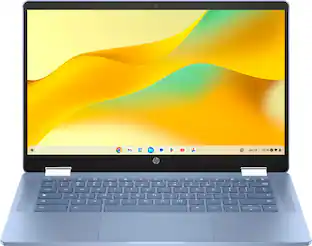 $299.00The price was $479.00
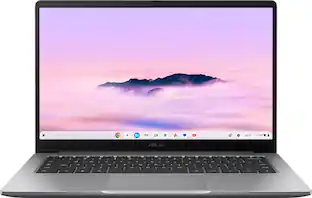 $329.00The price was $429.00
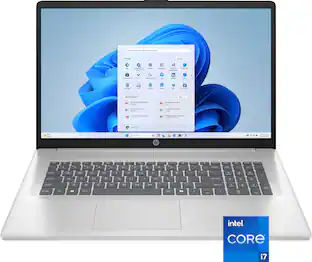 $844.99The price was $999.99
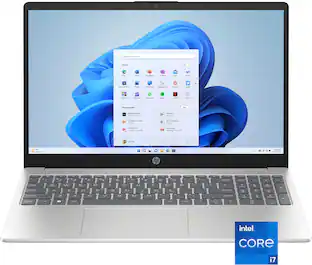 $669.00The price was $720.00
 $569.00The price was $819.00
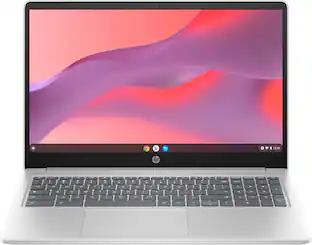 $277.99The price was $429.00
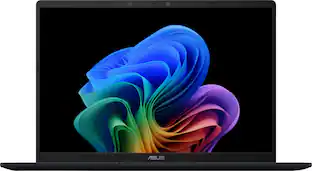 $499.99The price was $749.99
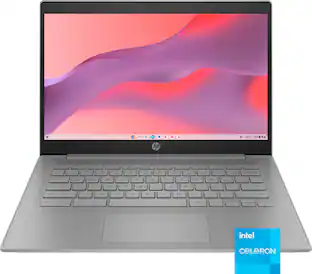
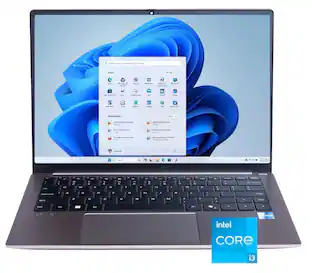




Today's top picks
 Clearance$230.99The price was $329.99
 $198.00The price was $249.00
 $279.00The price was $429.00
 $205.00The price was $229.00
- $277.99The price was $429.00
 $249.99The price was $279.00