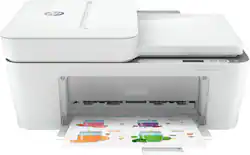
HP - DeskJet Plus 4155 Wireless All-In-One Instant Ink-Ready Inkjet Printer - White
- Key Specs
- Networking: Wireless
- Printer Type: All In One
- ISO Color Print Speed: 5.5 pages per minute (The number of color pages able to be printed per minute in the device's default single-side mode, as tested by the International Standards Organization (ISO).)
- ISO Mono Print Speed: 8.5 pages per minute (The number of black ink (grayscale) pages able to be printed per minute in the device's default single-side mode, as tested by the International Standards Organization (ISO).)
- Output Tray Capacity: 25
- Touch Screen: false (Touch-screen devices make navigating more intuitive. Using a touch-screen display, you can do things such as tap to select, hold and drag to move items, swipe to scroll, and pinch to zoom.)
- General
- Brand: HP
- Model Number: 3XV13A#B1F
- Product Name: DeskJet Plus 4155 Wireless All-In-One Instant Ink-Ready Inkjet Printer
- Color: White
- Display Screen: true
- Display Screen Size: 2 inches
- Dimensions
- Product Height: 7.87 inches (The out of box height of the item. Height is measured as the vertical distance from the bottom of the item to the top as it would be primarily used or placed.)
- Product Width: 16.9 inches (The out of box width of the item. Width is measured as the horizontal distance from one side of the item to the other as it would be primarily used or placed.)
- Product Weight: 10.6 pounds (The out of box weight of the item.)
- Features
- Automatic Document Feeder: true
- Photo Printing: true
- Monochromatic/Color: Color
- Automatic Reduction/Enlargement: true
- Automatic Two-Sided Printing: false
- Tray Capacity: 60
- Duty Cycle: Up to 1,000 (The maximum number of pages per month that the device can produce without failing, as specified by the manufacturer.)
- Scanner Info
- Scanner Type: Flatbed
- Scanner Resolution: Up to 1200 (Refers to the number of pixels/dots, both horizontally and vertically, of the image produced by the scanner. Generally, the higher the resolution, the sharper and cleaner the produced image.)
- Fax Info
- Integrated Fax: true
- Ink
- Compatible Cartridges: HP 67 Black Original Ink Cartridge (up to120 pages yield) 3YM56AN, HP 67XL Black High Yield Original Ink Cartridge (up to 240 pages yield) 3YM57AN, HP 67XXL Black Extra High-Yield Original Ink Cartridge (up to 400 pages yield) 3YM59AN, HP 67 TriColor Original Ink Cartridge (up to100 pages yield) 3YM55AN, HP 67XL Tri-Color High-Yield Original Ink Cartridge (up to 200 pages yield) 3YM58AN, HP 67XXL Tri-Color Extra High-Yield Original Ink Cartridge (up to 330 pages yield) 6ZA16AN
- Ink Subscription Service Available: true (The printer monitors ink usage and alerts the subscription provider when levels are low. A purchased subscription provides refills of ink based on usage.)
- Paper Info
- Automatic Document Feeder Capacity: 35 sheets
- Maximum Document Length: 14 inches
- Maximum Document Width: 8.5 inches
- Supported Paper Sizes: Letter; legal; 4 x 6 in; 5 x 7 in; 8 x 10 in; No. 10 envelopes
- Paper Feeder: Front loader
- Paper Handling: 60-sheet input tray, 25-sheet output tray, 35-sheet auto document feeder
- Copier Info
- Maximum Number Of Copies: 9
- Copier Resolution (Black): Up to 300 x 300 (Refers to the number of pixels/dots, both horizontally and vertically, of the image produced by the copier in black ink. Generally, the higher the resolution, the sharper and cleaner the produced image.)
- Copier Resolution (Color): Up to 300 x 300 (Refers to the number of pixels/dots, both horizontally and vertically, of the image produced by the copier in colored ink. Generally, the higher the resolution, the sharper and cleaner the produced image.)
- Performance
- First Page Out Time: 19 seconds (The time it takes the printer to print and deliver the first page in the output tray. May depend on the complexity of the copy being printed.)
- Printer Resolution (Black): Up to 1200 x 1200 (Refers to the number of pixels/dots, both horizontally and vertically, of the image produced by the printer in black ink. Generally, the higher the resolution, the sharper and cleaner the produced image.)
- Printer Resolution (Color): Up to 4800 x 1200 (Refers to the number of pixels/dots, both horizontally and vertically, of the image produced by the printer in colored ink. Generally, the higher the resolution, the sharper and cleaner the produced image.)
- Connectivity
- Minimum System Requirements: PC: Windows 7, 1 GHz processor, 2 GB available HDD space, Internet connection, USB port, Internet Explorer; Mac: MacOS Sierra v10.12, Internet access
- Other
- UPC: 194441900545
Reliability meets modern multitasking with the HP DeskJet Plus 4155 all-in-one printer. Designed to save you time, this all-in-one printer helps you quickly tackle print, scan, and copy jobs with the 35-page automatic document feeder. Send secure faxes from virtually anywhere with your smartphone. With HP Instant Ink, this wireless printer automatically orders ink and delivers it straight to your door with up to 50% savings on ink (subscription required). Get better range and fast, reliable connections using dual-band Wi-Fi with self-reset. Set up your color printer in a few easy steps, then connect, and print from any device using the HP Smart app. The HP Smart app also lets you scan and share your documents to Dropbox, Google Drive, e-mail, or the cloud.
- Simple multitasking for home: Print, scan, and copy versatility, an intuitive control panel, and mobile fax with a printer made with 20% recycled plastic.
- Save up to 50% on ink, and never run out: Save on ink, and always have it on hand; with HP Instant Ink, this all-in-one color printer automatically orders ink when you're running low and delivers it straight to your door for a lot less (subscription required).
- Simple setup with HP Smart app: Get started fast with easy printer setup that guides you step by step. Simply download the HP Smart app, connect to Wi-Fi, and share the inkjet printer across all your devices.
- Worry-free wireless: Get better range and reliable connections using dual-band Wi-Fi with self-reset. This color printer's Bluetooth technology also lets you connect and print from your smartphone or tablet.
- Print and scan on the go: Print, scan, and copy from virtually anywhere with your smartphone, and share your documents to third-party software such as Dropbox and Google Drive using the HP Smart app - HP's quality mobile print app.
- Send mobile faxes with HP Smart app: Sending a fax should be as simple as sending an e-mail. This wireless printer lets you fax on the go, right from your smartphone, tablet, or PC for 12 months using the HP Smart app.
- Hands-free 35-page automatic document feeder: Save time, and eliminate worry - this all-in-one printer's 35-page automatic document feeder helps you breeze through scan and copy jobs quickly.
- One-year limited hardware warranty: Get help with 24-hour, 7-day-a-week free web support.
- Compatible HP Ink Cartridges: HP 67 Black & Tri-Color cartridges, the HP 67XL Black and Tri-color cartridges, and the HP 67XXL Black & Tri-Color cartridges
- Dynamic Security: This printer uses dynamic security, which may be updated periodically by firmware updates. The printer is intended to be used solely with cartridges using only original HP electronic circuitry.
Whats Included
- HP 67 Setup Black Instant Ink Ready cartridge
- HP 67 Setup Tri-color Instant Ink Ready cartridge
- HP DeskJet Plus 4155 Wireless All-In-One Instant Ink-Ready Inkjet Printer
- Owner's manual
- Power cord
Product Manuals
Q: Does this printer not come with ink cartridges?
A: It comes with two ink cartridges
Q: Does this printer offer 2 sided printing?
A: The HP Deskjet Plus 4155 printer does not have duplex printing (2 sided). You would have to manually turn the paper over.
A: This printer takes the #67 ink cartridges and the combo pack (1black/1color cartridge) is $29.99. No, your cartridges will not dry out if you use your printer 3 or 4 times a month.
A: The paper feeds from the back tray of the HP Deskjet Plus 4155. If you want a printer with a paper tray that feeds from the front, we recommend looking at the HP Envy 6055, Envy Photo 6255, 7155, 7855, Envy Pro 6455 or Officejet Pro 8025, 8035, 9015 or 9025 printers.
Q: Does this printer have a slot for a USB cable?
A: This printer will work with a USB printer cable.
Q: Can you use the document feeder to scan or must you place the document directly on the glass?
A: Yes, you can scan through the document feeder.
Q: Is the 4155 compatible with HP Chromebook?
A: Yes, the HP - DeskJet Plus 4155 printer is compatible with the HP Chromebook. Once you connect the printer to your wireless network, then you can set up the printer on the Chromebook. Here are some instructions on how to connect the printer to the Chromebook: https://support.hp.com/us-en/document/c04122530
Q: Does model come with a fax faunction?
A: This printer has a mobile fax send option through the HP Smart app.
People also viewed
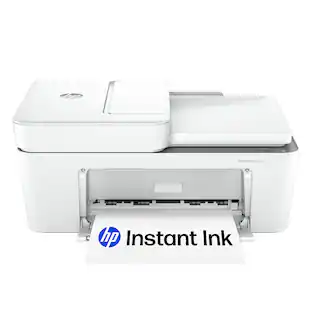 $79.89The price was $109.89
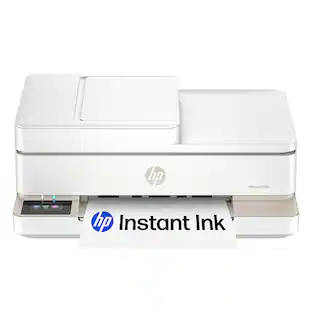 $99.89The price was $179.89
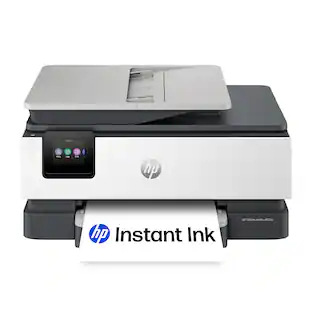 $119.89The price was $179.89
 $119.89The price was $159.89
 $449.00The price was $450.45





Today's top picks
 $499.99The price was $749.99
 $199.99The price was $249.99
 $789.99The price was $1,049.99










