HP - LaserJet Pro MFP 4101fdw AI-Enabled Black-and-White All-in-One Laser Printer - White
Key Accessories:
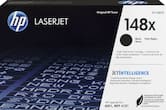
- HP - 148A Standard Capacity Toner Cartridge - Black$140.89
More Buying Options
Related Item

Specifications
- NetworkingWireless, WiredENERGY STAR CertifiedYesPrinter TypeAll In OneDuty CycleUp to 80,000ISO Mono Print Speed42 pages per minuteMonochromatic/ColorMonochromatic
- Key Specs
- Networking: Wireless, Wired
- ENERGY STAR Certified: true (Devices carrying the ENERGY STAR service mark, such as computer products and peripherals, kitchen appliances, and other products, generally use 20% to 30% less energy than required by federal standards.)
- Printer Type: All In One
- Duty Cycle: Up to 80,000 (The maximum number of pages per month that the device can produce without failing, as specified by the manufacturer.)
- ISO Mono Print Speed: 42 pages per minute (The number of black ink (grayscale) pages able to be printed per minute in the device's default single-side mode, as tested by the International Standards Organization (ISO).)
- Monochromatic/Color: Monochromatic
- General
- Brand: HP
- Model Number: LJ Pro MFP 4101fdw/2Z619F#BGJ
- Product Name: LaserJet Pro MFP 4101fdw AI-Enabled Black-and-White All-in-One Laser Printer
- Color: White
- Display Screen: true
- Display Screen Size: 2.7 inches
- Dimensions
- Product Height: 12.72 inches (The out of box height of the item. Height is measured as the vertical distance from the bottom of the item to the top as it would be primarily used or placed.)
- Product Width: 16.54 inches (The out of box width of the item. Width is measured as the horizontal distance from one side of the item to the other as it would be primarily used or placed.)
- Product Depth: 15.35 inches (The out of box depth of the item. Depth is measured as the distance from the front of the item to the back as it would be primarily used or placed.)
- Product Weight: 27.78 pounds (The out of box weight of the item.)
- Features
- Automatic Document Feeder: true
- Photo Printing: false
- Touch Screen: true (Touch-screen devices make navigating more intuitive. Using a touch-screen display, you can do things such as tap to select, hold and drag to move items, swipe to scroll, and pinch to zoom.)
- Automatic Two-Sided Printing: true
- Wide Format Printing: false (Machines with this function support printing on media with widths between 18 and 100 inches, such as posters, banners, canvases, and more.)
- Connectivity
- Wired Connectivity: Ethernet
- Wireless Connectivity: Wi-Fi (The manner in which a device sends data to another device over a short distance without the use of wires or cables.)
- Certifications Listings & Approvals
- EPEAT Qualified: true (The Electronic Product Environmental Assessment Tool (EPEAT) was designed to provide an environmental assessment tool for purchasers. In order to qualify for EPEAT, a product must meet all 23 required criteria.)
- EPEAT Level: Silver (The Electronic Product Environmental Assessment Tool (EPEAT) was designed to provide an environmental assessment tool for purchasers. In order to qualify for EPEAT, a product must meet all 23 required criteria. Products are rated Bronze, Silver or Gold based on how many of 28 optional criteria they meet (below 50%, 50%, 75%).)
- Paper Info
- Automatic Document Feeder Capacity: 50 sheets
- Paper Feeder: Tray loader
- Supported Paper Sizes: Letter; Legal; Executive; Oficio (8.5 x 13 in); 16K; Japanese Postcard; Double Japan Postcard Rotated; Envelope #10; Envelope Monarch; Envelope B5; Envelope C5; Envelope DL; Custom Size; 4 x 6 in; 5 x 8 in; Statement
- Tray Capacity: 350
- Ink
- Compatible Cartridges: HP 148
- Ink Cartridges Required: 1 x Black (The quantity and color of ink cartridges required for the printer to operate.)
- Ink Cartridges Included: 1 x Black (The quantity and color of ink cartridges included.)
- Copier Info
- Copier Resolution (Black): Up to 600 x 600 (Refers to the number of pixels/dots, both horizontally and vertically, of the image produced by the copier in black ink. Generally, the higher the resolution, the sharper and cleaner the produced image.)
- Maximum Number Of Copies: 9999
- Scanner Info
- Duplex Scan Function: true
- Scanner Resolution: Up to 1200 x 1200 (Refers to the number of pixels/dots, both horizontally and vertically, of the image produced by the scanner. Generally, the higher the resolution, the sharper and cleaner the produced image.)
- Scanner Type: Flatbed, Sheetfed
- Fax Info
- Integrated Fax: true
- Performance
- Approximate Page Yield (Black): 9500
- Printer Resolution (Black): Up to 1200 x 1200 (Refers to the number of pixels/dots, both horizontally and vertically, of the image produced by the printer in black ink. Generally, the higher the resolution, the sharper and cleaner the produced image.)
- Output Tray Capacity: 150
- Recommended Monthly Volume: 4000 (The maximum number of pages that can be printed per month, as recommended by the manufacturer. Printing in excess of this number may reduce the machine's overall lifespan or print quality over time.)
- First Page Out Time: 6 seconds (The time it takes the printer to print and deliver the first page in the output tray. May depend on the complexity of the copy being printed.)
- Warranty
- Warranty - Parts: 1 year
- Warranty - Labor: 1 year
- Other
- UPC: 195161936043
From America's most trusted printer brand, the LaserJet Pro MFP 4101fdw delivers compact design with groundbreaking performance. Get blazing fast black-and-white printing speeds, high-volume scanning, and easy management tools designed for the office.
- The B&W printing performance small offices need: Print, scan and copy professional-quality documents and reports. Auto 2-sided printing/scanning, auto document feeder for fast scan/copy, plus fax. Perfect for up to 10 people.
- Simplify scan to email: Save time when scanning documents to email. HP AI automatically generates smart subject lines, file names, and actionable summaries to streamline your workflow and find files effortlessly
- Stays connected: Intelligent Wi-Fi looks for the best connection to stay online and ready to print
- Blazing fast: Up to 42 black-and-white pages per minute, with sharp, professional-quality text and graphics
- Protects your data: Includes HP Wolf Pro Security with customizable settings so your printer and information are always secure
- Easy to set up: Get started fast with easy setup that guides you, step by step. Simply download the HP app, connect to a network, and share your printer across all your devices
Whats Included
- HP LaserJet Pro MFP 4101fdw
- Original HP 148A Toner Cartridge
- Reference guide
- Setup card
- Power cord
Product Manuals
Disclaimers
- Requires a high-speed Internet connection.
- Print speeds vary with use. See manufacturer for info on print speeds.
- This printer is intended to work only with cartridges with original HP chips or circuitry and will block cartridges using non-HP chips or circuitry. Periodic firmware updates will maintain the effectiveness of these measures.
Q: How many pages can this HP printer print per minute?
A: This HP printer can print up to 42 pages per minute.
Q: What is the automatic document feeder capacity of this HP printer?
A: The automatic document feeder capacity for this printer is 50 sheets.
Q: What is the HP printer's output tray capacity?
A: The output tray capacity for this printer is 150.
Q: Does this HP printer come with ink cartridges?
A: Yes, this HP printer comes with one black ink cartridge.
Q: Can this HP printer scan on both sides?
A: Yes, this HP printer has dual-sided scanning.
Q: Does this HP printer have a touch screen?
A: Yes, this HP printer does have a touch screen.
Q: Does this model have two trays so you can print standard and legal pages
A: Thank you for the question. Yes, the LaserJet Pro MFP 4101fdw has a 100-sheet tray behind the front panel and a 250-sheet main paper tray. As an optional purchase, there is a 550-sheet paper tray that can be stacked at the bottom (HP product D9P29A) to increase your total paper input capacity to 900 sheets.
A: Hello Nico and thank you for your questions. Yes, the HP LaserJet Pro MFP 4101fdw has a document feeder and you can place up to 50 uncurled pages in it and it has a single-pass 2-sided scanning ADF! Yes, it is compatible with that version and we recommend using the free HP Smart app to set it up via WiFi.
Compare similar products
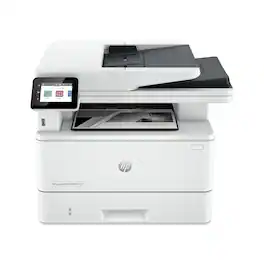
From America's most trusted printer brand, the LaserJet Pro MFP 4101fdw delivers compact design with groundbreaking performance. Get blazing fast black-and-white printing speeds, high-volume scanning, and easy management tools designed for the office.
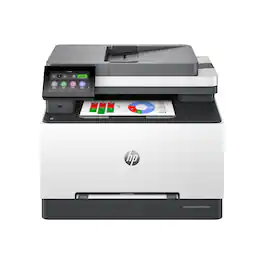
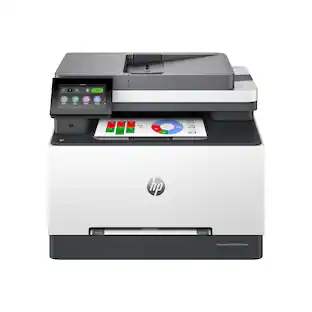
Get ground-breaking multifunction performance, ultra-fast color speeds and wireless connectivity for an effortless and secure printing experience with the Color LaserJet Pro MFP 3301sdw.
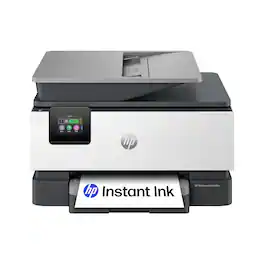
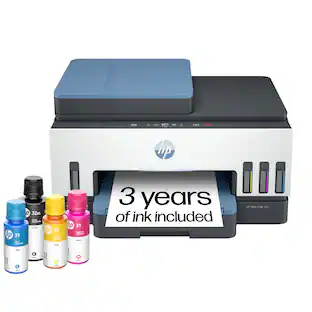
The HP OfficeJet Pro 9125e delivers fast color printing, 250-sheet paper capacity, and duplex scanning and copying. It's AI-enabled to intuitively adapt to your workflow, with wireless and security features that keep your multifunction printer up to date and secure.

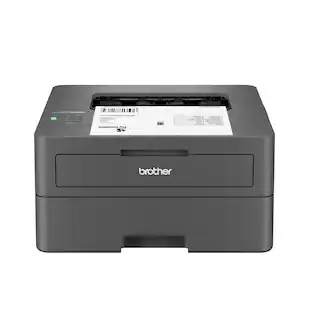
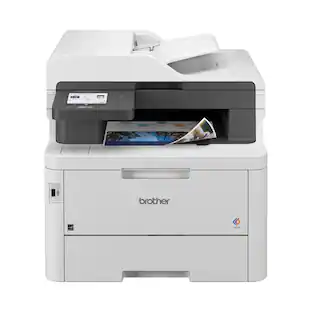
Great for small businesses, the Brother MFC-3780CDW wireless digital color all-in-one printer with copy, scan, and fax functionalities offers remarkable efficiency with impressive print speeds and productivity-centric features. Consistently produces smudge-free, laser-quality prints for documents that garner the attention of colleagues, clients, and customers. Achieves print speeds up to 31 ISO pages per minute (ppm)(1) and scan speeds up to 29/22 ISO images per minute (ipm)(2) (black/color). With its versatile paper handling and an intuitive 3.5” touchscreen, it is engineered to help boost productivity, simplify tasks, and keep your business thriving. Advanced security features help safeguard sensitive information while printing and include the added protection of an NFC card reader for badge authentication. Engineered and supported by Brother, the MFC-L3780CDW is an industrious addition to any small workspace.
| Pros for HP - LaserJet Pro MFP 4101fdw AI-Enabled Black-and-White All-in-One Laser Printer - White | |||
|---|---|---|---|
| There were no pros for this product— | There were no pros for this product— | Setup Ease | Print Quality, Overall Performance, Setup, Connectivity, Ease of Use |
| Cons for HP - LaserJet Pro MFP 4101fdw AI-Enabled Black-and-White All-in-One Laser Printer - White | |||
| There were no cons for this product— | There were no cons for this product— | There were no cons for this product— | Weight, Size |
Specs

- HP - LaserJet Pro MFP 3101sdw Wireless AI-Enabled Black-and-White All-in-One Laser Printer - White$269.99The price was $349.99
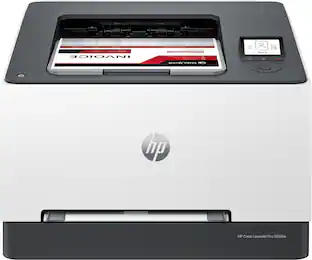
- HP - LaserJet Pro 3201dw Wireless Color Laser Printer - White & Slate$319.99The price was $399.99


Reviews
Customers are saying
Customers often highlight the LaserJet Pro MFP 4101fdw's great print quality and ease of use. Many appreciate its overall performance, speed, and convenient size. However, some customers have expressed concerns regarding the software and scanner functionality.
Customer Images
The vast majority of our reviews come from verified purchases. Reviews from customers may include My Best Buy members, employees, and Tech Insider Network members (as tagged). Select reviewers may receive discounted products, promotional considerations or entries into drawings for honest, helpful reviews.
- Rated 5 out of 5 stars
Awesome printer
The power of the big office printers in this little machine. But at what cost? So I bought this printer when it was on sale. It was still pricey compared to the cheaper printers. Setting up this printer was easy. Just hook the power cable and turn it on. That is it. To use all features connect it to the internet and do a printer update. The update option is on the printer screen. It prints really fast. This is the black and white version. The printer with color toner is more expensive. Note, this printer is kinda heavy. I gave them all 5 stars.
Causha Posted
- Rated 4 out of 5 stars
Amazing and fast print
Amazing and so fast printed Clear copy and scanned to fast
RAMANDEEPS Posted
- Rated 5 out of 5 stars
5 Star
Great printer. Fast and versatile. Very sharp documents. Easy set up. Unfortunately HP toner is expensive.
Michael Posted
Explore tech essentials Sponsored
 $399.99The price was $479.99