Everything for Back to School — and then someShop now

Skip to contentGo to Product Search
Main Content

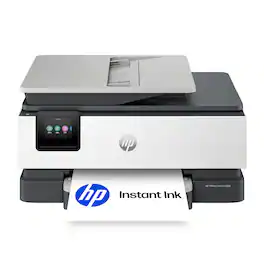
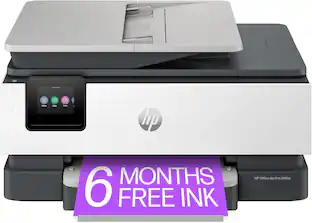
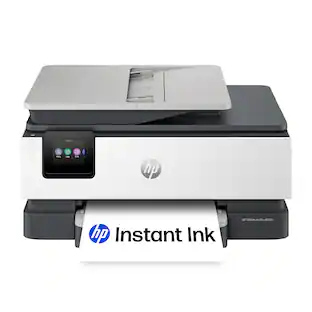
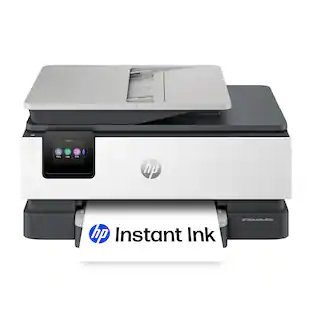
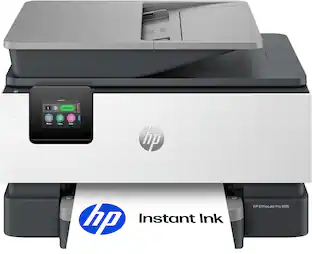
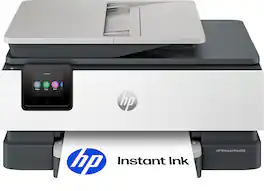
HP - OfficeJet Pro 8139 Wireless All-in-One Inkjet Printer, Scanner, Copier, AI-Enabled with 12 Months of Instant Ink - White

Model: OfficeJet Pro 8139/C2VK3A#B1H
SKU: 6673911
Sold byBest Buy

About this product

The HP OfficeJet Pro 8139 All-in-One Printer delivers fast color, water-resistant, smear-resistant, and fade-resistant prints, 225-sheet paper capacity, and scan, copy capabilities, plus fax, perfect for your home office. Navigate this printer with the 2.7" color touchscreen and phone-like user interface. It includes wireless and printer security features to keep your multifunction printer up to date and secure, and is made with more than 45% recycled plastic content. Optimize print formatting with HP AI, that easily removes unwanted content from emails and web pages so your prints are just the way you want—no wasted pages or unwanted content. Subscribe to Instant Ink delivery service and get 1 year of free ink delivered directly to the door of your office. The HP OfficeJet Pro 8139 All-in-One also lets you print from anywhere with the HP app.

Features
  • From America's most trusted printer brand

    The OfficeJet Pro 8139 is perfect for home offices printing professional-quality color documents like business documents, reports, presentations and flyers. Print speeds up to 20 ppm black, 10 ppm color.

  • Optimize print formatting with HP AI¹

    Print web pages and emails with precision—no wasted pages or awkward layouts; HP AI easily removes unwanted content, so your prints are just the way you want

  • Upgraded features

    Fast color printing, scan, copy, auto 2-sided printing, auto document feeder, and a 225-sheet input tray

  • Wireless printing

    Stay connected with our most reliable dual-band Wi-Fi, which automatically detects and resolves connection issues

  • 1 year of free Instant Ink

    Subscribe to the Instant Ink delivery service to get ink delivered directly to your door before you run out, and you save up to 50% on ink. After 1 year a monthly fee applies unless cancelled.

  • HP app

    Print, scan, copy, or fax right from your smartphone with the easy-to-use print app

  • Protects your data

    HP Wolf Essential Security bolsters security and helps keep your network protected from cyber threats

  • 2.7-inch touchscreen

    Quickly navigate your printer with a large color touchscreen and a phone-like user interface

  • Sustainable design

    Made with more than 45% recycled plastic

  • Dynamic security

    This printer is intended to work only with cartridges with original HP chips or circuitry and will block cartridges using non-HP chips or circuitry. Periodic firmware updates will maintain the effectiveness of these measures.

See all features
Specifications
  • Networking
    Wireless, Wired
    ENERGY STAR Certified
    Yes
    Printer Type
    All In One
    ISO Color Print Speed
    10 pages per minute
    ISO Mono Print Speed
    20 pages per minute
    Touch Screen
    Yes
Sponsored

Reviews

Rating 4.4 out of 5 stars with 20 reviews

85% would recommend to a friend

Top Mentions

  • Printing Speed (5)

Customer Images

The vast majority of our reviews come from verified purchases. Reviews from customers may include My Best Buy members, employees, and Tech Insider Network members (as tagged). Select reviewers may receive discounted products, promotional considerations or entries into drawings for honest, helpful reviews.


  • Rated 4 out of 5 stars

    Some customizing/adjusting needed

    I have many HP printers, and I think this particular product/model has a few shortcomings. Not deal breakers, but I think everyone should be aware Setting up/installation was already a little bit different/took me by surprise Everything was the usual, plug it in, take out the tape, download the app, set up the wifi, align the print heads, etc. Very standard procedure. Small but slightly annoying was loading the paper. The paper tray has a button on the left, this adjusts the length of your paper. It was a little flimy and hard to push. Took me by surprise as this was unlike the other HP products I have. Not a big deal, after getting familiar with the adjusting buttons I moved on. When you first set up everything, make sure you update the printer/printer's firmware and reset the printer. For the actual printing, the speed and edges of fonts/graphics are where the product shines. Very modern, no fuss, quick clear prints, very much appreciated. I have uploaded some images for sampling. The speed at which it prints for the quality you get is very nice. Also an honorable mention was how fast going from your source (computer or phone) to the printer was also very fast wirelessly. Where it disappointed was the presentation graphics were clear, but photos came out with yellow/red tint. I adjusted a few photos, changed software, which all helped, but it was strange that the baseline had a red/yellow tint to it. Wish I didn't have to adjust photos. Less pronounced on photo paper, but noticeable in small photos when printing on regular paper. All this is fine, but then the built in software itself, I wish they continue to improve it. The HP app you get on your phone continues to be very streamline / straightforward. Not alot of bells and whistles you can do to make adjustments to printing. Small nit pick as most people will use their own software, photoshop/etc, but I just wish the 1st party app have slightly more feature instead of selling me ink. Speaking of ink, I print probably 50 pages and I got a warning sign I'm low on ink already. I will have to update this review later once I finalize how many pages I actually get from a brand new cartridge Overall, a solid 3.8 out of 5. Will round up to 4.

    Posted by MeDavid16

  • Rated 4 out of 5 stars

    Fast Print,Copy,Scan,and Fax - Color and B&W

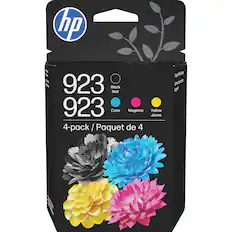
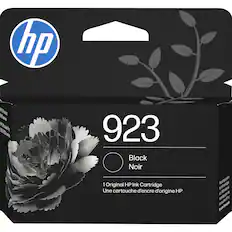
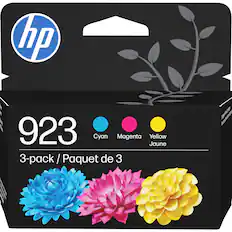
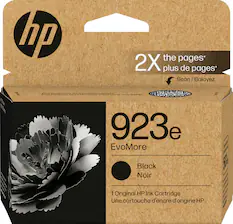
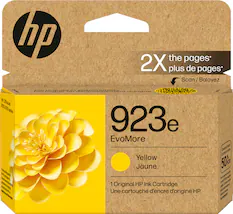
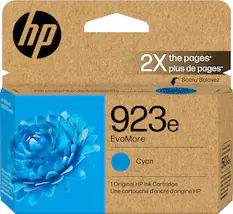
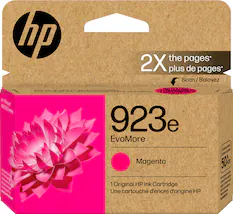
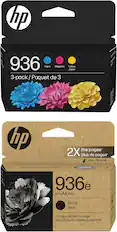
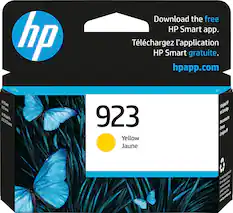
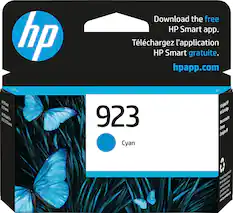
    One of HP’s newest all-in-one printers is the professional-quality Officejet Pro 8139. HP offers a series of printers based on this footprint and overall design, each with different capabilities. This model is an all-in-one that copies, prints, scans, and faxes. The Officejet Pro 8139 works with various operating systems and allows you to print wirelessly from computers and mobile devices or through a USB or an Ethernet cable connection. It is equipped with reliable dual-band Wi-Fi, which makes connections easier, and is designed to help resolve some basic connection issues. The printer is designed with HP Thermal Inkjet technology and has the speed of a 1.2 GHz processor. The 8139 prints in both color and black and white. It uses the HP 923 cartridges and also the high-yield cartridges HP 923e, which print roughly twice as many pages. With the basic HP 923 cartridges, you can expect to print an average of 400 color pages or 500 pages in black and white. With the higher-yield version, color cartridges will usually yield approximately 800 printed pages or 1,000 printed pages in black and white. Color print is of professional quality, but it could be more saturated. A plus is that the color print is water-fade resistant. The black-and-white printed pages are very crisp and sharp, and quite easy to read. Using black ink only, the printer can print 20 sheets per minute (ppm) and 10 sheets per minute in color. It can print 10 envelopes at any given time. Paper can be fed into the Automatic Document Feeder (ADF), which has a capacity of 35 sheets. There is also a tray that supports up to 225 sheets of letter-size paper, 10 envelopes, and various photo paper sizes. The output tray can handle 60 sheets. Printing is fast even with 2-sided printing. Scanning on either the flatbed or the one-sided ADF works exceptionally well. Scan resolution is good, and all the basic scan formats are available, including JPG, BMP, TIFF, PDF, RTF, TXT, and PNG. This printer has scan capabilities up to 1200 dpi. Scans can be produced on either letter- or legal-size paper and sent directly to a computer or attached to an email. Sending digital files is limited to PDFs, TIFFs, or JPEGs. The copy resolution in color is 600 dpi. The ADF allows for quick printing of several types of documents, and the printer also supports duplex and borderless printing, which is a must for printing photos and brochures. The printer’s design includes a nice sized 2.7” color touchscreen that worked well and makes it easier to set up the printer to your network and to control various applications and settings. Ergonomically, the touchscreen tilts to make viewing and interacting with the settings easier. HP has an ink delivery program, and this model comes with 1 year of free ink if HP+ is activated. To get up to 8400 printed sheets in the HP+ ink program, you need to subscribe during setup. After a year, you will be charged if you do not cancel the ink program. Firmware ensures that only certified HP cartridges are used, and through the firmware and online presence, HP can monitor the number of sheets and ink used monthly by someone who opts into the program. This is a nice printer that produces professional-quality printing. I would not hesitate to recommend it. If you do a lot of business printing, I would probably look at the 9000 series, which is a little more expensive, but built for business and has higher print volumes.

    Posted by SwigglesMilam

  • Rated 4 out of 5 stars

    Solid printer, excellent deal for the price

    I have been using HP All-In-One printers since the original 1994 model, which actually functioned as a fax machine connected to my phone landline back then. I do not fax anymore, but I continue to use HP printers for the other functions, scanning, copying, and printing, because both the hardware and software have improved continuously over time. I find that they do need to be replaced about every five years or so, not because they stop working entirely, but because they have trouble maintaining a network connection and start undergoing a "printer maintenance" process that takes several minutes on startup before they will print a page. I currently have an HP OfficeJet Pro 9130e in one of our home offices that still works okay, and this week I replaced an HP OfficeJet Pro 8034e in our other office with the HP OfficeJet Pro 8139 that I am reviewing. If you have never set up a new HP printer, you might find the procedure a little complicated, but, trust me, HP will guide you through the process successfully. The process begins with the color touchscreen on the printer and will eventually ask you to employ either an HP app on your phone or a laptop or desktop connected to the same network. Setup, including connecting to the network, installing the ink cartridges, and adjusting the print heads, went very quickly for me, about 10 minutes. Both my HP Smart app on my laptop and phone apps worked well for basic functions like scanning and printing. There is actually a secure fax option if you want it, but I did not test it. One thing I have never understood but have come to accept is that sometimes the HP app on my computer accomplishes what I want to do with the AIO, but sometimes it directs me to the HP website with my default web browser, requiring me to sign in with my HP account. Mysterious, but it works. One touted feature that I still have not figured out is the new AI-Powered print formatting, which claims to clean up web pages before printing. There are no instructions on how to do this. When I opened my HP app for the first time, it asked me if I wanted to enable the feature, and I confirmed this. But when I went to a messy web page to test how well the feature cleaned up the page, I saw no way to do this. Something to figure out later. There is one physical feature of the printer that does drive me nuts. The cover over the paper tray requires you to push in buttons on both sides over the cover simultaneously when pulling the tray in or out. It is very difficult to get both sides to engage simultaneously. My 9130e does not have this problem as the paper tray can be pulled out without dealing with that cover because the cover does not rest directly on the paper tray. Hopefully you can see the difference between the 8139 and 9130e (which has two paper trays) in the photos. In summary, I think that this printer is a very solid choice, definitely worth the price, especially if it is on sale. The All-In-One functions all work well, the scanning and print quality of documents and pictures is excellent, and tasks are easily controlled with computer or phone apps. I highly recommend the HP ink subscription plan, which has saved me a lot of money the past few years. The 8139 printer came with a much-appreciated one year of free ink, which makes it an even better deal.

    Posted by Drj5j

  • Rated 5 out of 5 stars

    The perfect AIO Inkjet Printer for my home office.

    I really love this HP All-in-One Inkjet printer and it was a breeze to setup. It took less then 30 minutes to unpack, connect and ready to print from all of my devices. The HP OfficeJet Pro 8139 is a compact all-in-one (Print, Scan, Copy and Fax) at an affordable price. Having separate ink cartridges for each color, an easy to load paper tray, an automatic sheet feeder, automatic duplex printing, and multiple connectivity options are what makes this inkjet printer an excellent value. Setup and Configuration: As I mentioned, my printer was ready to go in less than 30 minutes. The 8139 provides connectivity via wired Ethernet, wired USB (cable not included), WiFi, and/or Bluetooth. My printer is located in the same room as my WiFi router, so I opted for a wired Ethernet connection. It was basically plug-and-go for me. There are a few other setup options (i.e., language, auto download of firmware updates, etc.), which the HP setup process walked me through and that was it. Print: The print on the HP OfficeJet Pro 8139 is very clear and the colors are bright and realistic. This printer also allows me to print photo quality prints onto photo paper. On average, the print speed is a moderate 10ppm for color and 20ppm for black and white. For my home office, this is plenty fast for my needs. I usually only print in Black and White, unless I really need color print. I especially like the automatic duplex printing. When I want 2-sided, I specify that when I print and it prints one side, lets it dry briefly, then flips the paper and prints on the other side for professional looking documents. The print resolution is 1200 x 1200 (black and white) and 4800 x 1200 (color). Copy: I really like being able to quickly make a copy with this printer. Also, using the automatic document feeder is so much easier than copying one page at a time as with my old printer. It also lets me convert the document from 1 sided to 2 sided. The Copy function and options are controlled via the Touch Screen. The copy resolution is up to 600 x 600. Scan: The scanner is one of the main reasons I got a new printer. I have been scanning my old family photographs, cleaning them up, and sharing and archiving them. This scanner has 1200 x 1200 resolution, which is perfect for old photographs. In addition to photos, you can scan documents which can be saved as PDFs. I really like the ability to scan multiple pages via the automatic document feeder. I also love being able to scan directly from the 8139 to an email, USB drive, or to my PC with the HP App. This is an amazing time saving option for me. Fax: I don't often need to send or receive a Fax, but this is a really nice bonus. I am one of the few people that still have a landline, so I connected the fax to my home phone line and ran the fax setup. This printer allows me to send a fax from the glass platen, the automatic document feeder, or directly from my PC with the HP App. Windows recognized it had a fax and installed a separate device specifically for faxing. Summary: The touchscreen is very responsive and easy to use. The HP 8139 printer gives your home office all the functions of a business within your home. One absolute stand-out with this printer is the use of AI to minimize printing waste. Many times in the past my old printer would print blank pages or garbled pages when I would print from a webpage. While it isn't always perfect, the print from this printer did produce better results. The HP OfficeJet Pro 8139 AIO printer is perfect for my home office. The build quality on the printer is solid and designed well for anyone of any age to use. I feel this printer is an excellent value and would highly recommend it to anyone. It would also make a great gift.

    Posted by TheRoots

  • Rated 5 out of 5 stars

    OfficeJet Pro 8139

    I just purchased this printer. It was easy to set up and get started. So far it is printing really well. the print quality is great and the speed was exactly what I needed.

    Posted by ROBERTB

Compare similar products

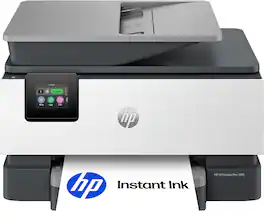
HP - OfficeJet Pro 8139 Wireless All-in-One Inkjet Printer, Scanner, Copier, AI-Enabled with 12 Months of Instant Ink - White
4.4(20)

The HP OfficeJet Pro 8139 All-in-One Printer delivers fast color, water-resistant, smear-resistant, and fade-resistant prints, 225-sheet paper capacity, and scan, copy capabilities, plus fax, perfect for your home office. Navigate this printer with the 2.7" color touchscreen and phone-like user interface. It includes wireless and printer security features to keep your multifunction printer up to date and secure, and is made with more than 45% recycled plastic content. Optimize print formatting with HP AI, that easily removes unwanted content from emails and web pages so your prints are just the way you want—no wasted pages or unwanted content. Subscribe to Instant Ink delivery service and get 1 year of free ink delivered directly to the door of your office. The HP OfficeJet Pro 8139 All-in-One also lets you print from anywhere with the HP app.
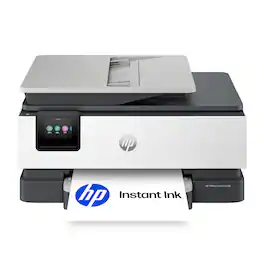
HP - OfficeJet Pro 8125 Wireless All-in-One Inkjet Printer, Scanner, Copier, AI-Enabled with 3 Months of Instant Ink - White

The HP OfficeJet Pro 8125 All-in-One Printer delivers fast color, water-resistant, smear-resistant, and fade-resistant prints, 225-sheet paper capacity, and scan and copy capabilities perfect for your home office. Navigate this printer with the 2.7" color touchscreen and phone-like user interface. It includes wireless and printer security features to keep your multifunction printer up to date and secure, and is made with more than 45% recycled plastic content. Optimize print formatting with HP AI, that easily removes unwanted content from emails and web pages so your prints are just the way you want—no wasted pages or unwanted content. Subscribe to Instant Ink delivery service and get 3 months of free ink delivered directly to the door of your office. The HP OfficeJet Pro 8125 All-in-One also lets you print from anywhere with the HP app.

HP - DeskJet 4355 Wireless All-in-One Inkjet Printer, Scanner, Copier, AI-Enabled with 3 Months of Instant Ink - Black
4.2(25)

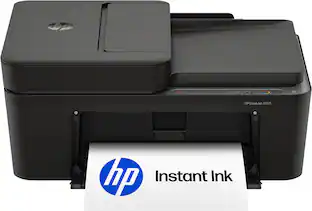
The HP DeskJet 4355 delivers color printing, 60-sheet paper capacity, and an auto document feeder for easy scanning and copying. It's AI-enabled to intuitively adapt to your workflow, with wireless and security features that keep your multifunction printer up to date and secure.

HP - OfficeJet Pro 8135 Wireless All-in-One Inkjet Printer, Scanner, Copier, AI-Enabled with 3 Months of Instant Ink - White
4.4(49)

The HP OfficeJet Pro 8135 All-in-One Printer delivers fast color, water-resistant, smear-resistant, and fade-resistant prints, 225-sheet paper capacity, and scan, copy capabilities plus fax, perfect for your home office. Navigate this printer with the 2.7" color touchscreen and phone-like user interface. It includes wireless and printer security features to keep your multifunction printer up to date and secure, and is made with more than 45% recycled plastic content. Optimize print formatting with HP AI, that easily removes unwanted content from emails and web pages so your prints are just the way you want—no wasted pages or unwanted content. Subscribe to Instant Ink delivery service and get 3 months of free ink delivered directly to the door of your office. The HP OfficeJet Pro 8135 All-in-One also lets you print from anywhere with the HP app.
Pros for HP - OfficeJet Pro 8139 Wireless All-in-One Inkjet Printer, Scanner, Copier, AI-Enabled with 12 Months of Instant Ink - White
Printing SpeedOverall Performance, Print Quality, Connectivity, Size, Noise LevelThere were no pros for this productOverall Performance, Print Speed, Connectivity Options, Automatic Document Feeder (ADF)
Cons for HP - OfficeJet Pro 8139 Wireless All-in-One Inkjet Printer, Scanner, Copier, AI-Enabled with 12 Months of Instant Ink - White
There were no cons for this productSetup ProcessThere were no cons for this productThere were no cons for this product

Specs

Questions & Answers
No content

Customers often buy these together

Sponsored
Ask BlueAI

Finance Options

My Best Buy® Credit Card
Choose a benefit:Or
Buy Now, Pay Later
Lease to own

Special Offers

Included with Purchase

Finance Options

My Best Buy® Credit Card
Choose a benefit:Or
Buy Now, Pay Later
Lease to own

Special Offers

Included with Purchase