Labor Day Appliances SaleEnds 9/16. Limited quantities. No rainchecks.Shop now

Skip to contentGo to Product Search
Main Content

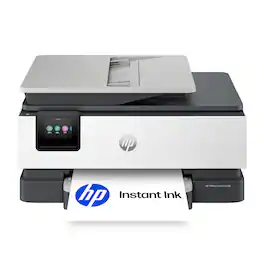
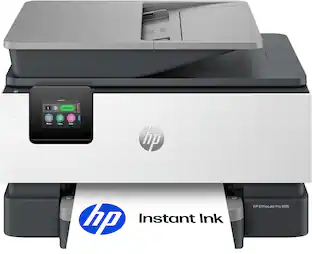
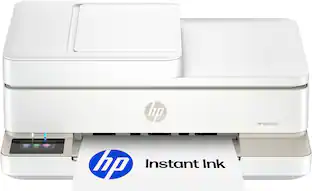
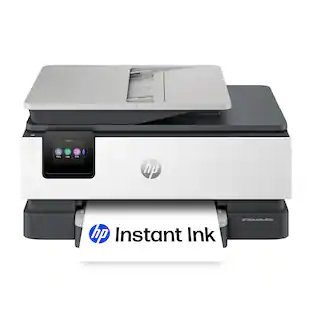
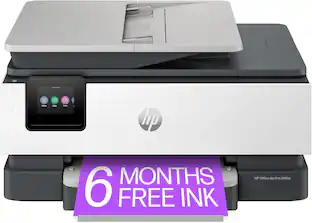
HP - OfficeJet Pro 8135 Wireless All-in-One Inkjet Printer, Scanner, Copier, AI-Enabled with 3 Months of Instant Ink - Cement

Model: OfficeJet Pro 8135/C2VK1A#B1H
SKU: 6673908
Sold byBest Buy

Customers are saying

Customers are delighted by the superb print quality and the reliable overall performance of this printer. Users also appreciate the versatile connectivity options, the quiet operation, and the convenient document feeder. While the compact size is ideal for home offices, some users noted that the initial setup process can be challenging.

Generated by AI based on customer reviews.
See it in-store: Roseville has a demo model on display.
Features
  • From America's most trusted printer brand

    The OfficeJet Pro 8135 is perfect for home offices printing professional-quality color documents like business documents, reports, presentations and flyers. Print speeds up to 20 ppm black, 10 ppm color.

  • Optimize print formatting with HP AI¹

    Print web pages and emails with precision—no wasted pages or awkward layouts; HP AI easily removes unwanted content, so your prints are just the way you want

  • Upgraded features

    Fast color printing, scan, copy, auto 2-sided printing, auto document feeder, and a 225-sheet input tray

  • Wireless printing

    Stay connected with our most reliable dual-band Wi-Fi, which automatically detects and resolves connection issues

  • 3-month Instant Ink trial included

    Subscribe to Instant Ink delivery service to get ink delivered directly to your door before you run out. After 3 months, monthly fee applies unless canceled.

  • HP app

    Print, scan, copy, or fax right from your smartphone with the easiest-to-use print app

  • Protects your data

    HP Wolf Essential Security bolsters security and helps keep your network protected from cyber threats

  • 2.7-inch touchscreen

    Quickly navigate your printer with a large color touchscreen and a phone-like user interface

  • Sustainable design

    Made with more than 45% recycled plastic

  • Dynamic security

    This printer is intended to work only with cartridges with original HP chips or circuitry and will block cartridges using non-HP chips or circuitry. Periodic firmware updates will maintain the effectiveness of these measures.

See all features
Specifications
  • Networking
    Wireless, Wired
    ENERGY STAR Certified
    Yes
    Printer Type
    All In One
    ISO Color Print Speed
    10 pages per minute
    Touch Screen
    Yes
Sponsored

Reviews

Rating 4.3 out of 5 stars with 86 reviews

86% would recommend to a friend
Customers are sayingCustomers are delighted by the superb print quality and the reliable overall performance of this printer. Users also appreciate the versatile connectivity options, the quiet operation, and the convenient document feeder. While the compact size is ideal for home offices, some users noted that the initial setup process can be challenging.
This summary was generated by AI based on customer reviews.
  • Print Quality (35)
  • Overall Performance (16)
  • Connectivity (11)
  • Document Feeder (3)
  • Noise Level (3)
  • Setup Process (5)

Customer Images

The vast majority of our reviews come from verified purchases. Reviews from customers may include My Best Buy members, employees, and Tech Insider Network members (as tagged). Select reviewers may receive discounted products, promotional considerations or entries into drawings for honest, helpful reviews.

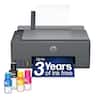
  • Rated 5 out of 5 stars

    The HP OfficeJet Pro 8135: THE Home Office Printer

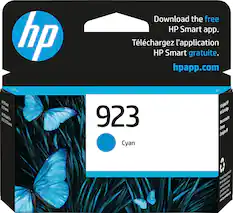
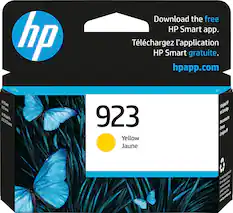
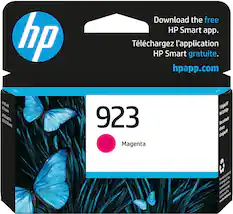
    First Impressions: Unboxing and a Frustration-Free Setup Opening the box of the HP OfficeJet Pro 8135 is a refreshing experience. Everything is neatly packaged and organized, so you won’t find yourself wrestling with unnecessary plastic or confusing parts just to get started. Depending on whether you prefer using the smartphone app or your computer, you can expect to go from unboxing to printing in about 15 to 30 minutes. It’s clear that HP put some real thought into making the initial setup user-friendly. Once you're connected, the printer will automatically trigger firmware updates. While automated updates can sometimes feel intrusive, here they actually give you peace of mind, ensuring the machine stays secure and runs smoothly right out of the gate. Performance and Speed: Where It Shines If you print a lot of text documents, you’re going to love this machine. The HP OfficeJet Pro 8135 flies through black-and-white print jobs with impressive efficiency. Color printing does slow things down noticeably, but it still holds its own against other printers in this price range, so you won't be left waiting around. The print quality is sharp, thanks to a 1200x1200dpi resolution that delivers crisp text and clean, professional-looking documents. With a monthly duty cycle of up to 20,000 pages, this all-in-one is more than capable of handling a heavy, everyday workload. Plus, the 24-bit color depth and 256 grayscale levels mean your charts, graphics, and occasional photos will turn out remarkably vibrant and accurate. The Ink System: Making the Most of Cartridges The OfficeJet Pro 8135 uses a clean, four-cartridge system (Black, Cyan, Magenta, and Yellow), meaning you only ever have to replace the specific color that runs out. One quick heads-up: the cartridges included in the box are "starter" ink supplies meant for setup and initial testing, so you'll want to buy replacements sooner rather than later. To save money in the long run, I highly recommend upgrading to the High-Yield (XL) black cartridge. Since standard office printing relies mostly on black text, opting for the XL size drastically extends your print capacity and cuts down on frustrating mid-job swap-outs. Scanning and Connectivity: A True All-In-One An automatic document feeder (ADF) is a must-have for any serious home office, and the one included here is a huge productivity booster. Instead of manually scanning pages one by one, you can stack your documents and let the machine do the heavy lifting. The digital copies come out clear, sharp, and easy to read. HP also nailed the connectivity options. It supports dual-band Wi-Fi, Ethernet, Bluetooth Low Energy, and standard USB, meaning it will play nice with pretty much any home network or device setup. They’ve even included traditional fax ports for those who still need them. The Final Verdict The HP OfficeJet Pro 8135 is a solid, well-engineered machine tailored specifically for home office demands. It packs printing, scanning, and copying into a relatively compact footprint that won't swallow up your desk space. The PC app and drivers are reliable, so you can just hit print and go without constantly messing with the settings. If you’re looking for a dependable, everyday workhorse for your business or remote work setup, this one is an excellent choice.

    Posted by Goor00inTX

  • Rated 5 out of 5 stars

    Great printer for a SOHO

    Really nice printer. Feels and looks of good quality, everything was in place and nothing was rattling. Its all made of nice plastic and has a nice screen. Setting it up was easy, once the ink was in place and turned it on, it went through some steps on the screen. It asked me to print a head alignment page, which then would scan afterwards to properly align the printer heads. I entered my WIFI credentials and connected to my network. Here I encountered a hiccup, my main PC would not detect it, I had to download their software/drivers to properly finishing the setup. Once it was, I can print wirelessly from any device even mobile devices. The print quality is superb, how much ink printers had advanced. It was fast, however there is a nice setting where you can put it on "quiet mode". It would reduce the printing speed, however it will make the printer whisper quiet, this was my preferred setting, and it was still fast enough for me. Other great features is, although it has a scanner bed, it does not need it, you can feed it documents to scan or copy on the fly via the paper feeder and it will even do it on both sides automatically. I like that you can also print documents on both sides of the paper automatically, should you need a document like that or to save on paper for not so important documents. They give you a nice 3 free month subscription to their ink service, but its optional, if you don't want to sign up you can use it that way too (if you do sign up, you can only use ink cartridges from them). I have not tried aftermarket inks yet, but I would assume they work, as long as you are not subscribed to such service.... In all, its a really nice printer for a small office, or a home office, very versatile, fast and quiet, loving my new printer!

    Posted by JamexRZ

  • Rated 4 out of 5 stars

    Great printer, expensive to operate

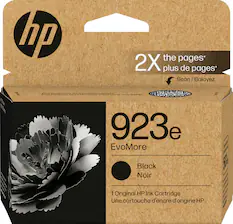
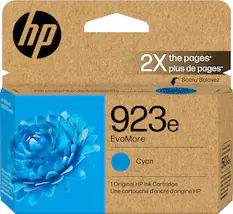
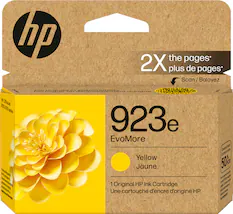
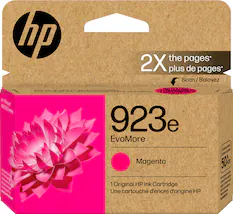
    Bottom line: this is a printer, from arguably the best printer company in the world. The features and performance are everything I would expect, but the build quality makes me think consumer tech rather than “pro” grade. Printers have been around for a long time, so they’re pretty mature as a product category. Not a lot of innovation. So I was pleasantly surprised to see that this printer came with an app that is really good. Not only did it help streamline the setup process, it also offers a suite of productivity features that I didn’t even know I wanted. For example, I can scan/print from my phone from anywhere in the world. Having this app could change the way I think about using a printer! GETTING STARTED Out of the box, there were plenty of bits of tape and cardboard to remove. I opened and closed the many, many doors and drawers to try to find them all. One piece of tape was nearly hidden and hard to remove, but I’m sure it served some important purpose for shipping. As I was doing this, I noticed that some of these moving parts seemed more delicate than I expected. For a “Pro” labeled product that I’d like to be able to use regularly in my home office environment, I’d expect it to feel a bit sturdier. I can imagine some of the thin plastic flaps and adjustments breaking if I’m not careful. I expect this kind of build quality in a cheap consumer-grade product, but not something marketed for professional/office use. When I scanned the “get started” QR code, the first thing I got was a request to share personal data for targeted ads. Is that really necessary, or can HP just let me learn how to use the printer? Even so, HP did not require me to make an account or disclose any onerous personal data before starting to use the printer. There’s an online setup guide (complete with a video showing how to read the guide), and there’s an app to streamline the configuration. Of course the app tried to upsell me on their ink subscription service, but it didn’t force me to sign up for anything. OPERATION HP consistently makes high quality printers, and my first prints were no exception. It seems like it takes about 2 minutes to get ready (was it warming up? Cleaning the print heads?) before it will print anything, but after that prints are pretty quick. About 10 seconds to print a page of text. A color photocopy took about 15-20 seconds total (scanning and printing). Colors are slightly faded but very close: without seeing the original and copy side by side it’s hard to tell which is which. I didn’t test the fax feature since it’s not 1992, but hey, it can do fax! How about that! Probably the biggest issue for me is cost of operation. And that’s hard to judge until I’ve had the printer for a year or two. I’ve had printers in the past where ink would dry up in the cartridges, clog, or get streaks, requiring a replacement cartridge much more frequently than ideal. I really hope that’s not the case with this printer, but time will tell. My experience so far is that the cartridges seem to be of good quality, and I had no trouble installing them and aligning them out of the box. Hopefully they’ll hold up. Even in the best case, replacement HP ink is expensive. For this printer, the cost is estimated at 11c per page for black or 36c for color—just for ink alone. Of course the actual cost depends on the prints and on how often they need premature replacement (see above). HP offers an ink subscription service, too, which could theoretically be cheaper for some use cases. Unfortunately, HP has added DRM to lock the printer to new or refurbished HP ink cartridges, which means I’m pretty much stuck using HP-branded ink. So, using this printer is not exactly a budget-friendly proposition. Print quality: 5/5 Build quality: 4/5 Software quality: 5/5 Cost to print: 2/5

    Posted by Kenneth

  • Rated 4 out of 5 stars

    Good for an Inkjet

    I have not had an HP printer as my daily driver in quite some time. I’m generally not a fan of their pay to print ink model, and I tend toward laser instead of Inkjet because they are generally more reliable and less trouble. This printer did not change my mind on either count, but it’s a decent and economical machine for a small home office. HP has settled into a recognizable form factor that buyers are familiar with for their inkjet lineup. It’s become sturdier through the years as well. All the compartments and trays give satisfying clicks and slot into place when opening or closing. That was a drawback for me in the past. The parts felt fragile, but this iteration is solid. Be prepared to sign up for an HP account. And an app. And annoying prompts to subscribe for ink deliveries. You do not have to do any of these things for the printer to work. Simply install the cartridges it comes with, add the printer to your PC and print. I recommend using the available Ethernet port to hardwire the printer to your network. That connection is pretty foolproof. You can certainly connect over WiFi, but why add that uncertainty if you don’t have to? Prints are lovely. Inkjets are great at color rendering, and this is a higher end inkjet so you get beautiful color pages. It’s quick too! School projects and high color flyers are what this machine is all about. It will certainly do your meeting summaries and agendas too, but color is where it shines. This is a solid four stars at the price point because it’s sturdy, easy to use, and prints pretty. But I would lean into laser right about the time the cartridges run dry and I’m looking at spending a third of what the printer costs to replace them.

    Posted by Mer4343

  • Rated 4 out of 5 stars

    Consistent and Reliable

    Surprisingly, HP got this one mostly right. SETUP: The unboxing experience is clean and straightforward. Everything is clearly labeled, and the included quick-start guide walks you through the process without needing a degree in IT. The cartridges install easily, and HP’s app handled the Wi-Fi setup in just a few minutes. I was genuinely printing from my phone before I had finished cleaning up the packaging. One thing I appreciated is that HP includes a full set of starter cartridges and makes it obvious how everything goes together. The internal diagrams are actually useful instead of looking like abstract art. PRINT QUALITY: For a home office printer, the output is excellent. Black text is crisp and sharp, making it perfect for contracts, reports, and school assignments. Color documents and graphics come out vibrant without looking oversaturated. Photos won’t replace a dedicated photo printer, but they’re more than good enough for everyday use. The automatic duplex printing is also a nice touch and saves a surprising amount of paper over time. PERFORMANCE: The printer wakes up quickly, feeds paper reliably, and hasn’t given me a single paper jam so far. The automatic document feeder is especially handy for scanning multiple pages, and the touchscreen interface is responsive enough that you’re not standing there tapping the same button five times. Wireless printing from both iPhone and Windows devices worked flawlessly. THE HP ELEPHANT IN THE ROOM: I know HP gets a lot of criticism over Instant Ink and cartridge restrictions, so I’ll address it. Personally, I skipped the subscription and used it like a normal printer. If you print occasionally, you can simply ignore the marketing material and move on. For heavy users, the subscription might actually make sense, but I never felt forced into it during setup. FINAL THOUGHTS: The HP OfficeJet Pro 8135 does exactly what a home office printer should do it quietly sits in the corner and works when you need it. No drama. No constant troubleshooting. No mysteious offline messages. That may not sound exciting, but in the world of printers, it’s about the highest compliment I can give. Pros: - Extremely easy setup - Sharp text and very good color output - Reliable Wi-Fi connectivity - Automatic duplex printing and document feeder - Clean, modern design that doesn’t take up too much room Cons: - HP pushes the Instant Ink program pretty hard during setup -Starter cartridges are great but won’t last heavy users very long

    Posted by KenE

Compare similar products

HP - OfficeJet Pro 8135 Wireless All-in-One Inkjet Printer, Scanner, Copier, AI-Enabled with 3 Months of Instant Ink - Cement
4.3(86)

The HP OfficeJet Pro 8135 All-in-One Printer delivers fast color, water-resistant, smear-resistant, and fade-resistant prints, 225-sheet paper capacity, and scan, copy capabilities plus fax, perfect for your home office. Navigate this printer with the 2.7" color touchscreen and phone-like user interface. It includes wireless and printer security features to keep your multifunction printer up to date and secure, and is made with more than 45% recycled plastic content. Optimize print formatting with HP AI, that easily removes unwanted content from emails and web pages so your prints are just the way you want—no wasted pages or unwanted content. Subscribe to Instant Ink delivery service and get 3 months of free ink delivered directly to the door of your office. The HP OfficeJet Pro 8135 All-in-One also lets you print from anywhere with the HP app.
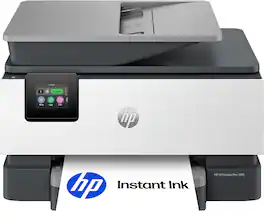
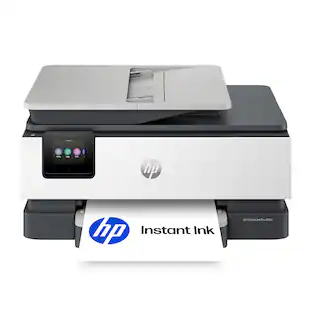
HP - OfficeJet Pro 8135e Wireless AI-Enabled AiO Inkjet Printer w/ 3 Months of Instant Ink - White

The HP OfficeJet Pro 8135e delivers fast color printing, 225-sheet paper capacity, and scan, copy and fax capabilities. It's AI-enabled to intuitively adapt to your workflow, with wireless and security features that keep your multifunction printer up to date and secure.

HP - OfficeJet Pro 8125 Wireless All-in-One Inkjet Printer, Scanner, Copier, AI-Enabled with 3 Months of Instant Ink - Cement

The HP OfficeJet Pro 8125 All-in-One Printer delivers fast color, water-resistant, smear-resistant, and fade-resistant prints, 225-sheet paper capacity, and scan and copy capabilities perfect for your home office. Navigate this printer with the 2.7" color touchscreen and phone-like user interface. It includes wireless and printer security features to keep your multifunction printer up to date and secure, and is made with more than 45% recycled plastic content. Optimize print formatting with HP AI, that easily removes unwanted content from emails and web pages so your prints are just the way you want—no wasted pages or unwanted content. Subscribe to Instant Ink delivery service and get 3 months of free ink delivered directly to the door of your office. The HP OfficeJet Pro 8125 All-in-One also lets you print from anywhere with the HP app.
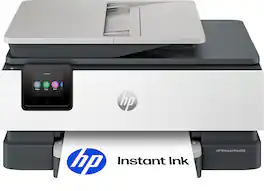
HP - OfficeJet Pro 8139 Wireless All-in-One Inkjet Printer, Scanner, Copier, AI-Enabled with 12 Months of Instant Ink - Cement
4.4(34)

The HP OfficeJet Pro 8139 All-in-One Printer delivers fast color, water-resistant, smear-resistant, and fade-resistant prints, 225-sheet paper capacity, and scan, copy capabilities, plus fax, perfect for your home office. Navigate this printer with the 2.7" color touchscreen and phone-like user interface. It includes wireless and printer security features to keep your multifunction printer up to date and secure, and is made with more than 45% recycled plastic content. Optimize print formatting with HP AI, that easily removes unwanted content from emails and web pages so your prints are just the way you want—no wasted pages or unwanted content. Subscribe to Instant Ink delivery service and get 1 year of free ink delivered directly to the door of your office. The HP OfficeJet Pro 8139 All-in-One also lets you print from anywhere with the HP app.
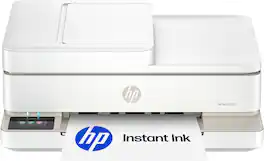
Pros for HP - OfficeJet Pro 8135 Wireless All-in-One Inkjet Printer, Scanner, Copier, AI-Enabled with 3 Months of Instant Ink - Cement
Print Quality, Overall Performance, Connectivity, Noise Level, Document FeederPrint Quality, Overall Performance, Ease of use, Setup, SizeOverall Performance, Print Quality, Connectivity, Noise Level, DesignPrint Quality, Connectivity, Setup Ease
Cons for HP - OfficeJet Pro 8135 Wireless All-in-One Inkjet Printer, Scanner, Copier, AI-Enabled with 3 Months of Instant Ink - Cement
Setup ProcessConnectivitySetup ProcessThere were no cons for this product

Specs

Questions & Answers
  • What is the difference between hp 8135 And hp 8135e printer?

    The primary difference is that the 'e' model is designed to work with HP's smart printing ecosystem and includes HP+ features and benefits. The core printing, scanning, copying, and fax capabilities are otherwise very similar between the two models.

    Answered by HP Team
    HP Team response
  • What is the difference between hp 8135 And hp 8135e printer?

    Velocity

    Answered by Prince1964
  • does this print double side automatically

    I've found that you turn this feature on/off in the print queue.

    Answered by CrazyDogLady
  • Can I trade in my HP8125e for this and if so what amount will I get. Pall in one bought 4/1/26

    work flow requires i print, scan and email. successful.

    Answered by Prince1964
Ask a question
No content

Customers often buy these together

Sponsored

Finance Options

My Best Buy® Credit Card
Buy Now, Pay Later
Lease to own

Special Offers

Included with Purchase