Early Black Friday Deals & DoorbustersEnds Nov. 15.Shop now

Skip to contentGo to Product Search
Main Content

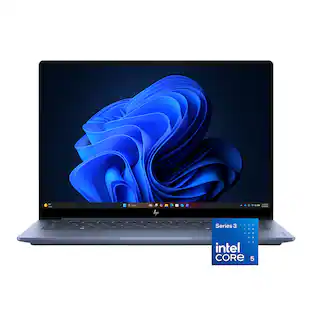
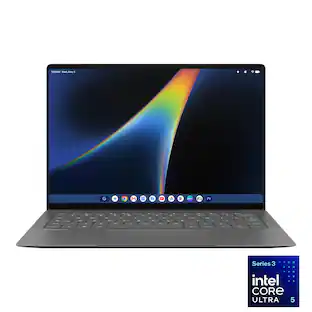
HP - Omnibook 5 - 14” 2K OLED Touchscreen Laptop - Intel Core 5 Series 3 (2026) - 8GB Memory - 512GB SSD - Smoke Silver

Model: 14-mh0023dx/E33XCUA#ABA
SKU: 6690109
Sold byBest Buy

About this product

The HP OmniBook 5 is the everyday AI PC for students—a versatile laptop featuring a 14" 2K OLED anti-glare touchscreen and an Intel Core 5 Series 3 processor with up to 15 NPU TOPS.

Highlights

Features

  • Intel Core 5 Series 3 processor with Intel AI Boost (15 NPU TOPS)

    Turns out, you can have it all—incredible battery, favorite apps ready out of the box, epic streaming, seamless calls, and smart features; Intel Core Series 3 processors bring premium to everyday laptops; That’s the power of Intel Inside.

  • 14" 2K OLED touchscreen

    Experience rich colors and crisp visuals for your everyday productivity with an OLED touch display, 1920x1200 resolution, and up to 300 nits of brightness.

  • 8GB Memory (RAM)

    Experience speedy and responsive performance with power efficiency. Designed to support higher data rates with less latency, plus faster file transfers and application load.

  • Intel Graphics

    Stream your favorite shows, hop on video calls, and scroll through photo edits. All with smooth, responsive visuals. Built-in Intel graphics handle everyday entertainment and multitasking with ease.

  • 512GB Solid State Drive (SSD) storage

    With high-speed data transfer, the PCIe Gen4 NVMe M.2 SSD offers fast speed and efficient storage.

  • Windows 11 Home operating system

    All the best elements of Windows 10, with added features to make it easier to log in to start working, gaming, or creating.

  • More power for your day

    From your morning lecture to your evening wind-down, get up to 42 hours of battery life.

  • Wi-Fi 6E (2x2) and Bluetooth 5.3 wireless card

    Enjoy faster speeds, improved performance, greater capacity and lower latencies than earlier iterations with Wi-Fi 6E and Bluetooth 5.3 wireless card.

  • HP 65W USB Type-C GaN mini wall charger

    Travel lighter with our ultra-compact GaN wall mount power adapter. It’s 50% smaller and lighter than traditional laptop chargers and includes a removable 2-meter USB Type-C cable and foldable prongs for easy travel.

  • Poly Studio Audio with dual speakers

    HP + Poly together will continuously accelerate innovation across our hybrid solutions, including AI-generated technology. With pitch perfect audio, you'll get the best experience to collaborate anywhere with audio tuned by Poly Studio.

  • DTS: X Ultra technology

    By producing authentic, spatially accurate 3D sound, this technology gives games, movies, and music a level of depth and immersion for the best entertainment experience possible.

  • HP Fast Charge

    In addition to long lasting battery life, this laptop optimizes charging to go from 0 to 50% in approximately 30 minutes¹.

  • Connect without adapters

    Connect your devices with 2 USB Type-C 10Gbps signaling rate (USB Power Delivery 3.1, DisplayPort 2.1, HP Sleep and Charge), 1 headphone/microphone combo, and 1 HDMI 1.4b.

  • Corning Gorilla Glass 3

    Enhance your device’s endurance with Corning Gorilla Glass 3, engineered for unparalleled scratch resistance. Helps reduce accidental damage with strong, more durable protection than most displays.

  • 100% DCI-P3

    Experience a wider color range and cinema-grade visuals—richer reds, deeper greens, and vibrant color that elevates movies, photos, and creative work.

  • FHD IR camera with HDR auto-switch

    Deliver smooth and detailed FHD video calls with an HDR auto-switch that balances contrast and color, even in challenging backlight conditions. While the infrared sensor supports facial recognition log-in with Windows Hello.

  • Backlit keyboard

    Keep going comfortably even in darker environments with an illuminated keyboard.

  • DTS Sound Unbound

    Experience immersive, cinema-quality 3D audio that elevates movies, games, and music. Feel every whisper, step, and boom come from exactly where it should. Rich, spatial sound puts you right at the center of the action.

  • Advanced AI Noise reduction

    Enjoy clearer team conversations. Using the Advanced Personal Mode, it tracks only your voice during conference calls while automatically filtering out noises and other speakers for distinctively focused communications.

  • Microphone mute

    Enjoy greater peace of mind and the convenience of a dedicated microphone mute button that you can easily activate and know it’s on or off with an LED indicator light.

  • Smart Display with Screen Shift and Task Group features

    Seamless multitasking on multiple displays with one-click to shift, snap, and launch windows where you want.

  • Built-in streaming with HP TV+

    Stream live TV, movies, shows, sports, news, and more. Optimized for PC viewing whether you're fully immersed or multitasking.

  • Secure Password Manager with HP Omni+

    Manage passwords securely with end-to-end encryption and industry-standard cryptography. Your passwords are protected on your device, never stored in plaintext, and never accessible to HP.

  • HP Eye Ease

    Enjoy every detail without the strain. HP Eye Ease reduces blue light to keep your eyes comfortable while preserving vibrant and accurate colors.

  • Weighs 2.56 lbs. and measures 0.46" thin

    A portable and lightweight design that fits perfectly in your lap, so you're never tethered to one place. 3-cell, 60 Wh Li-ion polymer battery.

Specifications

  • Screen Type
    UWVA
    Screen Size
    14 inches
    Screen Resolution
    1920 x 1200 (WUXGA)
    Touch Screen
    Yes
    Brightness
    300 nits
Sponsored

Reviews

Rating 4.6 out of 5 stars with 24 reviews

5 star rating. 14 reviews4 star rating. 10 reviews
100% would recommend to a friend

Customer Images

The vast majority of our reviews come from verified purchases. Reviews from customers may include My Best Buy members, employees, and Tech Insider Network members (as tagged). Select reviewers may receive discounted products, promotional considerations or entries into drawings for honest, helpful reviews.

  • Rated 5 out of 5 stars

    A good budget laptop, excellent OLED touch screen

    The HP OmniBook 5 14 is a budget Windows laptop that packs some serious portable power and a solid build quality. It compares favorably with the new low end laptops, but has its own special sauce. What you get for the money is fairly impressive, but there are some caveats. First of all, you’ll open the box to an unceremoniously plain package. All packaging is paper and bio degradable if that is important to you. All you get are a few leaflets, a very small 65w GaN power adapter (cool). These new GaN power adapters are super compact, efficient, and cool. Upon inspecting the laptop, the first thing you will notice is the anodized aluminum casing. It is a matte texture that hides fingerprints well. It’s different from what you’ll find with certain fruit manufacturers in a few ways: texture (it’s got a unique feel), color (it’s between current options in their Pro lineup), and thickness (this is thin, not a unibody - but there’s very little flex). The HP logo is etched and polished into the lid. Around the left side of the case you’ll find two USB-C ports and a full sized HDMI out port. Inspecting the right side reveals a headphone jack and that’s it. Upon opening the laptop you’ll be greeted with a beautiful low bezel OLED display. Before we get into that, you’ll also notice a backlit, slightly darker than the aluminum keyboard. It has a pleasant feel, and decent scissor switches. It’s quiet but has a quite good feel to it. The top row is standard F-keys with various shortcuts and controls by default. The F lock (which enables f-keys if you want them to be default) is enabled by pushing Fn+Shift. This illuminates a dedicated LED to show you that the Fn lock is enabled. But wait, there’s more… LEDs! You get a dedicated microphone mute LED on the F9/Mic Mute key, a dedicated LED for mute on the F6/Mute key. Coupled with a power LED on the power button, this keyboard has more LEDs than an IBM era ThinkPad - color med impressed. Below the keyboard is an oversized trackpad that is excellent. The only thing breaking up the rather monochromatic blend of the casing and keyboard is the omnibook 5 etched on the right lower side of the inner case. The keyboard is a scissor switch style that offers a fair amount of travel and is quite accurate. It’s backlit, which is nice. I found my ability to type on it was pretty natural and didn’t require much adjustment. I achieved 80wpm on my first go (which is on the upper end of my averages), so expect a good typing experience. Back to the screen, we have a 1920x1200 OLED that can do 60hz. It’s bright, but not an HDR screen - boasting a meager 300 nits. What it does support is touch. Supporting that touch is a full glass panel with Corning Gorilla Glass 3 - which should make this screen durable enough to support that touch. While not a ‘retina’ display, the 1920x1200 resolution at 14” is quite a small pixel pitch. The out of the box setting is 125% scaling, which actually works quite well, providing a good balance of usable screen real-estate. At the top of the display, you won’t find a notch, but rather a fairly small bezel that includes an IR facial sensor and webcam. Windows Hello Facial recognition is the biometric of choice here, and it’s brilliant. I love Windows laptops that have this feature, and HP’s implementation is quick. Internals, we’re graced with Intel’s Core 5 320 processor. This CPU has 6 cores, 2 of which are the performance Cougar Cove cores, with 4 low power efficiency Darkmount LP cores. The performance cores boost well, and yield a quite competitive single core scores that reach desktop class from a few years ago. The multi-core scores do beat Apple’s A18 pro and meet its single core. It does this while maintaining cool and quiet temps, along with really good battery life. HP claims 22 hours, but realistic usage yields 10 or so. Still, this is a solid all day battery life out of the 60Wh unit crammed in the chassis. While not an AI PC (40 TOPS required) several AI capabilities are NPU accelerated (15 TOPS) such as the webcam. Paired with the Core 5 is a measly 8GB of LPDDR5. In the age of AI data centers, this is the new norm, where perhaps a couple years ago a laptop in this class might come with 16GB, 8 is all we can hope for at this price point. That said, Windows 11 in its current form seems to be handling the 8GB well. There are reasons to be disappointed here, but at this price point 8GB is acceptable. The 512GB SSD is a fairly generous size. It isn’t blazing fast, but it does offer PCIe gen 4 speeds, pushing over 4GB a second sequential read. Write in my tests was only 2.5GB sequential, but the drive, while obviously DRAMless, does perform fairly well for day to day usage. This storage compares favorably with its competitors. The embedded Intel graphics aren’t going to win any gamers over. The 2 XE cores that make up the graphics are quick for their size, but this isn’t enough to play anything made in the past decade that isn’t a pixel game. That said, casual players will find this to be a decent card when playing games like Stardew Valley. Doom 2016 ran, but this is probably the top of its capabilities, and even then, there were stutters. Software wise, HP loads a bit more than some OEMs. That said, the offers and partners aren’t the worst. There is a 90 day trial of dropbox, 1 month of Adobe Express, and a Bing plug. There’s also HP’s TV+ platform, which is a FAST (Free Ad Supported TV) app that basically tunes in quite a few channels with advertisements. Other apps preinstalled are HP diagnostic apps, which do a decent job. All this is easily uninstallable if you’re wanting to remove HP’s preinstalled software. Popping open the back cover is quite easy. There are 4 phillips screws that are easily removed. Once removed, popping the back cover takes just a bit of pressure. Upon removal, you’ll be greeted with exactly 2 upgradable components: the WiFi card and the M.2 SSD. You’ll be happy to see a 2280 length, which means an upgrade in the future would be easy enough. Memory and CPU are soldered in, so the choice of 8GB of RAM is permanent. Replacing the battery looks fairly easy as well. Overall, the HP OmniBook 5 14 is a great ultra thin computer. The build quality is excellent, the casing material top notch, and the screen quite good for a budget machine in its class. Where does it fall down? The RAM is limited, the storage just ok, the CPU quick, but not class leading. This is a middling machine, which makes it well balanced even if it doesn’t highlight any distinct capability. The design touches, such as copious LEDs for status, pleasing texture and monochromatic color scheme that’s unique to HP are appreciated and make this a premium experience. The touchscreen is also a nice flex on budget laptops in this class. Overall, this is a serious contender for the budget student laptop, or anyone looking for a basic daily driver.

    Posted by aarondr

  • Rated 5 out of 5 stars

    A beautiful, sleek laptop that falls a tad short.

    The rating given is 5 stars, but I think this laptop deserves more like a 4.5. I rounded up, because I think 4 stars feels a little too low, but while this is a great laptop, I do have some qualms. First things first. This thing looks gorgeous. It's a sleek, thin, elegant laptop, made entirely from what I assume is aluminum. I know there's all kinds of attempts from many companies to make something that competes, at least aesthetically, with Macbooks, and I think this one does it well. I would assume this was designed in response to the MacBook Neo, and at least in the looks department, I think this is a great competitor. The narrow bezels, glossy screen, light-up keyboard, and narrow profile really give it a high-end feel you don't get with many laptops. The screen looks beautiful as well. It's a 2K OLED display that makes everything on it look incredible. The colors are bright, the blacks are dark, and again, it gives the laptop a premium feel that you don't always get, even on other laptops with OLED displays. It is also a touchscreen. I'm of the mind that Windows isn't designed for touchscreen use, and I didn't use it very much as a result, but from what I tested, it works fine. It registers my touch where I expect it to, it doesn't lose track of my finger or anything when scrolling and navigating, it does what it's supposed to. One minor thing I'll mention is that the display's refresh rate is only 60hz, and it can't be changed. It's perfectly usable for everything you'd be doing on a computer like this, but it would be nice to have it be more buttery smooth. The keyboard is solid. It's backlit, which is nice, and at this price point, it would be more notable if there wasn't any backlighting. It turns off after a few seconds if you don't type on it, and turns back on when you start typing again, which makes sense for saving battery. The keys have a tactile feel to them. It takes a bit of pressure to activate the keystroke, and they bounce right back once you've removed your finger. No mushiness at all as a result, and no deck flex, either. I got to about 75WPM typing on it using a typing test, which is around what I normally score when doing typing tests, so I can't complain. The touchpad is fine. Unremarkable. It's a touchpad and allows you to navigate, click, and right click without issue. I'll mention that the computer is pretty zippy. I was able to download numerous apps while streaming music and working on a Word document, and it didn't chug at all. It got a little slower loading web pages while also doing an internet speed test (it was about 500mbs download and 350mbs upload, which is pretty par for the course for my wifi), but only marginally so. Soon as the speed test was done, that no longer was an issue. You can definitely accomplish some multitasking with this computer without needing to worry. Now, there's a couple of things I want to talk about that aren't super great. They're not awful, but they may be noteworthy to some people. The first thing is, in my opinion, the biggest issue: RAM. We're currently in the midst of a RAM crisis, and so it has become astronomically expensive compared to what it cost just a year ago. The result is that nice laptops like this, which would normally have come with a bare minimum of 16GB, come with 8GB. Intensive tasks will be difficult with this amount of RAM, especially with how poorly optimized Windows is these days. I was using 80% of the total RAM with nothing open but 2 tabs open in Firefox, one of which was streaming music, the other having been a search result page on Google. You'll run into the wall quick, and that can be a massive, massive problem for some people. It's especially ironic, considering that the minimal RAM and only 500GB of storage are caused by companies hogging up all the storage for AI data centers, and Windows takes every single opportunity to shove Copilot down your throat. While it's not this computer's fault, it still runs Windows, and Windows is basically a giant ad for their brand of AI garbage these days. During setup, on the start screen, in the settings, even in Notepad of all things, there's constant little notifications about how you can use AI. The only thing I want to do with AI is uninstall it forever, but of course, there's not really a way to do that. Moving on, you've also got very limited ports on this computer. There's 2 USB C ports, one HDMI output, and a headphone jack. If you have any USB A accessories, you will need a dongle. Now, I don't think this is a huge deal, to be honest. The laptop is thin, and that will always bring some compromises. Not to mention, USB C is becoming the new standard slowly but surely, and new accessories utilizing USB C are becoming more and more normal to own. It's also nice that both of them can be used to charge the laptop. I would always prefer more options and more ports, but I think it makes sense that this one has a rather limited selection. I AM glad it has the headphone jack, though. The speakers on this computer are... subpar. I've certainly heard worse laptop speakers in my day, but I've heard better, too. These are a little hollow. They lack bass, they sound a little crusty, and they don't get very loud. They're down-firing as well, so they're always going to be just a bit muffled sounding. I wasn't expecting mind-blowing audio quality, but I did hope for something at least a little better than average. Not a huge deal, though. On the topic of sound, this computer's fans get very, very loud sometimes. Again, it's a limitation of it being so thin while having an X86 processor in it, but it's worthy of note. When downloading some stuff and streaming music, the fans ramped up to the point that it sounded like a PlayStation 4, if you remember how loud those things got. It only lasted for about 30 seconds, but even so, it was enough for me to notice even though I was trying to listen to music. All of the caveats I have with the computer are minor, but they do take away from what I'd otherwise call fantastic. Hence why I wanted to preface by saying that I'd rate this more at a 4.5 than the given 5. If you're in the market for a laptop for school or work, and need to use Windows, I think this is as good an option as any. For the price, in this current market, it does what it needs to do, and it looks good doing it. If you're open to trying MacOS, and especially if you already have other Apple devices, I think that would be a better buy for the money, but you can't go wrong with this, either.

    Posted by Ben Reed

  • Rated 5 out of 5 stars

    Making Laptops Great Again!

    The HP Omnibook has been a delight to use. It’s built well, fast, sleek, crisp and everything you want in a daily-use laptop. The Omnibook has shown me that the brands still care about the users! Unboxing was simple and in what I like to call light premium packaging. It wasn’t like a MacBook but it also wasn’t like the opening experience of a value machine. Microsoft has really fine tuned the Windows 11 setup process and someone who has setup many and I mean many computers it’s pretty seamless and almost fun now to do. Always enjoy the mini games as the laptop updates. The Omnibook is my new personal favorite and I can’t put it down. I haven’t been this excited since my 07 Acer Aspire! Honestly, never thought ergonomics and design would make me so excited but it’s just that good. The laptop is thin and feels solid. No bends, flex’s or creaks. The laptop is a slate color (officially called smoke gray) and actually almost feels like that slate stone feeling (obviously still smooth and flat). It feels premium as I carry it around my house. The keyboard is illuminated (one color only - white) and the keys feel good. I like how the X on the keyboard looks different as it’s almost like two arrows pointed at each other ><. Nice touch! Talking about touch the screen is a touchscreen and is crisp sharp and rich in color displaying at 2k. While I do notice some images are not clear I think it’s not the laptop but now I notice quality issues with what I’m viewing. I have other 2k screens that are matte (this is glossy) so maybe that’s why. Another cool touch are the HP logos external on the lid and internal below the screen are mirrored. Another nice touch! Finally, the palm rests are also not to big even with a 14 inch screen making it easy to type for long periods. Ports are minimal here with 2 USB C (thunderbolt) a HDMI port, and 1 headphone jack. That’s it! Simple but good enough. I do wish there was a USB C port on each side rather than two on the left hand side simply for better charging options. The Omnibook comes with a 65 watt USB C charger with a cable that is supported at that level. It’s a pretty small brick and I like how I can charge this laptop easily with any USB C just note you want to make sure something with enough wattage to keep it going as 5 or 12 watts ain’t going to cut it. The laptop is packed with some good stuff that won’t break your wallet. It has a 2k 14 inch screen with a max brightness of 300nits, intel graphics that uses the regular system ram, ram is 8gb LPDDR5 at 6400 MTs. Ram can’t be upgraded as it’s soldered to the motherboard. The CPU is an intel core 5 series 3 (model 320, 1.5 GHz). Storage is an SSD, PCIe Gen 4.0 NVMe M.2 at 512gb. It should be noted that the SSD is removable but I did not crack the case to find out. Final note here on hardware is that the WiFi supports 6E with Bluetooth 5.3. Battery life has been phenomenal. I use the Omnibook all the time and never charge it. I can use it for web browsing what seems like for days. It lasts so long I can’t actually say how long it does last and not sure how it would be if you using it heavily for gaming, cad, 3d printing, etc (which I do with my other laptop dedicated for those needs). One last note, the track pad is great but sometimes I can’t figure out a right and left click. I never had this before but also feel like it’s not “broken” but actually determining what I’m trying to do……maybe that’s where the AI comes in. Overall, a terrific laptop that I can’t stop using. It’s almost completely perfect other than the USB C ports only being located on the left side like apple was doing a few years ago with their low end MacBook pros. I throughly enjoy using this model and highly recommend it if you are looking for a laptop that will be good to use for your daily needs.

    Posted by Tstall

  • Rated 4 out of 5 stars

    Great “basic” laptop

    As with most things, whether a specific laptop is good for you is entirely dependent on what you need it for. Most people just need a computer for basic day-to-day tasks, school, entertainment. For those basic computing needs, this Omnibook 5 laptop is a terrific choice. But don’t expect to game on this laptop or perform any intensive task. IN THE BOX Inside the box you’ll find the laptop, a relatively small 65 watt charging brick and USB-C to USB-C cable. It’s pretty sparse - but everything you really need. The setup process is just like any other Windows laptop, so nothing to really mention there. SPECS It comes with an Intel Core 5 processor 8 GB of RAM Discrete graphics (no dedicated GPU) 512 GB of SSD storage (477 GB usable) 2K OLED display 2 USB-C ports HDMI port Headphone jack DESIGN HP has rebranded its consumer devices and put them under the Omnibook name. The Omnibook 5 is the mainstream tier of devices, sandwiched in between the budget Omnibook 3 and higher-tier Omnibook 7. It’s positioned as a computer for the masses. Having said that, I’m impressed by the build quality and design. It’s made of recyclable materials and is made of aluminum and not plastic. The lid has a sharp, professional looking HP logo. It certainly gives off premium vibes. It’s less than a half inch thick and is extremely light and portable. Something that you won’t notice carrying in your bag. The screen is really the focal point and frankly, one of the big selling points. It has 2K resolution and utilizes an OLED screen offering deep blacks and terrific contrast. The keys have a low profile scissor switch, but feel clicky rather than mushy. In other words, you get feedback when typing that isn’t too loud and I enjoy the experience. PERFORMANCE and DAY TO DAY USAGE As mentioned, this laptop isn’t a barn burner - but its not designed to be. You aren’t going to be playing any games, there’s no dedicated GPU and there’s only the bare minimum amount of RAM to run Windows 11. In terms of day-to-day tasks - internet browsing, paying bills, sending emails, drafting documents and working on spreadsheets, it does really well. I didn’t find any hiccups. I opened a lot of browser windows, had Excel and Word opened and transitioned between all of them flawlessly. The speakers are on the bottom of the laptop and fire down. They are pretty bland. It gets plenty loud, but don’t expect rich audio. It’s fine for Zoom calls and the like, but don’t expect to be blown away watching media content. The touchpad is plenty big and relatively responsive. It’s not as smooth as some other laptops, but functions just fine. The battery life is absolutely stellar. I’ve used this laptop for a week and have only charged it once. Granted, I wasn’t using it everyday, but I never turned it off, I just closed the lid. There is very little battery drain when closing the lid vs. shutting it down. The webcam is 1080p with 30 FPS. This isn’t anything stellar, but it’s a definite upgrade over the typical 720p cameras. It has Windows Hello facial recognition which makes logging in a breeze. AI AI is obviously all the rage these days. This is marketed as an AI laptop, meaning it has a neural processing unit on board (the requirement to be called an “AI PC”). This is based on the Intel 5 CPU, but this particular chip has modest performance in that regard. It doesn’t qualify as a “Copilot+PC” as it doesn’t reach that performance threshold. But it does have a Copilot key on the keyboard. About the only onboard AI features you’ll get are Windows Studio Effects which gives background blur, eye-contact correction, noise removal, in your webcam for video calls. But when you hit the Copilot button, the AI process is cloud driven as there’s no language model running on the laptop itself. Practically, this is a distinction without a difference - at least for me. I’m not sophisticated enough to know why I need onboard AI processes, vs. using web based browsers that most of us are accustomed to. Again, this laptop isn’t marketed towards power AI users: it’s more of a marketing gimmick. CONCLUSION All in all, this is a solid laptop for students or work professionals (just not video content work). The battery would undoubtedly get you through the day (i.e. going from class to class). It’s extremely quiet and runs cool. The port selection is pretty bare, but that’s to be expected with virtually all laptops. It has a nice professional design and is very portable. In a lot of ways, it’s an entry-level laptop that doesn’t cut corners, giving you a terrific display, long battery life, and a nice webcam.

    Posted by callmeageeth

  • Rated 5 out of 5 stars

    Nice touchscreen daily use laptop!

    The ultralight laptop space has many good picks today, and there are several features to this laptop that could make it a potentially excellent pick for a multitude of users, but not the best for others. Generally, this laptop is incredibly well built and just feels nice to work on. The keyboard is awesome to type on, up there with some of my favorite keyboards to type on, like newer MacBooks. The key placement is logical without any strange arrangements or sizing, and the function row gives you full control of your media functions and device brightness without having to hold down the Fn button for any of the presses. I particularly like that the trackpad is a nice size for this device and is “clickable” all the way across the touchpad, even if it is a diving board spring design that gets a bit stiffer at the top of the trackpad. Now for some nitpicks. While I love the sharpness, viewing angles, and color accuracy of the OLED screen, it is HIGHLY reflective. When I bring this up, I am talking about sitting in front of a window without direct sunlight and the glare still being so pronounced that the screen has to be tilted just right to see what you are doing. This issue is further compounded by the fact that the screen can only get to 300 nits brightness which is quite dim and is no better than many cheaper IPS panels used on other laptops. The annoyances of this screen though are redeemed somewhat by it being a touchscreen which lots of people are really going to appreciate. Additionally, the OLED screen really is just a beauty to behold, so if you can enjoy this screen in environment that isn’t overly challenging with reflections, you will be in good shape! The 8GB of RAM on this laptop does not leave hardly any headroom at all for multitasking on this laptop. Gratefully, this laptop equipped with its Intel i5 Core 5 320 chip has managed to feel pretty competent and smooth running through a series of different tasks and programs running in the background, but it is a little unnerving seeing the laptop memory use spike up to 100% when I am just running a series of mundane tasks like a few Chrome tabs and some Word document processing. The RAM also is not upgradeable, so this is the RAM you are stuck with for the life of the laptop. So, to sum it up, I would say that while the 8GB of RAM is not an incredibly limiting factor for the laptop now in 2026, I could see it being quite limiting even in just a manner of a few years as Window updates and programs get heavier duty on these mobile devices. There are many refinements and enjoyable aspects about this laptop that make it nice to use as a daily productivity laptop. It is a relatively quiet laptop. While it has fans, I almost never heard them spin up significantly during normal workloads of Microsoft office program use and Chrome tab browsing. The Hello Windows facial recognition makes logging in super convenient and works quicker than other Windows devices I have used. The battery life and weight of this laptop are also phenomenal. This laptop could practically disappear into a laptop bag without you noticing and the included charger is a GAN small form factor 65-watt charger and is SUPER compact which further bolsters the appropriateness of this laptop as a lightweight travel device. Finally, the build quality itself is amazing. It is an all-metal construction and just feels very sturdy in a market where laptops at this price point are still being constructed as plastic abominations. Altogether, I feel this laptop deserves a reasonable 4.5 out of 5 stars rounded up to 5 stars. I cannot really complain that this does not have more than 8gb as RAM as there are other HP Omens available with more RAM if that is what suits a prospective buyer. This laptop is targeting daily casual users who are planning on doing standard workloads and tasks that really don’t require the lift of more RAM. I hope you have found this review helpful!

    Posted by Bren

Compare similar products

HP - Omnibook 5 - 14” 2K OLED Touchscreen Laptop - Intel Core 5 Series 3 (2026) - 8GB Memory - 512GB SSD - Smoke Silver
4.6(24)

The HP OmniBook 5 is the everyday AI PC for students—a versatile laptop featuring a 14" 2K OLED anti-glare touchscreen and an Intel Core 5 Series 3 processor with up to 15 NPU TOPS.
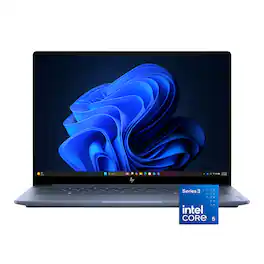
HP - Omnibook 5 - 14” 2K OLED Touchscreen Laptop - Intel Core 5 Series 3 (2026) - 8GB Memory - 256GB SSD - Starlit Blue
4.5(25)

The HP OmniBook 5 is the everyday AI PC for students—a versatile laptop featuring a 14" 2K OLED anti-glare touchscreen and an Intel Core 5 Series 3 processor with up to 15 NPU TOPS.
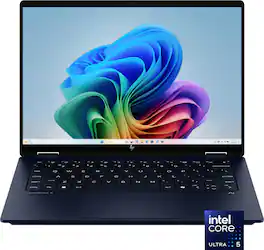
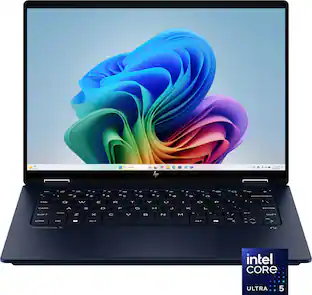
HP - OmniBook X Flip 2-in-1 - 14" 2K Touchscreen Laptop - Intel Core Ultra 5 226V (2024) - 16GB Memory - 512GB SSD - Copilot+ - Atmospheric Blue

Take your creativity to go with the thin and light HP OmniBook X Flip 14 Next Gen AI PC. Multiple modes enable you to work and play from any angle, while a high-resolution edge-to-edge 2K multitouch-enabled display makes every view crisp and clear. An AI-powered Intel Core Ultra processor and an all-day, fast-charging battery ensures that you have the speed, performance, and endurance to create wherever you are. Copilot+ PCs bring exclusive on-device AI experiences designed to accelerate productivity and creativity.
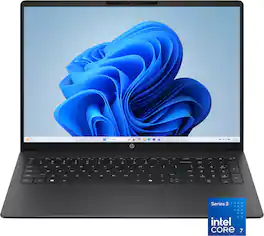
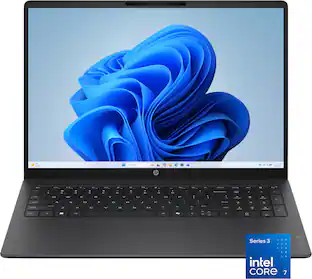
HP - OmniBook 3 - 16" 2K Touchscreen Laptop - Intel Core 7 350 (2026) - 16GB Memory - 512GB SSD - Mica Silver
4.9(8)

Built for everyday reliability. Simplify your day with the HP OmniBook 3. Enjoy smooth performance, a spacious 16 inch 2K display, all-day battery life, and a GaN power adapter that charges more efficiently. Packed with multiple ports that help you stay connected and get more done, wherever your day takes you.

Pros for HP - Omnibook 5 - 14” 2K OLED Touchscreen Laptop - Intel Core 5 Series 3 (2026) - 8GB Memory - 512GB SSD - Smoke Silver
There were no pros for this product—There were no pros for this product—Overall Performance, Portability, Battery Life, Processor Speed, DesignThere were no pros for this product—
Cons for HP - Omnibook 5 - 14” 2K OLED Touchscreen Laptop - Intel Core 5 Series 3 (2026) - 8GB Memory - 512GB SSD - Smoke Silver
There were no cons for this product—There were no cons for this product—Heat Dissipation, Noise LevelThere were no cons for this product—

Specs

Questions & Answers

No content

Customers often buy these together

Sponsored