Outlet EventEnds Oct. 26. Limited quantities. No rainchecks.Shop now

Main Content
product image

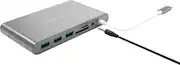
Hyper - HyperDrive Ultimate 11-Port Universal USB-C Hub - USB-C Docking Station for Laptops - Space Gray

Model: GN30B-Gray
SKU: 6349957
This item is no longer available in new condition. See similar items below
  • Key Specs
    • Number of USB Port(s): 4
  • General
    • Brand: Hyper
    • Model Number: GN30B-Gray
    • Product Name: HyperDrive Ultimate 11-Port Universal USB-C Hub - USB-C Docking Station for Laptops
    • Color: Space Gray
  • Network
    • Ethernet Standard: 10/100/1000 (Each standard is a variation of the IEEE 802.3 set of computer networking technologies known as Ethernet. New versions evolved to include higher bandwidth, different physical media, and other new and improved features. Standards are often denoted by speeds (in Megabits per second). For example, a 10/100/1000 Ethernet port transmits at 10 Mbps, 100 Mbps, and 1000 Mbps (1 Gbps).)
  • Features
    • Hub Type: USB hubs (The type of connection, such as Ethernet or USB, used to connect peripheral devices to the hub for shared access.)
  • Ports
    • Number of USB Port(s): 4
    • Port Type(s): HDMI, RJ-45, USB (USB 2.0 connects external drives, gaming controllers, smartphones, MP3 players and other accessories.USB 3.0 transfers data faster than USB 2.0, but only when used with USB 3.0 devices.USB Type-C provides fast speeds and versatile power, featuring connectors with identical ends that plug in upside down or right side up. Adapters allow for video as well as backward compatibility.Thunderbolt provides ultra-high bandwidth for fast data transfer between devices featuring a Thunderbolt or MiniDisplayPort connection.HDMI allows you to connect a projector or display HD media on your HDTV or monitor.Media card slots allow you to transfer photos from your digital camera or camcorder.)
  • Speed
    • Rated Speed: 5000 megabits per second (The rate of data that can be transmitted by the networking device.)
  • Dimensions
    • Product Height: 0.67 inches (The out of box height of the item. Height is measured as the vertical distance from the bottom of the item to the top as it would be primarily used or placed.)
    • Product Length: 3.3 inches (The out of box length of the item. Length is measured as the longest dimension of the item.)
    • Product Width: 5.39 inches (The out of box width of the item. Width is measured as the horizontal distance from one side of the item to the other as it would be primarily used or placed.)
    • Product Weight: 0.45 pounds (The out of box weight of the item.)
  • Warranty
    • Warranty - Parts: 1 Year
    • Warranty - Labor: 1 Year
  • Other
    • UPC: 817110013468

Connect most legacy devices with laptops and desktops using this HyperDrive Ultimate USB-C hub. The HDMI, MiniDP and VGA ports support one 4K monitor or two 1080p displays, while the Ethernet port supports speedy Internet access. This durable aluminum HyperDrive Ultimate USB-C hub has three USB 3.0 ports and SD and microSD card slots for device charging and quick data access.

  • Compatible with most devivces with USB Type-C port: Allow MacBook, Ultrabook, Chromebook, PC, Android, and most USB-C devices to work with popular legacy connections.
  • 11-port USB hub: Lets you connect multiple devices to your laptop with only one USB port.
  • HDMI, mini DisplayPort, VGA ports: Support resolution of up to 4K at 30Hz for sharp, crystal clear image.
  • Three USB 3.0 Type-A ports: You can connect all your home office peripherals.
  • One USB Type-C port: Supports USB-C pass-through charging. Allows USB-C device to be charged while using the USB-C hub at the same time.
  • Built-in memory card readers: Compatible with SD and microSD memory cards.
  • Gigabit Ethernet port: Allows for fast network connection where wireless networks are unavailable.
  • Aluminum enclosure with built-in 170mm/6.7" flexible USB-C cable: Offers a stylish look.
  • Compatible with most devivces with USB Type-C port: Allow MacBook, Ultrabook, Chromebook, PC, Android, and most USB-C devices to work with popular legacy connections.
  • 11-port USB hub: Lets you connect multiple devices to your laptop with only one USB port.
  • HDMI, mini DisplayPort, VGA ports: Support resolution of up to 4K at 30Hz for sharp, crystal clear image.
  • Three USB 3.0 Type-A ports: You can connect all your home office peripherals.
  • One USB Type-C port: Supports USB-C pass-through charging. Allows USB-C device to be charged while using the USB-C hub at the same time.
  • Built-in memory card readers: Compatible with SD and microSD memory cards.
  • Gigabit Ethernet port: Allows for fast network connection where wireless networks are unavailable.
  • Aluminum enclosure with built-in 170mm/6.7" flexible USB-C cable: Offers a stylish look.
Whats Included
  • HyperDrive Ultimate 11-Port USB-C Hub
  • HyperDrive Ultimate 11-Port USB-C Hub

Q: Will this support dual monitors? One via VGA and the other HDMI.

A: No, it doesn't support dual monitors.

Q: Is this good for a Mac. I need to plug in a microphone and two webcams

A: No stay away this will burn your battery and frie you port. This is not an apple product and will void your warranty which you will need if you use it. it got my battery hot in ten minutes and was to hot to hold for long. I was just using ethernet.

Q: Can this item work with a Microsoft Surface Book 2 using the usb-c port though it shows a Apple MacBook being used?

A: My wife uses it with an HP laptop running windows 10 for her IT admin job. So unless Microsoft put a different type of USB in their surface it should work. Also the outside is made of a nice metal material, possibly aluminum so it does not feel cheap like some of the other docks I have seen.

Q: Will this work with a Dell inspiron all in one?

A: The latest Dell Inspiron all in one has 1 x USB 3.1 Gen 2 Type C™. It will only make the Ultimate hub functions partially, such as the USB-A, memory card slot and ethernet port will work. But the video ports won't work at all.

Q: Does the audio jack port. I have tried two or three hubs that have a 3.5 mm audio jack out with my new USB-C Macbook and none of them have worked.

A: I just checked to be sure that is does—yes it does. However, remember that you will have to go into your System Preferences, go to "Sound", select "Output" and then change from "MacBook Speakers" to "USB" — this will rout the sound out through the USB port.

Q: I need the USB A ports and the audio jack port to face me and be on the right of the computer. Can I power the hub with a USB-C cable into its USB-C port and bypass the built-in USB-C cable?

A: If I am picturing what you're saying correctly, then I would think no. The capacitor and transformer won't be in the correct location. The USB-C port (female) is an output port for power and as such is engineered and manufactured that way with the electronic components on-board to protect the rest of the board, i.e. resistor, capacitor, transformer set up in a specific directional alignment. On the left side are the USB-C (male) connectors. These are also set up to allow power-in via a specific direction. I am not saying absolutely no, but it is a very high probability no. You could try it, and if it doesn't work you could always return it. The voltage won't be high enough if you place a single device on the dock for a test.