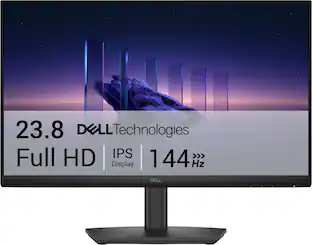
Refresh Rate: 180Hz (The number of frames per second the device can produce natively without enhancement. Higher rates help produce smooth, seamless pictures.)
Maximum Resolution: 1920 x 1080 (Maximum resolution refers to the highest number of pixels that a screen can process and display. Higher resolution signals produce more detailed images.)
Response Time: 1 milliseconds (The speed at which pixels can change colors is called response time. It is measured in milliseconds (ms).)
Panel Type: IPS (Technology that affects response time and image quality.)
Synchronization Technology: FreeSync (AMD Adaptive Sync) (Generally, these technologies allow syncing between a computer/console game's frame rate and the device's refresh rate for a smoother display without tearing.)
Screen Size: 23.8 inches (Size of the screen, measured diagonally from corner to corner.)
Display Connector(s): 2 x HDMI 2.0, 1 x DisplayPort 1.4 (The number and type of connectors used to connect to an external display.)
General
Brand: HyperX
Model Number: C2JP4AA
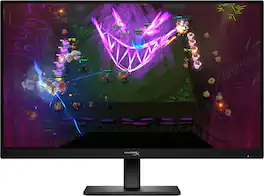
Product Name: OMEN by HP 24" IPS Full HD 180Hz FreeSync Gaming Monitor with Adjustable Height (DisplayPort, HDMI)
Color: Black
Operating System Compatibility: Windows, Mac, Not Applicable
Display
Refresh Rate: 180Hz (The number of frames per second the device can produce natively without enhancement. Higher rates help produce smooth, seamless pictures.)
Maximum Resolution: 1920 x 1080 (Maximum resolution refers to the highest number of pixels that a screen can process and display. Higher resolution signals produce more detailed images.)
Native Resolution: 1920 x 1080 (Native resolution of a screen refers to its single, fixed resolution. Sometimes screens must scale an image up or down in order to fit the native resolution. This can cause a loss of resolution or detail.)
Contrast Ratio: 10,000,000:1 (Measured difference between a displayed image's brightest whites and darkest blacks. The larger the first number, the more detail and color that can be displayed.)
Response Time: 1 milliseconds (The speed at which pixels can change colors is called response time. It is measured in milliseconds (ms).)
Display Type: LED
Panel Type: IPS (Technology that affects response time and image quality.)
Synchronization Technology: FreeSync (AMD Adaptive Sync) (Generally, these technologies allow syncing between a computer/console game's frame rate and the device's refresh rate for a smoother display without tearing.)
Aspect Ratio: 16:9 (The measurement of the width of a screen compared to the height of a screen, expressed as a ratio.)
Curved Screen: false
Pixel Density: 93 pixels per inch (The number of pixels present per inch on the device's display. Higher pixel density improves the clarity and sharpness of the displayed image.)
Brightness: 300 candela per square meter (A measure of the total light output.)
Screen Size: 23.8 inches (Size of the screen, measured diagonally from corner to corner.)
High Dynamic Range (HDR): false (An HDR-compatible 4K TV or other HDR-compatible product displays HDR video content when it's available from sources like 4K Ultra HD Blu-ray Discs and 4K streaming services.)
Horizontal Frequency: 213 kilohertz (Also known as "horizontal scan rate," this measurement describes the number of horizontal lines displayed per second and is used to calculate a screen's refresh rate.)
Horizontal Viewing Angle: 178 degrees (The maximum angle at which the display can be viewed with acceptable visual performance from either side.)
Vertical Viewing Angle: 178 degrees (The maximum angle at which the display can be viewed with acceptable visual performance from above or below.)
Touch Screen: false (Touch-screen devices make navigating more intuitive. Using a touch-screen display, you can do things such as tap to select, hold and drag to move items, swipe to scroll, and pinch to zoom.)
On-Screen Display Languages: 11 (English, Spanish, German, French, Italian, Dutch-Netherlands, Portuguese, Japanese, T-Chinese, S-Chinese and Russian) (The available language options for displayed text.)
Display Surface: Anti-glare
Color Gamut (Standard RGB): 99 percent
Connectivity
Number of DisplayPort Inputs (Total): 1
Number of HDMI Inputs (Total): 2
Number of VGA Ports: 0 (VGA (Video Graphics Adapter or Video Graphics Array) is a display standard that transmits via analog signals. This type of interface is typically used to connect a computer to a display device such as a monitor, projector, or TV.)
Number of Thunderbolt Ports (Total): 0
Display Connector(s): 2 x HDMI 2.0, 1 x DisplayPort 1.4 (The number and type of connectors used to connect to an external display.)
Number of USB Ports (Total): 0
Compatibility
Wall Mountable: true (The product is able to be secured to a wall. Some products are designed ready to mount, while others may require additional hardware/accessories for installation.)
VESA Wall Mount Standard: 100mm x 100mm (VESA wall mount standards refer to the spacing of screw holes built into a TV in order to fit with standard TV wall mounts. These standards are implemented into most TVs and monitors.)
Features
Tiltable: true
Adjustable Stand Height: true
Anti-Glare: true (Product has features, such as a matte finish, that reduce the likelihood for screen glare.)
Eye Relief Features: Anti-glare, Low blue light
Built-In Webcam: false
Integrated Speaker(s): false
Dimensions
Product Height Without Stand: 12.8 inches
Product Width: 21.26 inches (The out of box width of the item. Width is measured as the horizontal distance from one side of the item to the other as it would be primarily used or placed.)
Product Depth (With Stand): 7.8 inches
Product Depth Without Stand: 2.13 inches
Product Weight: 11.68 pounds (The out of box weight of the item.)
Stand Included: true
Stand Width: 7.8 inches (The horizontal measurement of the stand/base, or the distance from the outside of one leg to the outside of the opposite leg, as it is attached to the product.)
Power
Power Consumption: 23 watts
Certifications Listings & Approvals
ENERGY STAR Certified: false (Devices carrying the ENERGY STAR service mark, such as computer products and peripherals, kitchen appliances, and other products, generally use 20% to 30% less energy than required by federal standards.)
EPEAT Qualified: false (The Electronic Product Environmental Assessment Tool (EPEAT) was designed to provide an environmental assessment tool for purchasers. In order to qualify for EPEAT, a product must meet all 23 required criteria.)
Warranty
Warranty - Parts: 1 year
Warranty - Labor: 1 year
Other
UPC: 199485354750
Level up with the HyperX OMEN 24 G2. This 23.8" 180 Hz FHD gaming monitor delivers smooth, factory color calibrated visuals at 1ms response times in a compact design that fits any setup. Perfect for players looking to jump into the world of gaming monitors with speed, clarity, and reliability.
FHD 23.8" Display: Focus on the finer details and enjoy clearimages with a 1920 x 1080 Full HD resolution 23.8" diagonal monitor.
IPS Panel: No matter where you stand, IPS panel delivers clear, vivid images with 178-degree wide-viewing angles, so everyone can get a great view.
180Hz Refresh Rate: For crisp action and responsive gameplay, this fast refresh rate practically removes all artifacting and motion blurring.
1ms GTG Response Time with Overdrive: How fast your pixels can react to changing frames is critical for fast-paced gaming, and a 1ms GTG response time with Overdrive ensures even the most action-packed moments are fluid, crisp, and free of motion blur.
AMD FreeSync Technology: Every gamer deserves perfectly smooth gameplay and peak performance. Game confidently with a high refresh rate, low framerate compensation, and low latency. AMD FreeSync certified monitors are here.
Factory Color Calibration: Fuel your creativity with a monitor that supports your vision, with Factory Color Calibration for color accuracy, so you can see your games the way the devs intended.
99% sRGB: Get deeper hues and a wide array of colors with 99% sRGB for precisely recreated colors so lifelike you get lost in your gameplay.
Plenty of ports: Easily connect to your gaming and work PCs, console, and headset with two HDMI 2.0 ports, one DisplayPort 1.4, and one 3.5mm headphone jack.
Ergonomic stand: Make your desk just how you like it with the ergonomic stand. Find comfort while you game with tilt, swivel, and 100mm height adjustments.
Effortless Joypad OSD Button: In the middle of gameplay, it's never been easier to configure your display settings right from the monitor. Quickly navigate the on-screen menu with the joypad OSD button to adjust brightness, contrast ratio, and color.
Integrated Cable Management: Cord and wire pass-through located on the display stand reduces cord-clutter and helps keep your workspace clean and organized.
HP Eye Ease with Eyesafe Certification: Built right into the display, with no need to adjust settings or worry about a compromised color experience, HP Eye Ease with Eyesafe Certification provides beautiful color while reducing blue light to keep your screentime comfortable.
OMEN Gaming Hub: OMEN Gaming Hub is your one place for everything to make your gaming experience better. Enjoy software enhancements to hardware control, and live services.
Compatible with Consoles: This gaming monitor underwent over140 test cases to ensure it's compatible with your choice of console. Just connect the HDMI and get right to playing.
Level up with the HyperX OMEN 24 G2. This 23.8" 180 Hz FHD gaming monitor delivers smooth, factory color calibrated visuals at 1ms response times in a compact design that fits any setup. Perfect for players looking to jump into the world of gaming monitors with speed, clarity, and reliability.
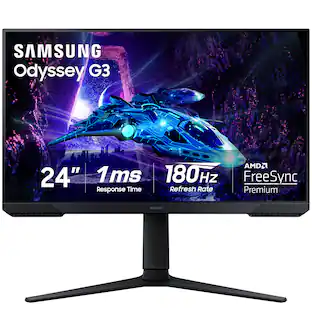
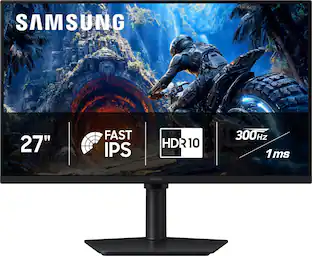
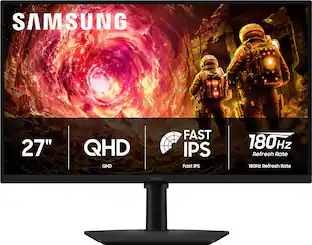
Samsung's Odyssey G30D Gaming Monitor features 180Hz refresh rate and 1ms response time (MPRT) which enables faster, exhilarating gameplay with ultra-smooth action and minimal blur. AMD Radeon FreeSync keeps the monitor and graphics card refresh rate in sync, reducing image tearing for seamless, smooth scenes. Black Equalizer allows you to adjust dark areas in games, letting you spot your enemies in even the darkest hiding nooks. Eye Saver Mode minimizes blue light and reduces irritating screen flicker for more comfortable gaming, and the 3-sided borderless design provides maximum space for bigger, bolder gameplay, enabling a precise dual-monitor setup. Features an ergonomic stand to adjust your monitor height for optimal comfort when playing for extended periods of time.
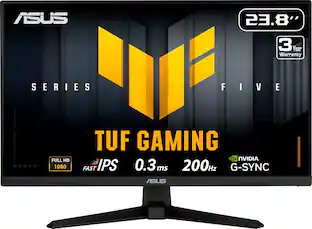
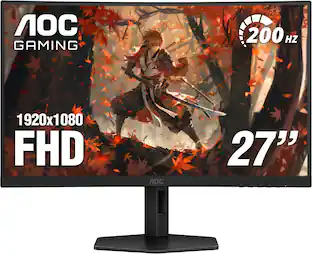
TUF Gaming VG249Q5A is a 23.8-inch Full HD monitor that delivers five advanced upgrades for top-tier gaming. It features a lightning-fast 200Hz refresh rate and 0.3ms response time, along with AMD FreeSync™ Premium and NVIDIA® G-SYNC® compatibility for ultra-smooth gameplay.
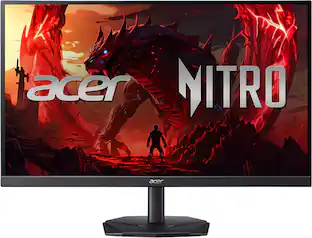
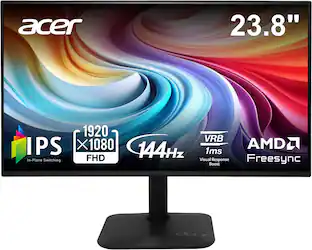
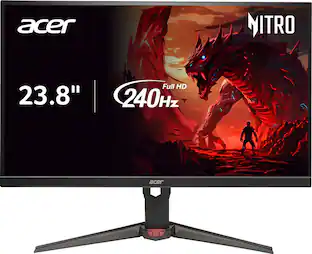
In competitive gaming, every frame matters. Introducing Acer's XV240Y gaming monitor - the Full HD (1920 x 1080) resolution monitor that can keep up with your game play. Through AMD FreeSync Premium Technology, the game’s frame rate is determined by your graphics card, not the fixed refresh rate of the monitor, giving you a serious competitive edge. Plus, users can enjoy comfortable viewing experience while gaming via flicker-less, low dimming and ComfyView display. The design saves space on your desk and lets you place multiple monitors side by side to build a seamless big-screen display
Pros for HyperX - OMEN by HP 24" IPS Full HD 180Hz FreeSync Gaming Monitor with Adjustable Height (DisplayPort, HDMI) - Black
Customers are sayingCustomers value the OMEN 23.8" monitor for its clear and crisp picture quality and its amazing 180 Hz refresh rate. The monitor's adjustability, particularly its height adjustment, is also appreciated. Furthermore, customers find the connectivity options, including the two HDMI ports and one DisplayPort connection, to be beneficial, and they report that the monitor's performance equals or surpasses their prior expectations.
This summary was generated by AI based on customer reviews.
Picture Quality (12)
Refresh Rate (11)
Adjustability (6)
Connectivity (5)
Performance (5)
Customer Images
The vast majority of our reviews come from verified purchases. Reviews from customers may include My Best Buy members, employees, and Tech Insider Network members (as tagged). Select reviewers may receive discounted products, promotional considerations or entries into drawings for honest, helpful reviews.

Rated 5 out of 5 stars
A Perfect IPS Gaming Monitor!
I am writing this review for the HyperX OMEN 23.8" IPS Full HD 180Hz FreeSync Gaming Monitor with Adjustable Height, and I'll tell you right up front — this one surprised me in many ways. Let me walk you through it.
I think it would be very difficult to find a gamer on any level who has not heard of the HyperX OMEN brand of desktops and monitors. Both sit at the top of their respective mountains, and the name alone carries a certain weight and expectation when you pick up the box. So I was genuinely looking forward to putting the 23.8" monitor through its paces and seeing if it lived up to the reputation.
Out of the box, the HyperX is a very straightforward and no-nonsense monitor. You won't find all the typical buttons and knobs cluttering the bezel that come standard on a lot of other gaming monitors. Instead, HyperX has ingeniously placed full control of the monitor in a d-pad style array on the back of the unit that is both easy to find and surprisingly easy to use once you get your bearings. The array controls everything you could possibly want as far as the monitor goes — input sources, preset color modes such as FPS, RPG, RTS, and more, overlays for timers, crosshair placement and position, you name it, the d-pad will probably handle it. One thing I particularly appreciate is that the pad does not stop at a wall but continues to scroll through the menus whether you go left to right or right to left. This was a genuinely smart move by HyperX, because you no longer have to rack your brain trying to remember where that one particular option was hiding. Just keep scrolling and you'll find it. Simple, clean, effective.
The monitor itself is of a minimalist nature. Like I said, it's straightforward and no-nonsense, and honestly, I like it. There is nothing here to distract you while you're deep in a session. The stand features an up and down adjustment slide for smooth, easy movement on the vertical axis. The monitor can be positioned almost at desktop level — just a couple of inches above the surface — and raises to roughly six inches above the tabletop. That range is more than enough to find the sweet spot where there is no physical stress from craning your neck or straining your eyes. After long sessions, that kind of ergonomic flexibility matters more than people give it credit for. The monitor does not swivel or tilt dramatically, so if you were hoping for a full range of articulation, you may need to factor in a third-party arm. But for the vast majority of setups, the height adjustment alone gets the job done.
The HyperX is an IPS monitor, which places it leaps and bounds above older TN panel technology. IPS delivers better colors, wider viewing angles, more natural image quality, cleaner-looking whites, and far less of that ugly color shifting you get when viewing a TN display from even a slight angle. In other words, the image looks great no matter where you happen to be sitting in relation to the screen — a genuine quality of life improvement if you share your screen with anyone or simply move around while you game.
The 23.8" screen size is what many call the sweet spot for gaming. It keeps your attention naturally focused without requiring the constant eye scanning that comes with those notorious ultrawide or 50-plus inch behemoths some people insist on. Everything is right there in front of you, in your field of view, right where it belongs. The color delivery is exceptional on the HyperX, rich and punchy without feeling oversaturated or artificial. That said, this is an IPS monitor, and while the blacks are good, they are simply not the same as what you would get on a quality OLED display. For most applications and most environments, the HyperX is perfectly fine. It is only when I kill all the lights in the room that the IPS limitations begin to reveal themselves. The blacks are not deep and pure — they are a very dark, dark gray, but just not quite true black. In a normally lit room this is genuinely a non-issue. In a fully darkened room it becomes noticeable, though I would still call it acceptable. It is one of those things you learn to make peace with when you are not spending OLED money.
Motion is really very nice at 180Hz, and responsiveness is excellent — especially when playing fast-moving titles like Asphalt Legends and Forza Horizon 5. I am deeply into open world games, and I have to say the immersion factor here genuinely impressed me. The atmospheric lighting in particular is surprisingly strong, pulling you into the environment in a way I did not fully anticipate from a monitor at this price point. The FreeSync technology does its job quietly and effectively, keeping things smooth and tear-free during those moments when the action ramps up fast. Just keep in mind that if you are running an NVIDIA GPU, you will want to confirm this model appears on your own particular NVIDIA's G-Sync Compatible list before buying, as FreeSync performance can vary depending on your setup. I only mention this because I don’t know if, let’s say, my RTX 5060 has the same compatibility as the RTX 5090, or the 4090, but for those on AMD, it is a seamless experience.
So what about latency? I want to be upfront — I am not a professional FPS gamer. But I am competitive, and being a bit older than the average gamer, I will take every little advantage I can get. The HyperX is, as I have said, super responsive. There are no noticeable latency issues on my end. Mouse and keyboard responses feel immediate and accurate, and in the heat of a match, that kind of confidence in your equipment goes a long way. I never once found myself blaming the monitor for a missed shot or a slow reaction — and for me, that is really the highest compliment I can pay it.
Bottom Line: The HyperX OMEN 23.8" IPS 180Hz monitor is a well-built, thoughtfully designed display that punches solidly at its price point. It is not trying to be everything to everyone, and it does not pretend to be. If you want a clean, fast, reliable gaming monitor with a smart control system and a screen that genuinely delivers in motion-heavy gameplay, this one deserves a serious look. Just go in eyes-open about the IPS black levels and the resolution ceiling, and you will likely walk away very satisfied with a new HyperX 23.8” monitor in your hands.
Posted by Patrick
Rated 5 out of 5 stars
Entry level gaming monitor with eyestrain benefits
HyperX - OMEN 23.8" IPS Full HD 180Hz FreeSync Gaming Monitor with Adjustable Height (DisplayPort, HDMI) - Black
This 23.8” (1920 x 1080) HD monitor is a good entry level gaming monitor. It has a clear, crisp picture, 180 Hz refresh rate needed to enjoy most PC games, and base features for a good experience.
The base is solid, connects extremely easy, and with monitor attached is roughly 15-20lbs. In other words, it’s not going anywhere if the desk/surface gets a little shaky, or you bump the monitor when attached.
There are 2 HDMI inputs, 1 DP input, and an audio jack input. Very standard for a gaming monitor.
You can turn the monitor very easily with minimal effort, 90 degrees, to orientate vertically.
This monitor is eyesafe certified 2.0, with an RPF of 35. No clue what those were was so I googled it and saved you time.
From Google: eyesafe certified 2.0 is a rigorous, health-based standard for display screens that signifies reduced high-energy blue light (415–455 nm) while maintaining color accuracy. It ensures screens meet strict, expert-backed requirements for managing blue light toxicity, balancing eye comfort with visual performance.
RPF = Radiation Protection Factor :
Measures the amount of blue light being emitted by the monitor. Higher RPF number indicates less blue light being emitted.
This monitor has 8 color presets to choose from, or you can customize your own preferences. I was more than happy with the Native selection.
Changing most individual game settings, had little to no effect with the display quality of this monitor. No lagging, ghosting, or any latency problems. Nice bright clear display.
I think this is a wonderful choice for anyone with a student in school, who likes to enjoy PC games. With the blue light protection , it can help to combat the potential long-term, cumulative damage to eye health from prolonged screen use. Regarding schoolwork, it can help with a student’s ability to get a good night’s sleep, and to help with. Anything that helps their brain relax and wind down for the night is a good thing, with significant benefits to their sleep pattern!
Highly recommend!
Posted by Mookie
Rated 5 out of 5 stars
Decent colors, no reflection
For a 23.8” monitor, the details look sharp, the colors look vibrant and the black levels are pretty good. The finish of the screen is matte, preventing practically any reflection. However, bright light does diffuse making some things hard to see. The viewing angles are fairly good so long as you are not coming at it from too steep of an angle. Then you can really notice things getting washed.
For a gaming monitor, it has most of the typical things. Color presets based on common types of games, a refresh rate display, a crosshair and built in timer/stopwatch and the 180hz. The settings are all controlled with the little directional pad on the back and has 2 levels. There are the quick settings for most options, like disabling/enabling those mentioned above. Then there is the deeper level that lets you customize even more. Like the crosshair for example lets you change the style and color.
It has two HDMI and one Display port and the PC sees the audio as OMEN 24 G2, so you can plugged 3.5mm headphones straight into the monitor. The included stand works well giving height adjustment pivot and tilt. However, the one thing that I find odd is that the standard mounting is turned 45 degrees. This means if you are using your own wall/desk mount, then it has to be installed at an angle. Depending on your setup, this could limit your full 90 degree rotations as it is already at 45. For me, since I don’t rotate my monitor all that often, it is not a problem. But with the limit stop on my mount, I Can not only move it 45 degrees in either direction unless I take it off and rotate the mount 45 degrees back to level it out.
Overall, it is still a very viable monitor for Full HD gaming. It’s not meant for the bleeding edge systems where you have to have it all, but enough to notice a difference from a standard monitor.
Posted by DavidJr
Rated 5 out of 5 stars
Nice beast of a monitor
For The Omen 23.8 in ISP full HD 180 HZ freesync gaming monitor I believe and the collars are pretty darn accurate. It has a matte screen preventing a lot of annoying reflections. For the physical buttons on the monitor, they are on the back and it's a directional pad on the back to help navigate through the osd.
For IO there are two HDMI ports on the back One. DisplayPort and a 3.5 mm headphone jack. This is a straight up. Very simple but effective gaming monitor. It does have the ability to rotate to landscape mode which I'm currently using it in and I've had zero issues. The colors look great. The response rate is great for gaming and I have no issues with screen tear or any challenges that I have seen.
I love how simple and straightforward this monitor is to set up. It took me about 2 minutes to set up the whole monitor. The mechanism that holds the monitor in place is very simple and easy to use. It just clicks whenever it's in. Overall, I think HP has done well with this Omen 23.8 ISP monitor and it simply just works and is a competitive monitor at this price point. It looks great and performance has been nothing but spectacular so far.
Posted by clow18
Rated 5 out of 5 stars
I really like my HyperX Omen monitor, it performs,
The HyperX monitor arrived well packaged with instructions an HDMI cable, power cable, stand and monitor. To assemble the monitor, I did not need tools, and it was fast and easy.
Once assembled I was able to use one input for my Firestick and the other input I used to connect to my laptop. It also has a DP port as well as a 3.5mm headphone output.
I really like that the monitor can be raised a few inches or lower it and the screen can be tilted for a comfortable viewing.
When it comes to performance, it works great at 120hz and at optimal mode it is 180hz ready yet it worked great at 120hz while gaming.
The monitor has an easy to navigate menu, it can be customized for different occasions such as gaming, browsing and more.
I really like that it has AMD Freesync, and the picture looks clear, sharp and flawless.
Overall, my HyperX Omen full HD monitor not only does it look great because its slim edges on top and on the sides, it has a very nice matte screen that has a great look. It also performs great, it keeps up with the game, video editing and the colors are great. It is easy to use and a great addition to my system.