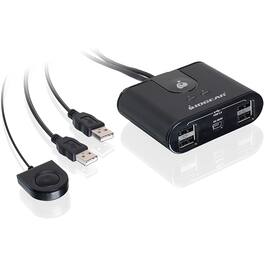
IOGEAR - 4-Port USB 2.0 Automatic Printer Switch - 4 x USB - 480 Mbit/s - Black
Reviews coming soon
About this product
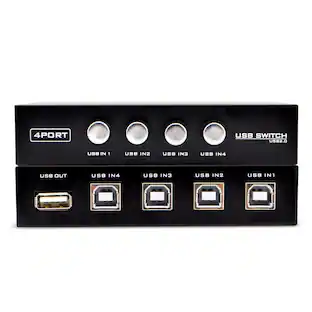
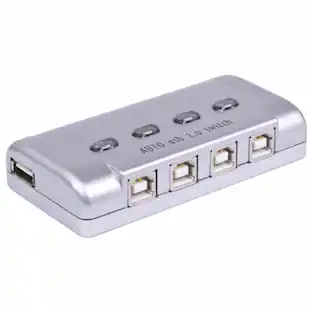
IOGEAR's USB 2.0 Automatic Printer Switch allows four PCs and / or Macs to share one printer or multi-function printer. Simply submit a print job and the printer automatically switches to the preferred computer. The switch also enables four computers to easily share one external hard drive, scanner, or any USB device. No more plugging and unplugging between computers. Automatic switch function is software based and only available with USB printer or the printer function of a multi-function printer. For connecting and using other types of USB devices, you can switch by using the push-button on the USB switch or with the included software. More from the Manufacturer
IOGEAR 4-Port USB 2.0 Automatic Printer Switch - 4 x USB
IOGEAR's USB 2.0 Automatic Printer Switch allows four PCs and / or Macs to share one printer or multi-function printer. Simply submit a print job and the printer automatically switches to the preferred computer. The switch also enables four computers to easily share one external hard drive, scanner, or any USB device. No more plugging and unplugging between computers. Automatic switch function is software based and only available with
Type: USB
USB Bus powered
- BrandIOGEARModel NumberGUB431Product NameIOGEAR 4-Port USB 2.0 Automatic Printer Switch - 4 x USB - 480 Mbit/sColorBlackWarranty - Parts3 yearsWarranty - Labor3 Year
Reviews
This product doesn't have any reviews yet.
Compare similar products
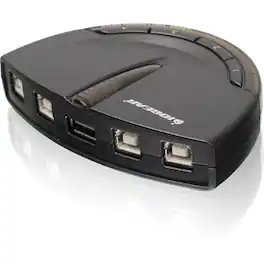
IOGEAR's USB 2.0 Automatic Printer Switch allows four PCs and / or Macs to share one printer or multi-function printer. Simply submit a print job and the printer automatically switches to the preferred computer. The switch also enables four computers to easily share one external hard drive, scanner, or any USB device. No more plugging and unplugging between computers. Automatic switch function is software based and only available with USB printer or the printer function of a multi-function printer. For connecting and using other types of USB devices, you can switch by using the push-button on the USB switch or with the included software. More from the Manufacturer
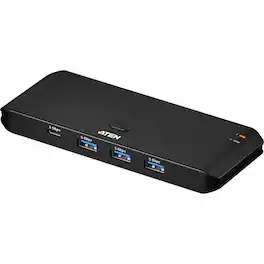
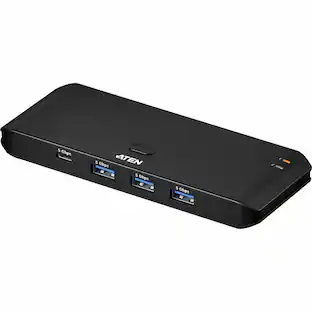
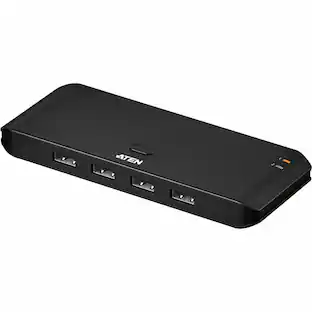
ATEN Essential 2 x 4 USB 3.2 Gen1 Sharing Switch (Host Type: A+C) - USB 3.2 (Gen 1) Type A, USB 3.2 (Gen 1) Type C - 640 MB/s - Desktop, Notebook, Printer, Camera, Headset, Keyboard, Mouse, Speaker, Flash Drive, Graphic Tablet, Workstation - Portable - 8 USB Port(s) - PC, Mac
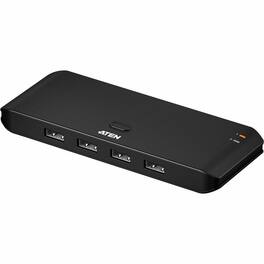
ATEN Essential 2 x 4 USB 2.0 Sharing Switch - USB Type A - 60 MB/s - Workstation, Desktop, Notebook, Keyboard, Mouse, Speaker, Camera, Flash Drive, Printer, Graphic Tablet, Headset - Portable - 7 USB Port(s) - PC, Mac
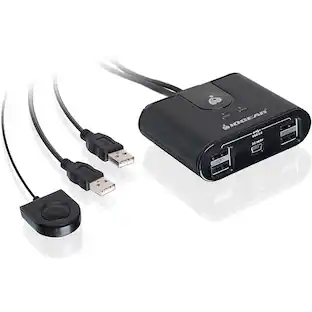
The IOGEAR 2x4 USB switch is a USB 2.0 peripheral sharing switch allows two computers to share up to four USB devices, such as keyboard, mouse, printer, portable hard drives, and so forth. This device eliminates the cost to have multiple sets of USB devices for each computer. It also cuts down cable clutter of your work area, as well as the trouble to move from one computer to another. Switching from computer to computer is easy with the press of a button with LED to indicate the selected computer. You can also charge and sync your mobile devices with the computer through this unit.
Specs
Be the first to ask a question.
We’ll try to get your question answered within 24 hours by a Best Buy customer or brand representative.
More to consider
 $99.99The price was $139.99
Immerse yourself in sound Sponsored
Keep exploring
 $594.00The price was $699.00