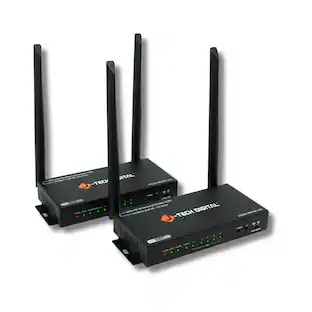
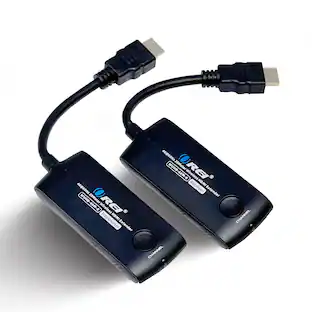
J-Tech Digital - 1080P 60Hz HDBaseT HDMI Extender Balun Over Ethernet (492ft) - Black
Reviews coming soon
About this product
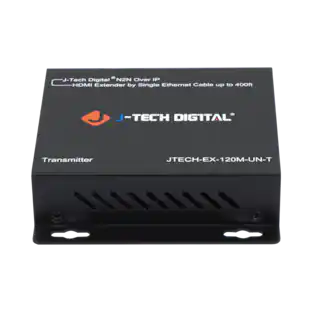
The JTECH-HDT150 extender, can transmit a High-Definition 1080P signal up to 500 feet (150 meters) using the latest HDBaseT transmission protocol. With the JTECH-HDT150 extender, you have many different resolutions options to choose from, including common PC resolutions with 16:10 aspect ratios, such as 1920x1200, so you will not be limited to only “TV-friendly” source devices or monitor displays. This extender is powered by bi-directional POC, and only requires power to be connected to either the receiver or the transmitter, allowing for discreet installation. The JTECH-HDT150 uses an EDID passthrough that will automatically detect which resolutions and audio format are compatible with your display, set them to the highest options available. The JTECH-HDT150 also passes CEC commands, allowing source devices and displays that support CEC to also be turned on or off through the extender. The JTECH-HDT150 also passes RS-232 commands, to control devices for serial communication transmission of data.
Extend Your HDMI Signal Over Ethernet
Extend your 1080P HDMI signal up to 500 feet (150 meters) over Cat5e/6 UTP cable using the latest HDBaseT transmission technology with this HDBaseT HDMI extender.
Bi-Directional PoC & EDID Pass-Through
Power is only required one end of the JTECH-HDT150, and with the Bi-Directional PoC feature, you can set the power on either the transmitter OR receiver, for maximum convenience. EDID pass-through settings also make for a quick and easy set up allowing you to experience audio and video in the highest settings possible based on the capabilities of your display.
Bi-Directional IR & CEC, RS232 Pass-Through
Control your source from your display/receiver side, or vice-versa with through Bi-Directional IR, source devices and displays can be turned on and off with the JTECH-HDT150 through supported CEC commands, and pass RS-232 commands from a computer to your source and display with a Phoenix jack.
Digital Audio Format Support
The JTECH-HDT150 also supports many HD audio formats, including Dolby Digital, Dolby TrueHD, DTS 5.1, and PCM
- BrandJ-Tech DigitalModel NumberJTECH-HDT150Product NameJ-Tech Digital 1080P 60Hz HDBaseT HDMI Extender Balun Over Ethernet (492ft)ColorBlackMaximum Video Resolution1080pMaximum Supported Resolution (Video Passthrough)1080p (Full HD) @ 60 Hz
Reviews
This product doesn't have any reviews yet.
Compare similar products
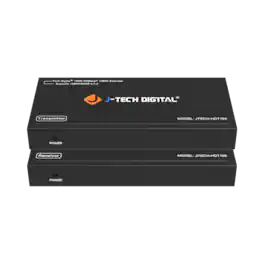
The JTECH-HDT150 extender, can transmit a High-Definition 1080P signal up to 500 feet (150 meters) using the latest HDBaseT transmission protocol. With the JTECH-HDT150 extender, you have many different resolutions options to choose from, including common PC resolutions with 16:10 aspect ratios, such as 1920x1200, so you will not be limited to only “TV-friendly” source devices or monitor displays. This extender is powered by bi-directional POC, and only requires power to be connected to either the receiver or the transmitter, allowing for discreet installation. The JTECH-HDT150 uses an EDID passthrough that will automatically detect which resolutions and audio format are compatible with your display, set them to the highest options available. The JTECH-HDT150 also passes CEC commands, allowing source devices and displays that support CEC to also be turned on or off through the extender. The JTECH-HDT150 also passes RS-232 commands, to control devices for serial communication transmission of data.
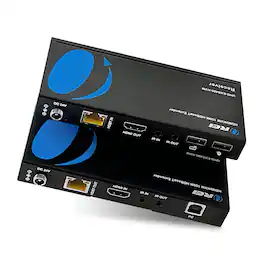
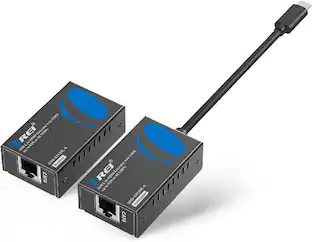
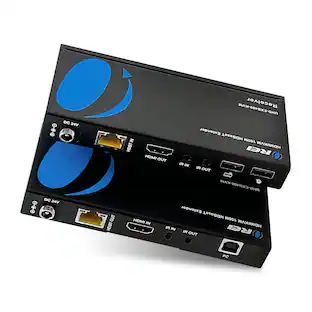
The UHD-EXB400-KVM is a KVM extender that can extend USB and HDMI signals up to 394 feet at 4K@60Hz and 492 Feet at 1080P@60Hz. It is HDMI 2.0b and HDCP 2.2 compliant, supporting video resolutions up to 4K@60Hz 4:4:4, with an 18Gbps video bandwidth, and HDR and Dolby Vision pass-through. The transmitter features a USB-B port to connect the host, while the receiver has 2 USB ports for USB devices. This device features bi-directional IR, Power over Cable (PoC), and USB KVM signal pass-through, providing control convenience and simplifying setup. Compact design and easy installation requiring no additional drivers. Ideal for both personal and commercial use, this extender can be used for home theaters, office setups, remote workstation management, and much more.

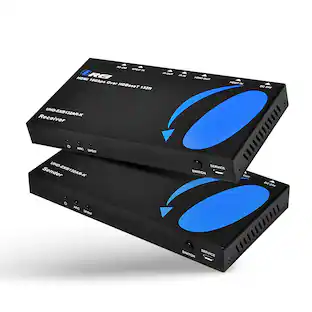
The UHD-EXB132AR-K is an HDMI extender with audio extraction, that can extend HDMI media signals up to 165 feet. It supports video resolutions up to 4K@60Hz and 2K@60Hz. It is HDMI 2.0 and HDCP 2.2 compliant, with a video bandwidth of 18Gbps, and support for HDR and Dolby Vision. This device can extract audio from the source or an ARC/eARC TV connected to the receiver unit, providing audio output through L/R and optical ports. Additionally, the device offers bi-directional IR functionality, RS-232, and CEC pass-through. With bi-directional Power over Cable technology, the setup requires only one power adapter, which can be connected to the transmitter or the receiver. Perfect for both residential and commercial setups.
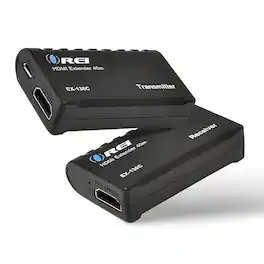
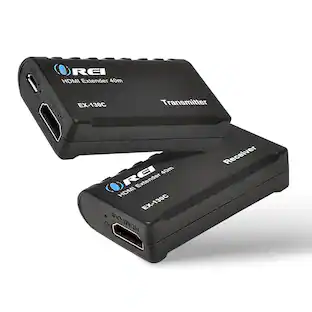
The EX-130C HDMI Extender can extend an HDMI media signal up to 130 feet over a single CAT6/7 cable. This device accepts input from a media source device, such as a DVD Player or set-top box, and effortlessly transmits the media content to a display located up to 130 feet (40m) away. With Power over Cable (PoC) support, only one power adapter, located at the transmitter end, is needed to power both units. It can transmit video resolutions up to 1080p@60Hz with Dolby True HD, DTS-HD Master Audio 7.1CH digital audio support. Compliant with HDMI 1.4 and HDCP 1.4 standards, the device also includes an EQ switch for adjusting distance capabilities. Overall, the EX-130A is the perfect device for a neat home theater setup where your media source is placed far away from the display.
Specs
Be the first to ask a question.
We’ll try to get your question answered within 24 hours by a Best Buy customer or brand representative.
More to consider



Elevate your entertainment Sponsored
 $169.99The price was $179.99
 $168.99The price was $171.99


Discover related products
 $15.99The price was $19.99






Keep exploring
 $24.95The price was $59.99
 $114.99The price was $129.99
 $99.00The price was $159.99