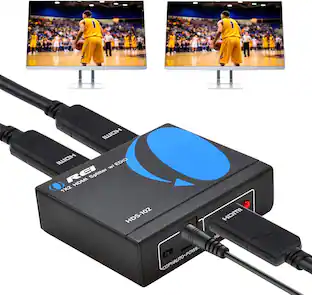
J-Tech Digital - 1080P 60Hz HDMI Extender Balun Over Ethernet w/ Daisy Chain Function (Receiver Only) - Black
Reviews coming soon
About this product
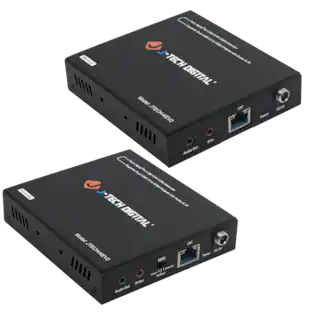
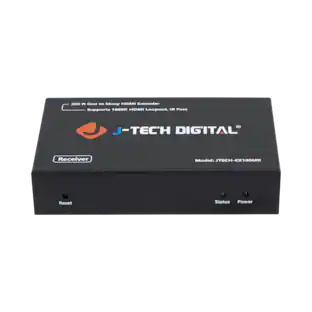
Users have the ability to daisy chain one receiver to another via Ethernet to share the source signal from the transmitter. Now, instead of running an additional Ethernet cable back to your equipment rack for each receiver, users can simply make a much shorter Ethernet run from one receiver to another. This daisy chain method saves users on Ethernet cable costs, simplifies installation and reduces the number of break points in your AV over IP installation.
Please Note
This listing is for a receiver only that works with the JTECH-EXIP400L transmitter/receiver kit
Daisy Chain Unlimited Receivers
Transmit a single HDMI source to an endless number of displays via cascading daisy chain Ethernet connections. Connect one transmitter to an unlimited number of receivers in series via Cat5e/6 Ethernet cable
HDMI Audio & Video over IP
Transmit HDMI Audio & Video over TCP/IP Networks with ease. AV over IP technology allows users to interconnect AV throughout a facility, building, or across an entire corporate or university campus (VLAN & Broadcast Needed)
Transmit up to 400 FT
Avoid using long unreliable HDMI cables and extend 1080p signals up to 400 feet (120 meters) over solid copper Cat5e/6 IEEE568B Ethernet cable. Add additional receivers and daisy chain your signal to multiple displays
Easy Installation
Faster and more reliable installs with simple plug & play installation instructions. Simplify integration with straightforward plug & play network switch compatibility. Extended input power voltage range (9VDC – 24VDC) provides flexibility in various applications to suit your needs
- BrandJ-Tech DigitalModel NumberJTECH-EXIP400LRProduct NameJ-Tech Digital 1080P 60Hz HDMI Extender Balun Over Ethernet w/ Daisy Chain Function (Receiver Only)ColorBlackMaximum Video Resolution1080pMaximum Supported Resolution (Video Passthrough)1080p (Full HD) @ 60 Hz
Reviews
This product doesn't have any reviews yet.
Compare similar products

Users have the ability to daisy chain one receiver to another via Ethernet to share the source signal from the transmitter. Now, instead of running an additional Ethernet cable back to your equipment rack for each receiver, users can simply make a much shorter Ethernet run from one receiver to another. This daisy chain method saves users on Ethernet cable costs, simplifies installation and reduces the number of break points in your AV over IP installation.
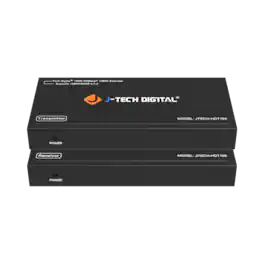
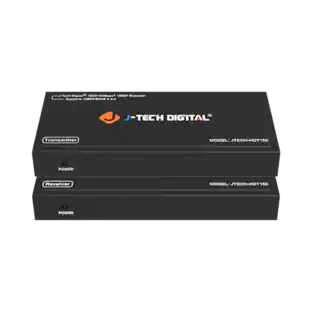
The JTECH-HDT150 extender, can transmit a High-Definition 1080P signal up to 500 feet (150 meters) using the latest HDBaseT transmission protocol. With the JTECH-HDT150 extender, you have many different resolutions options to choose from, including common PC resolutions with 16:10 aspect ratios, such as 1920x1200, so you will not be limited to only “TV-friendly” source devices or monitor displays. This extender is powered by bi-directional POC, and only requires power to be connected to either the receiver or the transmitter, allowing for discreet installation. The JTECH-HDT150 uses an EDID passthrough that will automatically detect which resolutions and audio format are compatible with your display, set them to the highest options available. The JTECH-HDT150 also passes CEC commands, allowing source devices and displays that support CEC to also be turned on or off through the extender. The JTECH-HDT150 also passes RS-232 commands, to control devices for serial communication transmission of data.
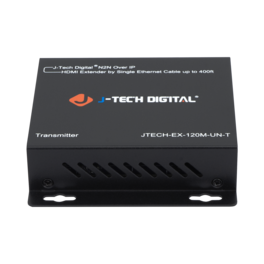
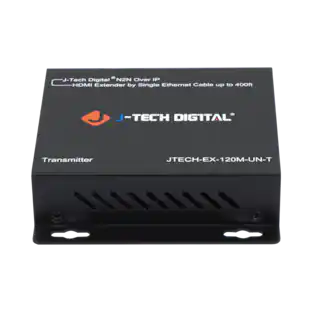
J-Tech Digital ProAV Unlimited HDMI by Single Ethernet Cable up to 400ft is most advanced TCP/IP HDMI extender matrix on the market. It is a flexible and powerful alternative and combination of HDMI extender and HDMI matrix. Three Working Modes Three modes includes point-to-point, point-to-many & many-to-many. For point-to-point mode, HDMI signal can be extended up to 120m (394ft) over a single Cat5E/6 cable. Any-to-Any Broadcasting Extend your HDMI signal from any source to any receiver can never be too easy. By configuring J-Tech Digital customised gigabit network switch (JTECH-EX-120M-UN-S), you can stream your HDMI signal to one receiver or many receivers; also, receiver can pick the signal from any of the transmitters. The network switch can be cascaded to form a many-layer network to support a large HDMI extender system. Standard TCP/IP Protocol HDMI signal is repacked into IP packets. Each receiver and transmitter has a unique IP address which you can manually set by logging into their web GUIs.
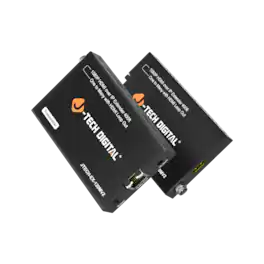
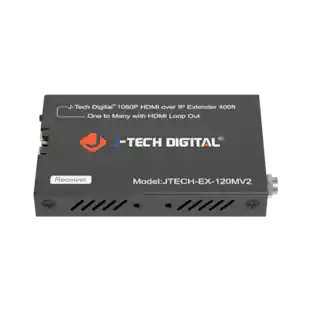
Introducing the JTECH-EX-120MV2 by J-Tech Digital; 1080P 60Hz HDMI extender over single ethernet Cat5e/6/7 cable. Extend Full HD 1080p video up to 400ft (120m) or 720p HD video up to 660ft (200m) with zero latency and crystal-clear quality. This one-to-many HDMI extender allows you to distribute one HDMI source to multiple displays over a LAN network. Featuring an HDMI loop-out on the transmitter, it enables local monitoring while extending the HDMI signal for real-time surveillance, gaming setups, and control rooms. Supporting 480p, 720p, 1080i, and 1080p resolutions with 4.95Gbps high-speed bandwidth and TCP/IP protocol compatibility, this HDMI over Cat6 extender ensures seamless, lag-free video transmission for professional and commercial AV applications.
Specs
Be the first to ask a question.
We’ll try to get your question answered within 24 hours by a Best Buy customer or brand representative.
More to consider


Elevate your entertainment Sponsored



Discover related products
 $15.99The price was $19.99





Keep exploring
 $25.99The price was $59.99
 $99.00The price was $159.99