J-Tech Digital - 4K 60Hz HDMI EDID Emulator with HDCP Management and CEC Support - Black
Reviews coming soon
About this product
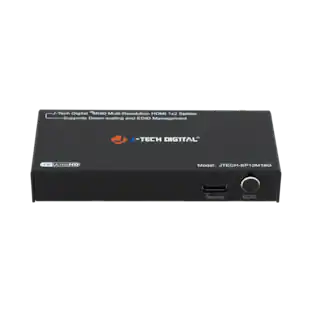
The JTECH- EDIDM4K is an 18G 4K 60Hz HDMI EDID and HDCP emulator / manager that allows users to eliminate most incompatibility issues between input source devices and displays that may occur due to resolution or HDCP compliance. This unit has 8 predefined EDID modes built in, and also allows users to upload user defined EDID settings (via USB-C) if needed. Supports HDMI 2.0 and HDCP 2.2, and allows for HDCP 2.2 (source) to be converted to HDCP 1.4 (display). Take advantage of 4K 60Hz resolution supports along with auto-downscaling function. Say goodbye to unnecessary power adapters and extra cables. The JTECH-EDIDM4K can be powered via the HDMI cable or a USB-C cable. Also featured is a CEC toggle switch that allows for the CEC function to be turned on/off as needed. Offering a plug and play function along with a compact design, the JTECH-EDIDM4K can be easily integrated within any setup, and can be traveled with anywhere with ease.
Features HDCP and EDID Management
Eliminate most HDCP and EDID incompatibility issues between source devices and displays! Use the DIP switch to manage HDCP, and choose from 8 different predefined EDID settings, or upload a user defined EDID setting (via USB-C) based on your preference
Supports up to 4K 60Hz Resolution
Supports 18G bandwidth HDMI 2.0 and HDCP 2.2 compliance. Compatible with input source devices that push out 4K 60Hz resolution with support for auto-downscaling
Powered by HDMI or USB-C
No need for any bulky power adapters or extra cables within the setup. Easily power this unit with either an existing HDMI cable, or utilize the USB-C port for power
Supports CEC Toggle Switch
Includes a toggle switch that allows users to turn CEC function on or off. Plug and play functionality allows for this unit to be easily integrated within any setup. Small and compact design allows users to easily take this HDCP and EDID manager anywhere with ease
User Manual
- BrandJ-Tech DigitalModel NumberJTECH-EDIDM4KProduct NameJ-Tech Digital 4K 60Hz HDMI EDID Emulator with HDCP Management and CEC SupportColorBlackInput(s)HDMIOutput(s)HDMI
Reviews
This product doesn't have any reviews yet.
Compare similar products
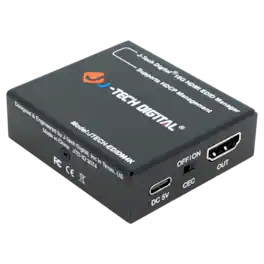
The JTECH- EDIDM4K is an 18G 4K 60Hz HDMI EDID and HDCP emulator / manager that allows users to eliminate most incompatibility issues between input source devices and displays that may occur due to resolution or HDCP compliance. This unit has 8 predefined EDID modes built in, and also allows users to upload user defined EDID settings (via USB-C) if needed. Supports HDMI 2.0 and HDCP 2.2, and allows for HDCP 2.2 (source) to be converted to HDCP 1.4 (display). Take advantage of 4K 60Hz resolution supports along with auto-downscaling function. Say goodbye to unnecessary power adapters and extra cables. The JTECH-EDIDM4K can be powered via the HDMI cable or a USB-C cable. Also featured is a CEC toggle switch that allows for the CEC function to be turned on/off as needed. Offering a plug and play function along with a compact design, the JTECH-EDIDM4K can be easily integrated within any setup, and can be traveled with anywhere with ease.
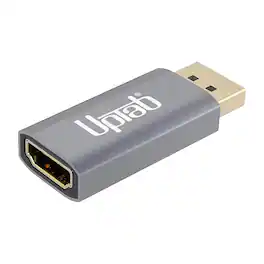
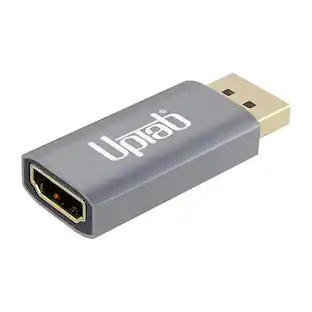
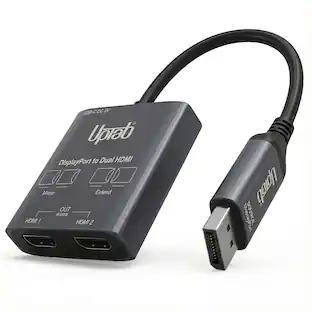
Experience cutting-edge visual performance with the UPTab DisplayPort 1.4 to HDMI 2.1 Active Dongle Adapter. Engineered with a premium aluminum housing and advanced VMM7100 chipset, this active converter delivers crystal-clear 8K@60Hz or 4K@120Hz HDR video from your DisplayPort-equipped computer or graphics card to any HDMI 2.1 display, TV, or projector. Enjoy ultra-smooth gaming, streaming, and professional visuals with full support for HDR, VRR, HDCP 2.2, DSC 1.2a, and Dolby 7.1 surround sound. Designed for both mirror and extended display modes, this adapter ensures reliable connectivity and superior picture quality — perfect for NVIDIA RTX and AMD Radeon graphics cards. With its latch-free DisplayPort connector, triple shielding, and plug-and-play design, the UPTab DisplayPort to HDMI 2.1 Adapter combines durability, style, and performance in one compact solution.

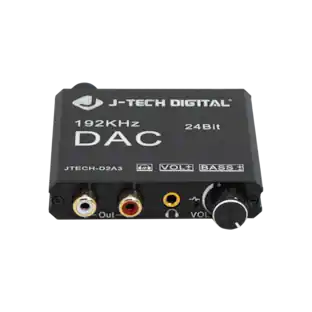
The J-Tech Digital JTECH-D2A3 digital to analog audio converter is the perfect device for integrating legacy AV equipment or headphones to your system. The JTECH-D2A3 supports 192kHz 24bit audio sampling for hi-fidelity audio to your analog audio components. Unlike most digital-to-analog signal converters, the JTECH-D2A3 features a volume amplifier and bass control function for ensuring your converted audio signal is ideal for your application.

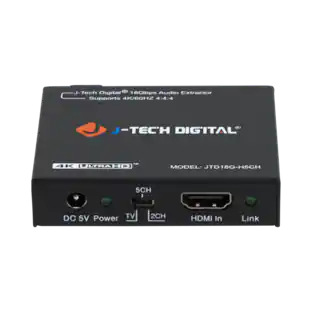
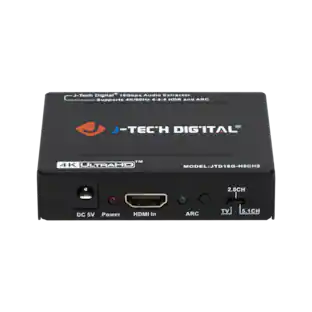
The HDMI 18Gbps Audio Extractor could extract audio signals from any HDMI compliant source to digital optical or analog stereo L/R audio outputs. Further, both input and output HDMI support video resolution up to 4K2K@50/60Hz (YUV444). It supports 10bits HDR (High Dynamic Range) pass through and HDMI high resolution digital audio formats bypass, LPCM 2CH, Dolby TrueHD, Dolby Atmos and DTS-HD Master Audio, audio sampling rate up to 192 kHz. HDCP 2.2 and CEC bypass are supported.
Specs
Be the first to ask a question.
We’ll try to get your question answered within 24 hours by a Best Buy customer or brand representative.
Customers often buy these together
 $48.99The price was $69.99
More to consider

Elevate your entertainment Sponsored
 $189.99The price was $269.99
 $169.99The price was $175.99