JLab - Epic Cam Webcam - Black
Customers are saying
Customers commend the product for its exceptional image quality and robust build. Users also highlight how extremely easy the device is to set up right out of the box. Furthermore, the connectivity is highly praised for its ability to link quickly and reliably across multiple computers.
Features
JLab Epic Webcam
HD USB Webcam with 2K Video and auto focus with 15 adjustable exposure settings
Hi-Definition
With full 2k video, 5 megapixels, and 30 frames per second, this webcam offers fantastic resolution and a crystal clear image for conferencing, live-streaming, vlogging, webinaring, chatting, meeting, teaching, happy-houring, and anything else you can think of.
Adjustable Controls
Customize your appearance effortlessly! With adjustable zoom and exposure levels, achieve the perfect image and crop. Ideal for presentations or video series. No app required—toggle between 15 settings for a flawless, photo-perfect look in any office or WFH environment.
Dual Built-In Microphones
The Epic HD Webcam comes with dual built-in microphones so your picture and voice are always perfectly in sync. And they’re omni-directional, so even when you can’t meet in person, your calls and recordings will sound just as natural as if everyone were right there with you.
Auto Focus
Work from anywhere with ease with Epic Cam. Auto focus spotlights you amidst challenging lighting and shadows, while its wide 90° angle lens captures wider frames for friends, pets, or conference rooms. Say goodbye to background clutter and hello to clear, inclusive video calls.
Pick your style
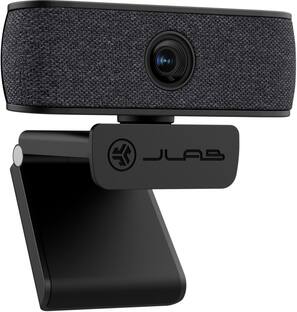
No matter what your WFH vibes are, the Epic webcam is designed to fit right in so you and your work can stand out. Interchangeable fabric face plates come in two classic colors so you can match your desk aesthetic – smooth white Mac vibes or darker styles.
Video your way
The Epic HD Webcam is made to fit into your setup and your style of working. It has a minimal, clip-on design that works with PC, Mac, and Chromebook, so no matter your hardware, it’s always ready to plug-in and go
100% RECYCLABLE PACKAGING
JLab was the first major audio brand to have fully recyclable packages when we announced it in 2019. And fully recyclable is a big deal: This means after you open your product, you can put the box directly into the recycling bin and every component of it is recyclable. We looked at every detail to make it 100% recyclable.
Specifications
- Video Resolution2K (1440p)
Reviews
Rating 4.6 out of 5 stars with 34 reviews
- Image Quality (26)
- Setup Ease (13)
- Connectivity (5)
Customer Images
The vast majority of our reviews come from verified purchases. Reviews from customers may include My Best Buy members, employees, and Tech Insider Network members (as tagged). Select reviewers may receive discounted products, promotional considerations or entries into drawings for honest, helpful reviews.
Compare similar products
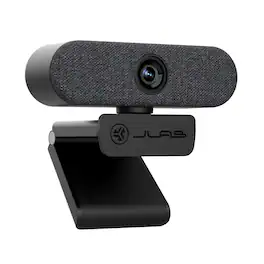
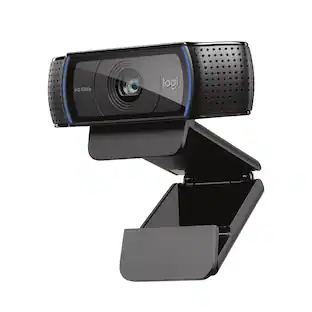
Jlab Epic USB Webcam. The Epic HD Webcam gives you pro-level image quality and sound to match whether you’re hopping from video calls or recording the latest installment of your webinar. In addition to high definition video and photos, auto focus, adjustable exposure, and an adjustable zoom will ensure every frame is picture perfect—whether you want to show off your space or keep the other half of your room off camera

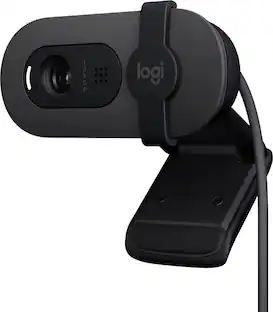
Look, sound, and meet better with Brio 100—a simple and affordable webcam that lets you show your best self in video calls. Full HD 1080p resolution and auto-light balance bring clarity and brightness to your calls, so you look your best. Sound better with a built-in microphone, and get total privacy with an integrated shutter.
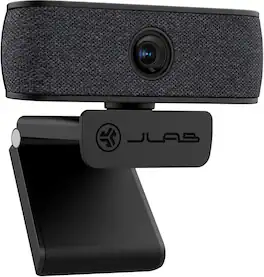
The JBuds HD Webcam brings new focus to your virtual life. With high-definition images and natural sound, the attention will all be on you whether you’re leading a meeting, recording a vlog, or joining a virtual workshop. The crystal clear glass lens and dual omni-directional microphones give you serious performance, and the easy-to-use clip-on design fits seamlessly into any setup.

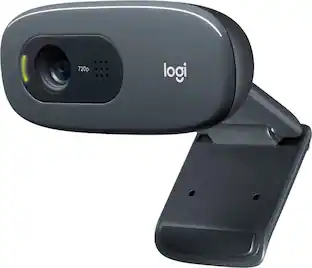
With the Logitech C270 Webcam, you can confidently join any video meeting knowing you’ll always have quality audio and video. Our most affordable camera, the C270 Webcam is an upgrade for your laptop or desktop with practical features that outperform most built-in laptop cameras. It supports crisp HD 720p/30 fps video calls with diagonal 55° field of view. Logitech’s RightLight technology adjusts to your lighting conditions, producing brighter images to help you look good even in low-light and backlit situations. And the noise-reducing mic makes sure your voice comes across clearly, even in busy environments.
| Pros for JLab - Epic Cam Webcam - Black | |||
|---|---|---|---|
| Image Quality, Connectivity, Setup Ease | Image Quality, Ease of Use, Setup | Video Quality, Overall Performance, Ease of Use, Connectivity, Design | Overall Performance, Video Quality, Ease of Use, Setup, Resolution |
| Cons for JLab - Epic Cam Webcam - Black | |||
| There were no cons for this product— | Mounting, Focus, Field of View, Connectivity, Adjustability | There were no cons for this product— | Mounting, Field of View, Focus, Compatibility, Features |
Specs
Customers often buy these together




More to consider
 $57.99The price was $76.48
Explore tech essentials Sponsored
Discover related products
 $249.00The price was $275.00
 Techtober Deal$10.99The price was $13.99













Keep exploring
- $57.99The price was $76.48
 $269.00The price was $299.00