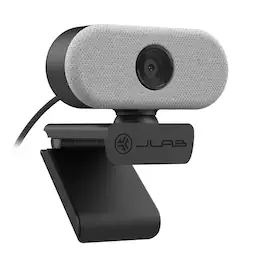
JLab - GO USB Webcam - White
About this product
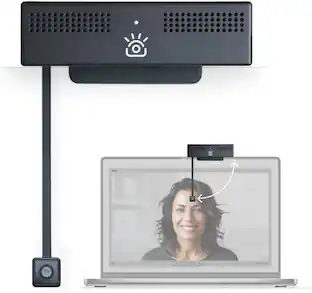
The GO HD Webcam is your compact and stylish desktop companion for great video quality all around. The high resolution image and omni-directional audio mean taking your calls, recordings, and conferencing to the next level. And whether you’re owning the virtual room in a big presentation or creating new content for your followers, the focus stays on you.
Color
WhiteFeatures
Plug And Play
Setup Connects Instantly To Pc, Mac, Or Chromebook With No Drivers Or Software Needed. Just Plug In And Go — Compatible Across All Major Operating Systems Right Out Of The Box.
1080P Full Hd
Video Captures Crisp 1080P Video At 30 Fps With 2.1 Megapixels And Auto-Exposure That Adjusts Automatically To Any Lighting Environment For A Clear, Consistent Image On Every Call.
Minimal Clip-On Design
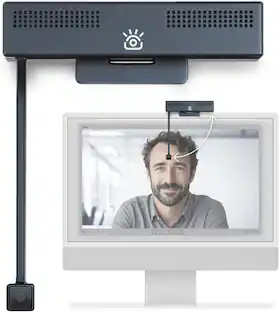
Lightweight And Portable Clip-On Build Mounts Easily To Any Laptop Or Monitor. Minimalist Form Factor Is Designed For Clean Desk Setups And Easy Transport Between Workspaces.
Usb Plug And Play
Compatible With Pc, Mac, And Chromebook Via Usb Connection. No Additional Software, Drivers, Or Configuration Required — Works With Your Existing Video Call Apps Immediately.
Built-In Mic
Included Omni-Directional Microphone Captures Natural-Sounding Audio From All Directions For Clear Calls And Meetings. Backed By A JLab 2-Year Warranty For Long-Term Peace Of Mind.
Specifications
- Video ResolutionFull HD (1080p)
Reviews
This product doesn't have any reviews yet.
Compare similar products
The GO HD Webcam is your compact and stylish desktop companion for great video quality all around. The high resolution image and omni-directional audio mean taking your calls, recordings, and conferencing to the next level. And whether you’re owning the virtual room in a big presentation or creating new content for your followers, the focus stays on you.

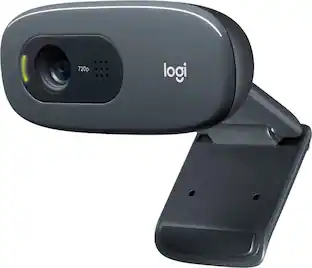
With the Logitech C270 Webcam, you can confidently join any video meeting knowing you’ll always have quality audio and video. Our most affordable camera, the C270 Webcam is an upgrade for your laptop or desktop with practical features that outperform most built-in laptop cameras. It supports crisp HD 720p/30 fps video calls with diagonal 55° field of view. Logitech’s RightLight technology adjusts to your lighting conditions, producing brighter images to help you look good even in low-light and backlit situations. And the noise-reducing mic makes sure your voice comes across clearly, even in busy environments.
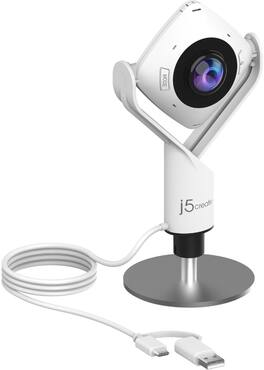
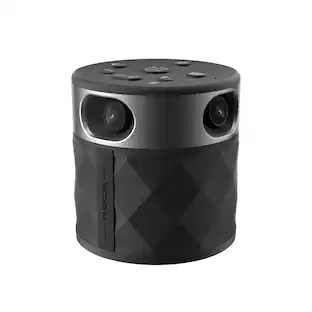
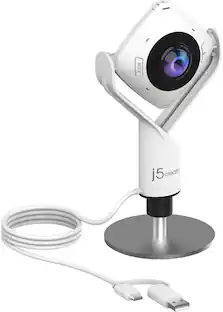
Enhance your conference calls with the 360° All Around Webcam. This all-in-one virtual meeting device combines HD video with business-grade audio clarity, to help run your video conferences smoothly. This high-definition, plug-and-play webcam, is ideal for any space. Capture a 360° panoramic view of the room or focus on specific presenters with the various display modes. The 360° All Around Webcam is equipped with a USB-C cable and a USB Type-A connector to work with both your older and newer devices.
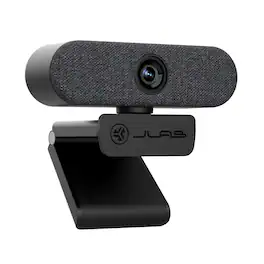
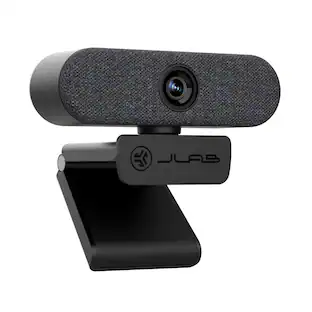
Jlab Epic USB Webcam. The Epic HD Webcam gives you pro-level image quality and sound to match whether you’re hopping from video calls or recording the latest installment of your webinar. In addition to high definition video and photos, auto focus, adjustable exposure, and an adjustable zoom will ensure every frame is picture perfect—whether you want to show off your space or keep the other half of your room off camera
| Pros for JLab - GO USB Webcam - White | |||
|---|---|---|---|
| There were no pros for this product— | Overall Performance, Video Quality, Ease of Use, Setup, Resolution | There were no pros for this product— | There were no pros for this product— |
| Cons for JLab - GO USB Webcam - White | |||
| There were no cons for this product— | Mounting, Compatibility, Features, Field of View, Focus | There were no cons for this product— | There were no cons for this product— |
Specs
Be the first to ask a question.
We’ll try to get your question answered within 24 hours by a Best Buy customer or brand representative.
More to consider
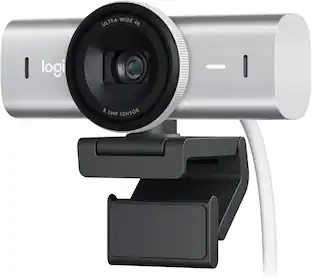
Logitech MX Brio Ultra HD 4K Video Conference, Gaming and Streaming Webcam
$168.99The price was $199.99
Explore tech essentials Sponsored
Keep exploring
TOPVISION 2K QHD Webcam with Built-In Microphone and USB Plug and Play
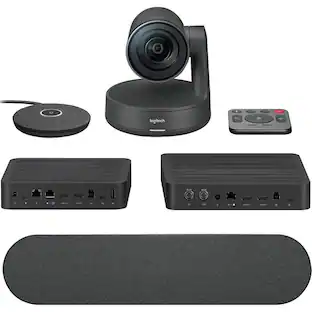
Holiday Deal$33.99The price was $69.99Logitech Rally Ultra-HD ConferenceCam - 3840 x 2160 Video (Live) - 4K UHD - NTSC - 60 fps - 1 x Network (RJ-45) - USB
$2,159.39The price was $2,299.00