Kensington - Optical Mouse - Black
About this product
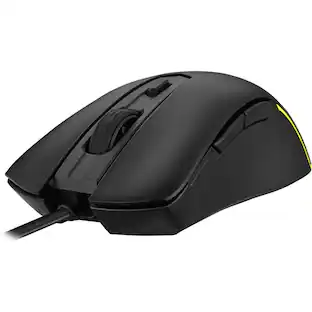
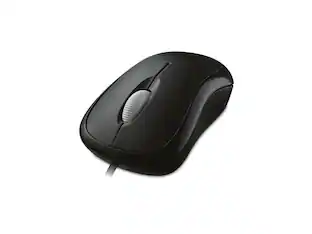
Roam the web faster with this wired USB Kensington mouse. The special button plus scroll wheel acts as three controls for greater efficiency, and its silent-click feature minimizes disturbance. The contoured ergonomic shape of this Kensington mouse makes it comfortable for both left- and right-handed users, adding to its flexibility.
Features
Optical technology
LED lights scan the surface beneath the mouse to detect movement with a fair amount of accuracy, suitable for everyday computing and browsing.
Up to 1000 dpi movement resolution
Ensures precise operation.
Standard 3-button mouse design
Features a scroll wheel and 3 programmable buttons.
Ambidextrous design
Can be used comfortably whether you're right- or left-handed.
Compatible with most Windows and Mac computers
Works across a wide array of computers.
Specifications
- Maximum Sensitivity1000 dots per inchNumber of Buttons (Total)3
Reviews
Rating 4.7 out of 5 stars with 40 reviews
The vast majority of our reviews come from verified purchases. Reviews from customers may include My Best Buy members, employees, and Tech Insider Network members (as tagged). Select reviewers may receive discounted products, promotional considerations or entries into drawings for honest, helpful reviews.

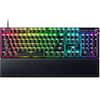
- Razer - Huntsman V3 Pro 8KHz Full Size Wired Analog Optical Linear Switch Gaming Keyboard with Snap Tap - Black$189.99The price was $249.99
Compare similar products
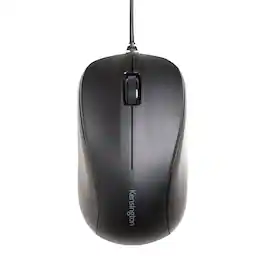
Roam the web faster with this wired USB Kensington mouse. The special button plus scroll wheel acts as three controls for greater efficiency, and its silent-click feature minimizes disturbance. The contoured ergonomic shape of this Kensington mouse makes it comfortable for both left- and right-handed users, adding to its flexibility.

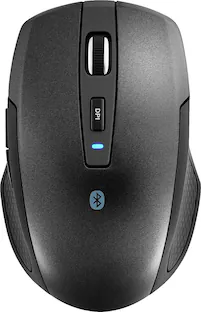
Eliminate the most common computer mouse issue—the cord. With the Best Buy Essentials Bluetooth Optical 6-Button Mouse, you can navigate the web without the limitations of a cable. Compatible with both Windows and Mac computers, simply pair the mouse using wireless Bluetooth 5.1 connection. It has 6 buttons that grant you total control, including left, right, scroll, DPI adjustment, forward and back. An ambidextrous design allows you to use your left or right hand. Optical technology detects when the mouse moves to deliver an accurate 1600 DPI response. We also included two (2) AAA batteries, so you’re ready to go right out of the box. Let us improve your computer navigation by going wireless with this Best Buy-backed mouse.

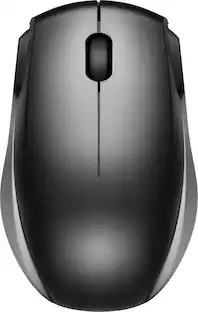
Eliminate the most common computer mouse issue—the cord. With the Best Buy Essentials Wireless Mouse with USB Receiver, you can navigate the web with speed and accuracy. Compatible with both Windows and Mac computers, simply insert the included nano receiver into one of your computer’s USB ports to wirelessly connect the mouse. It has just 3 buttons and an ambidextrous design for simple control. Optical technology detects when the mouse moves to deliver an accurate 1600 DPI response. We also included a AA battery, so you won’t have to worry about keeping the mouse powered until the LED indicator starts to blink. Let us improve your computer navigation by going wireless with this Best Buy-backed mouse.
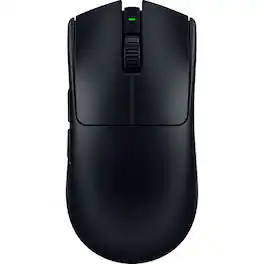
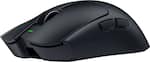
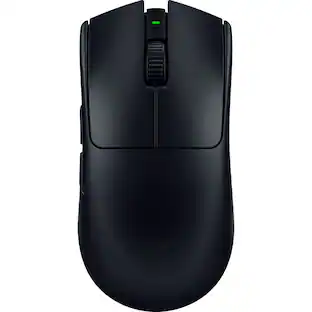
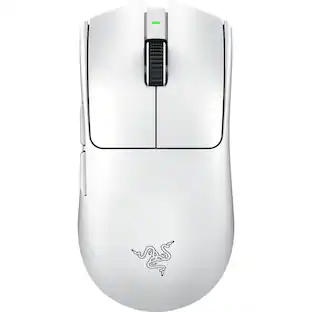
The GOAT of wireless esports mice returns to reshape the competitive scene. Featuring a 54 g ultra-lightweight design and best-in-class technologies, the Razer Viper V3 Pro is the undisputed choice for peak performance and handling—the perfect weapon designed with and trusted by pros.
| Pros for Kensington - Optical Mouse - Black | |||
|---|---|---|---|
| There were no pros for this product— | Overall Performance, Ease of use, Price, Battery Life, Bluetooth | Ease of use, Overall Performance, Price, Size, Wireless | Overall Performance, Battery Life, Weight, Ergonomics, Shape |
| Cons for Kensington - Optical Mouse - Black | |||
| There were no cons for this product— | Scroll Wheel | Click Sound, Grip | Price, Software, Side Buttons, Connectivity, RGB Lighting |
Specs
Customers often buy these together
Computer Keyboards

![esc ~ ! 1 tab caps lock shift ctrl F2 Fl # 2 3 Q W A S Z start opt L F3 $ 4 E D X alt cmd3 ) FS F4 A % 5 6 R T F G V C logi 44 HI & F9 FID FB F7 F6 * ) - - & 0 8 9 7 O P U I Y K L H J > < N M 1 B PM + = { [ : I ; ? I alt cmd D 2 4 300 3 1 F12 . * page I insert home up clear backspace 8 9 + 7 page A pg up end down home } I delete ] / 6 4 5 4 enter 2 3 enter 1 dn Pg end shift = 0 del ins etrl fn opt](https://pisces.bbystatic.com/image2/BestBuy_US/images/products/6539/6539505_sd.jpg;maxHeight=232;maxWidth=233?format=webp)
![Esc F1 F2 F3 F4 F5 F6 F7 F8 F9 F10 F11 F12 Print Screen Scroll Lock Pause Break 1 2 3 4 5 6 7 8 9 0 - + = Backspace Insert Home H Page Up A Num Look 1 I Tab Q W E R T Y U I o P { [ } ] I I Delete End IN Page Down 7 Home 8 9 Pg Up Caps A Lock A S D F G H J K L ; : DE g Enter 4 5 6 Shift Z X C V N M < > ? I Shift 1 End 2 3 Pp Dn Enter Ctrl Alt Alt Ctrl 0 Ins Del](https://pisces.bbystatic.com/image2/BestBuy_US/images/products/a588d446-5678-40ae-86b8-1f15e0026e66.jpg;maxHeight=232;maxWidth=233?format=webp)











More to consider
 $129.99The price was $159.99
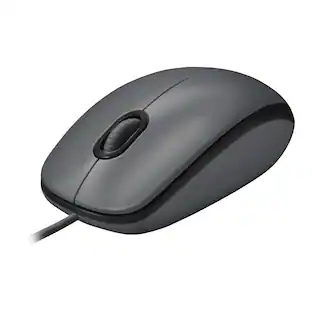
Logitech - B100 Corded Mouse – Wired USB Mouse for Computers and laptops, for Right or Left Hand Use
$13.29The price was $20.06


Explore tech essentials Sponsored
 $125.99The price was $159.99
- $129.99The price was $159.99
 Top Deal$49.99The price was $59.99


Discover related products
 $12.99The price was $13.99
 $30.99The price was $32.99
 $29.99The price was $32.82








Keep exploring
 $79.95The price was $109.95