Kensington - Optical Three-Button Mouse - Black
About this product
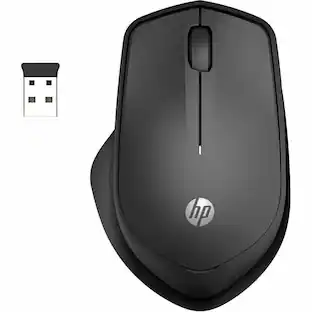
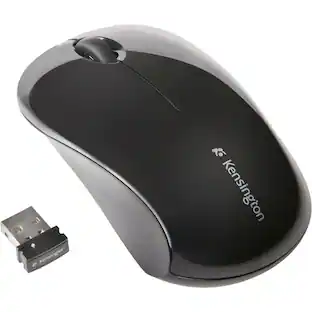
Point, click and scroll with this Kensington wireless mouse. The middle scroll wheel lets you scan articles and documents quickly, and the silent clicking ensures there's no distractions in quiet environments. This Kensington wireless mouse is contoured for a more comfortable grip, and the two-button design works for both right-handed and left-handed users.
Features
Optical technology
LED lights scan the surface beneath the mouse to detect movement with a fair amount of accuracy, suitable for everyday computing and browsing.
Up to 1000 dpi movement resolution
Ensures precise operation.
2.4GHz wireless connection
This mouse connects to your computer using a wireless USB receiver and works up to 10 feet away.
Standard 3-button mouse design
Features a scroll wheel and 3 programmable buttons.
Ambidextrous design
Can be used comfortably whether you're right- or left-handed.
Compatible with most Windows and Mac computers
Works across a wide array of computers.
Specifications
- Maximum Sensitivity1000 dots per inchNumber of Buttons (Total)3
Reviews
Rating 4.5 out of 5 stars with 4 reviews
The vast majority of our reviews come from verified purchases. Reviews from customers may include My Best Buy members, employees, and Tech Insider Network members (as tagged). Select reviewers may receive discounted products, promotional considerations or entries into drawings for honest, helpful reviews.
Compare similar products
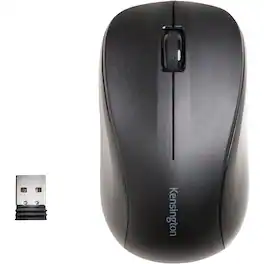
Point, click and scroll with this Kensington wireless mouse. The middle scroll wheel lets you scan articles and documents quickly, and the silent clicking ensures there's no distractions in quiet environments. This Kensington wireless mouse is contoured for a more comfortable grip, and the two-button design works for both right-handed and left-handed users.
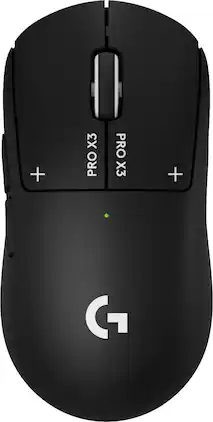
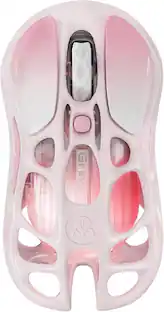
Logitech G partnered with top esports athletes to create The Fastest, Fully Customizable Click. Equipped with the Haptic Inductive Trigger System, the advanced HERO 2 sensor, and the robust LIGHTSPEED wireless. PRO X3 SUPERSTRIKE is a revolutionary PRO mouse delivering The Winning Click. Customize each main key’s actuation point, rapid trigger setting and click haptics. Your competition won’t know what hit them.
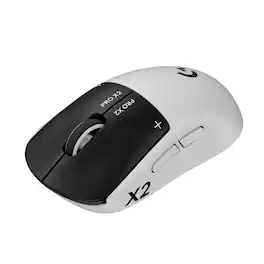
Logitech G partnered with top esports athletes to create The Fastest, Fully Customizable Click. Equipped with the Haptic Inductive Trigger System, the advanced HERO 2 sensor, and the robust LIGHTSPEED wireless. PRO X2 SUPERSTRIKE is a revolutionary PRO mouse delivering The Winning Click.
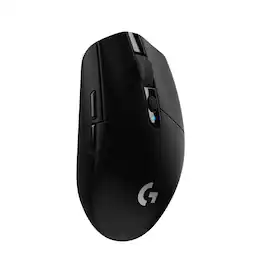
G305 features the next-gen HERO sensor with 12,000 DPI sensitivity and LIGHTSPEED wireless 1 ms performance. It’s long-lasting with 250 gaming hours from one AA battery (an indicator light reminds you before you need a new AA), ultra-portable with built-in nano receiver storage, lightweight weighing in at 99 grams, and ready to game with 6 programmable buttons. G305 is the LIGHTSPEED wireless mouse for all.
| Pros for Kensington - Optical Three-Button Mouse - Black | |||
|---|---|---|---|
| There were no pros for this product— | There were no pros for this product— | Overall Performance, Weight, Battery Life, Ergonomics, Haptic Feedback | Overall Performance, Weight, Battery Life, Ease of use, Price |
| Cons for Kensington - Optical Three-Button Mouse - Black | |||
| There were no cons for this product— | There were no cons for this product— | Skate Quality, Shape | Lag, Button Placement, Software |
Specs
Customers often buy these together
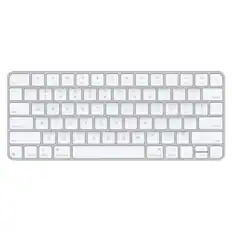
Computer Keyboards

![esc ~ ! 1 tab caps lock shift ctrl F2 Fl # 2 3 Q W A S Z start opt L F3 $ 4 E D X alt cmd3 ) FS F4 A % 5 6 R T F G V C logi 44 HI & F9 FID FB F7 F6 * ) - - & 0 8 9 7 O P U I Y K L H J > < N M 1 B PM + = { [ : I ; ? I alt cmd D 2 4 300 3 1 F12 . * page I insert home up clear backspace 8 9 + 7 page A pg up end down home } I delete ] / 6 4 5 4 enter 2 3 enter 1 dn Pg end shift = 0 del ins etrl fn opt](https://pisces.bbystatic.com/image2/BestBuy_US/images/products/6539/6539505_sd.jpg;maxHeight=232;maxWidth=233?format=webp)
![Esc F1 F2 F3 F4 F5 F6 F7 F8 F9 F10 F11 F12 Print Screen Scroll Lock Pause Break 1 2 3 4 5 6 7 8 9 0 - + = Backspace Insert Home H Page Up A Num Look 1 I Tab Q W E R T Y U I o P { [ } ] I I Delete End IN Page Down 7 Home 8 9 Pg Up Caps A Lock A S D F G H J K L ; : DE g Enter 4 5 6 Shift Z X C V N M < > ? I Shift 1 End 2 3 Pp Dn Enter Ctrl Alt Alt Ctrl 0 Ins Del](https://pisces.bbystatic.com/image2/BestBuy_US/images/products/a588d446-5678-40ae-86b8-1f15e0026e66.jpg;maxHeight=232;maxWidth=233?format=webp)



Mouse Pads





More to consider


Explore tech essentials Sponsored
 Techtober Deal$59.99The price was $99.99

Discover related products
 Techtober Deal$10.99The price was $13.99











Keep exploring
 Techtober Deal$24.99The price was $32.99
 $149.95The price was $215.95