Lexmark - Maintenance Kit - Laser
Reviews coming soon
About this product
Maintenance Kit for MS82x covered under warranty at no additional cost
Features
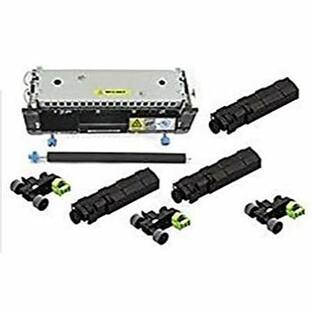
Lexmark Maintenance Kit - Laser
Maintenance Kit for MS82x covered under warranty at no additional cost
Specifications
- BrandLexmarkProduct NameLexmark Maintenance Kit - LaserToner IncludedNoApproximate Page Yield Per Unit20000Warranty - Parts1 yearWarranty - Labor1 year
Reviews
This product doesn't have any reviews yet.
Compare similar products

Maintenance Kit for MS82x covered under warranty at no additional cost

The Genuine (OEM) Genuine Lexmark 40X2233 Fuser 110-127V is designed to produce consistent, sharp output from your Lexmark printer (see full compatibility below). The original name brand Lexmark.

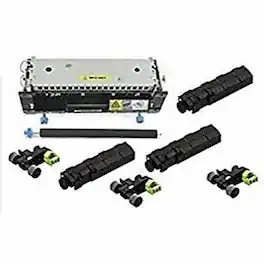
The operator panel displays the message 80 "Replace maintenance kit" at required maintenance intervals. You must replace the fuser, transfer roller, pick roller, and separation roller at this interval to maintain the print quality and reliability of the printer. Check the 2 digit type code on the fuser, or check Device Information using the embedded web server or the menus page for a replacement part number. There are multiple warnings to indicate that the fuser is nearing end of life and that a maintenance kit is required, including error codes 80.0x, 80.1x, and 80.2x. If you receive error code 80.3x, the fuser has reached its rated life and the printer stops until a maintenance kit is installed. You must install the correct Fuser Maintenance Kit for the type of fuser that is installed in the printer.
Specs
Be the first to ask a question.
We’ll try to get your question answered within 24 hours by a Best Buy customer or brand representative.
More to consider
xTool OS1 Automatic Shaker Oven with Auto Powdering, Curing,& Film Cutting for DTF Transfers(Compatible Apparel Printer ONLY)
$2,400.00The price was $3,399.00