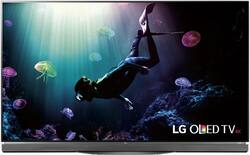
LG - 65" Class - (64.5" Diag.) - OLED - 2160p - Smart - 3D - 4K Ultra HD TV - with High Dynamic Range
- Key Specs
- Display Type: OLED
- Screen Size Class: 65 inches (The group size measurement of a screen. This differs from a screen size measured diagonally from corner to corner.)
- High Dynamic Range (HDR): true (An HDR-compatible 4K TV or other HDR-compatible product displays HDR video content when it's available from sources like 4K Ultra HD Blu-ray Discs and 4K streaming services.)
- Smart Platform: webOS (Just like a computer, a smart TV needs an operating system (also called a smart platform) in order to access the Internet, connect with entertainment apps, and play streaming content. Some common TV smart platforms are; Roku TV, Android TV, and Chromecast.)
- General
- Brand: LG
- Model Number: OLED65E6P
- Product Name: 65" Class - (64.5" Diag.) - OLED - 2160p - Smart - 3D - 4K Ultra HD TV - with High Dynamic Range
- Color: Black
- Dimensions
- Product Height With Stand: 35.2 inches
- Product Width: 57.5 inches (The out of box width of the item. Width is measured as the horizontal distance from one side of the item to the other as it would be primarily used or placed.)
- Product Depth With Stand: 7.9 inches
- Product Height Without Stand: 35.2 inches
- Product Depth Without Stand: 2.2 inches
- Product Weight With Stand: 54.7 pounds
- Product Weight Without Stand: 50.3 pounds
- Display
- Display Type: OLED
- Screen Size: 64.5 inches (Size of the screen, measured diagonally from corner to corner.)
- Screen Size Class: 65 inches (The group size measurement of a screen. This differs from a screen size measured diagonally from corner to corner.)
- High Dynamic Range (HDR): true (An HDR-compatible 4K TV or other HDR-compatible product displays HDR video content when it's available from sources like 4K Ultra HD Blu-ray Discs and 4K streaming services.)
- Features
- Remote Control Type: Universal
- Smart Capable: true (Smart, or smart-capable devices are able to connect directly to your home network in order to stream content from the Internet, run Internet-based apps, or connect to other smart devices.)
- Smart Platform: webOS (Just like a computer, a smart TV needs an operating system (also called a smart platform) in order to access the Internet, connect with entertainment apps, and play streaming content. Some common TV smart platforms are; Roku TV, Android TV, and Chromecast.)
- TV Tuner: Analog (The ATSC TV Tuner is a component built into conventional TV sets or other devices for receiving over-the-air broadcast TV without a cable/satellite box. Digital tuners may be purchased separately and connected to a device if it does not have one built in.)
- Connectivity
- Number Of USB Port(s) (Total): 3 (The total number of USB ports including all generations and versions.)
- Compatibility
- VESA Wall Mount Standard: 400mm x 200mm (VESA wall mount standards refer to the spacing of screw holes built into a TV in order to fit with standard TV wall mounts. These standards are implemented into most TVs and monitors.)
- Audio
- Surround Sound Supported: Other (Surround sound systems use multiple audio channels and speakers to create an immersive sound experience for the listener. There are also various proprietary technologies that imitate this kind of sound via a device's built-in speakers or soundbar.)
- Speaker Output: 40 watts
- Power
- ENERGY STAR Certified: false (Devices carrying the ENERGY STAR service mark, such as computer products and peripherals, kitchen appliances, and other products, generally use 20% to 30% less energy than required by federal standards.)
- EPEAT Qualified: false (The Electronic Product Environmental Assessment Tool (EPEAT) was designed to provide an environmental assessment tool for purchasers. In order to qualify for EPEAT, a product must meet all 23 required criteria.)
- Estimated Annual Operating Cost: 29 United States dollars (Predicted cost of operating the product under average conditions for one year.)
- Estimated Annual Electricity Use: 240 kilowatt hours (Predicted amount of electricity needed to operate the product under average conditions for one year.)
- Box Dimension
- Height: 40 inches
- Width: 63 inches
- Depth: 6.9 inches
- CubicDimension: 17388 inches
- Other
- UPC: 719192603837
Choose lifelike pictures and incredible contrast with this LG OLED 4K smart TV. A 64.5-inch screen delivers complete immersion, along with the infinite contrast and extraordinary color accuracy for a home cinema experience. Connect up to the Internet, and enjoy a wide range of programs and apps streamed directly to your LG OLED 4K smart TV.
- 64.5" screen (measured diagonally from corner to corner): Large enough to provide an immersive experience for everyone in the room.
- Built-in Wi-Fi Smart TV means a huge world of entertainment: Stream movies, videos, music and more, and use the included Web browser to surf your favorite websites.
- 2160p resolution for breathtaking HD images: Watch 4K movies and TV shows at 4x the resolution of Full HD, and upscale your current HD content to gorgeous, Ultra HD-level picture quality.
- High dynamic range(HDR) creates a more realistic picture: HDR technology expands the contrast and color range of the existing pixels on your TV to reveal a better, brighter and more colorful image. The picture quality is noticeably more natural.
- OLED TVs perform well in all lighting conditions: They offer an extremely high degree of color accuracy, wide viewing angles and a picture that is virtually blur-free.
- Wireless Connectivity: Provides fast and reliable streaming.
- 3 HDMI inputs for the best home theater connection: High-speed HDMI delivers up to 2160p picture and digital surround sound in one convenient cable. HDMI cable not included.
- Theater-like 3D: Uses the same passive 3D technology found in movie theaters.* 2 pairs of 3D glasses are included. Additional pairs sold separately.
- 3 USB inputs: Easily connect your digital camera, camcorder or other USB device.
Whats Included
- 2 x A/V cords
- 3D glasses
- 4 x mounting screws
- LG OLED65E6P - 65" Class ( 64.5" viewable ) - E6 Series 3D OLED TV - Smart TV - 4K UHD (2160p)
- Owner's manual
- Remote with 2 AA batteries
Product Manuals
A: I can't see why you couldn't use your receiver. The TV has Optical out and Bluetooth Capabilities. I switch between both so I don't disturb my wife when she is sleeping. When you change between outputs, the internal speakers are disconnected. The picture is GORGEOUS! Very happy with purchase! Good Luck! TER
A: Proper professional calibration always helps. It will also increase the life of your TV by ensuring the brightness levels are not set to high because they almost always are with the default settings. Most people equate bright TV's with good picture. A proper calibration will also consider the viewing environment. Be sure to get a calibration for both a daytime (bright) and night time (dark) viewing. Make sure you have and ISF and/or THX Certified Calibrator. Hope this helps!
A: The differences between the LG B6 OLED 4K HDR Smart TV - 65" Class (64.5" Diag), Model # OLED65B6P are not in the picture quality. The G6P, E6P and C6P series OLEDS all have 3D. The G6P series if the flagship model that has a SoundBar on it and the designs for the TVs are different. The C6P series OLEDs are curved and that is about all the differences. You can compare the models at www.lg.com/us using the feature comparison function...^IFV
A: Actually, the Dejudder setting in the True Motion menu will take away as much judder as you'd like. It works very well, especially if you like the soap opera effect. The problem is that, depending how high you set the Dejudder, you will occasionally see artifacts, like little blurs around rapidly moving objects. I'm sure you've seen this before if you used a lot of 'smoothing' settings on the TVs you've had before. But, you really won't see any judder to speak of with the dejudder turned up to 5 or above. Maybe your friend was talking about the artifacts rather than judder. I have a 65E6P and absolutely love it. I don't think I'd go with any other UHD 4K TV (that wasn't prohibitively expensive) right now. No TV is perfect and they all have their quirks, but I think this is a close to ideal as anything else out there. Hope that helps.
Q: what LG OLED 2160 P HDR/UHD 4K 65" do you recommend, NO 3D but with internet connection, thanks.
A: If you have too buy one get the e series tv with 3d . The hardware is faster because it has to handle the 3d signal.
Q: Is there a break in period for oled TV's before they can be calibrated?
A: Although the image retention that you might experience in most situations on the LG - 65" Class - (64.5" Diag.) - OLED - 2160p - Smart - 3D - 4K Ultra HD TV - with High Dynamic Range - Black, Model # OLED65E6P is temporary, ISF-certified technicians advise that you treat it the same way you would a plasma TV with some experts advising to give it a 100 hours while others recommend 200 hours to ensure that the panel has stabilized...^IFV
A: My LG OLED model E was perfect right out of the box, installed by the Geek Squad. You have many presets to choose from and an infinite variety of customizing options as well. If you choose to calibrate, it is easy with guidance from the experts at www.rtings.com. That's ratings without the a.
A: First no KODI. There is a web browser. I have not tried it. Opera is also available to download. I am using a Nvidia Shield TV Pro. Supports 4K HDR, KODI and most Android apps. You can connect wireless keyboards and most any USB devices. Web iOS has Netflix, Amazon video, google play movies , plex, VUDU and a few lesser apps. If you plan to buy a Smart TV and expect ito be able to cut the cord, it ain't going to happen. The image on this tv is amazing. Add the Nvidia box,, a good 4K hard blu ray player, and a receiver with 4K. HDCP 2.2 support and you are set. My opinion.
People also viewed
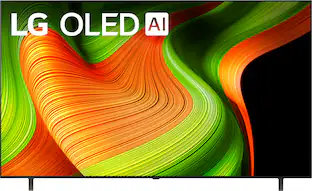 Black Friday in July Deal$1,399.99The price was $2,999.99
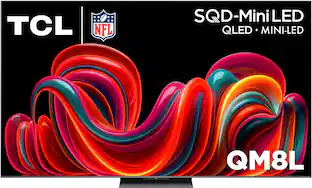 $1,499.99The price was $2,499.99
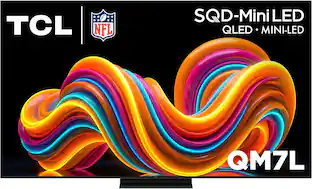 $1,199.99The price was $1,499.99
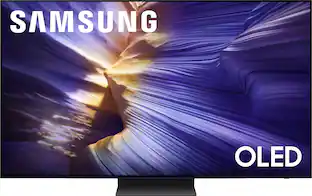 $999.99The price was $1,299.99
 Black Friday in July Deal$1,699.99The price was $2,199.99
 Black Friday in July Deal$199.99The price was $399.99
 Black Friday in July Deal$1,199.99The price was $2,499.99
 $1,199.99The price was $1,999.99


Today's top picks
 Black Friday in July Deal$749.99The price was $1,199.99
- Black Friday in July Deal$199.99The price was $399.99
 Black Friday in July Deal$69.99The price was $129.99
 $249.99The price was $399.99
 Black Friday in July Deal$199.00The price was $419.00
 Black Friday in July Deal$199.99The price was $249.99
 Black Friday in July Deal$399.99The price was $899.99
 Black Friday in July Deal$169.99The price was $299.99