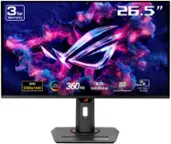
LG - UltraGear 27" OLED QHD 480Hz 0.03ms NVIDIA G-SYNC, AMD Freesync Premium Pro Gaming Monitor (HDMI x2, DisplayPort, USB) - Black
LG - UltraGear 27" OLED QHD 480Hz 0.03ms NVIDIA G-SYNC, AMD Freesync Premium Pro Gaming Monitor (HDMI x2, DisplayPort, USB) - Black
- Razer - Basilisk V3 X HyperSpeed Optical Gaming Mouse with 9 Customizable Controls - Wireless - Black$48.99The price was $69.99

More Buying Options
Related Item

Highlights
- Key Specs
- Refresh Rate: 480Hz (The number of frames per second the device can produce natively without enhancement. Higher rates help produce smooth, seamless pictures.)
- Maximum Resolution: 2560 x 1440 (Maximum resolution refers to the highest number of pixels that a screen can process and display. Higher resolution signals produce more detailed images.)
- Response Time: 0.03 milliseconds (The speed at which pixels can change colors is called response time. It is measured in milliseconds (ms).)
- Panel Type: Not Applicable (Technology that affects response time and image quality.)
- Synchronization Technology: G-SYNC (NVIDIA Adaptive Sync), FreeSync Premium Pro (AMD Adaptive Sync) (Generally, these technologies allow syncing between a computer/console game's frame rate and the device's refresh rate for a smoother display without tearing.)
- Screen Size: 26.5 inches (Size of the screen, measured diagonally from corner to corner.)
- OLED Technology: Standard OLED
- Display Connector(s): 1 x DisplayPort, 2 x HDMI (The number and type of connectors used to connect to an external display.)
- General
- Brand: LG
- Model Number: 27GX790A-B
- Product Name: UltraGear 27" OLED QHD 480Hz 0.03ms NVIDIA G-SYNC, AMD Freesync Premium Pro Gaming Monitor (HDMI x2, DisplayPort, USB)
- Color: Black
- Operating System Compatibility: Not Applicable, Not Applicable, Not Applicable, Not Applicable, Not Applicable
- Display
- Refresh Rate: 480Hz (The number of frames per second the device can produce natively without enhancement. Higher rates help produce smooth, seamless pictures.)
- Maximum Resolution: 2560 x 1440 (Maximum resolution refers to the highest number of pixels that a screen can process and display. Higher resolution signals produce more detailed images.)
- Native Resolution: 2560 x 1440 (Native resolution of a screen refers to its single, fixed resolution. Sometimes screens must scale an image up or down in order to fit the native resolution. This can cause a loss of resolution or detail.)
- Contrast Ratio: 1,500,000:1 (Measured difference between a displayed image's brightest whites and darkest blacks. The larger the first number, the more detail and color that can be displayed.)
- Response Time: 0.03 milliseconds (The speed at which pixels can change colors is called response time. It is measured in milliseconds (ms).)
- Display Type: OLED
- Panel Type: Not Applicable (Technology that affects response time and image quality.)
- Synchronization Technology: G-SYNC (NVIDIA Adaptive Sync), FreeSync Premium Pro (AMD Adaptive Sync) (Generally, these technologies allow syncing between a computer/console game's frame rate and the device's refresh rate for a smoother display without tearing.)
- Aspect Ratio: 16:9 (The measurement of the width of a screen compared to the height of a screen, expressed as a ratio.)
- Curved Screen: false
- Pixel Density: 111 pixels per inch (The number of pixels present per inch on the device's display. Higher pixel density improves the clarity and sharpness of the displayed image.)
- Brightness: 275 candela per square meter (A measure of the total light output.)
- Screen Size: 26.5 inches (Size of the screen, measured diagonally from corner to corner.)
- High Dynamic Range (HDR): true (An HDR-compatible 4K TV or other HDR-compatible product displays HDR video content when it's available from sources like 4K Ultra HD Blu-ray Discs and 4K streaming services.)
- High Dynamic Range Format: VESA Certified DisplayHDR 400 True Black, HDR 10 (There are a few HDR formats that tell the TV or other HDR-compatible product how to best utilize its capabilities to display HDR content. HDR technology can support one or multiple formats, each with various benefits to picture quality.)
- Horizontal Viewing Angle: 178 degrees (The maximum angle at which the display can be viewed with acceptable visual performance from either side.)
- Vertical Viewing Angle: 178 degrees (The maximum angle at which the display can be viewed with acceptable visual performance from above or below.)
- Touch Screen: false (Touch-screen devices make navigating more intuitive. Using a touch-screen display, you can do things such as tap to select, hold and drag to move items, swipe to scroll, and pinch to zoom.)
- On-Screen Display Languages: English (The available language options for displayed text.)
- Display Surface: Anti-glare
- Color Gamut (NTSC): 98.5 percent
- OLED Technology: Standard OLED
- Connectivity
- Number of DisplayPort Inputs (Total): 1
- Number of HDMI Inputs (Total): 2
- Display Connector(s): 1 x DisplayPort, 2 x HDMI (The number and type of connectors used to connect to an external display.)
- Number of USB Ports (Total): 3
- USB Ports: 2 x USB-A 3.0 (The number and type of USB ports the product has.)
- Headphone Jack: true (The device features an interface that allows for the connection of headphones.)
- Compatibility
- Wall Mountable: true (The product is able to be secured to a wall. Some products are designed ready to mount, while others may require additional hardware/accessories for installation.)
- VESA Wall Mount Standard: 100mm x 100mm (VESA wall mount standards refer to the spacing of screw holes built into a TV in order to fit with standard TV wall mounts. These standards are implemented into most TVs and monitors.)
- Features
- Tiltable: true
- Adjustable Stand Height: true
- Anti-Glare: true (Product has features, such as a matte finish, that reduce the likelihood for screen glare.)
- Eye Relief Features: Anti-glare
- Built-In Webcam: false
- Integrated Speaker(s): false
- Dimensions
- Product Height With Stand: 22.8 inches
- Product Height Without Stand: 13.8 inches
- Product Width: 23.8 inches (The out of box width of the item. Width is measured as the horizontal distance from one side of the item to the other as it would be primarily used or placed.)
- Product Depth (With Stand): 9.8 inches
- Product Depth Without Stand: 1.8 inches
- Product Weight: 20.5 pounds (The out of box weight of the item.)
- Stand Included: true
- Certifications Listings & Approvals
- ENERGY STAR Certified: false (Devices carrying the ENERGY STAR service mark, such as computer products and peripherals, kitchen appliances, and other products, generally use 20% to 30% less energy than required by federal standards.)
- EPEAT Qualified: false (The Electronic Product Environmental Assessment Tool (EPEAT) was designed to provide an environmental assessment tool for purchasers. In order to qualify for EPEAT, a product must meet all 23 required criteria.)
- Warranty
- Warranty - Parts: 2 years
- Warranty - Labor: 2 years
- Other
- UPC: 195174108277
Experience astounding speed with up to a blistering 480Hz refresh rate¹ and 0.03ms response time on a 27" QHD OLED monitor. Dive into immaculate OLED visuals with up to 98.5% of DCI-P3 color coverage and a 1,500,000:1 contrast ratio for stunning blacks and vibrant colors. With next gen connectivity via DisplayPort 2.1, enjoy ultra-fast data transfer supporting higher resolutions at fast refresh rates with razor-sharp visuals and zero lag. Adaptive sync technologies FreeSync Premium Pro and NVIDIA G-SYNC compatibility ensure tear-free, stutter-free performance, whether you're on PC or next-gen consoles. Plus, the UltraGear's 2-year OLED limited warranty and OLED Care features give you peace of mind, keeping your UltraGear monitor in top shape. Designed and built for gamers, the monitor's virtually bezel-less screen brings you into the action while the RBG backlighting creates the mood for the centerpiece of your ultimate battlestation.
- 27” OLED Brilliance With Up To 480Hz of Game-Changing Speed: Experience ultra-smooth, tear-free gameplay with up to 480Hz refresh rate³ and 0.03ms response time on a bright 27” QHD OLED display. React instantly, spot every detail, and outpace your opponents in every frame with unbeatable speed and clarity.
- Unleash Next-Gen Speed with Future-Ready DisplayPort 2.1: DisplayPort 2.1 delivers ultra-fast data speeds for flawless 480Hz gameplay. Enjoy sharper visuals with higher resolution support, virtually zero lag, and instant responsiveness, giving you the edge to dominate.³ The monitor also has two HDMI 2.1 ports and USB 3.0 connectivity (1 upstream / 2 downstream)
- Bright Picture. Deep Blacks, Brilliant Detail: OLED Gaming FTW: Get lost in vivid visuals with OLED technology, delivering exceptional brightness, up to 98.5% of DCI-P3 color coverage, a 1.5M:1 contrast ratio, and DisplayHDR True Black 400. Every gaming scene pops with deep blacks, brilliant highlights, and cinematic color.
- Ultimate Frame Sync: FreeSync Premium Pro & G-SYNC Compatible: Say goodbye to screen tearing and stutter. With AMD FreeSync Premium Pro and NVIDIA G-SYNC compatibility, this OLED monitor delivers ultra-smooth, tear-free visuals, giving you perfect frame sync across PC and next-gen console gaming.³
- Seamless Display, and Adjustable to Gamer Specs: Dive into gameplay on the virtually borderless 27” OLED screen. The slim-profile display has adjustable height, tilt, swivel and pivot controls that let you customize your view, while RGB hexagonal backlighting amps up your battle station, making every session a vibe.
- Up To 98.5% DCI-P3 Color Coverage: With up to 98.5% DCI-P3 color spectrum coverage, the OLED display brings HDR games to life, delivering vibrant colors for stunning visual realism in every frame.
- Unlock Your Potential With Advanced Gaming Features: Dynamic Action Sync reduces input lag for real-time response. Black Stabilizer brightens dark scenes to see what's hidden. FPS Counter shows your real-time frame rate. Crosshair enhances precision for deadly accuracy.
- OLED Protection: 2-Year Limited Warranty & Panel Care Tools: Rest easy knowing your OLED monitor is built to last. The 2-year limited warranty covers key components, including the OLED panel. And OLED Care tools such as pixel cleaning keep your display sharp, for reliable top-tier performance. Please see warranty information on this page for all warranty details.
- 4-Pole Jack & DTS HP:X: Gaming Audio Unleashed: Experience lifelike 3D audio with DTS Headphone:X⁴, pushing out spatial sound to make you feel even more part of the game. The 4-pole headphone jack combines stereo audio and mic input, delivering crisp sound and clear gameplay comms through a single connection.
- Low Glare, More Focus: Play Without Distractions: Stay in the zone with an OLED screen that’s designed to minimize glare and reflections. The anti-glare surface reduces light distractions, so you can keep your attention where it matters—on every move, every target, and every win.
Whats Included
- Monitor
- Power Cable
- DisplayPort Cable
- HDMI Cable
- USB A to B Cable
- Calibration Report (Paper)
Product Manuals
Disclaimers
- ¹Actual refresh rates may vary depending on computer graphics specifications and configurations.
- ²Requires graphics card that supports DisplayPort 2.1 to achieve up to 480Hz refresh rate support. Actual refresh rates may vary depending on computer graphics specifications and configurations.
- ³PLEASE NOTE: NVIDIA has released the GeForce Hotfix Display Driver 576.26 (April 28, 2025) to resolve screen blackouts when connecting to DisplayPort 2.1 on NVIDIA RTX 50 Series GPUs. NVIDIA GPU users should download and install the latest display driver before connecting a DP2.1 monitor. Graphics card that supports DisplayPort 1.4 or HDMI 2.1 are required to achieve up to 240Hz refresh rate support. Graphics card sold separately.
- ⁴Headphones sold separately. For DTS patents, see http://patents.dts.com. Manufactured under license from DTS, Inc. or its affiliates. DTS trademarks and logos are registered trademarks or trademarks of DTS, Inc. in the United States and other countries. ALL RIGHTS RESERVED.
Q: Does this monitor have built-in speakers?
A: No, this monitor does not have built-in speakers.
Q: What is the contrast ratio of this monitor?
A: This monitor boasts a 1,500,000:1 contrast ratio.
Q: Does this monitor support HDR?
A: Yes, this monitor supports HDR and is VESA Certified DisplayHDR 400 True Black.
Q: How many HDMI inputs does this monitor have?
A: This monitor is equipped with two HDMI inputs.
Q: What is the response time on this LG monitor?
A: This LG monitor has a 0.03ms response time.
Q: Can I adjust the height of this monitor?
A: Yes, the stand on this monitor has adjustable height.
A: it is a gimmick marketing and still has to use DSC, very dishonest that includes Sony version too. I am going with ASUS.
Q: Is this monitor true 2.1 Display Port? Im hearing it cant do 80Gbps
A: Yes i hooked it up to my 5080 and i am getting Display 2.1 speeds.
Compare similar products

Experience astounding speed with up to a blistering 480Hz refresh rate¹ and 0.03ms response time on a 27" QHD OLED monitor. Dive into immaculate OLED visuals with up to 98.5% of DCI-P3 color coverage and a 1,500,000:1 contrast ratio for stunning blacks and vibrant colors. With next gen connectivity via DisplayPort 2.1, enjoy ultra-fast data transfer supporting higher resolutions at fast refresh rates with razor-sharp visuals and zero lag. Adaptive sync technologies FreeSync Premium Pro and NVIDIA G-SYNC compatibility ensure tear-free, stutter-free performance, whether you're on PC or next-gen consoles. Plus, the UltraGear's 2-year OLED limited warranty and OLED Care features give you peace of mind, keeping your UltraGear monitor in top shape. Designed and built for gamers, the monitor's virtually bezel-less screen brings you into the action while the RBG backlighting creates the mood for the centerpiece of your ultimate battlestation.
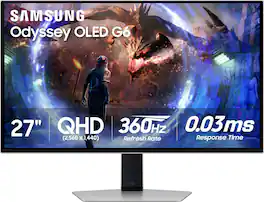
Samsung's OLED G6 Gaming Monitor delivers superior brightness with an expansive spectrum of colors and nearly limitless shades. The 360Hz refresh rate and 0.03ms response time (GtG), along with AMD FreeSync Premium Pro, allow ultra-fast & smooth gaming action. OLED Safeguard+ technology includes a groundbreaking Dynamic Cooling System and thermal modulation that auto-controls brightness to prevent burn-in. OLED Glare Free technology significantly reduces glare from external light sources, and deep black levels with dynamic contrast enable supreme depth expression. Features a sleek metal design and ergonomic stand for optimal comfort when playing for extended periods of time. 3-Year Warranty.
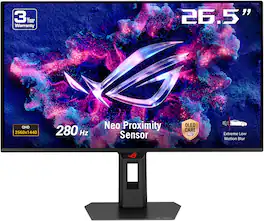
The ROG Strix OLED XG27ACDMS is a 27-inch, 280Hz QHD gaming monitor. With the addition of the Neo Proximity Sensor in the new ROG OLED Care Pro suite, the monitor transitions to a black screen when no user is detected, guarding against burn-in.
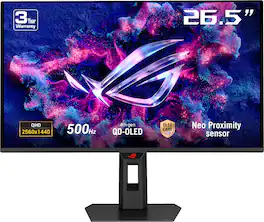
The ROG Strix OLED XG27AQDPG is a 27-inch, 500Hz QHD gaming monitor. The cutting-edge QD-OLED panel offers greater longevity compared to previous OLED technologies and minimal flicker―even when frame rates fluctuate. With the addition of the Neo Proximity Sensor in the new ROG OLED Care Pro suite, the monitor transitions to a black screen when no user is detected, guarding against burn-in
| Pros for LG - UltraGear 27" OLED QHD 480Hz 0.03ms NVIDIA G-SYNC, AMD Freesync Premium Pro Gaming Monitor (HDMI x2, DisplayPort, USB) - Black | |||
|---|---|---|---|
| Color Quality, Refresh Rate, Design, Contrast | Color Quality, Refresh Rate, Design, HDR, Resolution | Color Quality, Refresh Rate, HDR Performance, Software | Color Quality, Refresh Rate, HDR Performance, Connectivity, Burn-in Prevention |
| Cons for LG - UltraGear 27" OLED QHD 480Hz 0.03ms NVIDIA G-SYNC, AMD Freesync Premium Pro Gaming Monitor (HDMI x2, DisplayPort, USB) - Black | |||
| There were no cons for this product— | Glare, Cable Management, On-Screen Display | There were no cons for this product— | There were no cons for this product— |
Specs
Reviews
Customers are saying
Customers are enthusiastic about the UltraGear 27" OLED Gaming Monitor. The color quality and extreme refresh rate are frequently praised as fantastic features. Users also appreciate the nice design and crisp 1440p resolution. Overall, the monitor seems to be well-received.
Customer Images
The vast majority of our reviews come from verified purchases. Reviews from customers may include My Best Buy members, employees, and Tech Insider Network members (as tagged). Select reviewers may receive discounted products, promotional considerations or entries into drawings for honest, helpful reviews.
- Rated 5 out of 5 stars
Excellent Gaming Monitor with Stunning Picture Qua
I’m extremely happy with this LG UltraGear monitor. The image quality is outstanding, with vibrant colors, deep contrast, and very sharp details. It performs exceptionally well for gaming thanks to its smooth refresh rate and fast response time, making gameplay feel fluid and immersive with no noticeable lag or ghosting. The screen size is perfect for both gaming and productivity, and the design looks modern and premium. I also appreciate the sturdy stand and the ergonomic adjustments, which make long sessions much more comfortable. Overall, this monitor delivers excellent performance, great build quality, and fantastic visuals. It’s a great choice for gamers and anyone looking for a high-quality display. Highly recommended.
JoseI Posted
- Rated 5 out of 5 stars
LG UltraGear 27" OLED 480Hz —
So I’ve been running games on the LG UltraGear 27" OLED QHD 480Hz and honestly? It’s cracked. Display Quality • The OLED panel is gorgeous — true blacks, insane contrast, and colors that pop off the screen. • QHD resolution hits the sweet spot: sharp enough for immersion, but still manageable for high FPS. Performance • 480Hz refresh rate is next-level. In Valorant and CS2, it feels like my aim is glued to targets. • 0.03ms response time means no ghosting, no blur — just pure, instant feedback. • Adaptive sync with NVIDIA G-SYNC and AMD FreeSync Premium Pro keeps frames smooth even when things get chaotic. Features & Build • Gamer tools like Black Stabilizer and FPS counter give you an edge. • Sleek design with adjustable stand and subtle RGB accents. • Ports are stacked: HDMI 2.1, DisplayPort 2.1, USB — future-proof for next-gen setups. Pros • OLED visuals are jaw-dropping • 480Hz + 0.03ms = competitive edge unlocked • Smooth adaptive sync support • Solid build and ergonomic stand Cons • Pricey (around $999) • Needs a beastly GPU to push 480Hz • SDR brightness isn’t as high as LCD rivals • No built-in speakers Final Verdict: This monitor is basically a hardware buff for competitive gamers. If you’re sweaty in ranked, it feels like you just unlocked a cheat code. For casuals, it might be overkill, but for esports-level grind? Absolute god-tier.
RobertW Posted
- Rated 5 out of 5 stars
LG UltraGear 27GX790A-B: 480Hz OLED Gaming Experie
I picked up this LG UltraGear at the end of last year, and after about three months of use, the overall experience has been nothing short of "stunning"—especially for someone like me who mainly plays FPS and racing games. The improvement is immediately noticeable. Display Quality: This 27-inch OLED panel is truly top-tier. The QHD resolution, combined with OLED's self-lit pixels, delivers perfect black levels and incredible contrast. Dark details are crystal clear, and colors are far more vibrant and accurate than my previous IPS screen. Whether I'm playing CS2 or Forza Horizon 5, the visuals are deeply immersive. Gaming Performance: The 480Hz refresh rate paired with a 0.03ms response time places this monitor at the very top of the current esports lineup. In fast-paced games, motion is unbelievably smooth, with almost no noticeable blur or ghosting. Tracking targets and predicting movement feel much more precise. Both NVIDIA G-SYNC and AMD FreeSync work flawlessly, eliminating screen tearing and stuttering even at high frame rates. Design & Build: The stand is solid and sturdy, offering easy adjustments for height, tilt, and swivel. The base's RGB lighting is tasteful and syncs seamlessly with my Razer peripherals, creating a great gaming atmosphere. The connectivity is also sufficient: two HDMI ports, one DisplayPort, and USB ports make it easy to connect my console and other devices. Minor Drawbacks: The price is definitely on the premium side, and as with any OLED display, I'm mindful of potential burn-in, so I avoid leaving static images on the screen for extended periods. Additionally, the base takes up a bit more desk space than I expected, which is something to consider if you have a smaller setup. Final Verdict: If you're a hardcore gamer chasing the ultimate in smoothness and visual fidelity, and your budget allows, this monitor is worth every penny. It's a game-changer for competitive play and delivers a premium experience that justifies the investment.
JoeL Posted
Explore tech essentials Sponsored
- $219.99The price was $269.99