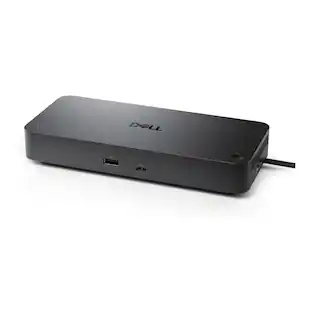
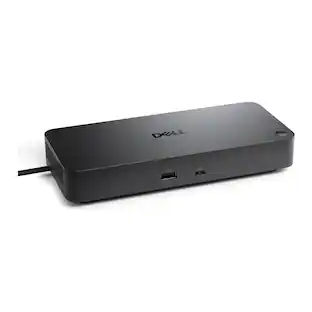
Logitech - Logi Dock All-in One Laptop Docking Station with Speakerphone for Zoom, Google Meet, Google Voice - Graphite
Color
GraphiteAbout This Item
- Key Specs
- Maximum Number of Displays Supported: 2
- Number of DisplayPort Outputs (Total): 1
- Passthrough Power: false (Indicates whether the device allows power to passthrough, possibly with some loss, to another device, typically to charge that other device.)
- General
- Brand: Logitech
- Model Number: 986-000025
- Product Name: Logi Dock All-in One Laptop Docking Station with Speakerphone for Zoom, Google Meet, Google Voice
- Color: Graphite
- Display
- Maximum Number of Displays Supported: 2
- Ports
- Display Connector(s): 1 x HDMI 2.0, 1 x DisplayPort 1.4 (The number and type of connectors used to connect to an external display.)
- Number of DisplayPort Outputs (Total): 1
- Number of HDMI Ports (Total): 1
- Number of VGA Ports: 0 (VGA (Video Graphics Adapter or Video Graphics Array) is a display standard that transmits via analog signals. This type of interface is typically used to connect a computer to a display device such as a monitor, projector, or TV.)
- USB Ports: 3 x USB-C, 2 x USB-A (The number and type of USB ports the product has.)
- Power
- Powered: true
- Power Supply Included: true
- Power Supply Input: USB 3.0
- Maximum Input Power: 10 watts (The maximum amount of power allowed to come into the device.)
- Passthrough Power: false (Indicates whether the device allows power to passthrough, possibly with some loss, to another device, typically to charge that other device.)
- Compatibility
- System Requirements: Works with Windows 10 or later, macOS 11 or later, or Chrome-based computer via USB-C with Alt Mode and iOS or Android Bluetooth-enabled devices (The software that a product must have for it to be able to integrate with another product.)
- Brand Compatibility: BlueJeans, Cisco, Google, GoTo, Tencent, Zoom
- Model Compatibility: Certified for Google Meet, Google Voice, Zoom, and Tencent Meeting. Works with other popular applications like Cisco WebEx, BlueJeans, and GoToMeeting.
- Dimensions
- Product Height: 3.34 inches (The out of box height of the item. Height is measured as the vertical distance from the bottom of the item to the top as it would be primarily used or placed.)
- Product Length: 6.3 inches (The out of box length of the item. Length is measured as the longest dimension of the item.)
- Product Width: 5.18 inches (The out of box width of the item. Width is measured as the horizontal distance from one side of the item to the other as it would be primarily used or placed.)
- Product Weight: 33.23 ounces (The out of box weight of the item.)
- Warranty
- Warranty - Parts: 2-year limited hardware warranty
- Warranty - Labor: None
- Other
- UPC: 097855172822
Logi Dock is an all-in-one docking station with one-touch meeting controls and a built-in speakerphone. It simplifies home office setup, reduces desktop clutter, and enhances productivity. Certified for leading video conferencing platforms and easy to set up, Logi Dock replaces the need for extra peripherals and eliminates unneeded cables.
- More productivity: Logi Dock connects and charges up to five USB peripherals and two monitors, eliminates desktop clutter and streamlines your home office to optimize productivity.
- Sync calendar: By syncing your calendar with Logi Dock via Logi Tune app, you can get informed of upcoming appointments and join your meetings by simply pressing a button.
- Noise canceling microphones: The built-in speakerphone includes six beamforming mics that capture your voice clearly while advanced algorithms reduce unwanted background noise.
- Expert-level audio: Small but mighty speakers deliver immersive audio, a powerful bass line and volume you can crank way up; easily stream audio from your mobile devices to Logi Dock via Bluetooth.
- Take control of your virtual meeting: Logi Dock is certified for Google Meet, Google Voice, Zoom and Tencent Meeting, while also compatible with common calling applications across most platforms and operating systems.
- Easy audio-switch: For private conversations, switch the audio from Logi Dock’s speakerphone to your personal audio by turning on your Zone Wireless headset or inserting your Zone True Wireless earbuds.
- Power your laptop: Charge your PC or Mac through Logi Dock’s USB C upstream port, which delivers up to 100W of power while safely charging laptops requiring 85W or less.
- Create a wireless workspace: Pair Logi Dock with Zone wireless products, and connect any Logi Bolt–enabled keyboard and mouse with a Logi Bolt receiver.
Whats Included
- Logi Dock
- Power supply (5.2 ft/1.6 m)
- AC power cord (5.6 ft/1.7 m)
- USB-C to USB-C (3.3 ft/1 m)
- User documentation
Q: What are the dimensions of the docking station?
A: The Logitech docking station has a width of 5.18 inches, a height of 3.34 inches, and a length of 6.3 inches.
Q: What is the maximum input power of the docking station?
A: The maximum input power of the docking station is 10 watts.
Q: Does the docking station have passthrough power?
A: The Logi Dock All-in One Laptop Docking Station does not have passthrough power.
Q: What operating systems are compatible with the docking station?
A: The Logi Dock docking station works with Windows 10 or later, macOS 11 or later, or Chrome-based computers via USB-C with Alt Mode.
Q: Can the docking station support multiple displays?
A: The Logi Dock All-in One Laptop Docking Station can support up to two displays.
Q: What is the warranty period for the docking station?
A: The Logi Dock docking station comes with a 2-year limited hardware warranty.
Q: Does this work with Microsoft Teams?
A: Yes, the Logitech Logi Dock is certified for Microsoft Teams.
Reviews
Rating 4.3 out of 5 stars with 8 reviews
Top Mentions
- Speaker Quality (4)
The vast majority of our reviews come from verified purchases. Reviews from customers may include My Best Buy members, employees, and Tech Insider Network members (as tagged). Select reviewers may receive discounted products, promotional considerations or entries into drawings for honest, helpful reviews.
Compare similar products

Logi Dock is an all-in-one docking station with one-touch meeting controls and a built-in speakerphone. It simplifies home office setup, reduces desktop clutter, and enhances productivity. Certified for leading video conferencing platforms and easy to set up, Logi Dock replaces the need for extra peripherals and eliminates unneeded cables.
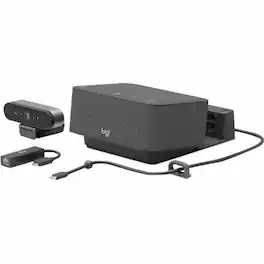

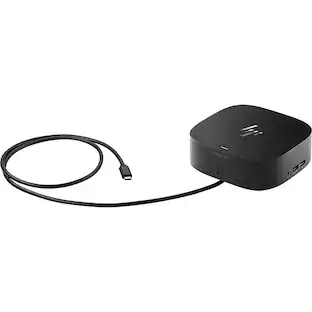
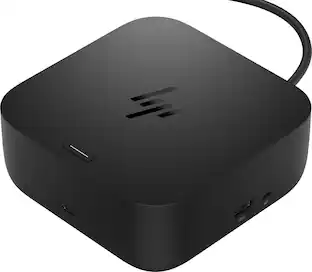
Universal docking for today's laptops. Connect your USB-C-enabled laptop to your displays, accessories, and wired network with the versatile, elegant, and space-saving HP USB-C Dock G5.

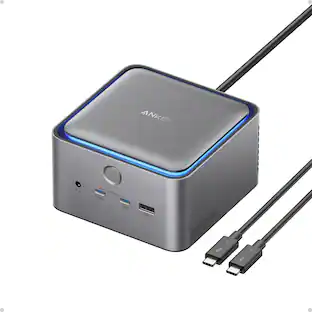
Anker Prime TB5 Docking Station, 14-in-1 Thunderbolt 5 Dock with 120Gbps Max Transfer, 140W Max Charging, Ambient LED Lighting, Cooling System, Up to 8K Display for Thunderbolt 5/4 Laptops
| Pros for Logitech - Logi Dock All-in One Laptop Docking Station with Speakerphone for Zoom, Google Meet, Google Voice - Graphite | |||
|---|---|---|---|
| Speaker Quality | There were no pros for this product— | Overall Performance, Connectivity, Setup | There were no pros for this product— |
| Cons for Logitech - Logi Dock All-in One Laptop Docking Station with Speakerphone for Zoom, Google Meet, Google Voice - Graphite | |||
| There were no cons for this product— | There were no cons for this product— | Port Quantity | There were no cons for this product— |
Specs
Customers often buy these together
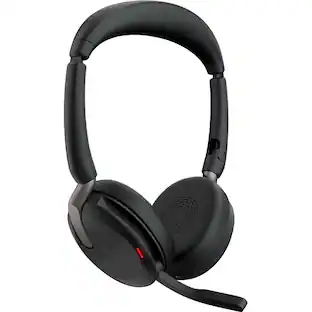 $199.99The price was $215.00
 $154.63The price was $156.99
 $29.49The price was $35.99









More to consider
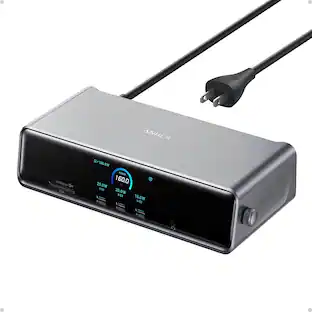
Anker - Prime Docking Station (DL7400), 14-Port Triple Display with DisplayLink, 140W Max USB-C Port
$167.99The price was $209.99


Discover related products
 $268.00The price was $299.00
 $13.99The price was $19.99
 $30.99The price was $32.99





Keep exploring

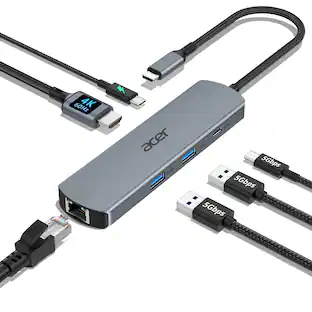
Acer - 5 in 1 USB C Hub with 4K HDMI, 100W Power Delivery, 3 USB A Data Ports, USB C to HDMI Adapter
$14.99The price was $16.99 $17.99The price was $21.99
 $9.99The price was $13.99
Plugable - USB 3.0 and USB-C Universal Laptop Docking Station for Windows, Mac, ChromeOS | Dual HDMI
$112.95The price was $135.35