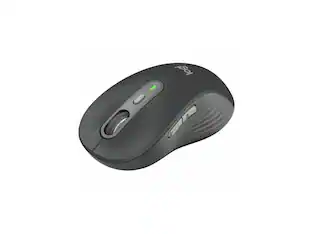
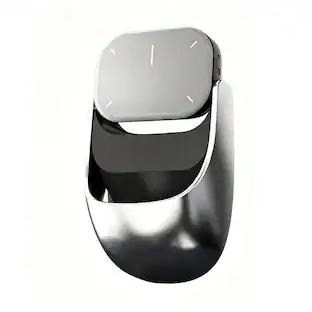
Logitech - Signature M650 L Full-size Wireless Optical Scroll Mouse with Silent Clicks - Wireless - Red
Customers are saying
Customers recognize the product for its exceptional ease of use, reliable performance, and comfortable ergonomic design that fits well in the hand. Users frequently praise the silent clicking mechanism, the convenient Bluetooth connectivity, and the long-lasting battery life. While the device is generally appreciated for its quiet operation, some users have noted specific feedback regarding the nature of the click noise. Overall, the mouse is highly regarded for its functional design and aesthetic appeal.
Color
RedFeatures
Scroll smarter
With Logitech Signature M650 Wireless Mouse you get line-by-line precision for documents and super-fast scrolling for long web pages; simply switch modes with a flick of the SmartWheel.
The optimal fit for your hand
This comfortable full-size mouse is designed for larger hands, for the optimal fit.
Upgrade your comfort
This work mouse provides long hours of comfort thanks to a contoured shape, soft thumb area, and rubber side grips that keep your hand snug and in place.
Connect the way you like
Connect this cordless computer mouse in an instant via Bluetooth Low Energy or Logi Bolt USB receiver.
Less noise, more focus
Whether working at the office or at home, Logitech Signature M650 is a quiet mouse, allowing you to enjoy 90 percent less click noise with SilentTouch technology.*
Customizable side buttons
Customize the side buttons on the computer mouse with Logitech Options+, available on Windows and macOS, to your favorite shortcuts – like back/forward or copy/paste.
24 month battery life
Work for up to 2 years on the single AA battery that comes with your multi-device mouse.**
Works on multiple platforms
Experience seamless compatibility with Windows, macOS, Linux, ChromeOS, iPadOS, and Android operating systems; it is also a Works with Chromebook certified product.
More sustainable
Plastic parts in Signature M650 L Red include 57% certified post consumer recycled plastic.³
¹ Click noise reduced by over 90% compared to Logitech M185. Left click and typing dBA level measured by an independent lab at 1 meter.
² Battery life may vary based on user and computing conditions.
³ Excludes receiver and printed wiring assembly (PWA) plastics, and packaging.
Specifications
- Lighting TypeNoneMaximum Sensitivity4000 dots per inchNumber of Buttons (Total)5Connection TypeWireless
Reviews
Rating 4.8 out of 5 stars with 2575 reviews
- Ease of use (114)
- Overall Performance (112)
- Size (70)
- Ergonomics (49)
- Silent Clicks (34)
- Click Noise (27)
Customer Images
The vast majority of our reviews come from verified purchases. Reviews from customers may include My Best Buy members, employees, and Tech Insider Network members (as tagged). Select reviewers may receive discounted products, promotional considerations or entries into drawings for honest, helpful reviews.

- Poly - Voyager 4310 Wireless Noise Cancelling Single Ear Headset with mic - Black$113.99The price was $157.99
- HP - G6 USC-C 100W Docking Station - Black$199.99The price was $264.99

Compare similar products

Upgrade to smarter scrolling, better comfort, and more productivity with the Signature M650 L. The versatile mouse features an adaptive scroll SmartWheel that delivers line-by-line precision, and auto-switches to super-fast free spin mode with the flick of a finger. A choice of sizes for smaller, larger and left hands means there's a perfect fit for anyone. Seamless wireless connectivity, customizable side buttons, and a comfort shape keep you comfortably and productive hour after hour. Logitech’s SilentTouch technology delivers silent clicks to keep you focused – while the up to 24-month battery life and universal operating system compatibility ensure hassle-free performance.
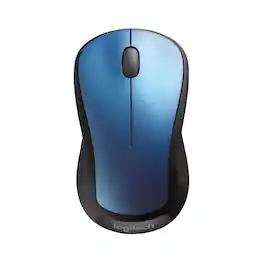
Logitech M310 Wireless Mouse is an easy-to-use, full-size mouse that feels just right. Feel comfortable for hours on end - in your right or left hand - thanks to its contoured, ambidextrous design with soft rubber side grips. M310 comes with a plug-and-forget nano USB receiver that is small enough to stay in your USB port so you won't lose it no matter where you take your laptop. Navigating on your PC or Macbook is simple, with smooth, responsive tracking and Logitech Advanced 2.4 GHz wireless connectivity. For hassle-free use and extreme reliability and durability, choose M310 wireless mouse.

Upgrade to smarter scrolling, better comfort, and more productivity with the Signature M650. The versatile mouse features an adaptive scroll SmartWheel that delivers line-by-line precision, and auto-switches to super-fast free spin mode with the flick of a finger. A choice of sizes for smaller, larger and left hands means there's a perfect fit for anyone. Seamless wireless connectivity, customizable side buttons, and a comfort shape keep you comfortably and productive hour after hour. Logitech’s SilentTouch technology delivers silent clicks to keep you focused – while the up to 24-month battery life and universal operating system compatibility ensure hassle-free performance.

Upgrade to smarter scrolling, better comfort, and more productivity with the Signature M650 L wireless computer mouse. The versatile Logitech bluetooth mouse features an adaptive scroll SmartWheel that delivers line-by-line precision and auto-switches to super fast free spin mode with the flick of a finger. A choice of sizes for smaller, larger and left hands means there's a cordless mouse for anyone. With seamless wireless connectivity, Bluetooth options, customizable side buttons, and a comfortable shape, this wireless mouse keeps you productive and comfortable hour after hour. Logitech’s SilentTouch technology delivers silent clicks to keep you focused – while 24-month battery life and universal operating system compatibility ensure hassle-free performance. Battery life may vary based on user and computing conditions.
| Pros for Logitech - Signature M650 L Full-size Wireless Optical Scroll Mouse with Silent Clicks - Wireless - Red | |||
|---|---|---|---|
| Ease of use, Overall Performance, Size, Ergonomics, Silent Clicks | Ease of use, Overall Performance, Size, Price, Wireless | Overall Performance, Ease of use, Size, Ergonomics, Silent Clicks | There were no pros for this product— |
| Cons for Logitech - Signature M650 L Full-size Wireless Optical Scroll Mouse with Silent Clicks - Wireless - Red | |||
| Click Noise | Scroll Wheel, Lag, Weight, Sensitivity | Click Noise, Scroll Wheel, Price, Side Buttons | There were no cons for this product— |
Specs
Customers often buy these together
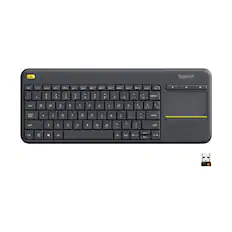
Computer Keyboards

![logi esc 1 F1 2 F2 3 F3 F4 F5 F6 F7 F8 x F9 NI F10 x F11 F12 ins del ~ ! 1 2 # 3 $ 4 % 5 ^ 6 & 7 8 ( 9 ) 0 e - + = backspace tab Q W E R T Y U I O P { [ } ] I / caps lock A S D F G H J - K L : ; " enter shift Z X C V B N M < > ? / shift ctrl fn L start opt H alt cmd alt cmd ctrl opt](https://pisces.bbystatic.com/image2/BestBuy_US/images/products/6478/6478163_sd.jpg;maxHeight=232;maxWidth=233?format=webp)

![esc ~ ! 1 tab caps lock shift ctrl F2 Fl # 2 3 Q W A S Z start opt L F3 $ 4 E D X alt cmd3 ) FS F4 A % 5 6 R T F G V C logi 44 HI & F9 FID FB F7 F6 * ) - - & 0 8 9 7 O P U I Y K L H J > < N M 1 B PM + = { [ : I ; ? I alt cmd D 2 4 300 3 1 F12 . * page I insert home up clear backspace 8 9 + 7 page A pg up end down home } I delete ] / 6 4 5 4 enter 2 3 enter 1 dn Pg end shift = 0 del ins etrl fn opt](https://pisces.bbystatic.com/image2/BestBuy_US/images/products/6539/6539505_sd.jpg;maxHeight=232;maxWidth=233?format=webp)

![Esc F1 F2 F3 F4 F5 F6 F7 F8 F9 F10 F11 F12 Print Screen Scroll Lock Pause Break 1 2 3 4 5 6 7 8 9 0 - + = Backspace Insert Home H Page Up A Num Look 1 I Tab Q W E R T Y U I o P { [ } ] I I Delete End IN Page Down 7 Home 8 9 Pg Up Caps A Lock A S D F G H J K L ; : DE g Enter 4 5 6 Shift Z X C V N M < > ? I Shift 1 End 2 3 Pp Dn Enter Ctrl Alt Alt Ctrl 0 Ins Del](https://pisces.bbystatic.com/image2/BestBuy_US/images/products/a588d446-5678-40ae-86b8-1f15e0026e66.jpg;maxHeight=232;maxWidth=233?format=webp)
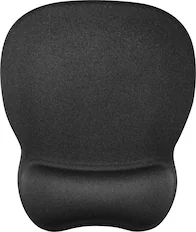
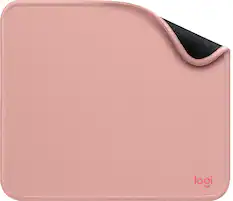
Mouse Pads



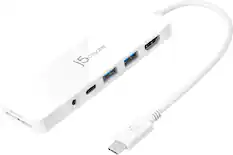
Laptop Docking Stations

Customers ultimately bought
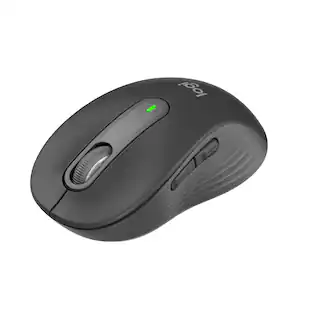 Top Deal$33.99The price was $39.99
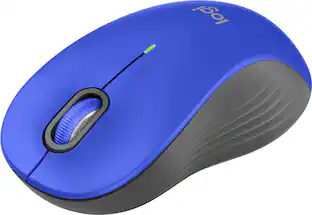 $23.99The price was $29.99
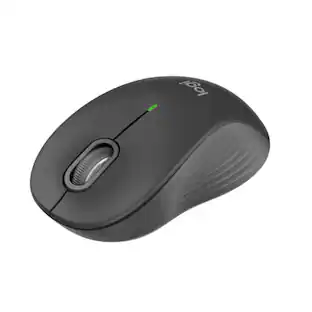 $23.99The price was $29.99


Explore tech essentials Sponsored
 $77.99The price was $99.99



Discover related products
 $12.99The price was $13.99
 $31.99The price was $32.99
 $29.99The price was $32.82








Keep exploring
 $29.46The price was $55.07