Lutron - Aurora Smart Bulb Dimmer Switch for Paddle Switches, Works with Philips Hue Smart Bulbs - White
Customers are saying
Customers have good things to say about the Aurora Smart Bulb Dimmer Switch, particularly its ease of use and seamless installation. Users appreciate the product's responsiveness and how it enhances the usability of their switches. The dimmer switch is also praised for its compatibility, especially with Philips Hue lights. Overall, customers seem satisfied with the Aurora Smart Bulb Dimmer Switch.
Problem Solver
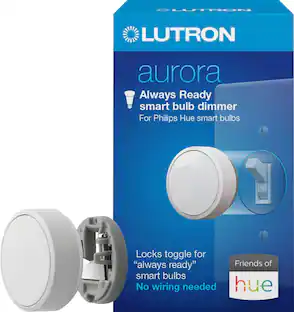
Philips Hue smart bulbs only work if the switch is in the ON position. The Aurora Smart dimmer switch keeps Philips Hue smart bulbs in ‘ready mode’, so you always have control of your smart bulbs
Paddle Switch Solution
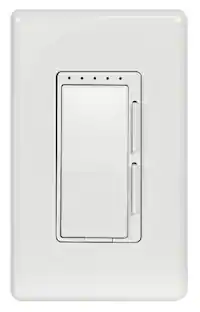
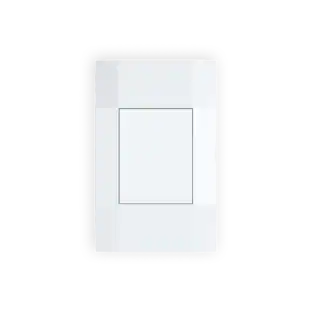
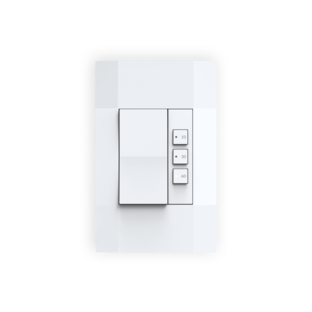
Converts an existing paddle or decorator switch into a smart bulb dimmer switch using included mounting bracket and wallplate
Stays Connected
Aurora maintains connection with Philips Hue smart bulbs, even if the Wi Fi goes down, so that you always have control over your lights
Anyone Can Use
Allows for anyone to adjust your Philips Hue smart bulbs at the wall, no app required
Recognized Aesthetic
Rotary knob easily provides the perfect lighting level; tap to turn lights on/off, or rotate to dim/brighten lights
Simple Set-Up
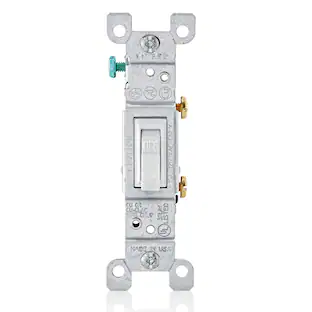
Replace existing paddle switch with wallplate bracket; simply remove existing paddle switch, cap wires and push into backbox and mount the wallplate bracket
Mount Anywhere
Use the mounting bracket to mount Aurora on almost any surface - no cutting holes or pulling wire required
Package Includes
(1) Lutron Aurora Smart Bulb Dimmer, (1) Wallplate Bracket for Paddle Switches, and (1) wallplate
- Switch Wiring Configuration1-wayAmperage0 amperesIndoor or Outdoor UseIndoorLocator LightNoWorks WithHueInstallation TypeReplacement
Reviews
Rating 4.7 out of 5 stars with 53 reviews
- Ease of use (27)
- Installation (5)
- Compatibility (3)
- Responsiveness (3)
Customer Images
The vast majority of our reviews come from verified purchases. Reviews from customers may include My Best Buy members, employees, and Tech Insider Network members (as tagged). Select reviewers may receive discounted products, promotional considerations or entries into drawings for honest, helpful reviews.
Compare similar products

Did you know the smart features of Philips Hue smart bulbs only work with a paddle switch if it is in the ON position? If a paddle switch is unknowingly bumped, accidentally turned off or Wi-Fi connection is lost, the Philips Hue smart bulb will no longer operate from its control source (wireless app, remote, or voice). Lutron’s Aurora smart bulb dimmer Wallplate Bracket for Paddle Switches eliminates this issue. When used with the Aurora smart bulb dimmer, Philips Hue smart bulbs will stay in “ready mode” for consistent smart control. Setting up the Wallplate Bracket for Paddle Switches for use with Aurora is a quick, hassle-free process. Simply remove your existing paddle switch from the wall, cap the wires in the backbox, and screw the bracket into the backbox in place of the switch – no rewiring, repositioning, or extra trips to the store to get a new wallplate will be necessary. Aurora will connect directly to the Philips Hue smart bulbs – no wiring required.

Did you know Philips Hue smart bulbs are only active when the light switch is in the on/up position? If the switch is accidentally turned off or Wi-Fi connection is lost, the Philips Hue smart bulbs no longer operates from any control source (wireless app, remote, or voice). The Aurora “Always Ready” Smart Bulbs Dimmer is the first and only solution that ensures your Hue smart bulbsare kept in ‘ready mode. Its elegant, intuitive, easy-touch dimming aesthetic allows anyone to control the lights, even if they don’t have the app.

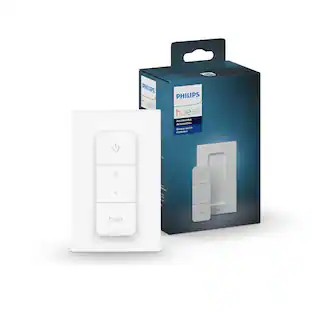
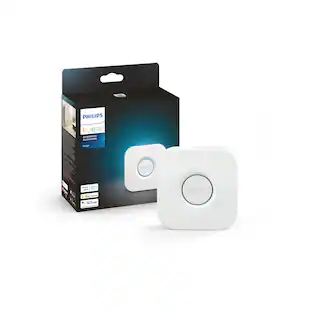
This Philips Hue Dimmer switch makes it easy for anyone in the home to control Hue smart lights with a touch of a button, whether or not they have the Hue app or a voice device handy. The dimmer switch adds more convenient ways to control your Hue lights whether for guests, kids, or even yourself. The dimmer switch lets you turn lights on or off, dim or brighten, or toggle between four of your favorite light scenes. You can also get the best light based on the time of the day, perfect for tuning light to your circadian rhythmn. Three clearly marked buttons make the dimmer switch simple to use. With it's battery-powered design and the included adhesive, the dimmer switch can be placed anywhere. The long-lasting battery has a minimum lifetime of 3 years. It's magnetic backing even lets you attach it to the refrigerator or other metal surfaces. A Hue Bridge and Hue lights (sold separately) are required to connect the dimmer switch to your Hue set-up. The Bridge unlocks the full power of Hue smart home lighting by unlocking features like multiple room control, out-of-home control, automations and more.

Upgrade or replace your current switches with TP-Link Tapo Matter-Certified Smart Switches. Works in most homes with a neutral (white colored) wire for simple installation. TS15 offers a seamless way to control your home ambience across all major smart home platforms. With easy installation, voice control capabilities, and remote monitoring, it provides convenience and flexibility in managing your lighting preferences.
| Pros for Lutron - Aurora Smart Bulb Dimmer Switch for Paddle Switches, Works with Philips Hue Smart Bulbs - White | |||
|---|---|---|---|
| Ease of use, Installation, Compatibility, Responsiveness | Ease of use, Compatibility, Installation, Appearance, Dimming | Ease of use, Compatibility, Overall Performance, Setup, Design | Ease of use, Installation, Compatibility, Quality, Connectivity |
| Cons for Lutron - Aurora Smart Bulb Dimmer Switch for Paddle Switches, Works with Philips Hue Smart Bulbs - White | |||
| There were no cons for this product— | Price, Delay | Price, Size | There were no cons for this product— |
Specs
Customers often buy these together
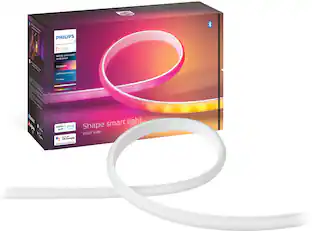 Clearance$158.99The price was $197.99
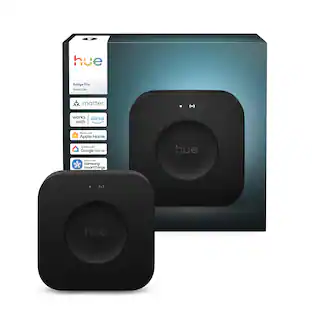

Customers ultimately bought
Control, Comfort, Convenience Sponsored
- Clearance$158.99The price was $197.99
Keep exploring
 $43.99The price was $63.99