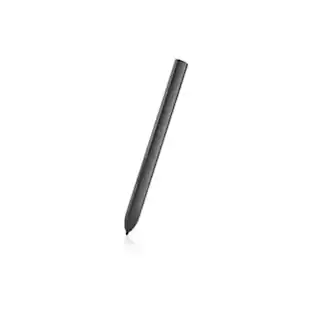
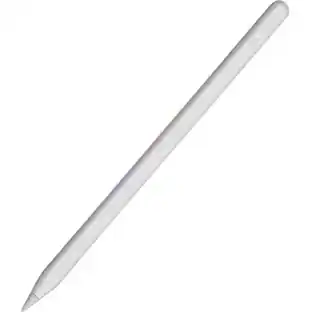
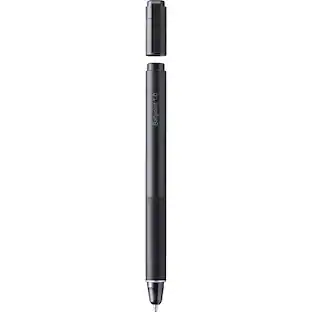
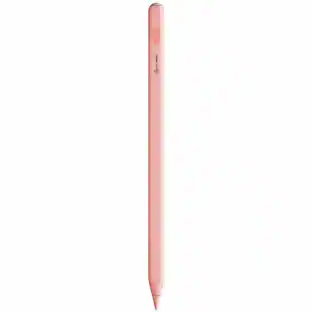
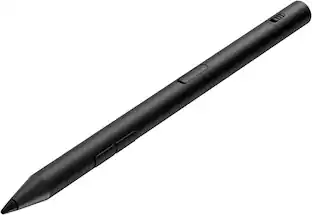
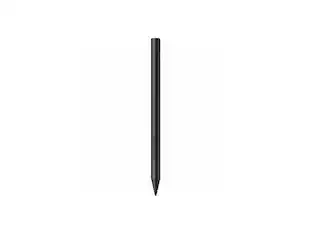
Microsoft - Geek Squad Certified Refurbished Surface Pen - Ice Blue

About This Item
- Key Specs
- Model Compatibility: Microsoft Surface 3, Microsoft Surface Book, Microsoft Surface Book 2, Microsoft Surface Book 3, Microsoft Surface Go, Microsoft Surface Go 2, Microsoft Surface Laptop, Microsoft Surface Laptop 2, Microsoft Surface Laptop 3, Microsoft Surface Pro 3, Microsoft Surface Pro 4, Microsoft Surface Pro 5, Microsoft Surface Pro 6, Microsoft Surface Pro 7, Microsoft Surface Pro X, Microsoft Surface Studio, Microsoft Surface Studio 2
- Screen Compatibility: Built for Windows Ink (Active)
- Operating System Compatibility: Windows
- General
- Brand: Microsoft
- Model Number: GSRF EYU-00049
- Product Name: Geek Squad Certified Refurbished Surface Pen
- Color: Ice Blue
- Compatibility
- Brand Compatibility: Microsoft
- Model Compatibility: Microsoft Surface 3, Microsoft Surface Book, Microsoft Surface Book 2, Microsoft Surface Book 3, Microsoft Surface Go, Microsoft Surface Go 2, Microsoft Surface Laptop, Microsoft Surface Laptop 2, Microsoft Surface Laptop 3, Microsoft Surface Pro 3, Microsoft Surface Pro 4, Microsoft Surface Pro 5, Microsoft Surface Pro 6, Microsoft Surface Pro 7, Microsoft Surface Pro X, Microsoft Surface Studio, Microsoft Surface Studio 2
- Screen Compatibility: Built for Windows Ink (Active)
- Operating System Compatibility: Windows
- Features
- Comfort Grip: false
- Replaceable Stylus Tip: true
- Integrated Writing Pen: false
- Pocket Clip: false
- Dimensions
- Product Length: 5.75 inches (The out of box length of the item. Length is measured as the longest dimension of the item.)
- Product Diameter: 0.38 inches (The out of box diameter of the item, measured as a straight line passing from side to side of the item, through its center.)
- Product Weight: 0.64 ounces (The out of box weight of the item.)
- Warranty
- Warranty - Parts: 90 Days
- Warranty - Labor: 90 Days
- Other
- UPC: 400064494461

Geek Squad Certified Refurbished products are thoroughly, painstakingly and lovingly tested, so you can be sure that your device will work right, right away. Learn more about Geek Squad Certified Refurbished products.
Work seamlessly on your compatible Microsoft touchscreen device with this refurbished Microsoft Surface Pen stylus. The 4,096 pressure points deliver enhanced touch sensitivity, while the tilt support lets you shade drawings. This ice blue Microsoft Surface Pen stylus features an eraser to effortlessly correct errors and a real-time inking function for rapid display.
- Think with ink: Windows and Office 365 give Surface Pen more power than it ever had with paper. Strike through words to delete, circle text to select it, highlight using Ink Editor - even replay the sequence of mark-ups from others.
- Easy note-taking: Taking and managing notes with OneNote is easier than ever. Do homework, replay notes to better remember your thoughts, and write out math equations that solve themselves using Ink Math Assistant - all in one place.
- No printing required: Streamline editing documents with digital inking. Use your Surface Pen to annotate and highlight text and the built-in digital ruler to set things straight.
- Tilt support: You can tilt the tip to artistically shade your drawings - just like you would with a graphite pencil.¹
- Intuitive hardware: Choose from additional tips (sold separately) to suit your creative mood - from a familiar No. 2 pencil to a low-friction tip similar to a fine-point pen.
- Real-time inking: No matter how fast you write or draw, the ink flows with virtually no lag or latency.
- Writes like pen on paper: Surface Pen is a natural writing and drawing tool, with precision ink on one end that now enables tilt¹, and a natural-feeling rubber eraser on the other.
- Sketch, shade, and paint: Allows for artistic precision and finer control with 4,096 pressure points that respond to the lightest touch.
- Responds to artist's touch: Effortlessly express fine sketches and lines with Surface Pen. Rest your hand on the screen of your Surface*, just as you would writing on a notebook. Surface Pen brings out the details in every line so you can see the intent behind each stroke.
Whats Included
- Microsoft Geek Squad Certified Refurbished Surface Pen
Q: How does this pen integrate with note-taking?
A: Taking and managing notes is easier with OneNote. You can do homework, replay notes, and even write out math equations that solve themselves using Ink Math Assistant.
Q: Does this pen require printing?
A: No, printing is not required. You can streamline editing documents with digital inking.
Q: What is the writing experience like with this pen?
A: The Surface Pen provides a natural writing and drawing experience, like pen on paper, with precision ink on one end and a natural-feeling rubber eraser on the other.
Q: Is tilt support available with this pen?
A: Yes, you can tilt the pen's tip to shade your drawings, just like you would with a graphite pencil.
Q: What software enhances the functionality of this pen?
A: Windows and Office 365 give the Surface Pen enhanced capabilities. You can strike through words to delete, circle text to select, highlight using Ink Editor, and even replay mark-ups from others.
Q: Can I use different tips with this pen?
A: Yes, you can choose from additional tips (sold separately) to suit your creative needs, ranging from a familiar No. 2 pencil to a low-friction tip similar to a fine-point pen.
Q: How sensitive is the pen to pressure?
A: The pen has 4,096 pressure points that respond to even the lightest touch, allowing for artistic precision and finer control when sketching, shading, and painting.
Q: Does the refurbished pen come with a battery?
A: undefined
Reviews
Rating 3.5 out of 5 stars with 8 reviews
The vast majority of our reviews come from verified purchases. Reviews from customers may include My Best Buy members, employees, and Tech Insider Network members (as tagged). Select reviewers may receive discounted products, promotional considerations or entries into drawings for honest, helpful reviews.
Compare similar products

Geek Squad Certified Refurbished products are thoroughly, painstakingly and lovingly tested, so you can be sure that your device will work right, right away. Learn more about Work seamlessly on your compatible Microsoft touchscreen device with this refurbished Microsoft Surface Pen stylus. The 4,096 pressure points deliver enhanced touch sensitivity, while the tilt support lets you shade drawings. This ice blue Microsoft Surface Pen stylus features an eraser to effortlessly correct errors and a real-time inking function for rapid display.

Write, sketch, navigate, and recharge. Take handwritten notes and draw with the same feeling you get with pen on paper, with exceptional accuracy and a new storable design. Surface Slim Pen (2nd Edition) also delivers incredible shading and exceptional pressure sensitivity.¹


Apple Pencil Pro adds even more magical capabilities to help bring your ideas to life. New advanced features make marking up, taking notes, and creating a masterpiece more intuitive than ever. Squeeze. Apple Pencil Pro can sense when you squeeze it and brings up a new palette so you can quickly switch tools, line weights, and colors, thanks to a new sensor. Barrel roll. A new gyroscope allows you to rotate the Apple Pencil Pro for precise control of shaped pen and brush tools. Haptic feedback. A custom haptic engine provides feedback that you can feel. When you squeeze or double-tap, a light pulse confirms the action. Apple Pencil hover. Preview exactly where your Apple Pencil will touch down on your display. So you can write, sketch, and illustrate with even greater precision. Double-tap.
| Pros for Microsoft - Geek Squad Certified Refurbished Surface Pen - Ice Blue | |||
|---|---|---|---|
| There were no pros for this product— | There were no pros for this product— | There were no pros for this product— | Overall Performance |
Specs
Customers often buy these together
 $150.00The price was $199.99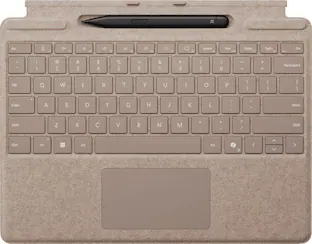
Microsoft - Surface Slim Pen (2nd Edition) and Pro Keyboard for Pro (11th Edition), Pro 9, and Pro 8
$214.99The price was $279.99

More to consider







Discover related products
Keep exploring
 $57.99The price was $82.99
 $99.99The price was $104.14
 $75.12The price was $97.94