Black Friday Deals are hereEnds Nov. 28.Shop now

Skip to contentGo to Product Search
Main Content

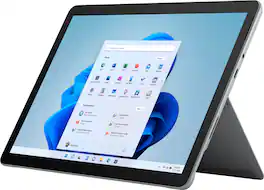
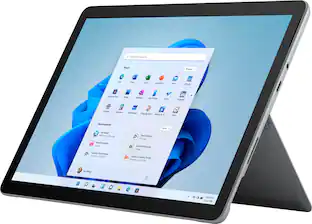
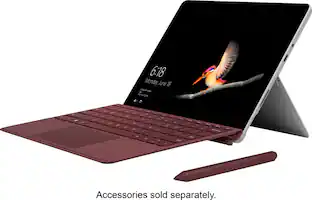
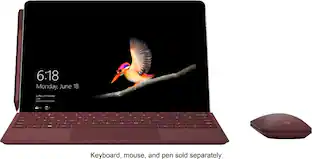
Microsoft - Surface Go 3 - 10.5” Touch-Screen - Intel Pentium Gold - 8GB Memory - 128GB SSD - Device Only (Latest Model) - Platinum

Model: 8VA-00001
SKU: 13297042

Highlights

Features

  • Copilot in Windows 11 - Get answers, inspiration, and summaries

    Find the relevant information and ideas you need to power your own ingenuity. Copilot in Windows 11 can deliver answers that are more relevant to you(1).

  • 10.5" Touchscreen with 1920 x 1280 resolution

    The most portable Surface touchscreen 2-in-1 is perfect for your everyday tasks, homework, and play. Designed to light up the best of Windows 11, Surface Go 3 is optimized for digital pen and touch.

  • Speed through homework, browsing, and more

    Enjoy your choice of faster Intel Pentium or Intel Core i3 processor. Plus, connect with faster Wi-Fi 6 for better performance around the house.

  • Dual HD cameras for photos and face-to-face chat

    Stay connected with front- and rear-facing 1080p HD cameras and dual Studio Mics. Experience built-in Dolby Audiothat’s perfect for online classes, music, audio books, and your favorite shows.

  • Built for everyone, ready anywhere

    Browse, work, play, learn, and binge watch anywhere with an outstanding 2-in-1 value that can replace both your tablet and laptop.

  • Go-anywhere tablet with laptop productivity

    Surface Go 3 is small and easy for all family members to hold. Got an idea? Adjust the built-in Kickstand to the perfect angle for taking notes, drawing diagrams, and sketching with Surface Pen. *

  • All-day battery life

    Get up to 11 hours² of on-the-go power, plus Fast Charging to take you from low to full when you do need to plug in.

  • Connect in more ways on the go

    Plug in the accessories you use today with the included USB-C port, headphone jack, Bluetooth 5.0, and MicroSDXC Card Reader.

  • Built-in anti-virus and malware defense

    No one likes to think about viruses, malware, or hackers. Fortunately, with the all-encompassing Windows Security app, you almost never have to.⁷

  • More speed for everyday tasks

    Stay connected to the people you care about and run the apps you rely on, from Microsoft Teams, Outlook, and Word, to Minecraft, and more*.

  • Playtime. Anytime

    Play the latest games with graphics that rival reality. Play with players on console. Play with the peripherals that you love. When it comes to playing your way, Windows 11 makes it happen.

  • Discover more ways to play with XBOX Game Pass

    Play together and discover your next favorite with friends. With XBOX Game Pass Ultimate, access over 100 high-quality games through XBOX.com/Play for one low monthly price.* With games added all the time, there’s always something new to play.

  • Expect more from your device

    Surface Go 3 adapts to you throughout your day with Windows 11 – use Surface Pen, touch, and even just your voice alone.

  • Navigate faster with intuitive touch gestures

    Improved interactions and multi-finger gestures with Windows 11 help you navigate more fluidly.

  • All things you, always a swipe away

    Your favorite photos. The world news. Today’s to-do list and tomorrow’s weather. Widgets with Windows 11 help you find content that matters to you.

  • *Some accessories and software sold separately

  • ¹Battery life varies significantly based on usage, network and feature configuration, signal strength, settings and other factors. See aka.ms/SurfaceBatteryPerformance for details.

  • ²LTE functionality available on select configurations only. Service availability and performance subject to service provider’s network. Contact your service provider for details, compatibility, pricing, SIM card, and activation. See all specs and frequencies at surface.com.

  • ³ Weight not including Surface Go Type Cover.

  • ⁴Requires Microsoft 365 subscription, sold separately.

  • ⁵Windows Defender version 4.12 & 4.18 scored 100% detection for protection against 0-day malware attacks, inclusive of web and e-mail threats (Real-World Testing) by AV-Test, July and August, 2019.

  • ⁶XBOX Cloud Gaming (Beta) on XBOX.com: Streaming limits may apply. Requires compatible controller (sold separately) and supported device; see system requirements. Game catalog varies over time. See XBOX.com/gamepass for details.

  • ⁷OneDrive PC folder backup feature must be enabled by user and files must be saved in Desktop, Pictures, or Document folders available on Windows PC’s only.

Specifications

  • Screen Size
    10.5 inches
    Screen Resolution
    1920 x 1280
    Processor Model
    Intel Pentium Gold 6500Y
    Total Storage Capacity
    128 gigabytes
    Operating System
    Windows 11 Home in S Mode
Sponsored

Reviews

Customer Images

The vast majority of our reviews come from verified purchases. Reviews from customers may include My Best Buy members, employees, and Tech Insider Network members (as tagged). Select reviewers may receive discounted products, promotional considerations or entries into drawings for honest, helpful reviews.

  • Rated 4 out of 5 stars

    Quality tablet

    I had this tablet for a few years. Pretty good for general productivity, using Microsoft word, stuff like that. Gets a little laggy sometimes but overall it’s a really good quality item

    This review is from Microsoft - Surface Go 3 - 10.5” Touch-Screen - Intel Pentium Gold - 8GB Memory - 128GB SSD - Device Only (Latest Model) - Platinum

    Posted by MicahK

  • Rated 3 out of 5 stars

    Where is the bang for the buck?

    Over the years I have owned dozens of desktops, laptops, 2 in 1, all in one as well as helping friends choose a computer for their needs. Out of all of these computers there is only 1 that, after using, I didn’t recommend, and it was the Google Slate I tested for BB 2 years ago (and has been discontinued since). I now have a 2nd computer to add to my do not recommend list, and it is this Surface Go 3. And I don’t recommend it for basically the same reason I didn’t recommend the Slate - I just don’t feel that you get enough for its price. Considering its entry level processor and addons which increase the “real” cost quickly – such as keyboard ($80 – 130), pen ($66) and maybe mouse ($35 on up) – all prices from Microsoft website. Also, with only 1 USB-C you might need a port multiplier and/or a USB-C to USB 3.0 connector to allow using any non-USB-C component., all at additional cost. So where is the bang for the buck? Out of the box, this unit is more suited for streaming, light productivity and surfing – than for work or gaming – all with an eye on anything stored being mostly done in the cloud. If you must have a Windows 11 Surface tablet and not being able to upgrade/replace any component isn’t a concern, then I suggest you spring for the more costly units with more powerful I series processors, more USB connections, more/better memory, etc. giving better performance and utility. See attachments with my performance comparisons and speed tests for this device. This unit has the following specs; Power button on top. Nice position so you don’t accidentally turn it on/off. Also takes a tad bit of pressure to use, which is good. 10.5-inch 1080P 60Hz LED touchscreen with pen support. I believe it’s a 3:2 aspect ratio which I found fine for watching wide screen movies. Pretty wide bezel though. Intel Pentium 1.10 Ghz Kaby Lake 6500Y processor. doesn’t use much power and will run Windows 11 - which is about all the good I can say about it. 8GB DDR3 2400 MHz memory. DDR4 is better with DDR5 now being the best. Microsoft U3E1 motherboard Intel UHD Graphics 615 (1920X1080@60Hz) KIOXIA 128GB KBG40ZPZ128G BG4A NVMe hard drive. Pretty fast too. Intel Wi-Fi 6 AX200 160MHz. No hardwire option. Bluetooth 5.0 Studio Microphone built in. Front facing 5-megapixel 1080P camera. Realtek HD Audio. Built in stereo speakers sound okay. Couldn’t find wattage specs. Volume control is on top as well. 1 USB-C connection 1 Surface Connect port. Used to charge and can buy additional dongle to add additional ports/functionality. Power cord is about 6 feet long and plugs in using Connect Port. Nice that connection is magnetic in case you pick it up to take and forget it is plugged in - it will just unhook without damaging device. Also, can be plugged in up or down. Headphone jack Micro SD card reader Windows 11 S – I changed to 11 home so I could use apps I wanted to install. But I get why others may see this as a positive. Dimensions are 0.33” depth, 9.7” width, 6.9” height at just 1.2 lbs. Positives; It was nicely packaged and was fairly easy to setup. Plug it in, start it up and it walks you thru Windows 11 setup which took a while. It is very nice looking with the brushed aluminum case and seems well built. Built in Kick stand is nice. Screen is bright with vibrant colors. Touchscreen worked well. On-screen keyboard is nice size with normal sized keyboard/functionality easily selected. No “bloat” software to get rid of. Boots reasonably fast – but I have most everything turned off at startup. Apps open okay but having multiple windows open with different things running slows it down a tad. 1080P screen resolution/color is great for me with nice viewing angle, but a tad “shiny/reflective” screen. I turned power to performance mode and got about 4 hours of use before it shut down after reaching 20% left. I was doing a lot of downloading/installing/running of apps for my performance tests and they take several minutes and a lot of processing power to run so, 4 hours was decent. I got a little over 6 hours run time playing a 1080P movie from micro-sd with Bluetooth off, power set to “recommended” and Wi-Fi and HDR on. I had external keyboard dis-connected too. The USB port is fast – especially if you have a true USB-C SSD drive/connected device. Having Micro-sd slot is nice to be able to easily add storage and having it underneath the kickstand helps protect it. But it is slow (see speed attachment). Super quiet while running and size makes it very portable, even if screen size makes it a tad hard to see/read sometimes (old eyes). 1-year warranty Negatives; Only 128GB SSD and, as far as I could research, no way to upgrade. Windows takes up almost 40GB by itself. Screen is pretty reflective. No keyboard included (additional cost). Initially this didn’t seem too much of an issue. But as I continued to use it, I found that having a keyboard is a must, at least for me, to give it some semblance to a true laptop. I happened to have a USB 3.0 external keyboard as well as a USB-C to USB 3.0 conversion connector laying around so just connected it with no real additional cost to me. But I would not travel with this keyboard, and it uses up the 1 USB-C connector. No pen included (additional cost). Only 1 USB-C connection (duplicator additional cost). Can add a Microsoft dongle to the Surface Connect port for more flexibility – but again additional cost. Adding Micro-sd – additional cost. Back got hot while charging. So much so I had to set it on table as to warm on legs. This is not a situation where the device doesn’t work. It is nicely engineered, light weight, etc. – and what it does it does well, and it may grow on me. But with its entry level processor, limited storage, I can’t help but feel it is too pricey for what you get. And with that in mind I would not recommend as there are better options out there for the price.

    This review is from Microsoft - Surface Go 3 - 10.5” Touch-Screen - Intel Pentium Gold - 8GB Memory - 128GB SSD - Device Only (Latest Model) - Platinum

    Posted by mkcar1

  • Rated 4 out of 5 stars

    Wake Me Up Before You Go-Go

    Once the world’s largest software company, Microsoft is as much a household name today as they were after Windows 95 revolutionized the home computer market by bringing both power and ease-of-use to the masses. Like other current software giants, it came as no surprise that Microsoft would follow their lead and introduce their own line of hardware devices to showcase the best that their software had to offer in a tailored package. The Surface Go 3 is the latest iteration of their smallest Windows device, promising the fully-featured Windows 11 experience in a compact and lightweight tablet. Visually similar to the Go 2 and packing updated hardware, the Surface Go 3 offers a familiar Windows environment in a highly mobile package, but with many compromises that make this difficult to unilaterally recommend.. - Unboxing and Setup Arriving in a simple, organized, and nearly fully recyclable package, Microsoft’s premium ambitions make a strong first impression. Documentation is limited to a quickstart guide showing off the port and key selection, and the only other included accessory is a 24 watt AC adapter (more on this in Performance & Battery Life). Setup is as straightforward as Microsoft’s previous Surface devices. With no preinstalled bloatware, just placeholder links to some recommended apps in the start menu after finishing setup, the only added delays to setup are downloading and installing system updates. At least one major update was needed at the time of my setup (Oct 20, 2021) which leads me to believe an early or pre-release variety of Windows was installed from the factory. - Windows 11 Microsoft’s 2021 Surface line serves as flagships for their latest operating system, Windows 11. Users coming from Windows 10 will be very familiar with the new OS, as many of the same features are present with some enhancements and fresh coats of paint. The new OS doesn’t feel particularly revolutionary, but that’s a good thing - updating the formula rather than starting over was a wise decision to make after some particularly jarring attempts over the years (as was the case with the short-lived Windows 8). As a tablet OS, Windows 11 is not well suited to the environment. The on-screen keyboard and touch gestures are serviceable but clunky. Windows has trouble picking up when to show the on-screen keyboard, and window management is poor. Even official apps from the Microsoft Store will get occluded by the on-screen keyboard as Windows fails to move, resize, or scroll to make text entry boxes visible. I found that using the Surface Go 3 more as a laptop (by attaching the excellent Surface Go Type Cover) made the experience immensely better, though it does sacrifice the portable tablet form factor for a traditional laptop one. The Surface Go 3 ships with Windows 11 in “S Mode,” which only allows installation of apps from the Microsoft Store. While there are thousands of great applications on the storefront, the majority of users will want to run their familiar apps. S Mode can be disabled relatively easily from system settings after several warnings about risking security and privacy by switching. I suspect most users will switch out of S Mode on day one. My only major complaint against Windows 11 otherwise is that a Microsoft account is now required to complete setup. You can convert your user account from a Microsoft one to a local one in the Control Panel, but the need to complete setup with an internet connection and Microsoft account without seeking convoluted workarounds is a major annoyance. Windows 11 Pro allows you to bypass this requirement, but this version of the OS is not commonly included in products below professional or prosumer level devices. - Portability & Quality Having a computer with desktop-like capabilities in a tablet form factor is likely the key selling point for the Go over the regular Surface line, and indeed, having this familiarity in a 10-inch device is phenomenal. At many points in my testing I reminisced on the “netbook” form factor of years past, as the Surface Go feels like what netbooks wanted to be. As a tablet, the device will need to be propped up to use while it sits on a table, and Microsoft’s choice to integrate a large folding kickstand into the body is still as brilliant today as it was when the Surface line first debuted. The ultra wide kickstand is sturdy with a strong hinge, and rotates up to a 170 degree angle so you can position it virtually any way you want without the hinge moving. I found the maximum angle was great for drawing and sketching using a Surface-compatible pen, and the screen and OS’s palm rejection is very good. The body of the Surface Go includes some metal attachment points for the magnets integrated in the Type Cover and Surface Pen, keeping these somewhat secure and ready for use. The mixed aluminum and plastic body is clean and wraps around the edges of the glass to provide some corner protection by default. I did notice right out of the box that the paint finish was poor at the corners of the screen, however, which makes me curious to see how quality control stacks up across a larger sample size. - Screen, Sound, Connectivity The screen on the Surface Go 3 is excellent. An IPS panel with very high brightness (though it’s non-HDR), nearly ”retina” level pixel density, and great color depth makes for a pleasant viewing experience that has no noticeable ghosting or smearing even in high-motion scenes. The panel runs at 60Hz by default but also has a 48Hz option, great for movies (24FPS) or just extending the battery life through less GPU usage. The front and rear integrated cameras are plenty serviceable, with the front-facing webcam delivering good color for video calls, while the rear blows out under lighting a bit easily but still looks good to take quick photos to share. The device’s front-facing speakers are clear and crisp, but they don’t get particularly loud. A proper combination headphone & microphone jack picks up the slack for private listening, and of course you can pair a Bluetooth headset. Bluetooth is well-integrated here with no perceptible sound delay as I’ve experienced on some other devices. Connectivity is pretty limited. A single USB-C port and a microSDXC slot are your only options to expand peripherals or storage, so a USB-C hub is highly recommended. The 128GB onboard SSD is somewhat small but users who use Microsoft OneDrive or similar cloud storage services won’t be terribly limited. - Performance & Battery Life This configuration of the Surface Go 3 uses the Pentium Gold 6500Y (2 cores, 4 threads) processor with 8GB of RAM, which delivers reasonably good performance for most tasks in its full power mode; i.e. with Battery Saver turned off. The Pentium shares nearly the same specifications as the higher-spec Core i3-10100Y model, which is an equal chip in all ways except for higher boost clock speeds (3.9GHz vs 3.4GHz). All models include Intel HD 615 integrated graphics, which do a decent enough job to run Windows 11 with some flair but don’t expect good gaming performance on anything but older or eSports-class titles at low settings. Turning on Battery Saver limits the CPU’s speed to reduce its power draw, which results in a significant performance drop that makes Windows 11 just tolerable enough to use. Sadly, enabling Battery Saver isn’t the only thing you’ll need to do to see close to the 11 hour estimate that Microsoft touts for this device. At full power and medium screen brightness I was seeing about 4 hours of runtime under casual use (web browsing, videos) before reaching critically low levels. Enabling Battery Saver and letting the OS manage the settings only did so much - the runtime extended to about 7 hours. To see double digit estimates I had to turn the screen down to very dim (about 25% brightness) levels, disable bluetooth and WiFi, and play back locally-stored video. While this technically let me hit the estimate, the compromises are not worth the trade-off and certainly require more effort and planning than simply toggling Battery Saver on as a casual user may expect to extend the battery life up to this oversold estimate. Fortunately, the short battery life is countered by the ability to recharge either via the Surface charging port or through the USB-C port (with at least a 5V, 2A charger). The included power brick is the worst part of the whole package as it’s a non-modular unit that uses the proprietary Surface power connector...and as such is essentially e-waste. I would have strongly preferred to see Microsoft bundle a USB-C power delivery charger instead, as leaving the Surface power port on the device makes sense for users upgrading from prior models, but not users who are buying in for the first time and likely have other devices capable of USB-C charging. I certainly prefer carrying one power brick and a couple ubiquitous and easy-to-replace cables for all my devices in my luggage rather than proprietary ones. - Bottom Line The Surface Go 3 makes for a great travel or secondary PC. It works plenty well for streaming media or catching up on the web while you’re on the go, and the compromises are much less impactful when it doesn’t act as your primary PC - you could potentially make it work, but I believe you’d tire of it quickly. The last thing to address then is the value proposition, which is a very tough sell. The $549 MSRP for this middle-tier model should be lesser, or the Type Cover should be bundled as this is a must-have accessory to make the Surface Go 3 a proper travel device. Sadly, this asking price is just not competitive against other tablets that offer more tailored mobile experiences. If you must have a Windows tablet then the Go 3 is a good choice, but better tablet experiences are available for equal or less money. Not recommended.

    This review is from Microsoft - Surface Go 3 - 10.5” Touch-Screen - Intel Pentium Gold - 8GB Memory - 128GB SSD - Device Only (Latest Model) - Platinum

    Posted by Turbolence

  • Rated 5 out of 5 stars

    EXCELLENT WINDOWS 11 TABLET

    The Microsoft Surface Go 3 tablet is the latest Microsoft Surface tablet. Based on the Surface Go 2, this new model offers superior processors. It also comes with Windows 11 installed! The Surface Go 3 ships with only a power supply and Quick-Start Guide. The almost essential keyboard accessory is not bundled with the tablet. This is unfortunate particularly since many users will select the Microsoft Surface Go 3 to serve as a “miniature” laptop, which is significantly impeded without a keyboard and trackpad or mouse. Where Android, iPadOS or Chrome OS tablets are primarily browser-centric devices utilized for streaming videos and Internet, the Microsoft Surface Go 3 tablet is suitable for much more. The distinguishing feature is the Windows 11 operating system which makes the Surface Go 3 capable of being used as a very portable mini-laptop. Having Windows 11s powerful computing capabilities and ability to run real Windows applications is something that very significantly distinguishes the Surface Go 3 from non-Microsoft tablets running operating systems which limit those devices to mobile type apps in closed ecosystems. Interestingly, Microsoft is currently Beta testing running Android apps downloaded from the Amazon app store on Windows 11. Productive use of many Windows applications, which are generally not optimized for touchscreens, is extremely difficult without a keyboard and trackpad, which is an optional addition for the Surface Go 3 rather than being a standard, bundled accessory. Not having a keyboard serves as a major impediment to effectively using the Surface Go 3 with most Windows applications, and even some Windows system menus and features, including file management. If I had a Surface Go Signature Type Keyboard, I could have typed this review on the Surface Go 3, instead of my laptop, both of which are running Microsoft Office. The Surface Go 3 has a sleek appearance, and exudes quality. The high quality case is constructed of magnesium which is lightweight yet very strong and durable. The platinum (gray) color is elegant and visually appealing. The tablet measures 9.65”x6.9”x0.33” (245mm x175mm x8.3 mm), and weighs only 1.2 pounds (544 grams). There is an adjustable, integrated kickstand on the rear to use it in a propped position. The Surface Go 3 is available with a choice of two CPUs. A Dual-core Intel® Pentium® Gold 6500Y processor or a Dual-core 10th Gen Intel® Core™ i3-10100Y processor are available. These CPUs represent a modest improvement over the Surface Go 2 models. My tablet is equipped with the less expensive, and less powerful Pentium Gold 6500Y CPU. This new CPU for tablets and some notebooks clocks at 1.1 – 1.6 GHz. Intel UHD Graphics 615 GPU is onboard. Memory selections are 4GB or 8GB of LPDDR3 RAM. My Surface Go 3 is equipped with the maximum 8GB of RAM. Storage choices are 64GB of eMMC or an actual SSD drive with 128GB capacity (118GB formatted). My Surface Go 3 is equipped with the 128GB Kioxia (formerly Toshiba Memory) KBG40ZPZ128G, PCIe, NVMe, M2 SSD. In addition to the increased storage capacity, the SSD drive is a better and faster storage solution than eMMC. The Surface Go 3 display is absolutely stellar! The screen is bright and colors are vivid, with excellent color rendition and fidelity. The 10.5” PixelSense Display has a 3:2 aspect ratio, 1920x1280 (220 PPI) resolution, 60 Hz refresh rate, 8-bit depth RGB color and an outstanding 1500:1 contrast ratio,. Videos and TV streams look great and don’t suffer from buffering or lagging! This high quality touchscreen panel is clad in Corning Gorilla Glass 3, which should provide excellent durability. The touchscreen sensitivity is excellent, and it is always responsive. The bezels surrounding the screen are approximately ½” (22mm) wide on the long aspects and approximately ¼” (10mm) wide on the short aspects. Ports are limited. When in the horizontal, laptop position, the right (short) side has a 3.5mm headphone jack, one (yes, only one) USB-C port and a proprietary Surface Connect port. In the rear of the case, behind the kickstand is a MicroSDXC Card Reader. The bottom (long) side has a Surface Type Cover port for attachment of the optional keyboard. Both the Surface Connect port and Surface Type Cover keyboard port provide magnetic attachment of the connectors. The top (long) side has the very slim Power Button and Volume Control rocker, both of which are almost flush with the case and difficult to depress. LTE cellular support is expected in a forthcoming model. The Surface Go 3 is equipped with Wi-Fi 6, 802.11 a/b/g/n/ac/ax, as well as Bluetooth 5.0. The front-facing camera is 5MP with 1080p video and IR sensors for facial recognition with Windows Hello logins. The rear-facing auto-focus camera is 8MP, also with 1080p video. The cameras are certainly more than adequate for video conferencing. The built-in microphones are described by Microsoft as Enhanced dual far-field Studio Microphones. The built-in speakers are 2 watts of Dolby Audio and produce good audio with plenty of volume and fidelity and decent stereo spatial characteristics. Available options include two keyboard choices; the Surface Go Type Cover and the more deluxe, Alcantara material Surface Go Signature Type Cover. The Surface Go 3 can also use the Microsoft Surface Pen (MPP support), and the Surface Mouse. Initial setup of the new Surface Go 3 tablet is similar to setting up any Windows OS based laptop, with the notable exception that the Surface Go 3 is running the brand new Windows 11 (Home Edition in S Mode). Another differentiator is the lack of a keyboard and trackpad/mouse to facilitate the setup process. Windows S Mode limits the device to running only those applications which are downloaded and installed from the Microsoft Store, blocking Win32 software (purportedly as an additional layer of security to prevent malware), and limiting browsers to Microsoft Edge. The number of apps in the Microsoft Store is still somewhat limited compared to the other app stores. Windows S Mode can be deactivated, however that change is irrevocable and permanent. S-Mode even prevents use of Microsoft’s own PowerShell. Fortunately, transitioning out of S Mode is quick and easy. Setting up the Surface Go 3 was my introduction to the just released Windows 11 operating system. The new Windows 11 user interface differs from Windows 10, but still retains some measure of familiarity. Developing a good level of comfort with the new OS occurs quite rapidly. The transition from using Windows 10 to using Windows 11 is easy and frustration free. Windows 11 is evidently intended to be even more user friendly than Windows 10, as well as more touchscreen friendly. Booting up the Surface Go 3 for the first time revealed that Microsoft has endeavored to improve usability on touchscreens through larger touch targets and increased margins around and separation between visual elements. However, there were still many occasions when a keyboard and trackpad or mouse were needed. Additionally, many Windows elements are still very small and challenging for touchscreen use. Setting up Windows Hello facial recognition was simple and fast. The facial recognition login functionality worked very reliably and quickly. In fact, Windows Hello facial recognition login has worked 100% of the time without fail, and the process is so rapid that it appears instantaneous. A user PIN number should also be created. Once the initial setup was completed the Surface Go 3 consistently booted up remarkably fast. The full boot to the desktop, including facial recognition and loading all drivers required only about 21 seconds, which is remarkable! Upon first use, the Surface Go 3 downloaded and installed 18 updates, including 4 quality updates and 9 driver updates. Downloads were fast with Wi-Fi 6, however installation consumed a lot of time. Within the first 24 hours, more updates were installed, totaling 22 updates in one day. Using the Surface Go 3 is great! The real world performance of this tablet is very impressive. The Surface Go 3 performed very well with multiple open browser windows and tabs including live-TV streams running simultaneously. Adding the additional workload of downloading apps and files, the tablet still performed beautifully! Streaming never lagged or paused. Opening, closing and using browser tabs, apps and settings while simultaneously streaming video was smooth, fast and reliable. When the Surface Go 3 CPU is working hard, the rear of the case becomes palpably warm. Battery performance of course varies with usage. The Li-ion battery capacity is 26.81Wh (3500mAh). Microsoft claims battery life up to 11 hours. With intensive use, including continuous 4k video streaming, significant browser activity and OS updates, the battery lasted approximately 4 hours. Less intensive, mixed use with a couple of hours of video streaming, and almost continuous screen time yielded approximately 7 hours. More typical utilization, with a more modest level of streaming resulted in over 8 hours of battery life with 17% remaining. Recharging from 17% to 100% was estimated by the OS at 1.5 hours, but actually required 2 hours. Overall, the battery performance is decent. The Surface Go 3 is impressive, and it epitomizes portability and convenience. It is nicely built, compact and lightweight with a superb HD touchscreen, front and rear 1080p cameras, Intel Pentium CPU, 8GB of RAM and 128GB SSD. The case is a thin profile, sleek magnesium shell. The very responsive touchscreen is pleasing to view. The Microsoft Surface Go 3 is an excellent tablet! The Microsoft Surface Go 3 is fantastic, and a pleasure to use. I am extremely impressed with the Microsoft Surface Go 3, and I am genuinely enjoying it. It is a terrific Windows tablet. Of course, I recommend it highly.

    This review is from Microsoft - Surface Go 3 - 10.5” Touch-Screen - Intel Pentium Gold - 8GB Memory - 128GB SSD - Device Only (Latest Model) - Platinum

    Posted by Curmudgeon1

  • Rated 5 out of 5 stars

    Love my Microsoft-Surface Go 3

    I love my tablet. I take it everywhere I go. I am using it right now to write this review!

    This review is from Microsoft - Surface Go 3 - 10.5” Touch-Screen - Intel Pentium Gold - 8GB Memory - 128GB SSD - Device Only (Latest Model) - Platinum

    Posted by RebeccaL

Compare similar products

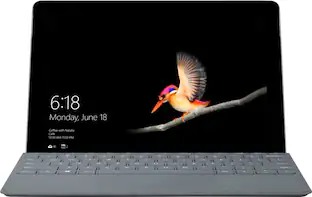
Microsoft - Surface Go 3 - 10.5” Touch-Screen - Intel Pentium Gold - 8GB Memory - 128GB SSD - Device Only (Latest Model) - Platinum

The most portable Surface touchscreen 2-in-1 is perfect for your everyday tasks, homework, and play. Designed to light up the best of Windows 11, Surface Go 3 is optimized for digital pen and touch, with a choice of a faster Intel Pentium or Intel Core i3 processor, plus all-day battery⁹, tablet-to-laptop versatility, and comprehensive Microsoft security.
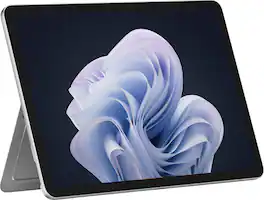
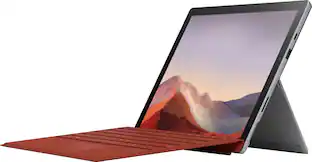
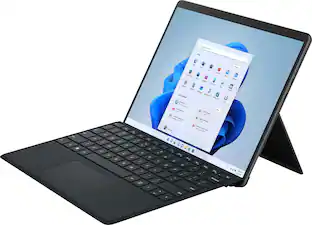
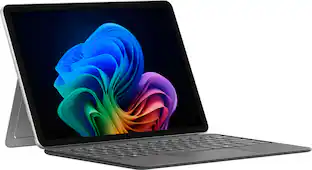
Microsoft - Surface Pro - 12" Touchscreen - Snapdragon X Plus (8 Core) - 8GB Memory - 256GB UFS - Device Only - Platinum
5.0(21)

Get the flexibility you want and the speed you need with Surface Pro 12-inch, the most versatile Surface. Use it as a tablet. Express yourself with touch, voice, and Surface Slim Pen [3]. Or click in Surface Pro 12-inch Keyboard for a full laptop experience [3]. And you can wear your style on your laptop with a choice of colors and finishes. When you have all this, plus advanced AI capabilities in one ultra-thin and light device, the power to go beyond what you thought possible is yours.
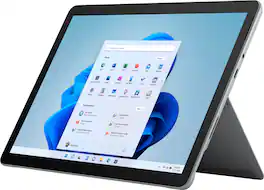
Microsoft - Surface Go 3 - 10.5” Touch-Screen - Intel Core i3 - 8GB Memory - 128GB SSD - Device Only (Latest Model) - Platinum
4.8(40)

The most portable Surface touchscreen 2-in-1 is perfect for your everyday tasks, homework, and play. Designed to light up the best of Windows 11, Surface Go 3 is optimized for digital pen and touch, with a choice of a faster Intel Pentium or Intel Core i3 processor, plus all-day battery⁹, tablet-to-laptop versatility, and comprehensive Microsoft security.

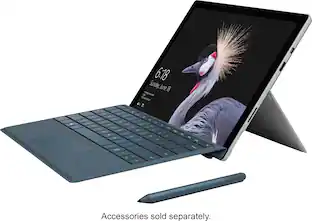
Microsoft - Geek Squad Refurbished Good - Surface Pro - 12.3" Touch-Screen - Intel Core i5 - 8GB Memory - 128GB SSD with Platinum Cover (Latest Model) - Silver

The new Surface Pro that comes with a platinum Type Cover gives you a high-class laptop, plus the versatility of a studio and tablet. The stunning PixelSense™ display supports Pen and touch, while the refined design provides up to 13.5 hours¹ of video playback, 50% more battery life than Surface Pro 4. A powerful Intel® Core™ processor runs full desktop software with ease, ensuring a smooth, productive workflow.Learn more. products are thoroughly, painstakingly and lovingly tested, so you can be sure that your device will work right, right away.

Pros for Microsoft - Surface Go 3 - 10.5” Touch-Screen - Intel Pentium Gold - 8GB Memory - 128GB SSD - Device Only (Latest Model) - Platinum
There were no pros for this product—Battery Life, Build Quality, Kickstand Design, Processor SpeedThere were no pros for this product—There were no pros for this product—

Specs

Questions & Answers

  • Does this come with the sim card tray? I already have LTE service but would like to upgrade from a go 2 to a go 3

    No, this model does not have a SIM port.

    Answered by MicrosoftOutreachTeam
    MicrosoftOutreachTeam response
  • This is a full SSD not eMMC? if SSD what is the speed?

    Yes, this model uses SSD.

    Answered by MicrosoftOutreachTeam
    MicrosoftOutreachTeam response
  • I have a Surface Pro4 now and use the Microsoft dock. Does this dock work on the Surface Go 3?

    Surface Go 3 is compatible with Surface Dock 2.

    Answered by MicrosoftOutreachTeam
    MicrosoftOutreachTeam response
  • What kind of power connector is used with this Surface? I can't tell from the picture, and it doesn't specify.

    It uses a standard surface-type power connector (included). You can also charge thru USB-C but requires 45W.

    Answered by GravityStorm
  • Regarding the Microsoft - Surface Go 3 – 10.5” Touch-Screen – Intel Pentium Gold – 8GB Memory -128GB SSD - Device Only (Latest Model) - Platinum. Does it have a memory card slot?

    Micro SD

    Answered by JoeF
Ask a question
No content
Sponsored