Black Friday Deals are hereEnds Nov. 28.Shop now

Skip to contentGo to Product Search
Main Content

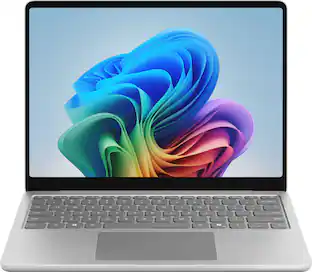
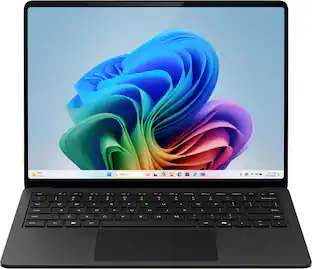
Microsoft - Surface Laptop - 13" 2K Touchscreen - Snapdragon X2 Plus (6 Core) 2026 - 16GB Memory - 256GB Storage - Black

Model: EP2-85663
SKU: 6690396
Sold byBest Buy

About this product

Surface Laptop 13-Inch is our most portable Surface Laptop at 2.7 pounds, so you can carry less and accomplish more. Designed for people who work wherever life takes them. It brings together the precision keyboard, premium craftsmanship, 13-inch touchscreen, and up to 22.5 hours of battery life to help you stay productive on the go [2, 3].

Highlights

Features

  • Built for On-the-Go Productivity

    Take on your day without compromise. Our lightest touchscreen laptop at 2.7 pounds, Surface Laptop 13-Inch offers dependable performance, up to 22.5 hours of battery life, and strong security to help you stay productive on the go [2, 3, 4].

  • Everyday Performance Made Easy

    Everyday Productivity PCs make it easy to work across multiple apps, pick up where you left off with files synced across devices, and jump back into projects quickly while handling multiple tasks with ease.

  • Fast Performance Meets Powerful AI

    The new Snapdragon X2 Plus processor powers everyday productivity, while the Qualcomm Hexagon NPU with up to 80 TOPS deliver on-device AI performance for writing, summarizing, and multitasking.

  • Up to 22.5 Hours of Battery Life [1]

    Long-lasting battery life gives you the freedom to stay unplugged longer without reaching for a charger [2].

  • More Room for What Matters

    Get more done on a vibrant 13-inch PixelSense touchscreen with crisp 1920 × 1280 resolution and up to 500 nits of brightness. The productivity-friendly 3:2 aspect ratio gives you more vertical screen space to work, create, and multitask.

  • Comfortable Typing, All Day Long

    Type comfortably and navigate with ease using a full-size backlit keyboard, responsive keys, and a precision touchpad.

  • Security at Your Fingertip

    Sign in quickly and securely with the built-in Fingerprint Power Button [4]. A simple touch lets you unlock your device without the need to remember passwords.

  • Secure from Day One

    Designed with security in mind, Surface Laptop helps defend against threats with Microsoft Defender and Smart App Control. Windows Hello provides a fast, secure, password-free sign-in experience.

  • Faster, More Reliable Connections

    The latest Wi-Fi 7 standard plus Bluetooth 5.4 keep you connected at home, in class, or on the go.

Specifications

  • Screen Type
    PixelSense
    Screen Size
    13 inches
    Screen Resolution
    1920 x 1280
    Touch Screen
    Yes
    Refresh Rate
    60Hz
Sponsored

Reviews

Rating 4.7 out of 5 stars with 9 reviews

5 star rating. 6 reviews4 star rating. 3 reviews
89% would recommend to a friend

Customer Images

The vast majority of our reviews come from verified purchases. Reviews from customers may include My Best Buy members, employees, and Tech Insider Network members (as tagged). Select reviewers may receive discounted products, promotional considerations or entries into drawings for honest, helpful reviews.

  • Rated 5 out of 5 stars

    Compact AI Powerhouse with Incredible Battery Life

    The newly updated Microsoft Surface 13” laptop is an attractive package of technology and functionality which boasts both outstanding battery life and high performance thanks to its incorporation of a new 6 core Qualcomm Snapdragon X2 Plus processor with integrated Hexagon neural processing unit and Adreno graphic processing unit in a very compact form. The solid-state hard drive and low power needs of the LED display, CPU, NPU and GPU make possible over 22 hours of web-intensive operation. The anodized aluminum body has an elegant violet finish. Overall, the impression is very sophisticated and high tech. Microsoft introduced the Surface product line in 2012 as a Windows tablet. It was the company’s first product which incorporated the Windows operating system and their own hardware. The first products ran tablet-only Windows RT. The early models were somewhat under-powered with limited storage and poor battery life. The next generation added a supplemental keyboard and more processing power, becoming 2-in-1 tablet/laptops. In 2015 the Surface 3 models were the first to run the full Windows operating system and standard programs. Currently there are five lines of devices (Pro, Laptop, Laptop Ultra, Hub and RTX Spark Dev Box). The Surface Laptop is a classic notebook available in various screen sizes which has the power to match nearly any laptop from the major competing manufacturers. Consider this outstanding combination of features: • Microsoft Surface 13” Laptop (Model EP2-85685 UPC 196388886098) • Snapdragon X2 Plus 6 core CPU, 4 GHz (X2P-42-100) • Qualcomm NPU, 80 TOPS INT8 • Qualcomm SD X2 Adreno X2-45 GPU, 128 MB • Power consumption 10-22 watt • 64 bit Windows 11 Home 24H2 operating system • 16 GB LPDDR5X high efficiency RAM primary memory • 256 GB SK-Hynix UFS removable hard drive • Integrated Microsoft Copilot AI program with voice assistant • Compatible with Alexa and Google Home • 13” 3:2 ratio PixelSense 10 point multi-touch-screen display, 1920 x 1280 (178 ppi) resolution • 500 nits screen brightness, 1000:1 contrast ratio, 60 Hz refresh rate • 2 watt full-range Omnisonic stereo speakers and Dolby Audio • Dual studio microphones with enhanced voice focus • Full HD (1080p) front-facing Studio Camera (with auto framing, blur, creative filters, eye contact, portrait light) • 3D IR Camera for Windows Hello facial and gesture recognition • WiFi 7, Bluetooth Core 5.4 connectivity, Bluetooth LE Audio • Ports: 1 USB 3.2 Type A, 2 fast charging USB 3.2 Type C (up to 20 GBps data transfer), DisplayPort 1.4a (2 4k monitors), 3.5 mm headphone jack • 50 Watt-Hour Lithium Ion battery – up to 22.5 hours active web usage • 45 watt USB-C charger, 76 inch power cord • Full size backlit keyboard with fingerprint reader, Copilot key, media controls • Haptic precision touchpad • Anodized aluminum case, ultra quiet cooling fan • Very slim and compact: 11.3” wide x 8.4” deep x 0.6” thick • Lightweight: only 2.7 pounds • One year warranty on parts and labor So how does this laptop perform? Superbly! Besides the compact form factor, very sophisticated appearance and ultra-quiet cooling fan, the Snapdragon processors (CPU, GPU and NPU) delivered flawless performance on every task I put before them, from massive spreadsheets to video editing to hard-core gaming. It seemed pretty fast when I was using it, so I ran a well-regarded benchmark program (Novabench 6) on both it and four of my other computers to determine their relative performance. This test measures both CPU (general processing), GPU (graphics processing) and data storage rate so they give a good overall measure of a computer’s speed. The four computers included a desktop all-in-one PC, a well-equipped 2-in-1 laptop, a Surface 4 laptop and a Surface Pro tablet. Finally, I ran the same tests on this Microsoft Surface laptop. All computers were well-maintained, running the latest Windows 11 version with no other programs active. The three newest all have a NPU (Neural Processing Unit) which enables AI. Here are the results (higher is faster): Novabench 6 Results: 2022 All-in-One Desktop (Intel i7-1255, 16GB ram, Nvidia MX550 GPU, 1TB SSD): 1152 (Base) 2021 Microsoft Surface 4 Laptop (AMD Ryzen 7 4980U 8 core CPU, 8GB ram, Radeon GPU, 0.5TB SSD): 1851 (+61%) 2025 Microsoft Surface Pro Tablet (Snapdragon X Plus 8 core CPU, 16GB ram, Adreno X1-45 GPU, 45 TOPS NPU, 0.5TB SSD): 1459 (+27%) 2026 Two-in-One Laptop (Intel Ultra7-355 8 core CPU, 16GB ram, Intel Iris Xe GPU, 49 TOPS NPU, 1TB SSD): 2107 (+83%) 2026 Microsoft Surface Laptop (Snapdragon X2 Plus 6 core CPU, 16GB ram, Adreno X2-45 GPU, 80 TOPS NPU, 0.25TB SSD): 1447 (+26%) OK, that’s a lot of numbers and technical jargon but the bottom line is that you will find the 2026 2-in-1 laptop out-performed all systems and the Surface laptop was significantly faster than the All-in-One Desktop. But that’s not the whole story. Because the new Surface laptop has an integrated Qualcomm NPU (neural processing unit) rated at an amazing 80 Trillion operations/second it is far more efficient in supporting artificial intelligence. Even though the older Surface 4 laptop has a higher Novabench score the new Surface Pro tablet is far superior in utilizing the built-in Microsoft Copilot AI. Besides delivering a wonderful, fluid interaction with Copilot, the energy use is far less which enhances battery life. Coupled with the excellent Adreno X2-45 GPU this produces outstanding performance on games. Now, besides AI and gaming, this is a very capable full-size laptop replacement. Put this elegant beauty to work on most business software and it will never even break a sweat. Use it for photo or video editing and it will calmly do whatever you want, no drama. The 2 watt Omnisonic stereo speakers and Dolby audio sound system on this tablet are surprisingly good. I listened to some of my favorite albums from Spotify and the speakers were much better than typical for laptops. They are mounted on the left and right edges of the keyboard area, have excellent volume and great stereo separation – they will make watching videos a real pleasure. A major plus for this new Surface device is the outstanding battery life. I always test laptops by streaming Netflix series on battery power with a bright screen and high speaker volume. The combination of modem usage, video rendering, screen lighting and speaker volume usually drains most traditional laptop batteries in less than two hours. But this amazing laptop lasted a bit over 20.5 hours before exhausting the charge! That is long enough for ten full movies and certainly would suffice a traveler for even the longest international flights. You can thank the ultra-efficient and power-miser Snapdragon CPU and Adreno GPU for that amazing performance. Recharge time from full battery discharge was 90 minutes. Another advantage for travelers is the compact size (11.3” wide, 8.4” deep and 0.6” thick) and very light weight – about 2.7 pounds. The tablet with lighted keyboard attached is nicely balanced, so those who like to literally use their laptop on their lap will be pleased. It has latest WiFi 7 which provides excellent, high-speed connection to your network. In addition to the 3.5 mm headphone jack, it supports Bluetooth LE Audio for wireless headphones. The 13” touchscreen display has excellent resolution, rapid video rendering and HDR content support with very good color saturation. The 6:4 screen ratio is taller than the 16:9 or 16:10 ratios seen on many laptops and actually offers considerably more screen area (about 19% more) than the 16:9 screens. This is an advantage when working with Word documents or spreadsheets. The Microsoft Hello facial recognition and Copilot both work well, as does the webcam and built-in dual microphones. For video calls the tablet offers a variety of useful image enhancement features. What are the possible weak points or purchase issues to consider? • Since it uses an ARM processor some applications will run in emulator mode which may affect performance. However, this won’t be an issue for most Office programs. • It would have been nice to have a form-fitting cloth carrying case included (as many other notebook brands provide.) • If you really need more RAM (up to 64 GB), a larger SSD (up to 1 TB) or a faster processor (up to a 12 core CPU) consider investing in the 8th Edition 15” Surface laptop for $500+ more. But I really think this compact 13” laptop can do it all very adequately. But these are really just minor quibbles. When you consider all of its power and functionality you will agree that the price is very reasonable. I can enthusiastically recommend the new Microsoft Surface 13” laptop for both serious stay-at-home power users, those who need to take notes at meetings and for those who desire a perfect travel companion!

    This review is from Microsoft - Surface Laptop - 13" 2K Touchscreen - Snapdragon X2 Plus (6 Core) 2026 - 16GB Memory - 256GB Storage - Violet

    Posted by JimC

  • Rated 5 out of 5 stars

    Great for travel and productivity

    First impressions are important, and I have to honestly say that as far as first impressions with laptops go, this Microsoft Surface gave me one of the best first impressions I've ever had. Starting with the packaging itself, it's smooth, minimal, and gives off an air of precision. That even extends to the charger, both block and cable. The block isn't massive and is proportional to the Surface. You can tell there was thought and care put into every detail, and if so much was put into the packaging and accessories, you have to think they put just as much or even more into the star of the show, the Surface itself. And it doesn't disappoint. It's also smooth and sleek, with sharp lines and a precision that you don't see often in laptops. It's almost too precise, as the gap and alignment between the screen and body is so tight that it almost makes it tough to open up the laptop. I'm not even joking here, I just about have to use my fingernails to get between them to open it. A notch would have been helpful, but at the same time a notch would have broken up the fine lines a bit, so I'm sure there was a bit of a trade-off there, but I'm honestly ok with it. I'll go ahead and say this now, that is probably the biggest negative I found, and I don't even consider it much of one, but I can see how someone else might get a little bit annoyed by that. Setting it up is pretty much the same as any laptop using Windows so there's not much to add here. The next thing you notice at this point though, is the screen quality and resolution. The picture is so clear and vibrant. The precision of the physical body extends into the precision of the graphical screen. What's crazy to me is that it is only a 2K LCD screen! I would have guessed the specs were better than that based on what I could see. I'm not saying it would hold up to a 4K OLED or the best gaming monitors, but that's not what this was made for. I'm sure the smaller physical area helps too. Either way, for most casual users and for what this Surface is made to do, I feel Microsoft exceeded expectations in this regard. The quality and precision also extends into the keyboard and trackpad. The press of the keys feels solid. They're tight and give you a good responsive feel, not an easy thing to do with the limitations of a laptop keyboard. They're not overly loud either and is just comfortable to use. Same goes for the trackpad. It's smooth and responsive. Light taps feel natural, and unlike other laptop trackpads, doesn't make your fingertips as sore when using it for a long period of time. Pressing to click is smooth and easy as well. It almost feels like pressing a key on the keyboard, soft and easy. Next we get to the actual performance of the laptop. For everyday use and productivity, it's absolutely perfect. Browsing the internet, using applications, is just smooth. There's no choppiness or lag in anything at all. Using various microsoft office applications for work is seamless as well. Combined with how compact this Surface is, makes it a perfect device to take on the road when you still have to get some work done or stay productive. You just have to be aware of the architecture here. Since most people using windows machines are probably on hardware using intel or amd, you might be used to downloading certain programs in x86. This surface is a snapdragon though, which you'll find more commonly in mobile devices, and for that you have to download programs in ARM/ARM64. This isn't a negative, just something you have to be aware of, as I happened to download the wrong windows package for a program I needed and went off of habit. It's not a big deal if you do that, it just won't install and you just have to make sure to get the right package. Finally, there's the battery. It lasts long enough for most work sessions, and charges really quick. There's not much more you can ask of it or really to say much about. Overall, I would say if you just need a good laptop for on the go when you need to get some work done, you won't find much better than this one. It's compact, built very well, has good performance, and with great functionality.

    This review is from Microsoft - Surface Laptop - 13" 2K Touchscreen - Snapdragon X2 Plus (6 Core) 2026 - 16GB Memory - 256GB Storage - Violet

    Posted by CKent

  • Rated 5 out of 5 stars

    Surface laptop for mobile office work/students.

    Surface Laptop 13” 2nd edition Snapdragon On my scale this laptop weighs 2.72 LBS It is 11 ¼ “ wide, 8 7/16” deep, and 1-9/16” thick when closed Screen is 13” diagonal on the nose. They provide you with a 6’ charging cable which is plenty long enough. STORAGE: This is where manufacturer’s get away with smoke and mirrors. This laptop is listed as a 256 GB hard drive of which 236 gb is usable. Right out of the box, only 159 GB is free. Windows Operating System: Windows 11 or Windows 10 alone takes up roughly 25 GB to 40 GB of space right after installation. Pre-installed Apps and Bloatware: Manufacturer utilities (HP, Dell, Lenovo, etc.), antivirus trials, office suites, and pre-loaded driver packages consume another 10 GB to 20 GB. RAM: Installed RAM 16GB (15.3 usable) = 9523 MT/s 128MB Qualcomm(R) Adreno ™ x2-45 GPU Processor = Snapdragon X2 Plus (6-core) @4.03 GHz Cores x GHz = 6 cores @ 3.44 GHz Pen and touch support with 10 touch points Windows 11 installed Soft keyboard touch functions and Magic Trackpad material is like a silicone material which I hope holds up better than many mobile phone silicone cases I’ve owned (when sits for any period of time they always seem to get tacky/sticky to touch). I’ve owned a couple different Macbook Pros, and multiple Apple products throughout the last 20 years or so, and let me tell you while unboxing this, even down to the packaging, this seems like an apple product. From the metal chassis to the same trackpad. Many many similarities to an apple product. The violet finish is pretty awesome. It changes in different lit environments, for example, at my office in that lighting it’s VERY violet, other places it’s barely noticeable. This laptop would be great for light tasks, students, and mobile office requirements. I’m not one for touchscreens on laptops, I understand why some people like that option. I don’t like that it draws extra power resulting in shorter battery life. If the screen flipped into a 2-1 laptop/tablet I would say than by all means touchscreen would be important. Please see the screenshots for the Cinebench results for this laptop. I would recommend this laptop to anyone looking for a reliable laptop, well-built, with a touch screen.

    This review is from Microsoft - Surface Laptop - 13" 2K Touchscreen - Snapdragon X2 Plus (6 Core) 2026 - 16GB Memory - 256GB Storage - Violet

    Posted by Mookie

  • Rated 5 out of 5 stars

    A powerhouse productivity-ARM may be issues

    I’ve been a longtime user of Surface products, coming from the Surface Pro 3, Pro 4, Pro 6, and Pro 8 while sidestepping across the Go 2 and Laptop 4. I can say this is a bag of mixed feelings. To keep this short, if your current use case is modern apps and online or cloud-based productivity software, this could serve your needs just fine. The combination of portability, long battery life, and quiet operation makes it especially appealing for schoolwork or as an everyday laptop. However, if you like experimenting with software or connecting older devices such as printers, drawing tablets, and other accessories, there is potential for issues. The hardware and everyday experience Like most Surface products, this arrives in a premium aluminum shell. The violet finish adds some personality without taking away from the clean, professional appearance. It looks like something that would be equally at home in a classroom, at work, or on the coffee table. The compact size is another strong point. For someone carrying a laptop between classes or taking it along for casual work, this is the kind of form factor that makes sense. There is still some substance to the build, but portability is a big part of the appeal. The display offers a high-quality viewing experience, with vivid colors and accurate touch controls. It is not a huge shift from previous generations, but that is not necessarily a bad thing. Touch is a useful addition for scrolling through webpages or making a quick selection without reaching for the touchpad. The backlit keyboard and large, centered touchpad also fit the daily-driver role well. These are the parts of a laptop you interact with constantly, and a comfortable layout matters more over time than a long list of specifications. The fingerprint reader adds a convenient sign-in option, while USB-C charging is a welcome move away from relying on a proprietary Surface charger. The built-in sound system rounds out the package for watching videos, casual listening, and video calls without always needing headphones or external speakers. Altogether, the hardware feels suited to someone who wants one compact device for work, school, and personal use. Battery life is the main attraction With the shift to ARM, these newer Surface devices offer substantial battery-life improvements, particularly during everyday use and standby. This is probably the strongest reason to consider one. For a student or someone frequently working away from a desk, that can be more useful than a higher benchmark score. Being able to move between classes, work on assignments, and watch a few videos without constantly thinking about the next outlet is a meaningful benefit. Actual runtime will depend on brightness, applications, and workload, but battery endurance is a major part of the appeal here. Quiet operation is another advantage. Low heat and minimal distracting noise make a difference in classrooms, libraries, or a quiet room at home. A daily-use laptop should be able to handle ordinary tasks without constantly drawing attention to itself. Performance and compatibility For everyday tasks, the Snapdragon platform makes a good impression. Modern applications, browser-based work, videos, and general productivity are where this type of laptop makes the most sense. The 16GB of memory is also a practical fit for that kind of use. However, the transition to ARM still brings potential compatibility issues. Microsoft’s Prism emulator improves support for x64 applications, but some older or specialized software may not install or work properly. Hardware that depends on specific drivers deserves particular attention. During testing, I came across a few applications that could not be installed or used correctly once installed. These included CrystalDiskInfo and some elements of MSI Afterburner. For software that did work, there were UserBenchmark and Geekbench 6. Outside of benchmarking, LibreOffice, Syncthing, LocalShare, Quick Share for PC, Brave, Bitwarden, Steam, and KeePass worked smoothly. One thing to note is that even browser-based work can have limits. Some resource-heavy pages, such as my online classes’ MindTap pages, struggled to load several resources. If you are buying this for school, check the actual applications and course platforms you need rather than assuming every educational workload will be trouble-free. The integrated Adreno graphics are part of the overall package, but I would still avoid treating this as a gaming laptop. Having Steam run is not the same as every game being compatible or performing well. For casual games it may cover your needs, but gaming should not be the main reason to buy it. Final thoughts For the average user whose needs include email, banking, web browsing, shopping, videos, and compatible school or work applications, this can be a very satisfying laptop. The premium build, touchscreen, comfortable input layout, and convenient charging all help, but battery life and quiet operation are what really bring the package together. For more technical users who need a wide variety of software or older connected hardware, the experience is more complicated. The Surface name and polished design do not remove the need to check compatibility. For everyday use, I can see this being a 5-star experience. For someone whose workflow depends on specialized software and hardware, it could be closer to 3 stars. It really comes down to whether your needs fit what this machine does well.

    This review is from Microsoft - Surface Laptop - 13" 2K Touchscreen - Snapdragon X2 Plus (6 Core) 2026 - 16GB Memory - 256GB Storage - Violet

    Posted by DJSmooth

  • Rated 4 out of 5 stars

    High quality laptop nice for everyday use!

    I've been using the 13-inch Microsoft Surface Laptop for a couple weeks now, and I've been really happy with it so far. It's thin, lightweight, and overall, a well-built laptop that offers plenty of performance for everyday work without sacrificing portability. There are a few compromises, particularly with storage and some of the hardware choices, but overall, I think Microsoft did a really nice job with this one. What's Good: -Nice Violet color -Thin and lightweight -Great everyday performance -Excellent battery life -Nice 13 inch touchscreen -Comfortable keyboard and trackpad (consistent with what you would expect from a Surface) -Premium build quality -Quiet operation -Good port selection What's Not So Good: -Limited 256GB storage -No OLED display -Only 60Hz refresh rate -No USB4 support -Potential ARM software compatibility issues -Limited gaming compatibility One of the first things I noticed about this laptop was the Violet color, which looks really nice and is a welcome change from the usual black or silver laptops. It's also surprisingly thin and lightweight, making it easy to carry around without giving up the performance I need. At around 2.7 pounds, it's a great size for working on the go, and the overall build quality is excellent. I have mainly used this laptop for writing, coding tools, basic web browsing, and watching videos, and it's handled everything I've thrown at it really well. The Snapdragon X2 Plus processor and 16GB of memory provide plenty of performance for my needs, and the battery life has been excellent. It's also very quiet and cool, which is something I appreciate when I'm working. The keyboard is another thing I really like. I spend quite a bit of time typing, and it's comfortable and has a nice feel to it. The 13-inch touchscreen is also just about the perfect size for mobile work. I especially like the taller 3:2 aspect ratio, which provides a little more vertical space for documents, websites, and coding. While it's not an OLED display, I still think the screen looks really good. That said, there are other Snapdragon laptops in this class that offer OLED displays with better contrast and deeper blacks. The 60Hz refresh rate is also a little disappointing compared to some competing laptops, although it hasn't been thing that would bother me with the type of work I do. I also appreciate having enough ports to connect a dock or external storage when needed. One disappointment is that Microsoft only included USB 3.2 rather than USB4, especially since the larger Surface Laptop models support it. Considering the limited internal storage, faster external storage support would have been a nice feature to have. My biggest complaint is the 256GB of internal storage and there's only just under 150GB actually available for actual storage after installing only a few basic programs/apps. Microsoft notes 179GB available out of the box so it's definitely something that could be of concern if you have a lot of large programs or work with any large media files. That can be pretty limiting, especially if you do any kind of media development like I do. You'll definitely want to plan on using cloud storage or an external USB-C SSD for larger files and projects and that's where I think the USB4 40gbps support would have been welcomed. Another thing worth mentioning is that this laptop uses an ARM-based Snapdragon processor rather than a traditional Intel or AMD processor. I haven't personally run into any compatibility issues with the software I use, but not everything is designed to run natively on ARM. Some applications may run slower through emulation, while others may not work at all. Autodesk Fusion 360 is one example of specialized software that isn't officially supported on Windows ARM, even though it may run through emulation and so far for me it does, but performance isn't the best. Gaming compatibility is also limited, with some games not running at all, but this really isn't a gaming laptop, and I wouldn't buy it for that purpose anyway. If you depend on certain applications, I'd definitely check compatibility before buying. Overall, I like this Surface Laptop quite a bit. It's a well-built, high-quality laptop that strikes a great balance between portability, performance, and battery life. The keyboard and touchscreen make it especially nice for writing and working on the go, and it's had more than enough power for everything I need it to do. I do wish it had more storage, USB4 support, and an OLED display, but those compromises haven't really taken away from my experience. If you're looking for a compact Windows laptop for writing, productivity, coding, and everyday use, I think this is an excellent choice that I would recommend. Just make sure the ARM processor supports the applications you need and that you can live with the limited storage.

    This review is from Microsoft - Surface Laptop - 13" 2K Touchscreen - Snapdragon X2 Plus (6 Core) 2026 - 16GB Memory - 256GB Storage - Violet

    Posted by btb2k

Compare similar products

Microsoft - Surface Laptop - 13" 2K Touchscreen - Snapdragon X2 Plus (6 Core) 2026 - 16GB Memory - 256GB Storage - Black
4.7(9)

Surface Laptop 13-Inch is our most portable Surface Laptop at 2.7 pounds, so you can carry less and accomplish more. Designed for people who work wherever life takes them. It brings together the precision keyboard, premium craftsmanship, 13-inch touchscreen, and up to 22.5 hours of battery life to help you stay productive on the go [2, 3].
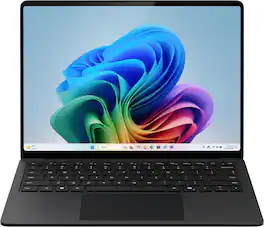
Microsoft - Surface Laptop - 13.8" 2K Touchscreen - Snapdragon X2 Plus (10 Core) 2026 - 16GB - 512GB Storage - Black
4.9(15)

Exceptionally powerful, ultrathin laptop — The new Surface Laptop, 13.8-inch (8th Edition) is not just faster—it’s more intuitive. Unlock your creativity and stay productive throughout the day with accelerated performance that powers a new AI era, enabling Copilot experiences deeply integrated with the Windows ecosystem. Enjoy all‑day battery life[3] to keep your ideas flowing, and immerse yourself in stunning visuals on its modern, razor‑thin touchscreen display.

Microsoft - Surface Laptop - 13" 2K Touchscreen - Snapdragon X2 Plus (6 Core) 2026 - 16GB Memory - 512GB Storage - Black

Surface Laptop 13-Inch is our most portable Surface Laptop at 2.7 pounds, so you can carry less and accomplish more. Designed for people who work wherever life takes them. It brings together the precision keyboard, premium craftsmanship, 13-inch touchscreen, and up to 22.5 hours of battery life to help you stay productive on the go [2, 3].
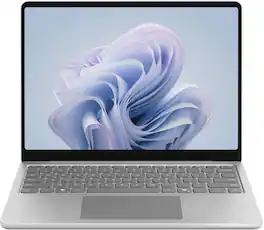
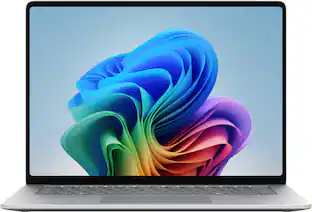
Microsoft - Surface Laptop - 13" 2K Touchscreen - Snapdragon X Plus (8 core) 2026 - 8GB Memory - 256GB Storage - Platinum
4.3(16)

Meet Surface Laptop 13-inch, the most portable Surface Laptop. With built-in AI experiences and plenty of colors, it delivers unbeatable intelligence, value, and style. And you can leave your charger at home because this 13" touchscreen powerhouse boasts all-day battery life[1].

Pros for Microsoft - Surface Laptop - 13" 2K Touchscreen - Snapdragon X2 Plus (6 Core) 2026 - 16GB Memory - 256GB Storage - Black
There were no pros for this product—There were no pros for this product—There were no pros for this product—Build Quality, Battery Life, Portability, Touchscreen Responsiveness

Specs

No content

Customers often buy these together

Sponsored