Everything for Back to School — and then someShop now

Skip to contentGo to Product Search
Main Content

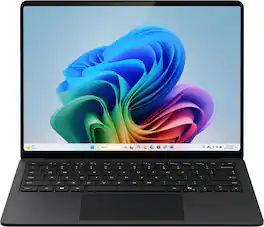
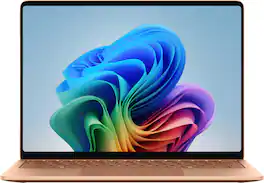
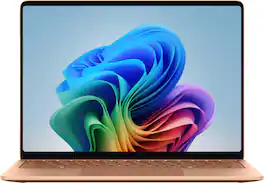
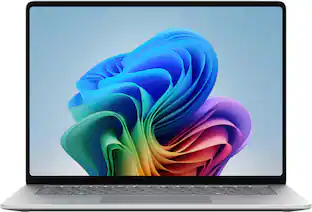
Microsoft - Surface Laptop - 13.8" 2K Touchscreen - Snapdragon X2 Plus (10 Core) 2026 - 16GB - 512GB Storage - Black

Model: EP2-59045
SKU: 6677268
Sold byBest Buy
$1,199.99
Save $400
The comparable value is $1,599.99
or
$66.67/mo.
suggested payments with 18-Month Financing
Show me how
Accidental Geek Squad Protection
Warranty Protection Plans
Availability
Pickup at
Act fast - Only 2 left at your store!
Sold by
Best Buy

More options from Best Buy

Open-Box
$1,162.99 - $1,199.99

Highlights

  • Key Specs
    • Screen Type: PixelSense
    • Screen Size: 13.8 inches (Size of the screen, measured diagonally from corner to corner.)
    • Screen Resolution: 2304 x 1536 (Screens come in a range of resolutions (measured in pixels, horizontal x vertical). The higher the resolution, the greater the picture quality.)
    • Touch Screen: true (Touch-screen devices make navigating more intuitive. Using a touch-screen display, you can do things such as tap to select, hold and drag to move items, swipe to scroll, and pinch to zoom.)
    • Refresh Rate: 120Hz (The number of frames per second the device can produce natively without enhancement. Higher rates help produce smooth, seamless pictures.)
    • Brightness: 600 nits (A measure of the total light output.)
    • Processor Model: Snapdragon X2 Plus (Your computer's processor is like its brain. Working in combination with system memory, the power of the processor determines the complexity of software you can run, how many programs you can have open at the same time, and how fast those programs will run. Most computers feature an AMD, Intel or Snapdragon processor.)
    • Storage Type: SSD
    • Total Storage Capacity: 512 gigabytes
    • System Memory (RAM): 16 gigabytes (Random-access memory (RAM) is a computing device's short-term data storage, which allows active information to be accessed quickly. The size and type of RAM determines how efficiently the device can handle large amounts of information at one time. For example, gaming or video editing requires more RAM for optimal performance.)
    • Graphics: Qualcomm Adreno (Often referred to as a "graphics processing unit" (GPU), this device is responsible for displaying image content and decoding/encoding video content in programs and games.)
    • Display Connector(s): Display connection via USB port (The number and type of connectors used to connect to an external display.)
    • Battery Life (up to): 20 hours (Battery life will vary depending on the product configuration, product model, applications loaded on the product, power management setting of the product and the product features used by the customer. As with all batteries, the maximum capacity of this battery will decrease with time and usage.)
    • Battery Chemistry: Lithium-ion
    • 2-in-1 Design: false (A laptop and a tablet combined in one lightweight, portable device. Sometimes referred to as "convertible" or "hybrid" laptops, these devices deliver the processing power and keyboard of a laptop. When you're ready to play, either detach the screen or fold your 2-in-1 into tablet mode to comfortably watch movies, play games, read an e-book and more.)
    • Backlit Keyboard: true (Integrated lights allow for visibility of the keys in low-light conditions.)
  • General
    • Brand: Microsoft
    • Model Number: EP2-59045
    • Product Name: Surface Laptop - 13.8" 2K Touchscreen - Snapdragon X2 Plus (10 Core) 2026 - 16GB - 512GB Storage
    • Color: Black
    • Year of Release: 2026
  • Display
    • Display Type: LCD
    • Screen Type: PixelSense
    • Screen Size: 13.8 inches (Size of the screen, measured diagonally from corner to corner.)
    • Screen Resolution: 2304 x 1536 (Screens come in a range of resolutions (measured in pixels, horizontal x vertical). The higher the resolution, the greater the picture quality.)
    • Stylus Input: Built for Windows Ink (Active) (An active stylus/pen is able to communicate directly with a compatible device; active electromagnetic resonance (EMR) pens are powered via a device's screen and active electrostatic (AES) pens require an additional power source. A passive stylus does not have electronic features and is compatible with most capacitative touch screens.)
    • Touch Screen: true (Touch-screen devices make navigating more intuitive. Using a touch-screen display, you can do things such as tap to select, hold and drag to move items, swipe to scroll, and pinch to zoom.)
    • Refresh Rate: 120Hz (The number of frames per second the device can produce natively without enhancement. Higher rates help produce smooth, seamless pictures.)
    • Brightness: 600 nits (A measure of the total light output.)
  • Processor
    • Processor Brand: Snapdragon
    • Processor Model: Snapdragon X2 Plus (Your computer's processor is like its brain. Working in combination with system memory, the power of the processor determines the complexity of software you can run, how many programs you can have open at the same time, and how fast those programs will run. Most computers feature an AMD, Intel or Snapdragon processor.)
    • Processor Model Number: X2P-64-100
    • Processor Model Year of Release: 2026 (The year the processor model was initially available for sale or built into a computer.)
    • Number of CPU Cores: 10-core (A core, or "brain" of a CPU, allows it to receive and execute instructions. Each core can work independently or together to perform parallel operations.)
    • Neural Processing Unit (NPU): true (Whether the product comes with an integrated neural processing unit (NPU) that performs computations for AI (artificial intelligence) functions to increase proficiency of the CPU and reduce power consumption.)
    • Maximum NPU Performance: 80 trillions operations per second (The maximum neural processing unit (NPU) computations performed. NPUs increase proficiency of the CPU and reduce power consumption for AI (artificial intelligence) functions.)
  • Storage
    • Storage Type: SSD
    • Total Storage Capacity: 512 gigabytes
    • Solid State Drive Capacity: 512 gigabytes (The amount of data that can be stored on the device's solid state drive (SSD). SSD is a flash-based storage with faster speeds than a hard disk drive (HDD).)
  • Memory
    • System Memory (RAM): 16 gigabytes (Random-access memory (RAM) is a computing device's short-term data storage, which allows active information to be accessed quickly. The size and type of RAM determines how efficiently the device can handle large amounts of information at one time. For example, gaming or video editing requires more RAM for optimal performance.)
    • Type of Memory (RAM): LPDDR5X (Each type of RAM delivers a different level of speed, bandwidth, energy efficiency and performance.)
    • Number Of Memory Slots: 0
  • Graphics
    • Graphics Type: Integrated (Dedicated graphics uses a separate graphics card for processing video images. Because it does not use memory from the system's RAM, there is no extra burden on the CPU and graphics are processed more efficiently. Integrated graphics shares system RAM to process video images.)
    • GPU Brand: Snapdragon
    • Graphics: Qualcomm Adreno (Often referred to as a "graphics processing unit" (GPU), this device is responsible for displaying image content and decoding/encoding video content in programs and games.)
  • Compatibility
    • Operating System: Windows 11 Home (The operating system manages all software and hardware, including files, memory and connected devices. Most importantly, it lets you interact with your device and your programs in a visual way; otherwise, you'd be typing computer code to get anything done.)
    • Voice Assistant Built-in: Other (A digital assistant built into the device that uses voice commands to answer questions and control smart devices.)
    • Works With: Amazon Alexa, Google Home (Compatible with or able to be connected to other smart devices or applications.)
  • Connectivity
    • Display Connector(s): Display connection via USB port (The number and type of connectors used to connect to an external display.)
    • Number of HDMI Outputs (Total): 0
    • Number of DisplayPort Outputs (Total): 0
    • Number of Thunderbolt Ports (Total): 0
    • Number of VGA Ports: 0 (VGA (Video Graphics Adapter or Video Graphics Array) is a display standard that transmits via analog signals. This type of interface is typically used to connect a computer to a display device such as a monitor, projector, or TV.)
    • DisplayPort Over USB-C: DisplayPort 1.4 (The version of DisplayPort that leverages the Alternate Mode Functional Extension of the USB-C interface. This connector allows for higher resolution, broader color space, multichannel audio support, and greater backwards compatibility with display adapters. Also known as DisplayPort Alt Mode.)
    • USB Ports: 2 x USB-C, 1 x USB-A 3.2 (The number and type of USB ports the product has.)
    • Number of USB Ports (Total): 3
    • Number of USB-A Charging Ports: 0
    • Number of USB-C Charging Ports: 2
    • Headphone Jack: true (The device features an interface that allows for the connection of headphones.)
    • Microphone Input: true (The device features an input for connecting an external microphone.)
    • Wireless Connectivity: Wi-Fi, Bluetooth (The manner in which a device sends data to another device over a short distance without the use of wires or cables.)
    • Wireless Networking Standard: Wi-Fi 7 (The wireless networking standard used by the device. Each iteration of the standard developed by the Wi-Fi Alliance corresponds to an existing IEEE 802.11 protocol; for example, standard 802.11ac (or AC) is termed Wi-Fi 5. Refers specifically to the standard the device is designed to use, but ultimately determines product interoperability and backward compatibility including previous versions.)
    • Number Of Ethernet Ports: 0
    • Network Connectivity: None (The manner in which a device sends data to another device over a long distance using a cellular network.)
  • Power
    • Power Supply Input: Surface Connect
    • Power Supply Maximum Wattage: 60 watts
    • Battery Life (up to): 20 hours (Battery life will vary depending on the product configuration, product model, applications loaded on the product, power management setting of the product and the product features used by the customer. As with all batteries, the maximum capacity of this battery will decrease with time and usage.)
    • Battery Chemistry: Lithium-ion
  • Camera
    • Front-Facing Camera: true
    • Front Facing Camera Video Resolution: 1080p (Refers to the number of pixels, both horizontally and vertically, used by the camera facing the user to capture video. The higher the resolution the finer the video detail that can be seen.)
    • Built-In Microphone: true
  • Features
    • 2-in-1 Design: false (A laptop and a tablet combined in one lightweight, portable device. Sometimes referred to as "convertible" or "hybrid" laptops, these devices deliver the processing power and keyboard of a laptop. When you're ready to play, either detach the screen or fold your 2-in-1 into tablet mode to comfortably watch movies, play games, read an e-book and more.)
    • Backlit Keyboard: true (Integrated lights allow for visibility of the keys in low-light conditions.)
    • Keyboard Technology: Mechanical (Type of technology that detects a key press.)
    • Foldable Screen: false
    • GPS Enabled: false
    • Touchpad Type: Precision
    • Media Card Reader: false (A hardware device that allows for access to data on a memory card and enables the transfer of its files to a computer. These devices may have one or multiple slots for various types of memory cards, and may be integrated into the computer or available as an external device.)
    • Customizable Case Lighting: false
    • Audio Technology: Dual Studio Mics with voice focus
    • Speaker Type: Omnisonic Speakers with Dolby Atmos
    • Windows AI: Copilot+ PC
    • Security Features: Facial recognition
    • Cable Lock Slot: None
    • Stylus Dock: None
    • Casing Material: Anodized aluminum
  • Dimensions
    • Product Height: 0.69 inches (The out of box height of the item. Height is measured as the vertical distance from the bottom of the item to the top as it would be primarily used or placed.)
    • Product Width: 8.67 inches (The out of box width of the item. Width is measured as the horizontal distance from one side of the item to the other as it would be primarily used or placed.)
    • Product Depth: 11.85 inches (The out of box depth of the item. Depth is measured as the distance from the front of the item to the back as it would be primarily used or placed.)
    • Product Weight: 3 pounds (The out of box weight of the item.)
  • Certifications Listings & Approvals
    • ENERGY STAR Certified: true (Devices carrying the ENERGY STAR service mark, such as computer products and peripherals, kitchen appliances, and other products, generally use 20% to 30% less energy than required by federal standards.)
    • EPEAT Qualified: true (The Electronic Product Environmental Assessment Tool (EPEAT) was designed to provide an environmental assessment tool for purchasers. In order to qualify for EPEAT, a product must meet all 23 required criteria.)
    • EPEAT Level: Gold (The Electronic Product Environmental Assessment Tool (EPEAT) was designed to provide an environmental assessment tool for purchasers. In order to qualify for EPEAT, a product must meet all 23 required criteria. Products are rated Bronze, Silver or Gold based on how many of 28 optional criteria they meet (below 50%, 50%, 75%).)
  • Included
    • Included Software: Windows 11 Home, Preloaded Microsoft 365 Apps, Microsoft 365 Family 30-day trial, Microsoft Defender App, Preloaded Xbox app, Xbox Game Pass Ultimate 30-day trial (accessible through Xbox Cloud Gaming)
    • Optical Drive Type: None (An optical disk drive (ODD) uses a laser light to read data from or write data to an optical disc. These discs include CDs, DVDs, and Blu-ray Discs. This allows you to play music or watch movies using prerecorded discs.)
    • Numeric Keypad: false
    • Stylus Included: false
  • Warranty
    • Warranty - Parts: 1 year
    • Warranty - Labor: 1 year
  • Other
    • UPC: 196388720408

Exceptionally powerful, ultrathin laptop — The new Surface Laptop, 13.8-inch (8th Edition) is not just faster—it’s more intuitive. Unlock your creativity and stay productive throughout the day with accelerated performance that powers a new AI era, enabling Copilot experiences deeply integrated with the Windows ecosystem. Enjoy all‑day battery life[3] to keep your ideas flowing, and immerse yourself in stunning visuals on its modern, razor‑thin touchscreen display.

  • Brilliant Display: Stunning 13.8" PixelSense touchscreen [1], with brilliant LCD display [2], unleashes luminous whites, deeper blacks and colors so richly saturated bringing vivid life into every frame – perfect for work, school, streaming and creative tasks.
  • Power that lasts all day: With 20 hours of battery life [3], the new Surface Laptop powers through your entire day, so you can create, work and stream from morning to night without reaching for a charger.​
  • Productivity. All Day. Every Day.: Built with the latest Qualcomm Snapdragon X2 Plus (10 Core) processors, Surface Laptop delivers fast, responsive performance with built-in AI acceleration—so you can handle everything from everyday tasks to demanding workloads with ease.
  • Premium Performance: Premium Performance PCs are built for all-day performance, so you can move from work to play with the speed, battery life, and flexibility to keep up without slowing down.
  • The ports you need: Charge on-the-go, transfer data fast, or create the ultimate desktop set up with two USB-C/USB4 [4] ports.
  • Built-in AI Companion: Work smarter, create freely, and communicate with confidence—Copilot [5] on Windows 11 is always there to help.​
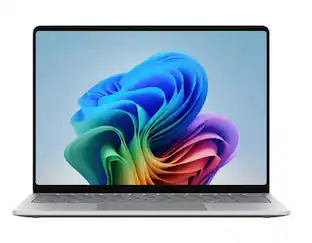
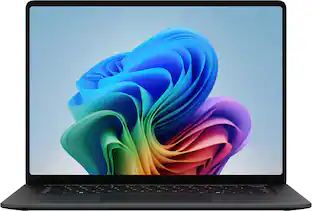
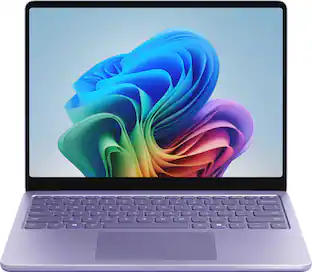
  • Bold Colors to match your style: Available in four stunning colors, Black, Platinum, Dune, and new Jade[6] and created with a premium aluminum alloy chassis.
  • Two sizes, your choice: Sleek 13.8" for seamless portability, or indulge in the expansive 15" with added power, and extended battery life [3].
Whats Included
  • Surface Laptop - 13.8" 2K Touchscreen - Snapdragon X2 Plus 2026 - 16GB - 512GB Storage - Copilot+ PC
  • 39W Power Supply with Surface Connect
  • Quick Start Guide
  • Safety and warranty documents
Disclaimers
  • [1] Surface display has rounded corners within a standard rectangle. When measured as a standard rectangular shape the screen is 13.8” or 15” diagonally (actual viewable area is less).
  • [2] Optimized for touch interaction only. Pen input and compatibility with Surface Pen, Surface Slim Pen, or similar accessories is not supported.
  • [3] Based on local video playback test. Testing conducted by Microsoft in May 2026 using preproduction software and preproduction Surface Laptop, 13.8" (8th Edition) with Snapdragon X2 Plus 16GB, 512GB and Surface Laptop, 15" (8th Edition) with Snapdragon X2 Elite 16GB, 512GB devices.
  • [3] Testing consisted of full battery discharge during video playback of a .mov file through the Windows Media Player application in 1080p at 24 FPS. All settings were default except screen brightness set to 150 nits with auto-brightness disabled. Wi-Fi was connected to a network. Battery life varies significantly with settings, usage, and other factors.
  • [4] USB4 and USB-C are registered trademarks of USB Implementers Forum.​
  • [5] Copilot+ PC experiences vary by device and region and may require updates continuing to roll out; timing varies. Learn more at https://aka.ms/copilotpluspcs.
  • [6] Available colors may vary by market.
Sponsored

Compare similar products

Microsoft - Surface Laptop - 13.8" 2K Touchscreen - Snapdragon X2 Plus (10 Core) 2026 - 16GB - 512GB Storage - Black
4.8(8)

Exceptionally powerful, ultrathin laptop — The new Surface Laptop, 13.8-inch (8th Edition) is not just faster—it’s more intuitive. Unlock your creativity and stay productive throughout the day with accelerated performance that powers a new AI era, enabling Copilot experiences deeply integrated with the Windows ecosystem. Enjoy all‑day battery life[3] to keep your ideas flowing, and immerse yourself in stunning visuals on its modern, razor‑thin touchscreen display.

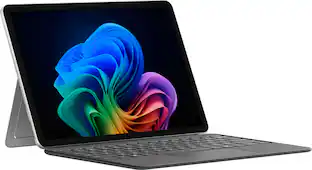
Microsoft - Surface Pro - Copilot+ PC - 12" Touchscreen - Snapdragon X Plus - 16GB Memory - 256GB UFS - Device Only - Platinum

Use the new Surface Pro 12”, a Copilot+ PC, as a powerful tablet with an intuitive touchscreen, touch, voice, and Surface Slim Pen [3] to bring ideas to life, or attach the Surface Pro 12” Keyboard for a full Windows laptop experience [3]. With built‑in AI features, seamless integration across the Windows ecosystem, and an ultra‑thin, lightweight design, Surface Pro gives you the freedom and versatility designed for creativity, efficiency and mobility to go beyond what you thought possible.

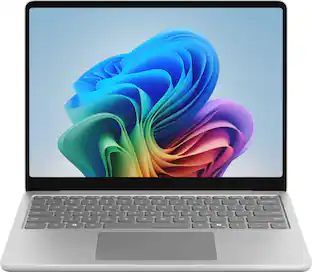
Microsoft - Surface Laptop - 13" 2K Touchscreen - Snapdragon X Plus 2025 - 16GB - 256GB Storage - Copilot+ PC - Platinum

Meet Surface Laptop 13", a Copilot+ PC and the most portable Surface Laptop. With built-in AI experiences for a student or creator to experience on Windows 11, it delivers unbeatable intelligence, value and style. And you can leave your charger at home because this 13" touchscreen powerhouse boosts all-day battery life¹.

HP - OmniBook 3 16" 2K Touchscreen Laptop - Intel Core Ultra 7 (2025) - 16GB Memory - 512GB SSD - Mica Silver

Built for everyday reliability. Simplify your day with the HP OmniBook 3. Enjoy smooth performance, a spacious 16 inch 2K display, all-day battery life, and a GaN power adapter that charges more efficiently. Packed with multiple ports that help you stay connected and get more done, wherever your day takes you.

Pros for Microsoft - Surface Laptop - 13.8" 2K Touchscreen - Snapdragon X2 Plus (10 Core) 2026 - 16GB - 512GB Storage - Black
There were no pros for this productOverall Performance, Portability, Battery Life, Processor Speed, DesignOverall Performance, Portability, Battery Life, Speed, TouchscreenOverall Performance, Battery Life, Processor Speed, Ease of Use, Screen Size
Cons for Microsoft - Surface Laptop - 13.8" 2K Touchscreen - Snapdragon X2 Plus (10 Core) 2026 - 16GB - 512GB Storage - Black
There were no cons for this productPort Selection, Compatibility, Screen Glare, AccessoriesStorage Capacity, Port QuantityKeyboard Layout

Specs

Reviews

Rating 4.8 out of 5 stars with 8 reviews

5 star rating. 6 reviews4 star rating. 2 reviews
100% would recommend to a friend

Customer Images

The vast majority of our reviews come from verified purchases. Reviews from customers may include My Best Buy members, employees, and Tech Insider Network members (as tagged). Select reviewers may receive discounted products, promotional considerations or entries into drawings for honest, helpful reviews.

  • Rated 5 out of 5 stars

    Premium Feel, Excellent Battery Life

    I’ve been using the Microsoft Surface Laptop (13.8-inch, 8th Edition) for about a week now, and my first impression was just how premium it feels. Everything was packaged nicely, it was easy to get out of the box, and the black finish gives it a clean, professional look. There are other color options available, but I really like the understated look of the black model. Setup was exactly what I expected from a modern Windows laptop. Windows 11 walked me through everything, updates installed without any issues, and I was up and running in no time. After using it for work, web browsing, streaming, email, and other everyday tasks, the performance has been excellent. The Snapdragon X2 Plus processor paired with 16GB of memory has handled everything I’ve thrown at it without slowing down. Applications open quickly, multitasking is smooth, and one thing that really stood out to me is how quiet this laptop is. Even when it’s working, I can barely hear the fan. The display has probably been my favorite feature. The 13.8-inch touchscreen is bright, sharp, and extremely responsive. Colors are vibrant without looking overdone, and everything from browsing the web to watching videos looks crisp and clear. The touchscreen responds instantly and feels very natural to use. The keyboard is another highlight. The keys have a solid feel with just the right amount of travel, making it comfortable to type for extended periods. The large haptic touchpad is smooth, accurate, and responsive. It quickly became something I stopped thinking about, which is exactly what you want from a touchpad. It simply works. Battery life has been outstanding so far. After about a week of using it for a couple of hours most evenings, I’ve only needed to charge it once. Microsoft advertises up to 20 hours of battery life, and while that will always depend on what you’re doing, I think that estimate is very realistic for everyday productivity, web browsing, and streaming. Windows Hello facial recognition has worked flawlessly. Opening the lid and being signed in almost instantly without entering a password is one of those features you don’t fully appreciate until you’ve used it for a few days. It makes the whole experience feel seamless. The aluminum body feels incredibly solid and well built without making the laptop feel heavy. At around three pounds, it’s easy to carry around whether you’re taking it to work, school, or traveling. I also appreciate that Microsoft included two USB-C ports, a USB-A port, a headphone jack, and the Surface Connect charging port. Having the USB-A port already built in meant I didn’t have to hunt down a dongle to connect some of my older accessories. The speakers are better than I expected for a laptop this size. They handled streaming, videos, and video calls well. I’m fairly particular about sound quality and usually switch over to my dedicated speakers when I’m at home, but for everyday use I thought the built-in speakers performed well. One thing buyers should know before purchasing is that the memory is soldered to the motherboard, so it cannot be upgraded later. If you think you may eventually need more RAM, it’s worth purchasing the configuration you want from the beginning. The good news is that the SSD can be upgraded later if you ever need additional storage. This isn’t the laptop I would choose for high-end gaming since the integrated graphics are designed more for productivity than demanding games. However, for email, Microsoft Office, web browsing, streaming, light photo editing, and everyday computing, it has been fast, quiet, and enjoyable to use. Overall, I’ve been extremely impressed with this Surface Laptop. It feels like a premium computer in every way, from the build quality and beautiful display to the outstanding battery life and quiet operation. Microsoft’s addition of the Snapdragon processor with its built-in AI capabilities also helps make this laptop feel ready for the future. After spending several days with it, I can honestly say it’s been a great experience using it and has exceeded my expectations in many ways.

    Posted by zaxdad

  • Rated 5 out of 5 stars

    It Performs as Well as it Looks

    This eighth iteration of the Surface Laptop doesn’t have it all, but it sure comes close. It is the Plus version of the new Snapdragon X2 processor, not the Elite version. Ten cores, 16 GB of RAM and 512GB of SSD storage- each complementing the other to give me plenty of horsepower for my everyday tasks as well as energy efficiency to let me work longer without worrying about a recharge. Since this is the consumer version of the Surface, it’s running Windows ARM. I have owned and tested several versions of Surface devices running ARM, including the 11th Edition of the Surface Pro tablet which sported the X Plus Processor. This model is somewhat faster and all the more efficient. The improvement is not dramatic, but it is noticeable. I have used the laptop as my daily driver for two weeks. I have not run it for 20 hours straight in a sitting, but could have, if needed. I have used it for at least 4 to 5 hours every day without having to worry at all about battery life. I either powered it off at the end of the day or simply shut the lid to put it to sleep. It was always ready to go the next day and had plenty of power to keep going. When it was time for a recharge, a supplied compact 65-watt power supply which uses a Surface connect port on the right side of the laptop was able to bring it to a near-full charge in less than an hour. The efficiency of the laptop was such that charging simply dropped off my radar as an immediate concern. The laptop is gorgeous. It is solid metal with a beautiful bezel with rounded corners. The keyboard is quite comfortable and the haptic feedback touchpad worked flawlessly. The fit and finish is as fine as I have ever seen in any device. It is light but has reassuring heft as well with a weight of 3 pounds. Of course, the keys are backlit, and, of course, the screen is a touchscreen. How could you ever do without a touchscreen? Resolution of the PixelSense LCD display is 2304 x 1536 (2K) with a 120 Hz refresh rate. The picture is a very bright 600 nits with a 3X2 aspect ratio for the most screen real estate for office work. The display was easy on my eyes with extreme detail where needed. I have no complaints about picture quality, which was always superb. Stereo audio is full range and features Dolby Atmos. There are built in dual microphones for conferencing and telephony chores and there is a headphone jack on the left side of the laptop. Rounding out the connections on the left side are a USB-A jack and two USB-C jacks (USB4) that can also feed external monitors via DisplayPort 1.4. Wireless connectivity includes both Bluetooth and Wi-Fi 7. This is a Copilot + PC whose AI performance is enhanced by an NPU that can handle 80 trillion operations per second (TOPS). Some features like Copilot and image generation can run offline without transmitting any data to the cloud. I did not try it but I understand that this laptop could be set up for the first time without any internet connection at all, using an offline local account. At this stage of the ARM evolution, I did not lack a single application that I needed to do all my work. All the applications that I use from day to day are either native to ARM or run under emulation. In fact, I had a pleasant surprise. I needed to run Logitech’s My Harmony desktop software to sync one of my devices, and it installed and worked perfectly on this laptop, even though the software is 32bit. If you have doubts about using legacy hardware, of course, be sure to confirm that it will work on ARM. For those who want 4K video editing and heavy gaming, this laptop is probably not best choice. For the rest of us, this beautiful laptop should offer years of efficient yeoman service. Performance for me on Microsoft Office and Copilot tasks was effortless and battery life concerns are gone with the wind. I highly recommend it.

    Posted by mobilelawyer

  • Rated 4 out of 5 stars

    Very Portable, Snappy, Great Screen

    Microsoft’s new Surface Laptop (8th Edition, 2026) is very portable with good performance and nice features. However, the price is a bit high compared to other high performance laptops on the market, and some of the technology is a generation behind its competitors. The version of the 13.8” Microsoft Surface I have is equipped with Qualcomm’s Snapdragon X2 Plus 10 core processor, 16GB of high performance LPDDR5X RAM and a premium NVMe Gen 4 PCIe 512 GB SSD. The laptop display technology is LCD, but uses Microsoft’s proprietary PixelSense, which offers 600 nits of brightness and a 120 Hz refresh rate. Microsoft Surface laptops can be configured with more or less RAM than this model, a larger or smaller SSD than this model, a larger screen size with OLED or LCD technology, and several different Intel or Qualcomm CPUs. Overall, the Surface is very customizable. At 3 pounds, 6.5 ounces with the charger, the laptop easily fits in my backpack and is not burdensome to carry around while walking or on my bike. Usually, my first impression of a laptop’s performance is measured by GeekBench, which evaluates the system’s single core, multi-core and GPU performance. Qualcomm’s Snapdragon CPUs on Windows PCs have been on the market for well over a year now, and they have been making waves in the PC market. Running on ARM architecture instead of x86 architecture, they have their pros and cons. A similarly priced premium laptop I purchased earlier this year with an Intel Core Ultra X7 and 32GB of RAM registered 2897/16668/56666 for the single core / multi-core / GPU on GeekBench. This Microsoft Surface’s performance was impressive, but mixed in comparison at 3320/14445/20327. In other words, single core was slightly better, multi-core was slightly worse, and GPU was significantly worse. The interpretation of these numbers is that for simpler tasks like everyday e-mail, general productivity and web browsing, the Surface will be slightly peppier than my benchmark. However, if you are diving into video / photo editing, complex spreadsheets / databases, multiple web pages open simultaneously, or more than light gaming, the Surface will feel sluggish compared to my benchmark—and very sluggish for anything graphics related. Upgrading your Surface to the Snapdragon X2 Elite will bump performance up significantly—especially multi-core and GPU. One other thing to note with the Qualcomm CPUs is that not all software will function properly with the ARM architecture. Windows for ARM does accommodate most software—but not all—through what’s called a “translation layer” or “emulator” which is mostly seamless. In my case, for example, my native Brother printer utilities would not install (I had to use the printer and scanner drivers built into Windows, so I lost some functionality—but nothing major), and Minitool Partition Wizard would not install at all. However, my Canon printer utilities and all other software installed and executed without issue, and the translation layer did not cause any noticeable lag. If you are running some not-so-common software or utilities, be sure to investigate them running on ARM architecture, or at least through the Windows translation layer. A quick search on social media sites will generally give you a quick answer. I put the Surface through the punches of my normal work routine, and its performance was outstanding. I’ve really got to call out the PixelSense screen technology—for an LCD screen, the brightness and contrast were impressive, and the scrolling was very smooth—even on graphics intensive websites and documents—which surprised me considering the GeekBench GPU score. Calculations in Excel and Minitab (statistical software) was nearly instant, but video encoding—as expected by the GeekBench GPU score—was slow. Battery life—as for all Qualcomm equipped laptops—was fantastic—there was no issue running the laptop with normal work tasks all day without needing to charge it. Overall, I had no significant complaints about the performance of the laptop at all. One other feature worth mentioning is the charger. The charging connection on the laptop itself is proprietary and magnetic. It’s a pretty inventive design, and I like that if I (or someone else) accidentally trips over the cord, it will pull right off without damage to the charger or the laptop. I was worried that if I were travelling with two laptops that I would need two chargers. However, the USB-C ports on the Surface also accept more commonly used modern chargers—but of course you lose the use of that port while charging. While talking about the USB-C ports, they are not Thunderbolt; so depending on the device you are using, you might not get the lightning fast data transfer rates and also lose some of the display signal advantages that come with Thunderbolts. There is also a USB-A port and headphone jack on the same side of the laptop as the two USB-C ports. The trackpad, while large, is not one of my favorites. The haptic feedback on the left- and right-mouse clicks is not strong enough, and many times the left mouse click hangs if activated too close to the bottom corner of the trackpad. I found several occasions where I experienced this hanging issue because that’s where my hand and thumb naturally land for left-mouse clicking. The build quality of the laptop is excellent. It has very nice metallic finishes and colors, plus you can lift the laptop lid without the bottom of the laptop lifting off the work surface. However, I did find the chassis to look quite outdated. Most newer laptops (even less expensive ones) now have lattice keyboards. This is where all the keys butt up right next to each other (no spacing between the keys). These keyboards are nice for larger hands and make the laptop look much more modern. The Surface keyboard, in comparison, is at least a generation behind—although it does function well with good feel. The camera does not have a privacy shutter. For a premium laptop, this is a big miss. Overall, this latest generation Microsoft Surface laptop provides good performance and portability. The screen technology and battery life are definitely its strongest features. However, lack of Thunderbolt ports, an outdated chassis, and a sub-par track pad are its weakest. I also think Microsoft’s price point is a little higher than where it should be, based on other high performance portables on the market—I can get similar (or better) technology and performance for a few hundred dollars less.

    Posted by stirfry

  • Rated 5 out of 5 stars

    Productivity in a Premium Design & Experience

    Bottom Line: Microsoft built the Surface Laptop to compete in the premium ultraportable productivity market, and they’ve delivered a near-perfect product in that category. Pros: near-perfect design; impressive screen; good sound; solid performance; fast charging and long battery life Cons: no ports on the right side of machine Full Review: (Design) The Microsoft 13.8” Surface Laptop isn’t redefining laptop design, but it perfectly nails the design that categorizes the category. The all aluminum case (mine is black) looks and feels fantastic. There are no visible cooling vents they’re integrated into the hinge) nor speaker grill, which gives the machine a very sleek look. The backlit keyboard offers a comfortable typing experience, and the haptic feedback trackpad feels exactly the wya it should on a product in this category. Interestingly, the ‘delete’ key is where I expected the power button to be (which is located to the left), which may be a useful placement for editing work. The left side of the machine has 1 USB-A and 2 USB-C ports, while the right connects a magnetic charger. One feature I was highly impressed with was the screen. The laptop utilizes a LCD panel, which has the benefit of instant-on when you wake the machine, but also delivers surprisingly good brightness and contrast. HDR looks great and, frankly, way better than I expected for a laptop targeted toward productivity. Also, given how good the screen looks, it’s somewhat surprising that it’s also a very responsive touch screen. With regard to content consumption, the Surface laptop delivers really good audio performance, with crystal clear mids and highs. One challenge for thin and light laptops is audio lows, and this machine is no exception. However, taken together, the audio system delivers high quality sound both in standard and Dolby Atmos modes. Performance-wise, this is my first ARM-powered Windows laptop, and the Snapdragon X2 seems more than capable at handling productivity and AI workflows. Using Co-Pilot on a chip designed for AI, for instance, is a major improvement over using the cloud-based version, as I was able to generate a social media ready poster from a prompt in under ten seconds. I also wanted to test gaming capabilities, and so I installed Final Fantasy VII Remake. The game played really well, with the only noticeable issue being a little bit of frame jitter as I was quickly panning the camera around. My only minor gripe, which is common on premium ultraportables, is that there are only ports on one side of the machine. I really would have liked one USB-C port to be on the right side, but I get why locating both of the same size saves space in the design process. Last, the Surface Laptop is clearly designed for those looking for a premium ultraportable, and it is priced accordingly. That makes it a bit more expensive than other productivity laptops, but those who want design, portability, and performance won’t go wrong with this machine.

    Posted by SteveL

  • Rated 4 out of 5 stars

    Great Laptop for Students, Home, or Everyday Uses

    The Microsoft Surface Laptop has developed a strong reputation in the PC market. The latest edition in this area is a strong addition. If you want something portable for school, home, or everyday productivity, the Microsoft Surface Laptop 13.8” model may be the one for you. After using it for a while, I found a lot to like, but there are also a few things I didn’t like about it. First off out of the box, it will take a bit of time to get set up. You have to connect it to your Wi-Fi and go through a full set of updates. You will have to sign in to it with a Microsoft account and go through a full set of configurations. In all, it probably took me about 45 minutes to get through it. It is something to be aware of, but after that, you are ready to go. As for performance, the laptop itself is fast. It comes with a 512 GB SSD. IT is not the biggest hard drive, but it can handle most of the standard jobs you have. The system uses the Snapdragon X Plus processor which handled my needs smoothly. A nice feature is the 2K (2304 x 1536) screen is bright and clear. It is also a touchscreen. One thing is if you do have to sign documents, the screen actually handles it very well even if you just use your finger. To round out the nice set of features is a backlit keyboard which is almost a must anymore. A couple of things I want to nitpick on is that Microsoft refers to this having a razon thin bezel. I would not necessarily call it that. The bezel is about an eighth of an inch all the way around. While it is certainly thinner than most laptops, it is noticeable. It is a small complaint, but it is one that stood out. For me, the next negative is probably a matter of personal preference. The Microsoft Surface Laptop used the Surface Connect Charging cord. While I understand the safety purposes behind the magnetic connector, I just have never quite liked the feel of it. It kind of feels cheaper to me. I prefer the feel of USB-C chargers. To me, I like the connection better. Like I said though, it really is personal preference. As far as your expansion ports, it comes with 2 USB-C ports and 1 USB-A type port. There is no HMBI port. If you want to use an additional HDMI monitor, you will need to get an adapter to do so. This will take up one of your ports in the process. CoPilot comes with the Windows Home 11 setup. The CoPilot is a nice feature, and it integrates well with the system. It can help search for files and images that you have on your system. This can be a big time saver in some circumstances. I didn’t use it much for anything else, but this was enough for me to like it. My belief is the Microsoft Surface Laptop is probably best suited for students (including college students), home use, or even people with a need for a lightweight travel system that can handle everyday productivity. It is easily portable. However, if your business requires heavy workloads, I would probably lean more into a business laptop instead of this one. In the end, I really enjoy the Microsoft Surface Laptop. It is lightweight, thin, and has a sturdy outer shell. The touchscreen is one of my favorite features with it. It is great for home and school use. The charger and just lack of an HDMI port are issues for me, but may not be to others. I still recommend the Microsoft Surface laptop to students, home users, and anyone looking for a solid everyday lightweight, portable system.

    Posted by SnowNinja

No content

Customers often buy these together

Similar products from outside of Best Buy

sponsored
Ask BlueAI

Finance Options

My Best Buy® Credit Card
Choose a benefit:Or
Buy Now, Pay Later
Lease to own

Special Offers

Top Offers
Included with Purchase