Labor Day Appliances SaleEnds 9/16. Limited quantities. No rainchecks.Shop now

Skip to contentGo to Product Search
Main Content

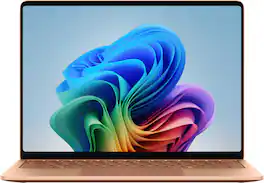
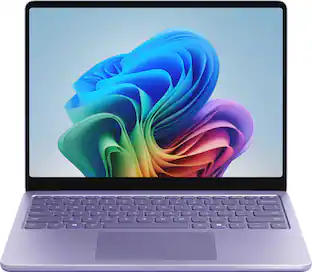
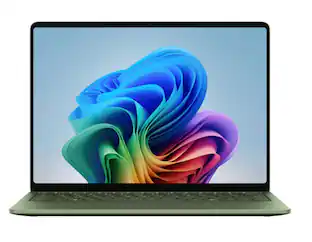
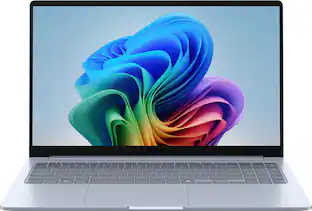
Microsoft - Surface Laptop - 13.8" 2K Touchscreen - Snapdragon X2 Plus (10 Core) 2026 - 16GB - 512GB Storage - Dune

Model: EP2-59053
SKU: 12926807
Sold & shipped by

Customers are saying

Customers often highlight the excellent build quality, impressive portability, and outstanding battery life as the standout features of this laptop. Users also appreciate the improved processor speed and the comfort provided by the keyboard during daily use. While the device is highly regarded, some customers have noted a limitation regarding the lack of an HDMI port for connectivity.

Generated by AI based on customer reviews.

Highlights

Features
  • Brilliant Display

    Stunning 13.8" PixelSense touchscreen [1], with brilliant LCD display [2], unleashes luminous whites, deeper blacks and colors so richly saturated bringing vivid life into every frame – perfect for work, school, streaming and creative tasks.

  • Power that lasts all day

    With 20 hours of battery life [3], the new Surface Laptop powers through your entire day, so you can create, work and stream from morning to night without reaching for a charger.​

  • Productivity. All Day. Every Day.

    Built with the latest Qualcomm Snapdragon X2 Plus (10 Core) processors, Surface Laptop delivers fast, responsive performance with built-in AI acceleration—so you can handle everything from everyday tasks to demanding workloads with ease.

  • Premium Performance

    Premium Performance PCs are built for all-day performance, so you can move from work to play with the speed, battery life, and flexibility to keep up without slowing down.

  • The ports you need

    Charge on-the-go, transfer data fast, or create the ultimate desktop set up with two USB-C/USB4 [4] ports.

  • Built-in AI Companion

    Work smarter, create freely, and communicate with confidence—Copilot [5] on Windows 11 is always there to help.​

  • Bold Colors to match your style

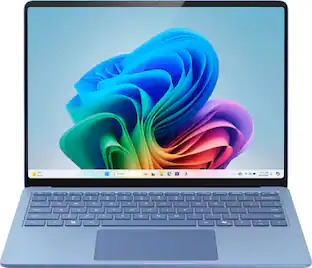
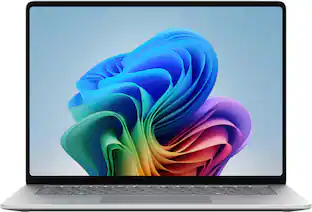
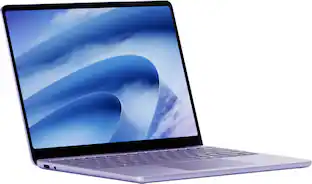
    Available in four stunning colors, Black, Platinum, Dune, and new Jade[6] and created with a premium aluminum alloy chassis.

  • Two sizes, your choice

    Sleek 13.8" for seamless portability, or indulge in the expansive 15" with added power, and extended battery life [3].

See all features
Specifications
  • Screen Type
    PixelSense
    Screen Size
    13.8 inches
    Screen Resolution
    2304 x 1536
    Touch Screen
    Yes
    Refresh Rate
    120Hz
Sponsored

Reviews

Rating 4.9 out of 5 stars with 28 reviews

5 star rating. 26 reviews4 star rating. 2 reviews
100% would recommend to a friend
Customers are sayingCustomers often highlight the excellent build quality, impressive portability, and outstanding battery life as the standout features of this laptop. Users also appreciate the improved processor speed and the comfort provided by the keyboard during daily use. While the device is highly regarded, some customers have noted a limitation regarding the lack of an HDMI port for connectivity.
This summary was generated by AI based on customer reviews.
  • Build Quality (13)
  • Battery Life (9)
  • Portability (9)
  • Processor Speed (5)
  • Keyboard Comfort (4)
  • Connectivity (3)

Customer Images

The vast majority of our reviews come from verified purchases. Reviews from customers may include My Best Buy members, employees, and Tech Insider Network members (as tagged). Select reviewers may receive discounted products, promotional considerations or entries into drawings for honest, helpful reviews.

  • Rated 5 out of 5 stars

    Great computer for nursing school!

    I’m glad I chose this over a Mac Neo. I love Apple products but this works way better for nursing school and the storage is must! And also I love the color options!

    This review is from Microsoft - Surface Laptop - 13.8" 2K Touchscreen - Snapdragon X2 Plus (10 Core) 2026 - 16GB - 512GB Storage - Dune

    Posted by MICHELLED

  • Rated 5 out of 5 stars

    Smooth and Fast!!

    I didn’t realize what I was missing avoiding paying out so much money to replace my ancient laptop. The Surface is so smooth running and very quick to load. There’s basically no waiting on it to do something. The size is perfect, slim and sleek. Out of other brands this was a bargain!

    This review is from Microsoft - Surface Laptop - 13.8" 2K Touchscreen - Snapdragon X2 Plus (10 Core) 2026 - 16GB - 512GB Storage - Dune

    Posted by BECKYC

  • Rated 4 out of 5 stars

    Very Portable, Snappy, Great Screen

    Microsoft’s new Surface Laptop (8th Edition, 2026) is very portable with good performance and nice features. However, the price is a bit high compared to other high performance laptops on the market, and some of the technology is a generation behind its competitors. The version of the 13.8” Microsoft Surface I have is equipped with Qualcomm’s Snapdragon X2 Plus 10 core processor, 16GB of high performance LPDDR5X RAM and a premium NVMe Gen 4 PCIe 512 GB SSD. The laptop display technology is LCD, but uses Microsoft’s proprietary PixelSense, which offers 600 nits of brightness and a 120 Hz refresh rate. Microsoft Surface laptops can be configured with more or less RAM than this model, a larger or smaller SSD than this model, a larger screen size with OLED or LCD technology, and several different Intel or Qualcomm CPUs. Overall, the Surface is very customizable. At 3 pounds, 6.5 ounces with the charger, the laptop easily fits in my backpack and is not burdensome to carry around while walking or on my bike. Usually, my first impression of a laptop’s performance is measured by GeekBench, which evaluates the system’s single core, multi-core and GPU performance. Qualcomm’s Snapdragon CPUs on Windows PCs have been on the market for well over a year now, and they have been making waves in the PC market. Running on ARM architecture instead of x86 architecture, they have their pros and cons. A similarly priced premium laptop I purchased earlier this year with an Intel Core Ultra X7 and 32GB of RAM registered 2897/16668/56666 for the single core / multi-core / GPU on GeekBench. This Microsoft Surface’s performance was impressive, but mixed in comparison at 3320/14445/20327. In other words, single core was slightly better, multi-core was slightly worse, and GPU was significantly worse. The interpretation of these numbers is that for simpler tasks like everyday e-mail, general productivity and web browsing, the Surface will be slightly peppier than my benchmark. However, if you are diving into video / photo editing, complex spreadsheets / databases, multiple web pages open simultaneously, or more than light gaming, the Surface will feel sluggish compared to my benchmark—and very sluggish for anything graphics related. Upgrading your Surface to the Snapdragon X2 Elite will bump performance up significantly—especially multi-core and GPU. One other thing to note with the Qualcomm CPUs is that not all software will function properly with the ARM architecture. Windows for ARM does accommodate most software—but not all—through what’s called a “translation layer” or “emulator” which is mostly seamless. In my case, for example, my native Brother printer utilities would not install (I had to use the printer and scanner drivers built into Windows, so I lost some functionality—but nothing major), and Minitool Partition Wizard would not install at all. However, my Canon printer utilities and all other software installed and executed without issue, and the translation layer did not cause any noticeable lag. If you are running some not-so-common software or utilities, be sure to investigate them running on ARM architecture, or at least through the Windows translation layer. A quick search on social media sites will generally give you a quick answer. I put the Surface through the punches of my normal work routine, and its performance was outstanding. I’ve really got to call out the PixelSense screen technology—for an LCD screen, the brightness and contrast were impressive, and the scrolling was very smooth—even on graphics intensive websites and documents—which surprised me considering the GeekBench GPU score. Calculations in Excel and Minitab (statistical software) was nearly instant, but video encoding—as expected by the GeekBench GPU score—was slow. Battery life—as for all Qualcomm equipped laptops—was fantastic—there was no issue running the laptop with normal work tasks all day without needing to charge it. Overall, I had no significant complaints about the performance of the laptop at all. One other feature worth mentioning is the charger. The charging connection on the laptop itself is proprietary and magnetic. It’s a pretty inventive design, and I like that if I (or someone else) accidentally trips over the cord, it will pull right off without damage to the charger or the laptop. I was worried that if I were travelling with two laptops that I would need two chargers. However, the USB-C ports on the Surface also accept more commonly used modern chargers—but of course you lose the use of that port while charging. While talking about the USB-C ports, they are not Thunderbolt; so depending on the device you are using, you might not get the lightning fast data transfer rates and also lose some of the display signal advantages that come with Thunderbolts. There is also a USB-A port and headphone jack on the same side of the laptop as the two USB-C ports. The trackpad, while large, is not one of my favorites. The haptic feedback on the left- and right-mouse clicks is not strong enough, and many times the left mouse click hangs if activated too close to the bottom corner of the trackpad. I found several occasions where I experienced this hanging issue because that’s where my hand and thumb naturally land for left-mouse clicking. The build quality of the laptop is excellent. It has very nice metallic finishes and colors, plus you can lift the laptop lid without the bottom of the laptop lifting off the work surface. However, I did find the chassis to look quite outdated. Most newer laptops (even less expensive ones) now have lattice keyboards. This is where all the keys butt up right next to each other (no spacing between the keys). These keyboards are nice for larger hands and make the laptop look much more modern. The Surface keyboard, in comparison, is at least a generation behind—although it does function well with good feel. The camera does not have a privacy shutter. For a premium laptop, this is a big miss. Overall, this latest generation Microsoft Surface laptop provides good performance and portability. The screen technology and battery life are definitely its strongest features. However, lack of Thunderbolt ports, an outdated chassis, and a sub-par track pad are its weakest. I also think Microsoft’s price point is a little higher than where it should be, based on other high performance portables on the market—I can get similar (or better) technology and performance for a few hundred dollars less.

    This review is from Microsoft - Surface Laptop - 13.8" 2K Touchscreen - Snapdragon X2 Plus (10 Core) 2026 - 16GB - 512GB Storage - Black

    Posted by stirfry

  • Rated 5 out of 5 stars

    Premium Feel, Excellent Battery Life

    I’ve been using the Microsoft Surface Laptop (13.8-inch, 8th Edition) for about a week now, and my first impression was just how premium it feels. Everything was packaged nicely, it was easy to get out of the box, and the black finish gives it a clean, professional look. There are other color options available, but I really like the understated look of the black model. Setup was exactly what I expected from a modern Windows laptop. Windows 11 walked me through everything, updates installed without any issues, and I was up and running in no time. After using it for work, web browsing, streaming, email, and other everyday tasks, the performance has been excellent. The Snapdragon X2 Plus processor paired with 16GB of memory has handled everything I’ve thrown at it without slowing down. Applications open quickly, multitasking is smooth, and one thing that really stood out to me is how quiet this laptop is. Even when it’s working, I can barely hear the fan. The display has probably been my favorite feature. The 13.8-inch touchscreen is bright, sharp, and extremely responsive. Colors are vibrant without looking overdone, and everything from browsing the web to watching videos looks crisp and clear. The touchscreen responds instantly and feels very natural to use. The keyboard is another highlight. The keys have a solid feel with just the right amount of travel, making it comfortable to type for extended periods. The large haptic touchpad is smooth, accurate, and responsive. It quickly became something I stopped thinking about, which is exactly what you want from a touchpad. It simply works. Battery life has been outstanding so far. After about a week of using it for a couple of hours most evenings, I’ve only needed to charge it once. Microsoft advertises up to 20 hours of battery life, and while that will always depend on what you’re doing, I think that estimate is very realistic for everyday productivity, web browsing, and streaming. Windows Hello facial recognition has worked flawlessly. Opening the lid and being signed in almost instantly without entering a password is one of those features you don’t fully appreciate until you’ve used it for a few days. It makes the whole experience feel seamless. The aluminum body feels incredibly solid and well built without making the laptop feel heavy. At around three pounds, it’s easy to carry around whether you’re taking it to work, school, or traveling. I also appreciate that Microsoft included two USB-C ports, a USB-A port, a headphone jack, and the Surface Connect charging port. Having the USB-A port already built in meant I didn’t have to hunt down a dongle to connect some of my older accessories. The speakers are better than I expected for a laptop this size. They handled streaming, videos, and video calls well. I’m fairly particular about sound quality and usually switch over to my dedicated speakers when I’m at home, but for everyday use I thought the built-in speakers performed well. One thing buyers should know before purchasing is that the memory is soldered to the motherboard, so it cannot be upgraded later. If you think you may eventually need more RAM, it’s worth purchasing the configuration you want from the beginning. The good news is that the SSD can be upgraded later if you ever need additional storage. This isn’t the laptop I would choose for high-end gaming since the integrated graphics are designed more for productivity than demanding games. However, for email, Microsoft Office, web browsing, streaming, light photo editing, and everyday computing, it has been fast, quiet, and enjoyable to use. Overall, I’ve been extremely impressed with this Surface Laptop. It feels like a premium computer in every way, from the build quality and beautiful display to the outstanding battery life and quiet operation. Microsoft’s addition of the Snapdragon processor with its built-in AI capabilities also helps make this laptop feel ready for the future. After spending several days with it, I can honestly say it’s been a great experience using it and has exceeded my expectations in many ways.

    This review is from Microsoft - Surface Laptop - 13.8" 2K Touchscreen - Snapdragon X2 Plus (10 Core) 2026 - 16GB - 512GB Storage - Black

    Posted by zaxdad

  • Rated 5 out of 5 stars

    It Performs as Well as it Looks

    This eighth iteration of the Surface Laptop doesn’t have it all, but it sure comes close. It is the Plus version of the new Snapdragon X2 processor, not the Elite version. Ten cores, 16 GB of RAM and 512GB of SSD storage- each complementing the other to give me plenty of horsepower for my everyday tasks as well as energy efficiency to let me work longer without worrying about a recharge. Since this is the consumer version of the Surface, it’s running Windows ARM. I have owned and tested several versions of Surface devices running ARM, including the 11th Edition of the Surface Pro tablet which sported the X Plus Processor. This model is somewhat faster and all the more efficient. The improvement is not dramatic, but it is noticeable. I have used the laptop as my daily driver for two weeks. I have not run it for 20 hours straight in a sitting, but could have, if needed. I have used it for at least 4 to 5 hours every day without having to worry at all about battery life. I either powered it off at the end of the day or simply shut the lid to put it to sleep. It was always ready to go the next day and had plenty of power to keep going. When it was time for a recharge, a supplied compact 65-watt power supply which uses a Surface connect port on the right side of the laptop was able to bring it to a near-full charge in less than an hour. The efficiency of the laptop was such that charging simply dropped off my radar as an immediate concern. The laptop is gorgeous. It is solid metal with a beautiful bezel with rounded corners. The keyboard is quite comfortable and the haptic feedback touchpad worked flawlessly. The fit and finish is as fine as I have ever seen in any device. It is light but has reassuring heft as well with a weight of 3 pounds. Of course, the keys are backlit, and, of course, the screen is a touchscreen. How could you ever do without a touchscreen? Resolution of the PixelSense LCD display is 2304 x 1536 (2K) with a 120 Hz refresh rate. The picture is a very bright 600 nits with a 3X2 aspect ratio for the most screen real estate for office work. The display was easy on my eyes with extreme detail where needed. I have no complaints about picture quality, which was always superb. Stereo audio is full range and features Dolby Atmos. There are built in dual microphones for conferencing and telephony chores and there is a headphone jack on the left side of the laptop. Rounding out the connections on the left side are a USB-A jack and two USB-C jacks (USB4) that can also feed external monitors via DisplayPort 1.4. Wireless connectivity includes both Bluetooth and Wi-Fi 7. This is a Copilot + PC whose AI performance is enhanced by an NPU that can handle 80 trillion operations per second (TOPS). Some features like Copilot and image generation can run offline without transmitting any data to the cloud. I did not try it but I understand that this laptop could be set up for the first time without any internet connection at all, using an offline local account. At this stage of the ARM evolution, I did not lack a single application that I needed to do all my work. All the applications that I use from day to day are either native to ARM or run under emulation. In fact, I had a pleasant surprise. I needed to run Logitech’s My Harmony desktop software to sync one of my devices, and it installed and worked perfectly on this laptop, even though the software is 32bit. If you have doubts about using legacy hardware, of course, be sure to confirm that it will work on ARM. For those who want 4K video editing and heavy gaming, this laptop is probably not best choice. For the rest of us, this beautiful laptop should offer years of efficient yeoman service. Performance for me on Microsoft Office and Copilot tasks was effortless and battery life concerns are gone with the wind. I highly recommend it.

    This review is from Microsoft - Surface Laptop - 13.8" 2K Touchscreen - Snapdragon X2 Plus (10 Core) 2026 - 16GB - 512GB Storage - Black

    Posted by mobilelawyer

Compare similar products

Microsoft - Surface Laptop - 13.8" 2K Touchscreen - Snapdragon X2 Plus (10 Core) 2026 - 16GB - 512GB Storage - Dune
4.9(28)

Exceptionally powerful, ultrathin laptop — The new Surface Laptop, 13.8-inch (8th Edition) is not just faster—it’s more intuitive. Unlock your creativity and stay productive throughout the day with accelerated performance that powers a new AI era, enabling Copilot experiences deeply integrated with the Windows ecosystem. Enjoy all‑day battery life[3] to keep your ideas flowing, and immerse yourself in stunning visuals on its modern, razor‑thin touchscreen display.
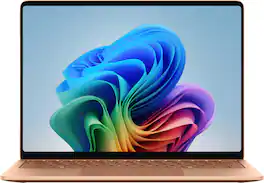
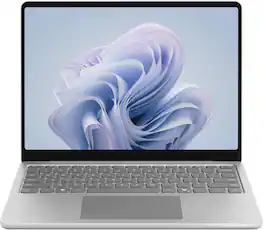
Microsoft - Surface Laptop - 13" 2K Touchscreen - Snapdragon X Plus (8 core) 2026 - 8GB - 256GB Storage - Platinum
4.4(11)

Meet Surface Laptop 13-inch, the most portable Surface Laptop. With built-in AI experiences and plenty of colors, it delivers unbeatable intelligence, value, and style. And you can leave your charger at home because this 13" touchscreen powerhouse boasts all-day battery life[1].

Microsoft - Surface Laptop - 15" 3K Touchscreen - Snapdragon X2 Elite (12 Core) 2026 - 16GB - 512GB Storage - Black
4.7(19)

The new Surface Laptop, 15" (8th Edition) — faster, smarter and more secure. Get the most out of your day with accelerated performance that unlocks Copilot experiences that transform the way you work and play. Experience visuals like never before on its stunning and modern razor-thin touchscreen display. An ultralight and stylish laptop with exceptionally long battery life [4], ultimate typing comfort, and a top-notch Surface Studio Camera.

Microsoft - Surface Laptop - 13" 2K Touchscreen - Snapdragon X Plus 2025 - 16GB - 256GB Storage - Copilot+ PC - Platinum

Meet Surface Laptop 13", a Copilot+ PC and the most portable Surface Laptop. With built-in AI experiences for a student or creator to experience on Windows 11, it delivers unbeatable intelligence, value and style. And you can leave your charger at home because this 13" touchscreen powerhouse boosts all-day battery life¹.

Pros for Microsoft - Surface Laptop - 13.8" 2K Touchscreen - Snapdragon X2 Plus (10 Core) 2026 - 16GB - 512GB Storage - Dune
Battery Life, Portability, Build Quality, Processor Speed, Keyboard ComfortThere were no pros for this productBattery Life, Display Quality, Heat DissipationPortability, Battery Life, Overall Performance, Speed, Touchscreen
Cons for Microsoft - Surface Laptop - 13.8" 2K Touchscreen - Snapdragon X2 Plus (10 Core) 2026 - 16GB - 512GB Storage - Dune
ConnectivityThere were no cons for this productThere were no cons for this productStorage Capacity, Port Quantity

Specs

Questions & Answers
  • what generation is this laptop

    8th edition

    Answered by Anonymous
No content

Customers often buy these together

Sponsored

Finance Options

My Best Buy® Credit Card
Choose a benefit:Or
Buy Now, Pay Later
Lease to own