Everything for Back to School — and then someShop now

Skip to contentGo to Product Search
Main Content

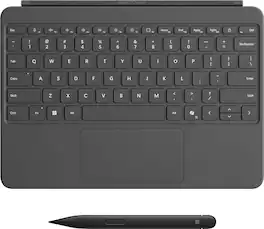
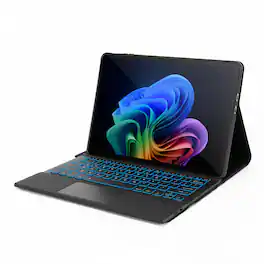
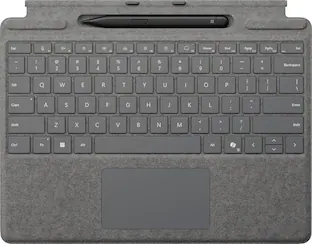
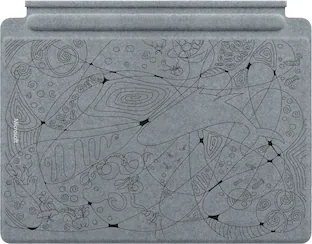
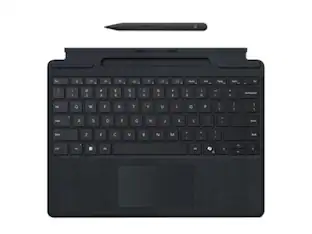
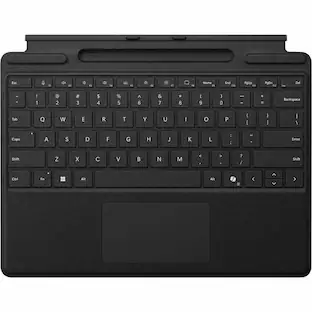
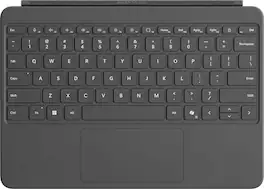
Microsoft - Surface Pro 12" Keyboard for Pro 12" with Slim Pen - Slate

Model: EP2-33054
SKU: 6625049
Sold byBest Buy

Customers are saying

Customers regard the Surface Pro 12" Keyboard for Pro 12" with Slim Pen positively for its backlight, build quality, connectivity, typing experience, pen functionality, and key feel. However, some customers have expressed concerns regarding the size of the keyboard. Overall, the keyboard is well-received for its premium features and comfortable typing experience.

Generated by AI based on customer reviews.
Features
  • Surface Pro 12" Keyboard with Slim Pen

    A sleek, comfortable, keyboard and best-in-class pen for your Surface Pro¹

  • For comfortable typing and writing

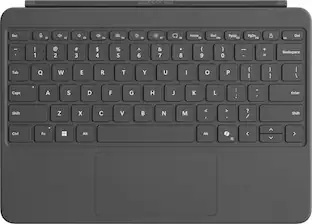
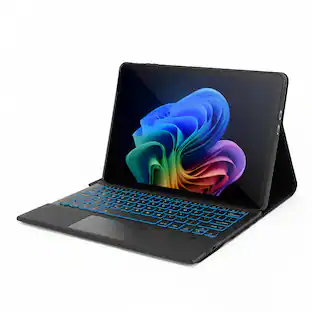
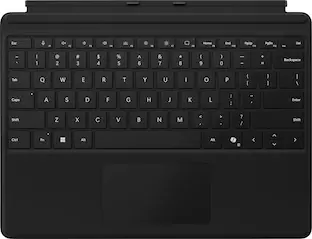
    Full-sized backlit, modern keyboard with dedicated special keys to enhance your experience.

  • Spacious precision touchpad for all your needs

    An adaptive touchpad offers precise control for users with limited mobility.

  • New long-lasting, easy-to-clean material

    Features a smooth-matte palm rest and a back cover made of soft Alcantara.

  • Unleash your creative and productive potential

    Surface Slim Pen is the go-to companion for any task, whether it’s for creativity or productivity.

  • Dynamic hinge

    Crafted from premium microfiber, flexing 360 degrees for smooth tablet-to-laptop transitions.

  • Proximity snap

    The magnetic connection interface easily aligns and snaps Surface Pro 12" Keyboard  into place.

  • Designed in a Wedge-style architecture

    Experience stable, comfortable typing with zero bounce, whether used on a desk or your lap.

  • Copilot key

    Dive into experiences that supercharge your productivity².

  • Microphone mute key

    Simply tap to seamlessly unmute or mute your microphone.

  • Snipping key

    Quick access to the snipping tool to grab a screenshot or capture a snip.

  • New Lock key

    Secure your Surface Pro instantly.

  • Ink anywhere

    Write anywhere you can type with Windows 11, converting your handwriting into text.

  • Seamless inking

    Almost no lag and incredible accuracy. Responds to more pressure to make lines thicker and darker.

  • Haptic feedback

    Experience more intuitive and natural feel – like pen on paper.

  • Carpenter-style design

    Easier and more comfortable to use.

  • Store and charge

    Securely hold, protect and charge Surface Slim Pen on the back of Surface Pro.

  • Uninterrupted creativity

    Always ready to use with up to 15 hours of battery life.

  • Express yourself

    Available in three new colors – Violet, Ocean, and Slate³.

See all features
Specifications
  • Model Compatibility
    Microsoft Surface Pro 12"
    Operating System Compatibility
    Windows
    Interface(s)
    Bluetooth
    Illuminated
    Yes
Sponsored

Reviews

Customers are sayingCustomers regard the Surface Pro 12" Keyboard for Pro 12" with Slim Pen positively for its backlight, build quality, connectivity, typing experience, pen functionality, and key feel. However, some customers have expressed concerns regarding the size of the keyboard. Overall, the keyboard is well-received for its premium features and comfortable typing experience.
This summary was generated by AI based on customer reviews.
  • Pen Functionality (11)
  • Build Quality (10)
  • Backlight (9)
  • Connectivity (9)
  • Portability (9)
  • Size (3)

Customer Images

The vast majority of our reviews come from verified purchases. Reviews from customers may include My Best Buy members, employees, and Tech Insider Network members (as tagged). Select reviewers may receive discounted products, promotional considerations or entries into drawings for honest, helpful reviews.

  • Rated 5 out of 5 stars

    Excellent Keyboard and Trackpad Combo

    This keyboard has been a game changer for my productivity. The keys feel smooth and responsive, and the trackpad is accurate and easy to use. I love how it connects instantly without lag, and the battery life is impressive. It turns my tablet into a mini laptop, which is perfect for schoolwork and emails. I highly recommend it to anyone looking to upgrade their tablet experience!

    Posted by BrycenW

  • Rated 4 out of 5 stars

    Essential keyboard for Surface Pro 12"

    Great keyboard only made for the Microsoft Surface Pro 12”. I am coming from a Microsoft Surface Go 2 paired with the official Surface Keyboard, and this keyboard for the Surface Pro 12” is much better. Microsoft really should just include the keyboard given the price of the Surface Pro 2 itself. The keys are responsive, have a nice feel to them, much better than my previous Surface Go keyboard. The trackpad is also pretty big and you can left and right click like you can with a traditional mouse. The keyboard connects magnetically and stays on as it must use a pretty strong magnet. It stays on too. The keyboard also then acts to protect the screen when closed, and actually stays closed. This is a really nice design. I would say if anyone is buying the Surface Pro 12 with any intention of using it as an actual computer then an actual tablet needs a keyboard. Windows 11 doesn’t quite cut it as an all the time operating system just with a touch screen. Now, this product comes with the pen too, adding to the cost. I am an artist, and this is my first time having a pen that is not made by Wacom that really feels good to draw with. The Surface Pro 12” is just about the smallest size you would go if you are thinking of actually drawing with it. It is very pressure sensitive and very nice to draw with. I draw with the Sketchbook Pro app and it is a dream to draw with this pen. The pen is rechargeable, and it magnetically sticks to the back of the Surface Pro 12 into a groove shaped like the pen. This is also where the pen gets charged by the Surface, so it is always ready to go. Now, if you are not an artist, this pen is not totally necessary and possibly might annoy you as it doesn’t quite sit flush with the rest of the back of the Surface. This isn’t a big thing most of the time, but I am always afraid it will get loose in my backpack. Not a big deal but maybe something worth mentioning. The back of the surface will not lay flat while that pen is in place. All in all, these really make the Surface Pro 12 into a really nice tablet / computer, though if I were not an artist, I would personally skip the pen. I don’t see a whole lot of use for it if you are not an artist.

    Posted by blah

  • Rated 5 out of 5 stars

    Sleek, Clean, and Satisfying to Use

    I really love this keyboard. It has a very sleek design and feels much more upgraded compared to older versions. I like that it is not made out of cloth, so it does not get permanently dirty over time. It is super easy to clean with alcohol wipes, which makes a big difference for everyday use. The keys feel really satisfying when typing and are not overly loud or annoying. It has a nice, smooth feel that makes typing comfortable for long periods. Overall, it looks great, feels great, and is very practical. I would definitely recommend it.

    This review is from Microsoft - Surface Pro 12" Keyboard for Pro 12" with Slim Pen - Slate

    Posted by Marily

  • Rated 5 out of 5 stars

    Perfectly Paired With Surface Pro!

    The Surface Pro keyboard and pen are incredible peripherals for the Surface Pro 12”, and are basically necessities when buying the Surface Pro! (So much so, they should absolutely be included/bundled together with the computer!) The keyboard is very solidly built and sturdy, covered in a premium, soft-to-the-touch fabric material. It easily and very strongly magnetically snaps onto the Surface Pro via a set of pins that line up to the bottom of the Surface Pro, and also doubles as a wrap-around cover for the Surface (can freely move 360 degrees), which stays magnetically closed when covering the screen! The keyboard keys and trackpad are both very high quality as well, and have satisfying clicks/presses that definitely make the typing experience feel premium. I do think the keys on the keyboard are slightly differently spaced than most laptop keyboards I’ve used, as when switching from my standard computer keyboards to this keyboard I tend to occasionally accidentally mis-type words, but I always get used to it again very quickly. The keyboard is also backlit, has many useful function buttons at the top (which as a note, their uses are very obvious which is nice!), and has a Copilot button near the bottom right of the keyboard for if you’re an AI power user! The pen is also really great! It magnetically attaches (extremely strongly!) to the back of the Surface Pro where it also wirelessly charges, and in general is a really great writing, drawing, and stylus tool! It has a pressure sensitive tip, so in certain software, such as OneNote or Whiteboard, you can be quite expressive with the pen, and the Surface Pro has excellent palm-rejection, so you can truly use the Surface like a notepad! Flipping the pen around to the “eraser” side will also let you erase your writing in the aforementioned software, pressing the side button in conjunction with dragging lets you easily group select items on the screen in many supported apps, and tapping the screen while the side button is pressed acts as a “right click”, very nice and intuitive touches! The Surface Pro includes all sorts of first party apps and operating system-level support for making great use of the pen, letting you do things like write directly in supported text fields with the pen as input, take notes like a pro, and even take a quick note at any time by clicking the top of the pen to bring up a fresh note! I very much enjoy using the pen!

    Posted by RAM2060

  • Rated 5 out of 5 stars

    The other half of a laptop

    The Microsoft Surface Pro 12” is pretty impressive on its own. But, when you snap this backlit keyboard and pen to it, you practically have a complete laptop plus pen. The magnetic connection between the tablet and keyboard is really strong, while the keyboard has some play to it to allow for better positioning and not leave any slack hanging around. The bottom side has a nice felt covering and the sturdiness of the whole panel is quite impressive for how thin it is. It has a typical touch pad that feels responsive to clicks. You have all the standard keys with function keys by default having various media and brightness buttons for the screen and the keyboard. It also has a lone Copilot button, which is interesting if you want to pull it up quickly instead of using the default key combo. Closing the keyboard acts like a screen cover and automatically puts the device to sleep. Flipping it behind the tablet also deactivates the keys, so no accidental typing if you don’t want to remove it for tablet purposes. The pen has to be charged by placing it in the groove on the back of the tablet and then connected through Bluetooth settings. However, once that is done, it works perfectly. The oval shape fits comfortably between fingers and there is a function button that essentially acts as a right click of a mouse. It glides perfectly on the glass surface and with the right applications, it is even pressure sensitive. The pen snaps tight in the groove on the back of the tablet, but it does stick out a bit, leaving a bit of imbalance if intending to lay it flat on the back. Overall I feel this keyboard and pen combo is essential for the Surface Pro. Not only does it make the tablet into a laptop and adds a protective case, but the pen is perfect for anyone that wants to do some digital art.

    Posted by DavidJr

From the Manufacturer

Compare similar products

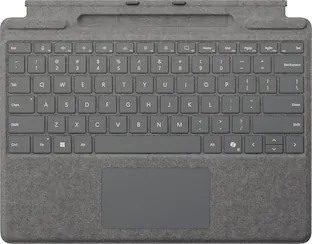
Microsoft - Surface Pro 12" Keyboard for Pro 12" with Slim Pen - Slate
4.6(71)

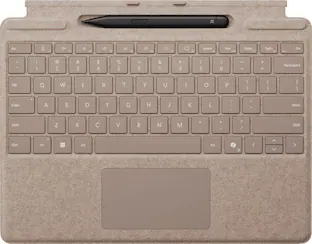
Level up your productivity in a click by easily attaching Surface Pro 12" Keyboard to Surface Pro 12" [1], transforming it into a powerful laptop. Designed by Microsoft, it features a stable and durable design, full size backlit keyboard, a dedicated Copilot key for instant AI access, and dynamic hinge that unlocks new postures. Perfect for your on-the-go lifestyle.
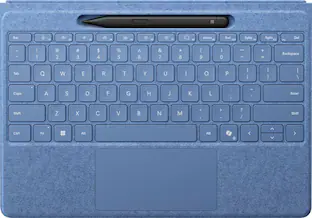
Microsoft - Surface Pro 12" Keyboard for Pro 12" - Violet
4.9(15)

Level up your productivity in a click by easily attaching Surface Pro 12" Keyboard to Surface Pro 12" [1], transforming it into a powerful laptop. Designed by Microsoft, it features a stable and durable design, full size backlit keyboard, a dedicated Copilot key for instant AI access, and dynamic hinge that unlocks new postures. Perfect for your on-the-go lifestyle.

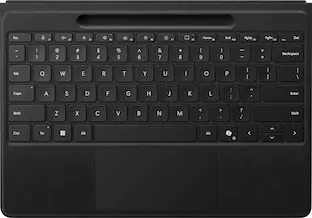
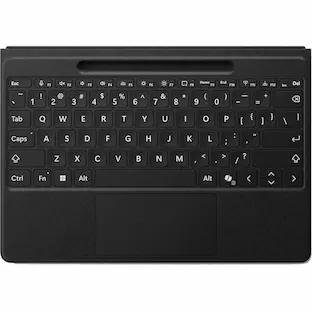
Microsoft - Surface Pro Flex Keyboard - with Bold Keyset - Wireless Connectivity - Bluetooth - 32.81 ft - CoPilot - Black

Microsoft Surface Pro Flex Keyboard - Black with Bold Keyset - Wireless Connectivity - Bluetooth - 32.81 ft - CoPilot, Mute, Snipping, Screen Brightness, Media Player Hot Key(s) - Windows 11 - Notebook/Tablet - TouchPad - PC - Alcantara - Mechanical Keyswitch - Black

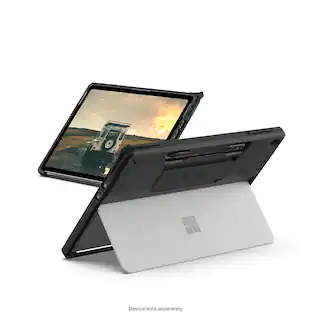
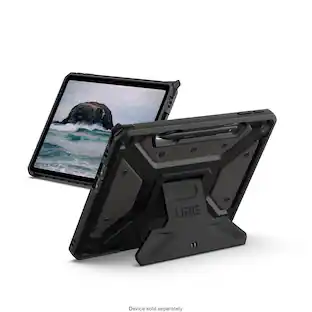
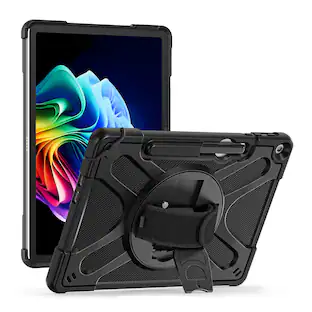
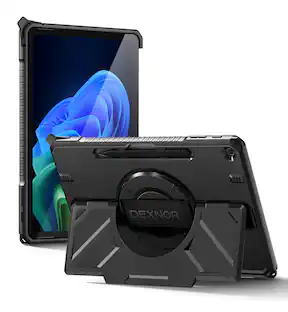
UAG - Scout Series Case with Hand Strap for Microsoft Surface Pro 12" - Black
4.7(6)

Our Scout Series is inspired by those forever seeking the road less traveled. This case is built to last and protect your device from everyday accidents. Real-world military drop tested this case is made with a durable armor shell and impact resistant bumpers crucial for drop protection. Its non-slip tactile grip and comfortable hand strap provide premium handling and make it easier to work on the go. Surface Pen holder so you can keep your Pen secure and close by. Multiple anchor points for an adjustable shoulder strap (shoulder strap not included). The thoughtful open Scout design also allows for full use of the tablet's kickstand. This case is also compatible with the Microsoft Surface Type Cover Keyboard, perfect for work or school.

Pros for Microsoft - Surface Pro 12" Keyboard for Pro 12" with Slim Pen - Slate
Pen Functionality, Build Quality, Backlight, Connectivity, PortabilityColor, Key Visibility, Screen Protection, Sound Quality, Typing ComfortThere were no pros for this productThere were no pros for this product
Cons for Microsoft - Surface Pro 12" Keyboard for Pro 12" with Slim Pen - Slate
SizeThere were no cons for this productThere were no cons for this productThere were no cons for this product

Specs

Questions & Answers
  • Does this keyboard have a touchpad?

    Yes, this keyboard has a spacious precision touchpad.

    This question and answer was generated by AI based on customer and product data.
  • Is this keyboard wireless?

    Yes, this keyboard is wireless.

    This question and answer was generated by AI based on customer and product data.
  • How many keys does this keyboard have?

    This keyboard has 78 keys.

    This question and answer was generated by AI based on customer and product data.
  • Does this keyboard have plug and play operation?

    Yes, this keyboard has plug and play operation.

    This question and answer was generated by AI based on customer and product data.
  • Is the keyboard illuminated?

    Yes, the keyboard is illuminated with backlights.

    This question and answer was generated by AI based on customer and product data.
Ask a question
No content
Sponsored
Ask BlueAI

Finance Options

My Best Buy® Credit Card
Choose a benefit:Or
Buy Now, Pay Later
Lease to own

Finance Options

My Best Buy® Credit Card
Choose a benefit:Or
Buy Now, Pay Later
Lease to own