Microsoft - Surface Thunderbolt 4 Dock - Black - Open Box - fair
Microsoft - Surface Thunderbolt 4 Dock - Black - Open Box - fair
- Works like new.
- May have larger dents or scratches.
- May be missing parts, accessories, or packaging.
More Buying Options
Related Item

About This Item
About Open Box
Reviews
Customers are saying
Customers admire the Surface Thunderbolt 4 Dock for its overall performance, USB-C speeds, compatibility, and connectivity. Users find it easy to use and appreciate its monitor support and power. The main drawback mentioned is that some users desire more ports. Despite this, the dock is praised for working well with various devices, including Microsoft Surface and Macbook Air.
Customer Images
The vast majority of our reviews come from verified purchases. Reviews from customers may include My Best Buy members, employees, and Tech Insider Network members (as tagged). Select reviewers may receive discounted products, promotional considerations or entries into drawings for honest, helpful reviews.
Compare similar products

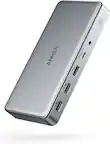
Surface Thunderbolt 4 Dock delivers ultra-high speed data transfer and ports to connect to two 4k monitors at 60 hertz to focus on your most important tasks. With power passthrough at 96 watts for quick charging, simplify your life with the versatility of 8 connections for your favorite accessories.

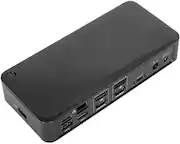
Optimize your workspace with Surface USB4 Dock, the essential dock for productivity and connectivity. Connect and power your device and accessories with 65W power delivery, ensuring peak performance throughout the workday. Surface USB4 Dock offers fast data transfer of up to 40 Gbps in a compact powerhouse. Surface USB4 Dock is the perfect blend of speed, power, and versatility.
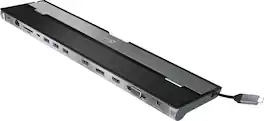
This triple display docking station turns your Mac or Windows laptop into a full workstation with a DisplayPort output, two HDMI outputs, and a VGA output, with resolution support up to 4K (3840 x 2160) on two displays and 1080p on the other one. You can also use your laptop screen for four displays in total, making it easy to access multiple applications at once. With 100W Power Delivery, three USB 3.0 ports, and a USB-C port, this docking station is perfect for your MacBook, Dell XPS, or other USB-C laptop requiring additional ports. This USB 3.0 docking station is also equipped with a RJ45 Gigabit Ethernet port, memory card reader/writer, and combo audio jack for maximum productivity. The elevated design assists with heat dissipation and, with its double-sided cable storage compartment, ensures an easy connection regardless of your USB-C port’s location. All 13 ports are combined into one slim docking station, so you’ll have all the connections you need to stay productive!

Rewire the rules with the Razer Thunderbolt 4 Dock Chroma—a sleek, customizable hub that ushers in a new era of connectivity for your ideal setup. Packed with 10 ports, lightning-fast data transfer rates, and dual 4K or single 8K video output, you’ll always be primed to make the right connections.
| Pros for Microsoft - Surface Thunderbolt 4 Dock - Black | |||
|---|---|---|---|
| Overall Performance, Connectivity, USB-C, Ease of use, Compatibility | Connectivity | Ease of use, USB-C, Overall Performance, Connectivity, Ports | RGB Lighting, SD Card Slot, Build Quality, Power, Thunderbolt 4 |
| Cons for Microsoft - Surface Thunderbolt 4 Dock - Black | |||
| Ports | There were no cons for this product— | Compatibility, Power Supply | Ports, HDMI, Price |