Minisforum - DEG2 eGPU Dock, Oculink Graphics Docking Station - Black
About this product
Powered by the Intel JHL9480 TBT5 controller, the MINISFORUM DEG2 External GPU Dock delivers dual-mode primary connection for mini PCs and laptops with OCuLink or TBT5 output. 1× OCuLink (PCIe 4.0×4) for native PCIe GPU bandwidth OR 1× TBT5 upstream (140W PD to host) — user-selectable via the OCuLink / TB5 front-panel switch. 1× TBT5 downstream (30W PD) supports daisy-chaining additional devices. 1× PCIe ×16 slot accepts a standard desktop graphics card. ATX 24-pin + 8-pin power connectors onboard. 1× M.2 2280 slot for SSD expansion, 1× 2.5 GbE LAN, 2× USB-A. Compact 258.9×174.17×42.75mm horizontal chassis. GPU, PSU, and SSD sold separately.
OCuLink + TBT5 Dual-Mode (Intel JHL9480)
Powered by Intel JHL9480 TBT5 controller. Dual-mode primary connection: 1× OCuLink (PCIe 4.0×4) for native PCIe GPU bandwidth OR 1× TBT5 upstream (140W PD to host) — selectable via front-panel OCuLink / TB5 switch. 1× TBT5 downstream (30W PD) daisy-chains additional devices.
PCIe ×16 GPU + ATX 24+8 Power
1× PCIe ×16 slot accepts a standard desktop graphics card (GPU sold separately). ATX 24-pin + 8-pin power connectors onboard for clean GPU power delivery. TGX (top GPU eXpansion) switch and Follow Start UP switch ensure reliable GPU hand-off across reboots.
M.2 2280 SSD + 2.5GbE LAN + USB-A
1× M.2 2280 slot for additional SSD storage (SSD sold separately). 1× 2.5 Gigabit Ethernet port for high-throughput NAS and network bridging. 2× USB-A ports: 1× USB 3.2 Gen2 (10 Gbps) + 1× USB 3.2 (5 Gbps) for peripherals and fast external storage.
Compact Chassis with Diagnostic Controls
Compact 258.9×174.17×42.75mm horizontal chassis. Front-panel controls: OCuLink / TB5 mode switch, TGX switch, Follow Start UP switch, RESET DEBUG button. LED indicators: power-on status + 9× debug LEDs for at-a-glance troubleshooting and GPU hand-off diagnostics.
GPU, PSU, SSD Sold Separately — Windows / macOS / Linux
GPU, ATX power supply, and M.2 SSD sold separately. OS support depends on the host system: Windows 10 / 11, macOS (with limited OCuLink support), Linux. For TBT5 / OCuLink-equipped mini PCs and laptops. Driver support varies by GPU and host OS combination.
- Maximum Number of Displays Supported1Number of DisplayPort Outputs (Total)1Number of Thunderbolt Ports (Total)2
Reviews
Compare similar products
Powered by the Intel JHL9480 TBT5 controller, the MINISFORUM DEG2 External GPU Dock delivers dual-mode primary connection for mini PCs and laptops with OCuLink or TBT5 output. 1× OCuLink (PCIe 4.0×4) for native PCIe GPU bandwidth OR 1× TBT5 upstream (140W PD to host) — user-selectable via the OCuLink / TB5 front-panel switch. 1× TBT5 downstream (30W PD) supports daisy-chaining additional devices. 1× PCIe ×16 slot accepts a standard desktop graphics card. ATX 24-pin + 8-pin power connectors onboard. 1× M.2 2280 slot for SSD expansion, 1× 2.5 GbE LAN, 2× USB-A. Compact 258.9×174.17×42.75mm horizontal chassis. GPU, PSU, and SSD sold separately.
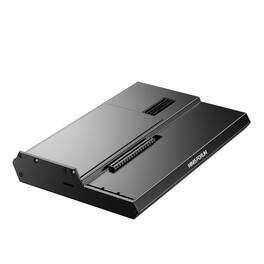
Powered by the MINISFORUM DEG1 External GPU Dock, a compact OCuLink 4i graphics docking station for mini PCs and laptops with OCuLink output. 1× OCuLink 4i upstream (PCIe 4.0×4) delivers native PCIe bandwidth without Thunderbolt protocol overhead. 1× PCIe ×16 slot (PCIe 4.0×4) accepts a standard desktop graphics card. ATX / SFX PSU compatible with ATX 24-pin connector onboard. Built-in signal amplifier chip for stable high-speed PCIe signal integrity. Follow the Startup feature synchronizes GPU power on / off with the host PC. Compact 270.2×174.4×40.7mm horizontal metal chassis. GPU and PSU sold separately.
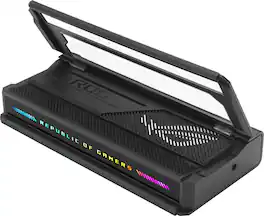
The ROG Bulwark Dock DG300 is a compact, sleek, 7-in-1 docking station that offers 4K at 144Hz and 8K at 30Hz output via HDMI 2.1, 1 x USB-C and 3 x USB-A for superfast up to 10 Gbps file transfers, gigabit Ethernet, audio jack and up to 100 watt USB Power Delivery to laptops and mobile devices.
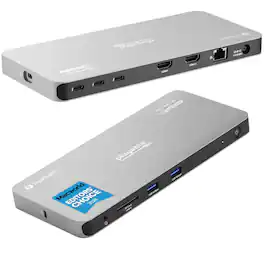
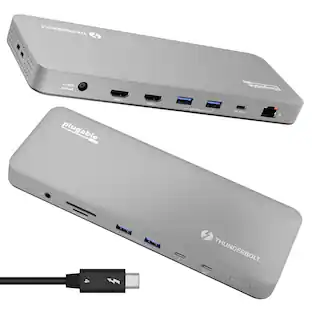
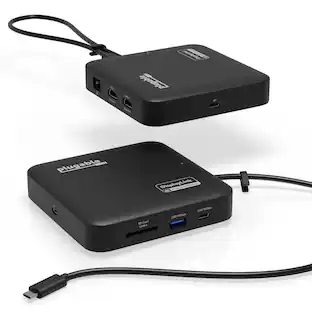
Plugable Thunderbolt 4 Quad Display Docking Station is the ultimate productivity solution for professionals looking to expand their workspace. Supporting up to four displays—two via HDMI and two through Thunderbolt ports—this dock offers flexibility and performance for PC, Mac, and ChromeOS users. With all four displays supporting 4K resolution or a single 8K display, it's perfect for tasks like video editing, design, and multitasking. The dock also features 100W host charging (96W certified), so your laptop stays powered up while you work. Designed for High Performance—And Safe Operation: As a high-performance device, the TBT-6950PD docking station may become warm during use—especially when driving multiple displays or transferring large amounts of data. This is normal and expected. The aluminum enclosure is specifically engineered to act as a heatsink, efficiently dissipating internal heat to maintain safe operating temperatures. While it may feel hot to the touch, the dock is rigorously tested and operates within industry-standard thermal guidelines. For optimal performance, ensure the dock is used in a well-ventilated area and not enclosed or obstructed. Installing and updating the driver software is easy. Follow the step-by-step instructions included with the product, or watch our installation video on the product listing for guidance. Equipped with 3x 40Gbps Thunderbolt ports, the dock provides lightning-fast data transfer, and 15W charging for connected Thunderbolt, USB4, or USB-C devices. Additional features include high-speed USB ports, Gigabit Ethernet, an SD card slot, and audio connectivity, allowing you to consolidate all your peripherals into a single hub. The dock is compatible with Windows 10 and newer, macOS 11+, and ChromeOS 100+, making it versatile for most modern setups. For Mac users, base model M3 Macs can connect to four displays in clamshell mode, while M1 and M2 base models support three extended displays. Additionally, users with M1, M2, M3 M4, M5 Pro/Max, and base M4 and M5 can achieve up to 4 displays. ChromeOS computers will support up to 3x displays. As with all Plugable products, the Quad Display Dock is backed by lifetime support from our North American-based team. Whether you need pre-purchase advice or assistance with setup, Plugable is here to help. Experience seamless connectivity and enhanced productivity with a docking station built to perform.
| Pros for Minisforum - DEG2 eGPU Dock, Oculink Graphics Docking Station - Black | |||
|---|---|---|---|
| There were no pros for this product— | There were no pros for this product— | Overall Performance, Connectivity, Portability, Charging Speed, Lighting | There were no pros for this product— |
| Cons for Minisforum - DEG2 eGPU Dock, Oculink Graphics Docking Station - Black | |||
| There were no cons for this product— | There were no cons for this product— | Included Accessories, Port Quantity | There were no cons for this product— |
Specs
Be the first to ask a question.
We’ll try to get your question answered within 24 hours by a Best Buy customer or brand representative.
Customers often buy these together




Customers ultimately bought
Explore tech essentials Sponsored
 $111.00The price was $139.00
 $2,399.00The price was $2,999.00


Keep exploring
 $17.99The price was $21.99