Labor Day Appliances SaleEnds 9/16. Limited quantities. No rainchecks.Shop now

Skip to contentGo to Product Search
Main Content

Miroir - M600 Full HD Pro 1080p Projector - Black

Model: M600
SKU: 10129451
Sold & shipped by

About this product

Looking for a projector that can handle both business and entertainment needs? Look no further than the Miroir M600 Full HD Pro 1080p projector! It's compact, lightweight, and can project up to 120 inches with a bright display of 600 LED lumens. Plus, with a built-in rechargeable battery and a 5-watt speaker, you can take it with you anywhere without worrying about power or sound. Whether you're giving a presentation at work or hosting a movie night with friends, the M600 has you covered. And with support for 4K input and Texas Instruments Digital Light Processing technology, you'll get clear and vibrant images that will make you feel like you're at the cinema. Don't settle for anything less than amazing - get the Miroir M600 Full HD Pro 1080p projector today!

Features
  • Ultra Portable Design

    The Miroir M600 Full HD Pro 1080p projector is ultra-portable, weighing only 1.8 pounds, and compact at 8.9" x 4.9" x 1.1". Take it with you anywhere and enjoy high-quality entertainment or presentations on the go!

  • DLP

    Experience stunning visuals with the Miroir M600 projector, featuring advanced DLP Display Technology found in DLP Cinema Chipsets for crystal-clear and lifelike images.

  • 600 LED Lumens Of Brightness

    Experience a bright and vivid Full HD (1080p) image with the Miroir M600, even in semi to fully-lit rooms.

  • LED Lamp

    The Miroir M600 projector is built to last, with up to 20,000 hours in Normal Mode and a whopping 30,000 hours in ECO Mode. Enjoy your favorite content for years worry-free

  • Bulit-In Battery

    Take the Miroir M600 anywhere and enjoy up to 2 hours of projection without access to a power outlet. Its rechargeable battery makes it perfect for on-the-go entertainment!

  • Built-In Speaker

    With the Miroir M600, you don't have to worry about bringing extra speakers. Its built-in 5-watt speaker ensures clear audio, while a 3.5mm audio out jack lets you connect external speakers for an even more immersive experience.

  • Up To 120" Screen

    Share your presentations on any wall or screen with the Miroir M600 projector's 120" projection size. Perfect for any business setting!

  • HDMI, USB-C

    The Miroir M600 projector delivers stunning visuals and easy connectivity. Its USB-C video and HDMI ports allow you to connect your ipad, macbook, or Android devices easily. With 4K input resolution, every detail is sharp and vivid!

  • USB Type A Port

    Power your favorite streaming device (check mfg power requirements)

  • Flexible Installation Methods

    Tripod mount, table, or ceiling mount capable

  • Keystone +/- 30

    With vertical keystone correction, you can easily adjust the image to get the perfect viewing experience without moving the projector or the screen.

See all features
Specifications
  • Product Weight
    1.8 pounds
    Light Source
    LED
    Resolution
    Full HD (1080p)
    White Brightness (ISO)
    300 lumens
    Contrast Ratio
    300:1
    Projector Use
    Business, Educational (Classroom), Home Theater, Gaming
Sponsored

Reviews

Customer Images

The vast majority of our reviews come from verified purchases. Reviews from customers may include My Best Buy members, employees, and Tech Insider Network members (as tagged). Select reviewers may receive discounted products, promotional considerations or entries into drawings for honest, helpful reviews.

  • Rated 5 out of 5 stars

    Happy with purchase

    Me and my husband so happy with this purchase. It’s good for outside , inside ) Really good quality , watching fav shows before sleep ! Great product, recommended!!

    This review is from Miroir - M600 Full HD Pro 1080p Projector - Black

    Posted by ZhiideD

  • Rated 3 out of 5 stars

    Mirrior

    Light weight portable food Pic in the dark only 600 lumens not the best picture

    This review is from Miroir - M600 Full HD Pro 1080p Projector - Black

    Posted by WestonL

  • Rated 4 out of 5 stars

    Portable and Versatile but Lacks Some Features

    This HD projector provides a good balance between image quality and portability . It is not feature rich because it lacks wireless and Bluetooth support; does not include a media player and does not have a remote. It is however very portable and is good for office presentations and an occasional movie in a relatively dark room. Image Quality: At 600 lumens this projector is not the brightest and it loses image quality quickly if the room is not dark. The brightness level is also affected by the distance between the projector and the screen. If you plan on using the maximum 120 inch projection screen you will need a dark room to get acceptable image quality. I found that with the blinds closed during the day we could get acceptable images of about 90 to 100 inches. The projector has a native resolution of 1080p providing Full HD images. Once manually focused the projector provides a sharp image with accurate colors. Due to the low brightness the contrast level can be lacking on some image content. The blacks and greys start to blend together as the ambient lighting is increased. This can be easily overcome when creating presentations by using vivid colors with higher contrast. Operation: The projector has an HDMI port, a type-C and a type-A USB port and an audio port. There is a manual focus wheel on the side and volume up and down on the top. There is also a Mode button on the top that allows you to put the projector into ECO mode which lowers the brightness level to conserve power. The buttons are touch buttons that are flush with the top and they light up when touched so you can find them in the dark. There is no built- in wireless support however you can overcome this by attaching a Roku or Chrome Cast to the HDMI port and then use screen mirroring on your device. If you are going to use an HDMI cable I recommend purchasing a long cable especially if the presenter is not very close to the projector. The included HDMI cable is very short. The single speaker provides 5 watts of audio which is good enough for most small to mid-sized rooms. The USB-A port is strictly used to power external USB devices such as the Roku or Chromecast mentioned above. The projector does not include a media player so you cannot plug in a USB drive in either USB port to provide media content. The projector comes with a standard tripod screw mount and I have found that attaching the projector to a small tripod lets me more easily align the projector to the screen. This is very important because the projector has auto Keystone correction but for it to work correctly the projector needs to be level and not tilted in any manner. There is an issue with the tripod mounting hole on the projector because it does not sit flush with the base. To compensate for this, I added a small square piece of foam to the top of my tripod that helps stabilize the projector once its screwed onto the tripod. Portability: The projector is very portable due to its size and shape. Its roughly 9”x5”x1.5” and although it doesn’t come with any type of travel protection I have found that it slips nicely into a small spare laptop sleeve. Adding the projector, power supply, HDMI cable and small tripod in my backpack was not a major weight or space issue. The projector does have a built-in battery that is supposed to last 2 hours but I prefer to use the included power supply. It is nice to know the battery is there in case I can’t get the projector near an outlet.

    This review is from Miroir - M600 Full HD Pro 1080p Projector - Black

    Posted by explore42

  • Rated 4 out of 5 stars

    Great, but with a couple of flaws.

    If you need a portable projector that is bright and VERY portable, this might very well be your best choice. This unit is quite bright for its size. In a dark room, a 10 foot image will be bright and vivid. Of course, as with all projectors, the perceived brightness falls off quickly as the room gets brighter. If you are giving a presentation in a typical office environment, an image of five feet should be very visible if you have a white wall to project on. To actually get the claimed 10’, you will need to close all of the doors and windows. This unit features full 1920x1080 resolution, and it looks sharp. It will focus as close as 4", which gives an image size of under 6", if you need that. The best thing is that it is only 9" x 5" x 1-1/4". The included speaker seems like it would be loud enough for a typical office or a smaller conference room. If you need to fill a larger room, you will need to hook up external speakers via the 3.5mm audio jack. It has a battery that offers a claimed 2 hours of life, and has a USB-A port for powering other devices. I had it in “ECO” mode, and powering an older Roku Express and the battery lasted for 93 minutes. The only problem is that the USB power output is always active. If you do have a Roku attached, it will still drain the battery even if the projector is off. So be sure to unplug everything from the USB-A port or the battery will be dead when you go to use it. To power the unit projector on, you open the lens cover, and it comes on. This is a nice touch, as there is no separate cover to lose. The focus knob is on the side by the lens. The included power adapter is the usual laptop-style 19V 65W. The prongs fold out for the US, so that is a big improvement over similar power supplies. If you travel internationally, the included adapters (UK and two-prong Europe style) actually attach to the supply while the prongs are closed. But if you want to travel light, the unit can also be powered from USB-C. Given the power requirements, you will need a true laptop-style adapter that can drive 19V. A phone charger will probably not be enough. If your laptop supports driving a video signal over USB-C, then you can drive and charge the projector from just the one cable. There is also a full-sized HDMI input if you need that. While there is a standard 1/4" tripod mount, it seems to be inadequate. The mount extends beyond the surface of the unit’s base, so any mounting on a standard tripod would likely be wobbly (see the picture). They should have either recessed the socket, or extended the plastic around it. Some shims could be made from cardboard if necessary. There is automatic keystone correction built-in. The projector assumes that you are projecting on a vertical surface, and detects the angle that it is resting at to automatically set the keystone. This works great as long as your projection surface really is vertical. But to use this feature, you need to tilt the projector. There is no provision included for tilting it, so if you don’t have a tripod, you will be propping a book under the front feet. There is no way that I could find to turn off the auto keystone feature. The projector’s top is a shiny “piano black” but I prefer to think of it as “fingerprint black.” A matte finish would be more practical. While a quick-start guide is supplied, there is only a URL provided for the full manual. At the time of this writing (late July, 2021) that URL does not work, and I could not find a manual. The only controls appear to be the volume “+” and “-” buttons, and an “M” button which seems to show the battery strength via the four white lights on the back. Holding down the “M” button for a few seconds will apparently shift the projector into “ECO” mode that will extend the life of the lamp and the battery life. The only downside to showing video on this projector is that the blacks lack contrast. I watched “Breach” starring Bruce Willis (a mistake I don’t recommend you repeat),which is a dark “space zombie” movie that has a lot of shadows. The dark grays and the blacks just kind of blended together. It was usable, but not an optimal experience. Still, I doubt that you can do better for something so small. So horror fans might be disappointed, but for brighter movies and PowerPoint presentations, this will be ideal.

    This review is from Miroir - M600 Full HD Pro 1080p Projector - Black

    Posted by Harrkev

  • Rated 3 out of 5 stars

    An OK Mobile Option for Viewing TV w/some hiccups

    Miroir has created a new product, the M600 Full HD (1080p) Pro Projector, which is portable and easy to use. It won't fit in your pants pocket but possibly a large jacket pocket. The unit measures approximately 9x5x1 inches. The package contains the M600 projector, paperwork, 2 international plug adapters, HDMI cable, power block/cable (proprietary). Miroir offers a 1-year manufacturer's warranty on parts and labor. Disclaimer: I tested this projector with a Samsung Fold 3 phone, a Samsung Galaxy S21 Ultra phone, a Samsung TAB S7 Tablet, and a Microsoft laptop. This is also the first projector of any kind that I have owned, so this review comes from a newbie's eyes and is pretty thorough! BATTERY LIFE: NORMAL Brightness mode: 50 minutes until the unit shuts off ECO Brightness mode: 1 hour 52 minutes until the unit shuts off Time for battery to charge from completely dead to 100%: 2 hours BULB LIFE: Miroir claims 20,000 hours bulb life in NORMAL mode and 30,000 hours bulb life in ECO mode. To give you an idea of how long that is, if you watched TV with this projector for 8 hours/day EVERY SINGLE DAY: NORMAL MODE would give you 6.8 years of bulb life ECO MODE would give you 10.3 years of bulb life So if you watch 4 hours EVERY SINGLE DAY, double the results above. This projector should last you for many years if taken care of. PROS: ----------- * Automatic keystone feature levels your picture until you angle the projector past ~45-degrees. If you angle the projector past ~45-degrees+, the screen will start to look like a trapezoid on the surface you are displaying on. * ON/OFF is easy - simply open/close the lens cover from the bottom of the unit. Another good point - it has a lens cover. * Rubber feet on the bottom are solid and keep the unit still if it sits on a platform. * It has a tripod mount which is great, but... (see CONS) * Touch-sensitive volume controls and mode button. Easy to use. Volume can be turned all the way down on the unit if using BT audio between the connected device and a BT speaker. Audio level is shown on the screen in the upper-left corner. 0 to 100 in increments of 10. * The unit is pretty quiet during use. * I had no issues connecting HDMI from a PC to the HDMI input and getting sound/picture just fine. * If you use an Amazon stick (or device that uses USB power), you can plug the stick into the HDMI port while using the USB-A port on the back to power up the stick. * Battery indicator lights are on the back of the unit. But as long as you know the times I have provided, you'll have a better idea of when your projector will auto-shutdown if starting from 100%. Over time, those times will obviously shorten due to battery degradation. CONS: ----------- * At this price point, the most disappointing feature is that it is missing a piece of hardware - a video-capable USBC-to-USBC cable of decent length and/or an adapter for iPhones/Android-to-HDMI. I am using a flagship Samsung S21 Ultra to connect via USB-C cable, and it did not work until I used a thicker and more capable USB-C cable which is apparently used for higher throughput and video. At least a 3-ft cable of this quality could have been provided. Since it wasn't provided, it made the unit completely useless if you had only planned to connect via smart phone. There were no adapters included (except for power). This is a huge miss at $500 retail. The instructions clearly state "Some Android devices require a USB-C to HDMI adapter cable (sold separately)". That's fine; however, all USB-C cables clearly do not work, and that's the cable that should have been provided. * 600 lumens is acceptable by a portable unit like this, but the darker the room, the better the picture will be. It is absolutely nothing like watching an LED TV for sure. On ECO mode, the picture is even dimmer (to save battery). If you have a real projector screen or reflective paint, that may likely help with brightness. * There is no way to resize the display output other than moving the projector forwards/backwards. * Focus is done manually with a rotating wheel on the side (there is no auto-focus). * There are no detachable or adjustable legs on the front-bottom of the unit. If you want to tilt the unit, you will need to provide an angled piece of "something" under it if you don't want it sliding off a book or squared-off object. * There are NO wireless connections of any kind (no bluetooth/wifi). Everything is wired. * If you do not like fingerprints on glossy black, you better bring a microfiber cloth. It shows fingerprints on the top quite well. Perhaps a matte finish would have been better. * The tripod mount is great, but because it has a lip around the bolt hole, it does not lay flush against the tripod base - it wobbles. If you tighten that tripod bolt too tight, there's a chance the projector could be damaged. An EASY fix for this was to simply put a water hose rubber gasket around the bolt hole before attaching to the tripod. This allows for some "give", since it is taller than the hole, it will generally stay secure regardless of the attachment you use. I have posted in the pictures this concept - my hose gasket is red. This again was a huge miss my Miroir. The mounting area should be flat/flush. * There were no paper instructions other than a quick start guide that offered limited information. That same quick start guide could have been replaced by a complete User Guide (found online) and still fit on the same paper. Those instructions were also very basic but provided more than the useless quick start guide. * I texted their toll free text phone number, and after over a week, still no response from them. * On the power block, the plug folds into itself which is great, but unfolding the prongs out of the unit can be difficult since the prongs don't extend past the edge of the block. * The projector cannot be mounted upside-down (like traditional home projectors) or the picture will also be upside down. * I am only able to recharge using the proprietary brick/cable provided. Would be nice if there was another USB-C port for charging while the other USB-C is being used for video input. OTHER OBSERVATIONS: ----------------------- * 5 Watts of power is all this unit offers for the built-in speakers. On the plus side, more power would cause the battery to die quicker if using battery-only power. * For the best sound setup, connect the projector to your device, then bluetooth the sound from that device (phone/tablet/PC) to a nice bluetooth speaker, and that will be one less wire you have to connect to the back of the projector. If you must use the 3.5mm audio-out port, that will still work. * I did not test the USB-A port on this unit as I didn't connect an App stick of any kind. * The instructions state to hold down the +/- VOL buttons to change between NORMAL and ECO mode, but that did not work. If I long-press the M button, that caused power modes to change. If I plugged anything into the USB-C or HDMI, the picture would simply come up on its own. I did not try using both HDMI and USB-C at the same time since you can't use both. CONCLUSION: ===================== There were quite a number of items that Miroir missed in my opinion. The protruding tripod mount, and the lack of providing the proper cable to connect Android devices (USBC-to-USBC) caused many problems on my initial setup. I didn't figure out the cable issue until I got a higher quality (speed) USB-C cable and tested. I ended up using a 9" cable from another product in order to get it to work. The unit is built to be completely wired; however, at the price point of this product being released ($500), one would hope for more features, even the simplest feature of adding legs (in some form) to the front would help. Using a tripod shouldn't be the only way to use this unit if angled. Convenience for users is what the company should focus on - make it user friendly - like with the auto-keystone feature. Finally, this projector is likely only going to be used as a travel buddy or office presentation device. This would likely not be the best option for a home theater picture. It might suffice for a small room with the lights off or dimmed greatly or at a campout if you bring a portable screen. I posted one picture with the display swallowing up my 85" Samsung TV and another using a giant wall in our den (about 150' diag), then one more small area above a picture in our basement. You can literally watch it anywhere where there is low light. Given some much-needed components (worthy cables) and minor improvements (legs), this projector has potential. But the lack of the basics are holding it back especially given the price tag.

    This review is from Miroir - M600 Full HD Pro 1080p Projector - Black

    Posted by BADog

Compare similar products

Miroir - M600 Full HD Pro 1080p Projector - Black
3.7(73)

Looking for a projector that can handle both business and entertainment needs? Look no further than the Miroir M600 Full HD Pro 1080p projector! It's compact, lightweight, and can project up to 120 inches with a bright display of 600 LED lumens. Plus, with a built-in rechargeable battery and a 5-watt speaker, you can take it with you anywhere without worrying about power or sound. Whether you're giving a presentation at work or hosting a movie night with friends, the M600 has you covered. And with support for 4K input and Texas Instruments Digital Light Processing technology, you'll get clear and vibrant images that will make you feel like you're at the cinema. Don't settle for anything less than amazing - get the Miroir M600 Full HD Pro 1080p projector today!
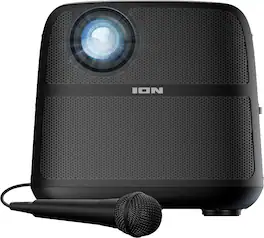
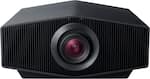
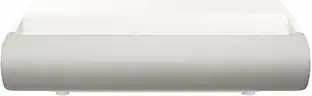
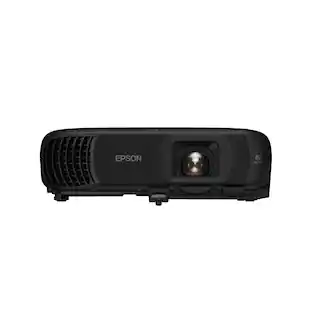
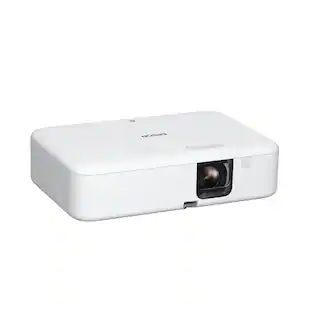
Epson - EpiqVision Flex CO-W01 Portable Projector, 3,000 Lumens Color & Brightness, 3LCD, Built-in Speaker, Home & Work - White

Enjoy versatile projection for remote work, home entertainment and beyond with the Epson EpiqVision Flex CO-W01 Portable Projector. Designed to bring more ease and convenience to your workday, the Epson EpiqVision Flex CO-W01 Portable Projector delivers a widescreen picture up to 300"—that’s four times larger than a 75" flat panel—for collaborative online meetings and detailed presentations. Perfect for engaging at-home learning, immersive movie watching and more, this 3,000-lumen projector1 offers Best-in-Class Color Brightness2 to deliver crisp, colorful images in virtually any lighting environment—even during the daytime. Sleek and compact, this portable projector can be easily carried in bags and backpacks for easy viewing virtually anywhere. And, with a built-in HDMI port and speaker, you can conveniently stream movies, TV shows and more using your favorite streaming device for a truly amazing viewing experience.

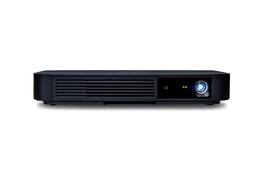
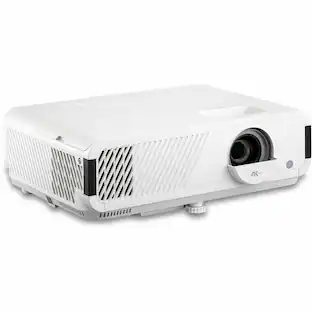
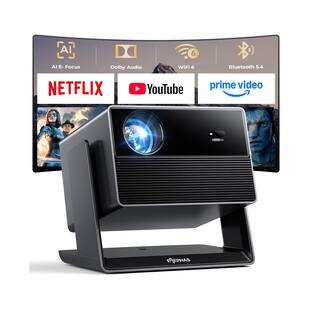
Yaber - Cck02204 E1 1080p Mini Home Theater Projector - White
5.0(1)

The Yaber(R) E1 Portable Projector features motorized focus technology that automatically adjusts the lens position for precise focus with just a remote control or button on the projector panel. With 1080p HD resolution, 120 ISO lumens brightness, and 95% NTSC color coverage, it delivers vibrant and detailed visuals day or night. Weighing only 2.12 lbs., its ultra-compact design makes it ideal for home entertainment, camping trips, or travel. Featuring fast dual-band Wi-Fi(R) (5 GHz + 2.4 GHz), the E1 provides seamless streaming, gaming, and browsing. This projector supports vertical keystone correction to easily fix image shift caused by ceiling mounting. With a zoom function, it allows flexible screen size adjustment from 50 in. to 150 in. to meet different viewing needs.

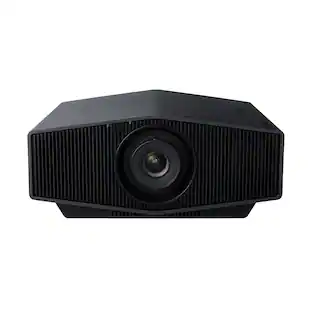
Epson - Home Cinema LS11000 4K PRO-UHD Laser Projector - White
4.7(92)

Welcome to the next generation of Home Cinema Projection. Introducing the Epson Home Cinema LS11000 4K PRO-UHD1 Laser Projector. Featuring cutting-edge technology, the Home Cinema LS11000 uses proprietary 4K PRO-UHD1 technology and a proprietary Epson Picture Processor to produce a full 3,840 x 2,160-pixel, on-screen image to faithfully display your movies, TV shows and gaming sessions the way they were meant to be seen—with incredible picture sharpness, brightness and color accuracy. Perfect for gamers, the Home Cinema LS11000 works alongside the latest generation of consoles and PCs to deliver an incredibly immersive gaming experience up to 4K HDR2 at 120 frames per second and with input lag times below 20 milliseconds, this could be the best gaming projector we’ve ever made. The Epson Home Cinema LS11000 transforms virtually any room into the ultimate 4K DIY home theater experience. Projection Perfected.

Pros for Miroir - M600 Full HD Pro 1080p Projector - Black
There were no pros for this productBrightness, Overall Performance, Portability, Noise Level, ResolutionThere were no pros for this productBrightness, Picture Quality, Ease of use, Black Levels, Refresh Rate
Cons for Miroir - M600 Full HD Pro 1080p Projector - Black
There were no cons for this productConnectivity, Heat DissipationThere were no cons for this productSize, Lens Cover

Specs

Questions & Answers
  • can you hook up a bluetooth speaker?

    Hi, The M600 does not have Bluetooth built-in. If you have an iOS device you select a bluetooth speaker device from the iOS control panel when playing a movie or gaming. A laptop would allow you select your bluetooth device as well. Thank you. Miroir Team

    Answered by Miroir Team
    Miroir Team response
  • how is it mounted to the ceiling

    Hello! Thank you for your inquiry. The M600 can indeed be mounted to the ceiling. It features a tripod mount on the bottom of the unit. To proceed, you will need to purchase a compatible ceiling mount and install the unit accordingly. Should you require any further assistance, please do not hesitate to contact our support team via our website. Thanks! Miroir Team

    Answered by Miroir Team
    Miroir Team response
  • Do you have to have a special cord to connect to iPhone?

    Hi, Yes, the iPhone requires a Digital AV Adapter for all of their Lightning connector version phones. iPhone 15 and above have a USB-C connector that will output video without an adapter directly to the M600 HD Pro USB-C video port, but you will need a USB-C Video cable. Most USB-C cables, like the one supplied with the iPhone, are for charging only. Thank you. Miroir Support

    Answered by Miroir Team
    Miroir Team response
  • I want to use it to project software development code. The font could be very small. Do you recommend this projector or you have different projector recommendation ? Thanks.

    Hello! Thank you for your question. This would depend on what size screen you are going to be using. Please email support@miroirusa.com and we can assist you further for the right recommendation.

    Answered by Miroir Team
    Miroir Team response
  • How long does the built-in battery last?

    The built-in battery provides up to 2 hours of projection time on a single charge.

    This question and answer was generated by AI based on customer and product data.

Ask a question
No content
Sponsored

Finance Options

My Best Buy® Credit Card
Choose a benefit:Or
Buy Now, Pay Later
Lease to own