Everything for Back to School — and then someShop now

Skip to contentGo to Product Search
Main Content

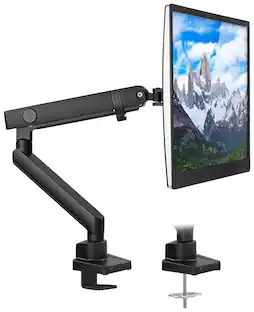
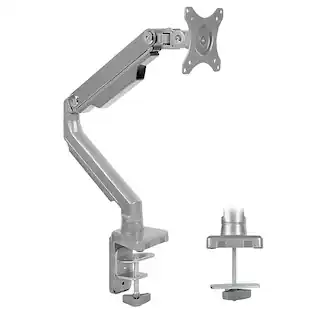
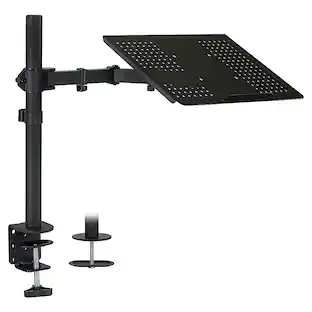
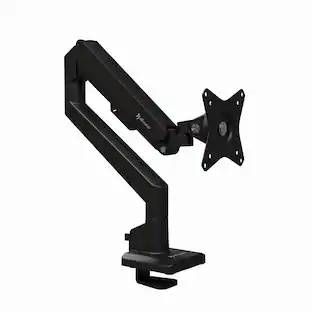
Mount-It! - Single Monitor Arm Desk Mount - Black

Model: MI-1771B
SKU: 12208132
Sold & shipped by

Customers are saying

Customers commend the product for its ease of use, straightforward assembly, effective cable management, and robust weight capacity, noting its good value for the price. However, some users have expressed concerns about its stability and compatibility, specifically mentioning issues with monitors not fitting properly.

Generated by AI based on customer reviews.
Features
  • Widely compatible

    Fits all brands of 19-32" screens, with a maximum support weight of 20 pounds each, using the 75x75mm or 100x100mm VESA square bolt hole pattern found on the back of the monitors. Comes with interchangeable C-clamp or grommet base mount for use on desktops up to 3.3 inches thick.

  • Durable construction and efficient design

    Gas spring monitor arm is heavy duty, counterbalanced and makes for effortless adjustments and comes with integrated, hide-away cable management. Aircraft grade aluminum alloy construction will stand the test of time.

  • Fully adjustable

    Single arm monitor mount can tilt, swivel, raise and/lower. Screen can be rotated a full 360 degrees for portrait or landscape orientation. Use included hex key to turn the hex bolt on top of computer monitor arm to adjust the gas spring tension to hold screens in place.

  • Increases viewing comfort

    Helps reduce eye, back, and neck strain.

  • Easy installation

    Monitor arm desk mount quickly mounts to desks and comes with all mounting hardware, tools, and instructions necessary for assembly. Quick-release detachable VESA plate mounts to back of monitor first, then slides onto arm in seconds!

  • Peace of mind

    Backed by manufacturer's five year warranty.

See all features
Specifications
  • Brand
    Mount-It!
    Model Number
    MI-1771B
    Product Name
    Single Monitor Arm Desk Mount
    Color
    Black
    Assembly Required
    Yes
    Mount Profile
    Low Profile
Sponsored

Reviews

Customers are sayingCustomers commend the product for its ease of use, straightforward assembly, effective cable management, and robust weight capacity, noting its good value for the price. However, some users have expressed concerns about its stability and compatibility, specifically mentioning issues with monitors not fitting properly.
This summary was generated by AI based on customer reviews.
  • Ease of use (33)
  • Cable Management (14)
  • Weight Capacity (10)
  • Assembly (5)
  • Price (5)
  • Stability (15)

Customer Images

The vast majority of our reviews come from verified purchases. Reviews from customers may include My Best Buy members, employees, and Tech Insider Network members (as tagged). Select reviewers may receive discounted products, promotional considerations or entries into drawings for honest, helpful reviews.

  • Rated 4 out of 5 stars

    Mount-It monitor arm for 34" UW

    This took a long time to setup. I mounted a 34 inch ultrawide monitor. The weight of the monitor was 17 lbs, so it fit in spec with this mount. The difficulty came in setting the correct tension for the vertical screen vesa attachment. I had to tighten it while using pliers so that the nut did not slip. Eventually got it to work, but it took 2 people because the lock nut kept stripping. It has held up well since then. If you have a smaller monitor and it weighs less I don't imagine it being as much as a hindrance. This product has held up well for as long as I've had it. The cable management tunnel is a good addition.

    This review is from Mount-It! - Single Monitor Arm Desk Mount - Black

    Posted by Steffortless

  • Rated 5 out of 5 stars

    Great product, but a heads-up...

    This product performs quite well. It holds the monitor solidly in an impressive array of positions. I did run into a problem though, and even though this has more to do with the monitor (and I'll probably post this in a review there), I'll share it here. I have the 27" curved Samsung CRG5 series monitor, and while the holes are spaced fine for that monitor, the design of the back of that monitor makes it impossible to attach all 4 screws. I am fortunate enough to have an angle grinder that i used to take off the excess tabs around the screw hole, but if you don't have that ability, know that your monitor may not work with this mount. The attached pictures will explain this better. Also, it's too early to judge the longevity of the mount and the piston, but if anything goes wrong, I'll update the review.

    This review is from Mount-It! - Single Monitor Mount With Gas Spring Arm - Silver

    Posted by nextlevel88

  • Rated 5 out of 5 stars

    Great mounts with full motion.

    We live in an RV with the tv built into a televator on the desk. I needed a solution that would fold away when done working, the drop back down to perfect viewing angle for work the next day. Introduce these mounts! They work perfectly! With full motion I am able to swing the monitors fully against the sides of the wall to watch movies, then drop them right back down for work. They were easy to assemble, cords stay in place in them, and easy to adjust. You won’t regret buying these. Just be cautious when working with them. They are fast strut style, so the will extend on their own if you compress them. The bottom swivel at the base isn’t a full 360 degree spin. If I’m guessing, I would say it’s about 345 degrees, but not a big deal. Still much more than most.

    This review is from Mount-It! - Single Monitor Arm Desk Mount - Black

    Posted by Ryan

  • Rated 5 out of 5 stars

    Now my monitor doubles as a work light!

    I've had great luck with the Mount-It brand for a tv mount and decided to give this a try for my monitor. Installation was easy, but do be mindful of how the instructions tell you to remove the cable tracks. I didn't pay attention and partly broke one but it still works. Being user error, I'm not complaining and just letting my mistake be your education. I was also pleasantly surprised at just how high and maneuverable this stand can go. Once set and tensioned properly, I can effortlessly move my monitor however I need, including being able to lift and turn it down to use my monitor's bias lighting as a work light when working on other projects on my desk. I know this may not apply to everyone, but was a great unexpected benefit of this arm.

    This review is from Mount-It! - Single Monitor Arm Desk Mount - Black

    Posted by Mooncatt

  • Rated 5 out of 5 stars

    Once you get one you can’t go back!

    This mount was life changing for me! Having a mounted monitor is a must especially for competitive gamers. Being able to adjust the height and how close I want my monitor to my eyes is amazing. I can’t see myself gaming without an arm now.

    This review is from Mount-It! - Single Monitor Arm Desk Mount - Black

    Posted by Chrispy

Compare similar products

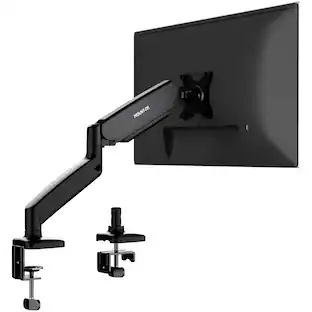
Mount-It! - Single Monitor Arm Desk Mount - Black

Free up space on your desktop with this Mount-It! full-motion single monitor desk mount. The full-motion arms tilt, swivel and adjust in height for a customized setup, while the cable management system tucks all connecting cables away, increasing neatness. This Mount-It! full-motion single monitor desk mount has a clamp at the base for easy, secure installation on the edge of a desk.
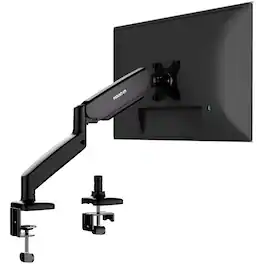
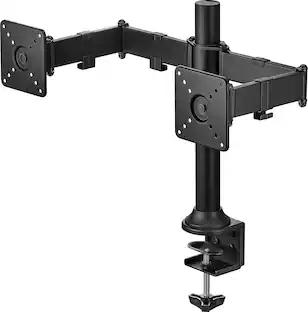
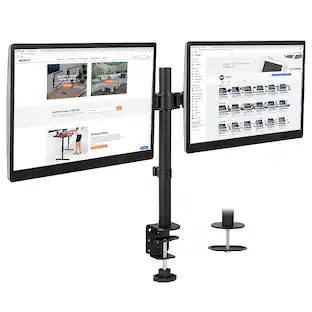
Mount-It! - Dual Monitor Desk Mount With Gas Spring Arms Up to 32" - Black

MI-1772 Dual Monitor Desk Mount is compatible with screens up to 32" on each arm. Clear up desk space and raise your monitors off your desk with this dual monitor desk mount for desk. Full motion arms swivel, tilt, rotate and move up and down to position the monitors just right for you. The gas spring mechanism includes an adjustable counterbalance so that you can make fluid and easy height adjustments to your screen and position your displays in the optimum viewing position. Rotate your screens between portrait and landscape mode to suit your workflow needs. Cable management sleeves offer a clean, clutter-free look so you can utilize your desk space more efficiently. The dual base allows supports clamp or grommet installations.

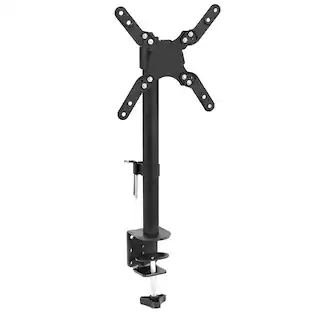
Insignia™ - Desktop Mount for Monitors up to 35” Wide - Black

The Insignia Desktop Mount for Monitors up to 35” Wide mounts to the edge of your desk and features a cable management system to keep your space free of cords. Adjust your display’s tilt (+/- 45°), swivel (+/- 90°) or height (extending up to 16 in. or 40.64 cm) to find the perfect positioning. The display easily rotates a full 360° to share your screen with a colleague. Constructed of SPCC (Steel Plate Cold Commercial) and aluminum, the desktop mount can hold monitors up to 35 in. (88.9 cm) and 26 lbs. (11.79 kg). Upgrade your desktop setup with a mount that has it all.

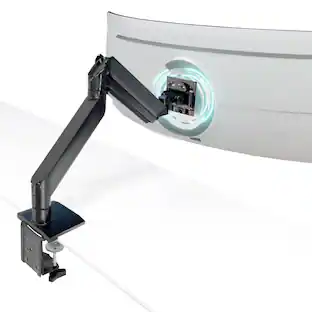
Mount-It! - Wall‑Mounted Sit‑Stand Single Monitor Workstation with Adjustable Height, Keyboard & CPU Mount - Silver

Transform your workspace with this wall‑mounted sit‑stand workstation designed for single‑monitor setups. Its gas spring arm lets you easily adjust the height of your screen for ergonomic sitting or standing use. The system includes a detachable VESA plate for easy monitor attachment, a large keyboard and mouse tray, CPU mount, accessory tray, and built‑in cable management for a clean, organized setup. Full‑motion articulation allows tilt, swivel, and rotation to optimize viewing positions in home offices, business environments, or tight workspaces.

Pros for Mount-It! - Single Monitor Arm Desk Mount - Black
Cable Management, Assembly, Ease of use, Weight Capacity, PriceCable Management, Sturdiness, Setup, Monitor Size, Desk SpaceCable Management, Assembly, Stability, Build Quality, Mounting PerformanceThere were no pros for this product
Cons for Mount-It! - Single Monitor Arm Desk Mount - Black
StabilityArm MovementSize, WeightThere were no cons for this product

Specs

Questions & Answers
  • How much of a desk top lip is required for the clamp to hold securely? My desk has sides and a back leaving only a 1" desk top lip. Will this be sufficient?

    I wouldn't be comfortable with a 1" lip for this monitor arm's clamp option. It does provide an option if you're willing to drill a hole through your desk, and would work if you had one of those cord ports through the top of the desk. My makeshift desk is a bar table with a 1.5" lip, and it works, because most of the bottom clamp touches. You can see in the photo that the sides and forward part are carrying the weight, not the back lip (because that clamp is domed, and an outline of the dome is what contacts the desk). at 1.5", most of the sides contact the table lip. I haven't tried sliding it back to only a 1" bite to see if it would work or not. I have used 2 different 32" monitors with this arm and flexed it both forwards and backwards, pulling up and sideways on the monitor and arm, and it has not slipped. The bottom clamp itself measures 1 7/8" deep, and the max depth would be 2 1/8" for a table with a deeper lip.

    Answered by showercat
  • Looking at this for 100mm x 100mm monitor arm, looks like people have been able to use it with larger sized monitors/TV's, can someone confirm 100mm size usage? Does it come with 100mm capabilities or just 75?

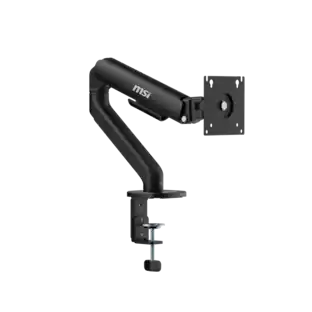
    Yes, this arm works with 100mm. You can see two sets of mounting holes in the product image - the outer holes are the 100mm mounting point, while the inner holes are the 75mm mounting points. I use this arm for my ~17lb 32-inch Dell monitor without issue.

    Answered by TomS
  • I would like to purchase this arm for desk space. Will this arm securely hold my ultra wide monitor without shaking. I have a Samsung 34" Class QHD Ultrawide Monitor. Will the arm connect with the back of my monitor? See pictures. Thanks so much.

    It can be mounted for 2 different vesa sizes.... Honestly, without going through everything in length if it's a Samsung made within the past decade and there's 4 holes in the back you'll be good to go. I use mine daily with my LG Ultragear and wouldn't change it out for anything else. Great product!

    Answered by Bwhit89
  • I have a very shallow area where this could be mounted what is the minimum distance inward on the desk the mount could be clamped to.I have about a 1.5 inch area on my desk that it would be able to attach to.

    I have three of these mounts. They will work fine with a 1- 1/2" lip. Make sure to adjust the spring tensioner by turning the screw to the left. These are very nicely designed mounts.

    Answered by John
  • How big is the clamp? My desk has a bigger tabletop - over 3 inches. Will the clamp fit?

    Box says max 3.3” but the instructions show different screw holes you can use to make that clamp bigger. See attached pictures. Maybe those will help...

    Answered by VBAK
Ask a question
No content
Sponsored

Finance Options

My Best Buy® Credit Card
Buy Now, Pay Later

Finance Options

My Best Buy® Credit Card
Buy Now, Pay Later