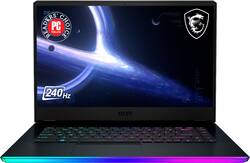
MSI - GE66 15.6" 240hz Gaming Laptop - Intel Core i9 - NVIDIA GeForce RTX 3080 - 1TB SSD - 32GB Memory - Black
- Key Specs
- Screen Size: 15.6 inches (Size of the screen, measured diagonally from corner to corner.)
- Screen Resolution: 2560 x 1440 (QHD) (Screens come in a range of resolutions (measured in pixels, horizontal x vertical). The higher the resolution, the greater the picture quality.)
- Touch Screen: false (Touch-screen devices make navigating more intuitive. Using a touch-screen display, you can do things such as tap to select, hold and drag to move items, swipe to scroll, and pinch to zoom.)
- Processor Model: Intel 11th Generation Core i9 (Your computer's processor is like its brain. Working in combination with system memory, the power of the processor determines the complexity of software you can run, how many programs you can have open at the same time, and how fast those programs will run. Most computers feature an AMD, Intel or Snapdragon processor.)
- Storage Type: SSD
- Total Storage Capacity: 1000 gigabytes
- System Memory (RAM): 32 gigabytes (Random-access memory (RAM) is a computing device's short-term data storage, which allows active information to be accessed quickly. The size and type of RAM determines how efficiently the device can handle large amounts of information at one time. For example, gaming or video editing requires more RAM for optimal performance.)
- Graphics: NVIDIA GeForce RTX 3080 (Often referred to as a "graphics processing unit" (GPU), this device is responsible for displaying image content and decoding/encoding video content in programs and games.)
- Display Connector(s): 1 x Thunderbolt 4 (The number and type of connectors used to connect to an external display.)
- Battery Chemistry: Lithium-ion polymer
- 2-in-1 Design: false (A laptop and a tablet combined in one lightweight, portable device. Sometimes referred to as "convertible" or "hybrid" laptops, these devices deliver the processing power and keyboard of a laptop. When you're ready to play, either detach the screen or fold your 2-in-1 into tablet mode to comfortably watch movies, play games, read an e-book and more.)
- Backlit Keyboard: true (Integrated lights allow for visibility of the keys in low-light conditions.)
- General
- Brand: MSI
- Model Number: GE6611202
- Product Name: GE66 15.6" 240hz Gaming Laptop - Intel Core i9 - NVIDIA GeForce RTX 3080 - 1TB SSD - 32GB Memory
- Color: Black
- Year of Release: 2021
- Display
- Screen Size: 15.6 inches (Size of the screen, measured diagonally from corner to corner.)
- Screen Resolution: 2560 x 1440 (QHD) (Screens come in a range of resolutions (measured in pixels, horizontal x vertical). The higher the resolution, the greater the picture quality.)
- Touch Screen: false (Touch-screen devices make navigating more intuitive. Using a touch-screen display, you can do things such as tap to select, hold and drag to move items, swipe to scroll, and pinch to zoom.)
- Processor
- Processor Brand: Intel
- Processor Model: Intel 11th Generation Core i9 (Your computer's processor is like its brain. Working in combination with system memory, the power of the processor determines the complexity of software you can run, how many programs you can have open at the same time, and how fast those programs will run. Most computers feature an AMD, Intel or Snapdragon processor.)
- Processor Model Number: 11980H
- Number of CPU Cores: 8-core (A core, or "brain" of a CPU, allows it to receive and execute instructions. Each core can work independently or together to perform parallel operations.)
- Storage
- Storage Type: SSD
- Total Storage Capacity: 1000 gigabytes
- Solid State Drive Capacity: 1000 gigabytes (The amount of data that can be stored on the device's solid state drive (SSD). SSD is a flash-based storage with faster speeds than a hard disk drive (HDD).)
- Memory
- System Memory (RAM): 32 gigabytes (Random-access memory (RAM) is a computing device's short-term data storage, which allows active information to be accessed quickly. The size and type of RAM determines how efficiently the device can handle large amounts of information at one time. For example, gaming or video editing requires more RAM for optimal performance.)
- Type of Memory (RAM): DDR4 (Each type of RAM delivers a different level of speed, bandwidth, energy efficiency and performance.)
- Number Of Memory Slots: 2
- System Memory RAM Expandable To: 64 gigabytes (Adding more random-access memory (RAM) to a computer speeds up performance and improves efficiency. Upgrades to memory are limited by the number of expansion slots for additional RAM and existing RAM installed on the device.)
- Graphics
- Graphics Type: Dedicated (Dedicated graphics uses a separate graphics card for processing video images. Because it does not use memory from the system's RAM, there is no extra burden on the CPU and graphics are processed more efficiently. Integrated graphics shares system RAM to process video images.)
- GPU Brand: NVIDIA
- Graphics: NVIDIA GeForce RTX 3080 (Often referred to as a "graphics processing unit" (GPU), this device is responsible for displaying image content and decoding/encoding video content in programs and games.)
- Compatibility
- Operating System: Windows 10 (The operating system manages all software and hardware, including files, memory and connected devices. Most importantly, it lets you interact with your device and your programs in a visual way; otherwise, you'd be typing computer code to get anything done.)
- Connectivity
- Display Connector(s): 1 x Thunderbolt 4 (The number and type of connectors used to connect to an external display.)
- Number of HDMI Outputs (Total): 1
- Number of Thunderbolt Ports (Total): 1
- USB Ports: 2 x USB-C 2.0, 2 x USB-A 3.2 (The number and type of USB ports the product has.)
- Number of USB Ports (Total): 4
- Headphone Jack: true (The device features an interface that allows for the connection of headphones.)
- Wireless Connectivity: Wi-Fi (The manner in which a device sends data to another device over a short distance without the use of wires or cables.)
- Wireless Standard: AX (The wireless networking protocol used by the device. Each iteration of the protocol is based on the 802.11 standard developed by the Institute of Electrical and Electronics Engineers (IEEE) Standards Association. Denoted by letters following 802.11 (802.11a, 802.11ac, etc.), each version, published in alphabetical order, encompasses all previous versions.)
- Cooling
- CPU Cooling System: Air
- Power
- Battery Cells: 4-cell
- Battery Chemistry: Lithium-ion polymer
- Expansion
- Number of M.2 Slots: 2 (This interface is most commonly used for high-speed solid state drives (SSDs), and is often used in laptops due to its small size.)
- Camera
- Front-Facing Camera: true
- Front Facing Camera Video Resolution: 720p (Refers to the number of pixels, both horizontally and vertically, used by the camera facing the user to capture video. The higher the resolution the finer the video detail that can be seen.)
- Built-In Microphone: true
- Features
- 2-in-1 Design: false (A laptop and a tablet combined in one lightweight, portable device. Sometimes referred to as "convertible" or "hybrid" laptops, these devices deliver the processing power and keyboard of a laptop. When you're ready to play, either detach the screen or fold your 2-in-1 into tablet mode to comfortably watch movies, play games, read an e-book and more.)
- Backlit Keyboard: true (Integrated lights allow for visibility of the keys in low-light conditions.)
- Casing Material: Magnesium alloy
- Dimensions
- Product Height: 0.92 inches (The out of box height of the item. Height is measured as the vertical distance from the bottom of the item to the top as it would be primarily used or placed.)
- Product Width: 10.51 inches (The out of box width of the item. Width is measured as the horizontal distance from one side of the item to the other as it would be primarily used or placed.)
- Product Depth: 14.09 inches (The out of box depth of the item. Depth is measured as the distance from the front of the item to the back as it would be primarily used or placed.)
- Product Weight: 5.25 pounds (The out of box weight of the item.)
- Certifications Listings & Approvals
- ENERGY STAR Certified: true (Devices carrying the ENERGY STAR service mark, such as computer products and peripherals, kitchen appliances, and other products, generally use 20% to 30% less energy than required by federal standards.)
- EPEAT Qualified: false (The Electronic Product Environmental Assessment Tool (EPEAT) was designed to provide an environmental assessment tool for purchasers. In order to qualify for EPEAT, a product must meet all 23 required criteria.)
- Included
- Optical Drive Type: None (An optical disk drive (ODD) uses a laser light to read data from or write data to an optical disc. These discs include CDs, DVDs, and Blu-ray Discs. This allows you to play music or watch movies using prerecorded discs.)
- Warranty
- Warranty - Parts: 1 year
- Warranty - Labor: 1 year
- Other
- UPC: 824142252758
Game like a pro with this MSI Raider gaming laptop. The Intel Core i9 processor and 32GB of RAM run graphic-intensive games smoothly, while the 1TB SSD offers rapid start-ups and ample storage space. This MSI Raider gaming laptop has an NVIDIA GeForce RTX 3080 graphics card, which produces detailed images on the 15.6-inch QHD 240hz for advanced gameplay.
- Free Upgrade to Windows 11: Upgrade rollout plan is being finalized and is scheduled to begin late in 2021 and continue into 2022. Specific timing will vary by device. Certain features require specific hardware, see https://www.microsoft.com/en-us/windows/windows-11-specifications.
- Windows 10 operating system: Windows 10 brings back the Start Menu from Windows 7 and introduces new features, like the Edge Web browser that lets you markup Web pages on your scree
- 15.6" QHD display: The 2560x1440 resolution with 240hz boasts impressive color and clarity. Energy-efficient LED backlight.
- 32GB system memory for intense multitasking and gaming: Reams of high-bandwidth DDR4 RAM to smoothly run your graphics-heavy PC games and video-editing applications, as well as numerous programs and browser tabs all at once.
- 1TB solid-state drive (PCI-e): Save files fast and store more data. With massive amounts of storage and advanced communication power, PCI-e NVMe SSDs are great for major gaming applications, multiple servers, daily backups, and more.
- NVIDIA GeForce RTX 3080 graphics: Backed by 16GB GDDR6 dedicated video memory for an ultrafast, advanced GPU to fuel your games.
- Weighs 5.25 lbs. and measures 0.9" thin: Thin and light design with DVD/CD drive omitted for improved portability. 4-cell lithium-ion battery.
- Wireless/wired connectivity Killer WiFi 6E AX1675 (2x2 ): Flexible, dual-band connectivity w/ better reliability thanks to two data streams and antennas. Connect to a Wi-Fi router to experience GB Wi-Fi speeds nearly 3x faster vs. standard Wi-Fi 5 w/ improved responsiveness for even more devices.
- Xbox Game Pass Ultimate - Discover your next favorite game.: 1 month of Xbox Game Pass Ultimate included. Play over 100 high-quality games on Windows 10, console and mobile. Includes new day one titles, iconic Bethesda games and EA Play on PC.
Whats Included
- GE66 15.6" 240hz Gaming Laptop - Intel Core i9 - NVIDIA GeForce RTX 3080 - 1TB SSD - 32GB Memory
Q: Is this the MSI GE66 Raider 11UH-202 with the Core i9-11980HK and the 3080 with 16 GB of VRAM?
A: Correct, the item you are inquiring about is indeed the GE66 Raider 11UH-202. https://storage-asset.msi.com/specSheet/us/nb/GE66%20Raider%2011UH-202.pdf
Q: Is this laptop's GPU Max-Q? How hot does it run?
A: 30 series laptops no longer use MAX Q or MAX P distinctions. Instead Nvidia has advised to post MAX TDP/TGP numbers of the graphics card themselves. The GE66 11UH-202 is equipped with an NVIDIA® GeForce RTX™ 3080 Laptop GPU up to 1635MHz Boost Clock at 130W Maximum Graphics Power with Dynamic Boost.
A: The GE66 Raider 11UH-202 is equipped with a NVIDIA® GeForce RTX™ 3080 Laptop GPU Up to 1665MHz Boost Clock, 135W Maximum Graphics Power.
Q: What is the TGP for this laptop GE66
A: The GE66 Raider 11UH-202 is equipped with an NVIDIA® GeForce RTX™ 3080 Laptop GPU Up to 1665MHz Boost Clock, 135W Maximum Graphics Power with Dynamic Boost.
Q: How easy is it to upgrade the ram to 64gb?
A: It is fairly simple to upgrade the memory for the GE66 Raider. Once removing the back panel, you will have access to both memory slots where you can install two 32Gb sticks that will put you at 64Gbs of memory.
Q: Is this made of metal like a Razer or MacBook laptop or is it plastic?
A: The GE66 Raider has an aluminum chassis.
A: The GE66 Raider 11UH-202 you are inquiring comes equipped with a 15.6" QHD, Anti-Glare Wide View Angle 240Hz 2.5ms DCI-P3 100%. Specs for that item can be found here. https://storage-asset.msi.com/specSheet/us/nb/GE66%20Raider%2011UH-202.pdf
Q: Is this laptop supported Advanced Optimus as well as G-Sync?
A: The MSI GE66 11UH-202 does not have Nvidia Optimus or G-Sync. It has a MUX switch that allows for you to switch between the integrated GPU in the CPU or the discrete GPU. The MUX switch can be accessed either within the BIOS or through the use of the MSI software. A restart is required once the change is made in order for the hardware switchover to occur. And sadly, this laptop's display does not support any kind of adaptive refresh rate. However, the external ports will support G-Sync through the DP 1.4 port, or G-SYNC compatible connectivity through the HDMI 2.1 port. Just make sure the graphics drivers are up to date with the most current version.
People also viewed
 $1,844.99The price was $2,099.99
 $1,869.99The price was $1,899.99
 $789.99The price was $1,049.99
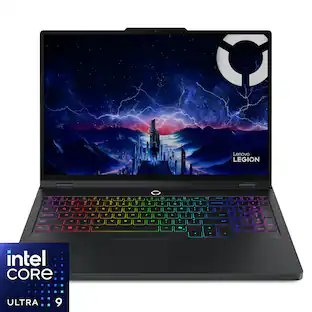 $2,129.99The price was $2,149.99
 $1,539.99The price was $2,219.99
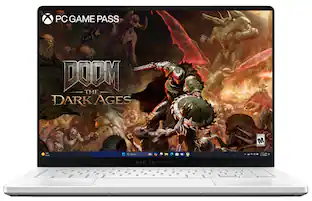 $2,394.99The price was $2,549.99
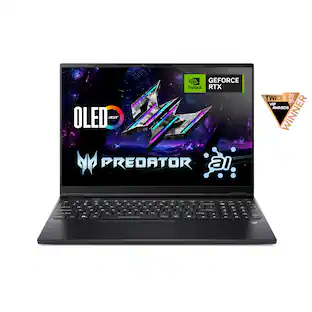 $1,799.99The price was $2,199.99
 $2,599.99The price was $2,629.99
- $3,359.99The price was $3,399.99
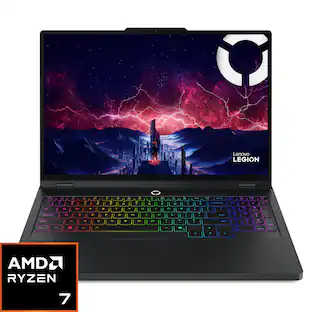 $1,564.99The price was $1,774.99

Today's top picks
 $499.99The price was $749.99
 $199.99The price was $249.99
- $789.99The price was $1,049.99