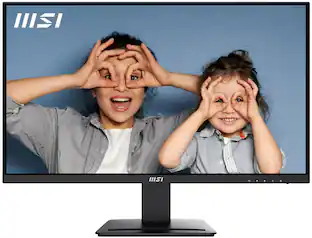
MSI - PRO MP271A E2 27" FHD 120Hz 1ms Adaptive Sync Monitor with HDR ready ,Built-in Speakers (DisplayPort, HDMI ) - Matte Black
Customers are saying
Customers are pleased with the product's image quality. They describe it as very good and crisp.
Highlights
27“ FHD (1920 x 1080)
View your applications, spreadsheets, and more on this stunning 27” FHD (1920 x 1080) screen. Experience vibrant visuals and clarity, making your work more engaging and productive.
4 ms response time
Delivers ultra-fast performance, minimizing lag and time-to-screen.
IPS Panel
Instantly optimize the screen colors and brightness to ensure that you enjoy every detail at its best
Less Blue Light
Less Blue Light PRO technology simultaneously protects your eyes and keeps vivid color & detail.
Built-in Speakers
With two built-in speakers, users were allowed to listen to audio files, to attend online conferences, or to edit videos at any time without carrying an external speaker or wearing a headphone.
- Refresh Rate120HzMaximum Resolution1920 x 1080Response Time1 millisecondsPanel TypeIPSSynchronization TechnologyFreeSync (AMD Adaptive Sync)
Reviews
Rating 4.9 out of 5 stars with 21 reviews
- Image Quality (7)
Customer Images
The vast majority of our reviews come from verified purchases. Reviews from customers may include My Best Buy members, employees, and Tech Insider Network members (as tagged). Select reviewers may receive discounted products, promotional considerations or entries into drawings for honest, helpful reviews.
Compare similar products
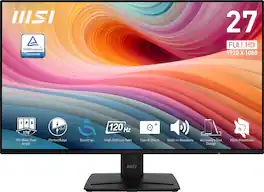
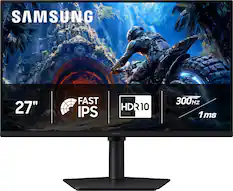
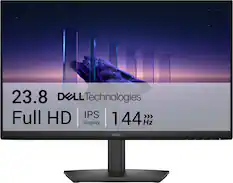
Elevate your workspace with this 27” monitor, perfect for programming and web design. Featuring a 120Hz refresh rate and an IPS panel with a 178° wide viewing angle, it ensures vibrant visuals. Plus, the Less Blue Light PRO technology protects your eyes while keeping colors sharp. Ideal for enhanced productivity!
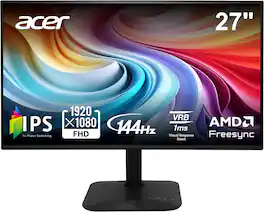
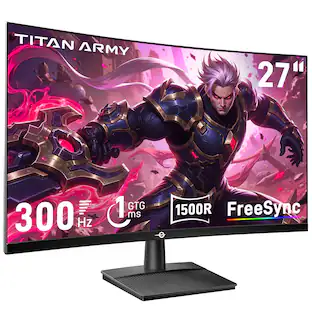
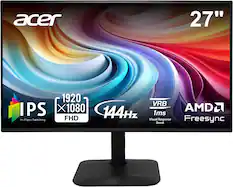
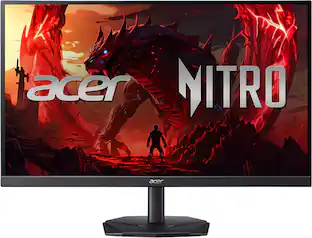
Introducing Acer's KA272 gaming monitor - the Full HD resolution monitor that can keep up with your game play. Through AMD FreeSync technology, the game’s frame rate is determined by your graphics card, not the fixed refresh rate of the monitor, giving you a serious competitive edge. Plus, users can enjoy comfortable viewing experience while gaming via flicker-less and low dimming display. The design saves space on your desk and lets you place multiple monitors side by side to build a seamless big-screen display.

Embrace a broader perspective and boost productivity with the 27-Inch EyesErgo monitor featuring a 4K resolution. Prioritizing well-being, EyesErgo technology minimizes strain through eye care and ergonomic design. Elevate your visual experience and work efficiency with seamless integration of hardware and software.
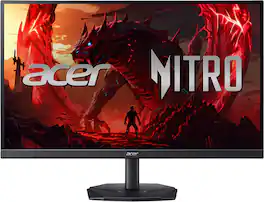
In competitive gaming, every frame matters. Introducing Acer's KGB271U gaming monitor - the WQHD (2560 x 1440) resolution monitor that can keep up with your game play. This AMD FreeSync Premium monitor takes gameplay to the next level of smooth, the game’s frame rate is determined by your graphics card, not the fixed refresh rate of the monitor, giving you a serious competitive edge. Plus, users can enjoy comfortable viewing experience while gaming via flicker-less, low dimming and ComfyView display. The design saves space on your desk and lets you place multiple monitors side by side to build a seamless big-screen display
| Pros for MSI - PRO MP271A E2 27" FHD 120Hz 1ms Adaptive Sync Monitor with HDR ready ,Built-in Speakers (DisplayPort, HDMI ) - Matte Black | |||
|---|---|---|---|
| Image Quality | Overall Performance, Refresh Rate, Screen Size | Screen Quality, Connectivity | Overall Performance, Refresh Rate, Resolution |
| Cons for MSI - PRO MP271A E2 27" FHD 120Hz 1ms Adaptive Sync Monitor with HDR ready ,Built-in Speakers (DisplayPort, HDMI ) - Matte Black | |||
| There were no cons for this product— | There were no cons for this product— | There were no cons for this product— | Stand Stability, Brightness, Ergonomics |
Specs
Customers often buy these together
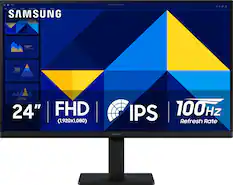
Samsung - 24" S3 (S30GD) IPS LED FHD 100Hz Monitor (HDMI, D-sub) - Black
Top Deal$89.99The price was $119.99
Samsung - 32" Odyssey G51F QHD 180Hz 1ms AMD FreeSync Gaming Monitor with HDR10 (DisplayPort, HDMI) - Black
Top Deal$199.99The price was $329.99

More to consider
 Top Deal$94.99The price was $149.99
 $162.99The price was $199.99
 Top Deal$149.99The price was $199.99
 $86.49The price was $126.49
 Top Deal$139.99The price was $199.99
 $116.99The price was $129.99
 $120.99The price was $129.99
Explore tech essentials Sponsored
 $169.99The price was $199.99

Discover related products
 $12.99The price was $13.99










Keep exploring
 $479.99The price was $549.99
 $426.46The price was $453.31