NETGEAR - 5-Port 10/100/1000 Gigabit Ethernet Unmanaged Switch - Blue
Customers are saying
Customers have good things to say about the product's exceptional performance, reliable gigabit speeds, and overall ease of use. Users frequently highlight the convenient compact size and the seamless setup process as major benefits for their connectivity needs. While there are very few reports of technical issues, the vast majority of feedback remains overwhelmingly positive regarding the device's value and functionality.
Instant connectivity with reliable performance
This standard-based Gigabit switch senses and adjusts for network speed and cabling type automatically. Easily integrate into your existing Ethernet network, no matter if it is running at 10/100 Mbps or Gigabit speeds.
Ethernet port configuration
5 Gigabit ports.
Plug-and-play
Simple setup with no software to install or configuration needed.
Versatile mounting options
Supports desktop or wall-mount placement.
Silent operation
The fanless design means zero added noise wherever it's located, making it ideal for noise-sensitive environments.
ProSAFE lifetime protection
Covered by a reliable lifetime limited hardware warranty, next business day replacement, and 24/7 chat with a NETGEAR expert.
Energy-efficient
Designed to optimize power use, lowering its cost to operate. Most models are compliant with IEEE802.3az Energy Efficient Ethernet mode.
Built to last
Every NETGEAR network switch is rigorously tested for reliability, quality, and performance.
- Form FactorDesktop, Wall mount (mount included)Switch Management TypeUnmanagedNumber of LAN Ports5
Reviews
Rating 4.8 out of 5 stars with 2312 reviews
- Ease of use (694)
- Performance (588)
- Speed (168)
- Size (162)
- Ports (148)
- Lag (7)
- Power (3)
- Signal Loss (3)
Customer Images
The vast majority of our reviews come from verified purchases. Reviews from customers may include My Best Buy members, employees, and Tech Insider Network members (as tagged). Select reviewers may receive discounted products, promotional considerations or entries into drawings for honest, helpful reviews.
Compare similar products

This NETGEAR Gigabit unmanaged switch helps businesses cost effectively expand their network to Gigabit speeds and high port counts. The GS105 switch comes with 5 Gigabit copper ports in a desktop metal case and is wall-mountable. This switch is energy-efficient, built to last, and rigorously tested to provide the reliability businesses need. 802.1p traffic prioritization and jumbo frame support allow for seamless integration with sophisticated networks.

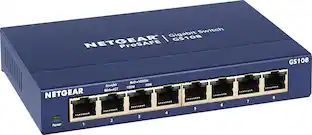
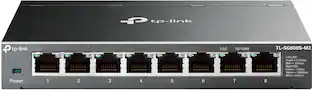
NETGEAR ProSAFE 8-port Gigabit desktop switch, designed for business with simple plug-and-play connectivity and no configuration needed. It comes with a sturdy metal case and the NETGEAR limited lifetime warranty. It supports Energy-Efficient Ethernet (IEEE802.3az) for optimized energy savings and DSCP-based QoS for traffic prioritization.

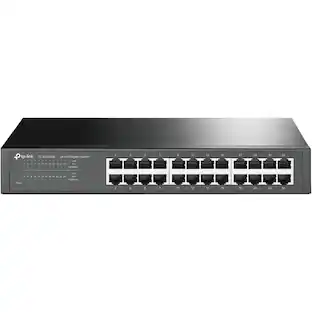
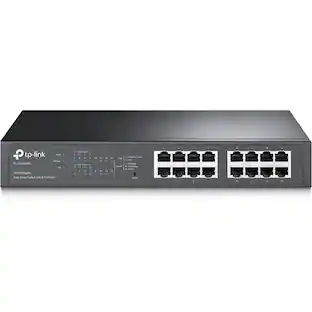
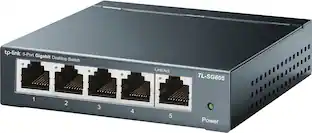
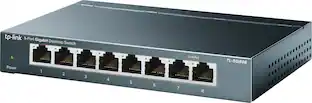
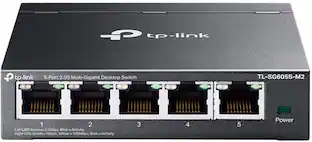
Increase the reliability of your connected devices with the TL-SG605 5-port Gigabit desktop switch. 5x non-blocking gigabit ports enable instant transferring of large, bandwidth-intensive files without interference.

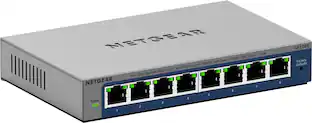
On top of the plug-and-play Gigabit Ethernet connectivity, this NETGEAR Plus Series GS108E switch offers essential networking features such as VLAN, QoS, IGMP snooping, rate limiting, traffic monitoring and more. This switch is an exceptional value for businesses looking to add intelligence to their network beyond what unmanaged switches can provide.
| Pros for NETGEAR - 5-Port 10/100/1000 Gigabit Ethernet Unmanaged Switch - Blue | |||
|---|---|---|---|
| Ease of use, Performance, Speed, Size, Ports | Ease of use, Performance, Speed, Ports, Price | Overall Performance, Ease of Use, Connectivity, Setup, Size | Overall Performance, Ease of Use, Connectivity, Setup, Port Quantity |
| Cons for NETGEAR - 5-Port 10/100/1000 Gigabit Ethernet Unmanaged Switch - Blue | |||
| Lag, Power, Signal Loss | Lag, Heat | There were no cons for this product— | There were no cons for this product— |
Specs
Customers ultimately bought


Explore tech essentials Sponsored
 $594.95The price was $629.95



Discover related products
 $269.99The price was $289.99
 $13.99The price was $19.99





Keep exploring
 $233.86The price was $237.17
 $364.00The price was $365.29