NETGEAR - 5-Port 10/100/1000 Mbps Gigabit Smart Managed Plus Switch - Gray
About this product
The 5-port Gigabit Switch provides simple network management delivering network monitoring, traffic prioritization and network segmentation beyond simple connectivity. They also come with features such as IGMP snooping, cable diagnostics, loop prevention and Auto DoS prevention, providing much needed improvement for network performance and resilience.
Gigabit Ethernet
5 Gigabit Ethernet ports deliver up to 2000 Mbps of dedicated, non-blocking bandwidth per port.
Simple Setup
Setup and configure with easy-to-use web-browser based interface.
Essential Networking
Segment and prioritize your traffic with VLAN, QoS, IGMP Snooping, rate limiting and traffic monitoring.
Easy-monitoring
Monitor your network status and your cabling with the port statistics and cable health.
Small and Silent
Small, sturdy metal case and fanless quiet operation.
ProSAFE Lifetime Protection
Lifetime Limited Hardware warranty, Next Business Day Replacement and 24/7 chat with a NETGEAR expert.
- Number of LAN Ports5
Reviews
Rating 4.9 out of 5 stars with 43 reviews
Compare similar products
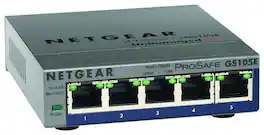
The 5-port Gigabit Switch provides simple network management delivering network monitoring, traffic prioritization and network segmentation beyond simple connectivity. They also come with features such as IGMP snooping, cable diagnostics, loop prevention and Auto DoS prevention, providing much needed improvement for network performance and resilience.

On top of the plug-and-play Gigabit Ethernet connectivity, this NETGEAR Plus Series GS108E switch offers essential networking features such as VLAN, QoS, IGMP snooping, rate limiting, traffic monitoring and more. This switch is an exceptional value for businesses looking to add intelligence to their network beyond what unmanaged switches can provide.

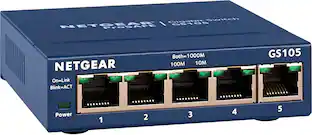
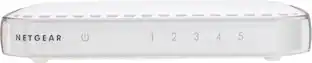
This NETGEAR Gigabit unmanaged switch helps businesses cost effectively expand their network to Gigabit speeds and high port counts. The GS105 switch comes with 5 Gigabit copper ports in a desktop metal case and is wall-mountable. This switch is energy-efficient, built to last, and rigorously tested to provide the reliability businesses need. 802.1p traffic prioritization and jumbo frame support allow for seamless integration with sophisticated networks.

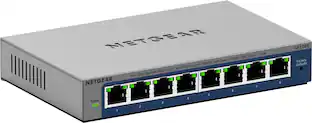
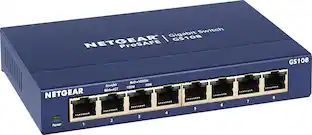
NETGEAR ProSAFE 8-port Gigabit desktop switch, designed for business with simple plug-and-play connectivity and no configuration needed. It comes with a sturdy metal case and the NETGEAR limited lifetime warranty. It supports Energy-Efficient Ethernet (IEEE802.3az) for optimized energy savings and DSCP-based QoS for traffic prioritization.
| Pros for NETGEAR - 5-Port 10/100/1000 Mbps Gigabit Smart Managed Plus Switch - Gray | |||
|---|---|---|---|
| There were no pros for this product— | Overall Performance, Ease of Use, Connectivity, Port Quantity, Setup | Ease of use, Performance, Speed, Ports, Size | Ease of use, Performance, Speed, Ports, Price |
| Cons for NETGEAR - 5-Port 10/100/1000 Mbps Gigabit Smart Managed Plus Switch - Gray | |||
| There were no cons for this product— | There were no cons for this product— | Lag, Power, Signal Loss | Lag, Heat |
Specs
More to consider




Explore tech essentials Sponsored




Discover related products
 $12.99The price was $13.99
 $30.99The price was $32.99
 $24.99The price was $27.99
 $21.99The price was $40.66











Keep exploring
 $75.31The price was $77.05
 $1,412.75The price was $1,474.95