Rating 4.2 out of 5 stars with 701 reviews
4.2- Speed (116)
- Ease of use (100)
- Coverage (98)
- Setup (62)
- Range (57)
- Connectivity (29)
- App (8)
- Lag (7)
- Price (7)
Customer Images
The vast majority of our reviews come from verified purchases. Reviews from customers may include My Best Buy members, employees, and Tech Insider Network members (as tagged). Select reviewers may receive discounted products, promotional considerations or entries into drawings for honest, helpful reviews.
- Rated 5 out of 5 stars
Best and Fastest WiFi Experience Ever!
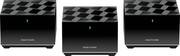
I recently decided to upgrade my mesh WiFi system from Samsungs Smart Home mesh (it was ok) to the Netgear Nighthawk AX3600 Mesh WiFi (AMAZING!) and it’s been by far the best decision I’ve made. This WiFi is not only blazing fast, but super easy to setup and comes with free cybersecurity and covers my whole home. It gives me more Ethernet connections, and the whole family can stream, game and use multiple devices without and interruptions or lag. I couldn’t be more impressed with Nighthawk and this has the WiFi 6 which means any new smartphone will surf the web, stream or you can even game and it’s a seamless beautiful experience! Thanks again Netgear for making great products and for the amazing experience that comes with them!
Posted by Brandon
- Rated 5 out of 5 stars
You need this!
Excellent speed! This was so easy to set up, and the security is amazing. The app tells me everything that is happening no matter where so am.
Posted by TerryC
- Rated 5 out of 5 stars
Impeccable Coverage
As work from home employees, this product is a headache saver. My wife and I have Teams meetings and with two teenagers that stream two Playstation 5's. The lagging is no longer an issue, the speeds and portability of the Netgear is also a plus due to being able to connect a home PC directly to the unit for wired connectivity since my tower doesn't have wifi built into it. This was a smart buy, no regrets!
Posted by RetUSAF
- Rated 3 out of 5 stars
Have to restart router way too often.
I have to restart this thing 3+ times every week. Each time I connect a new device, either the network blows up and all devices become offline, or the new device remains invisible in the network, which I need to restart. From time to time my satellite connection to the main router becomes super unstable and the whole router needs restart. Sometimes the router just mysteriously disconnects from the Internet and doesn't connect back, and needs restart. I haven't had to restart so many times in such a short timeframe in the entirety of my life owning other routers. Also it is inconvenient to not be able to manually manage the network map. I know where my satellites and routers are so I know what the best way is to connect among them. However, I cannot customize it, and my satellite always tries to connect to The far-away router instead of to a closer satellite, so that connection is the most unstable in the entire house. Trying to be smart but failed. Would not recommend.
Posted by karbuncle
- Rated 5 out of 5 stars
Nighthawk mash Wi-Fi booster system
I live in a fairly large home, about 2,800 sq. ft., and I stream everything now. Nothing is wired directly to any device in my house. I couldn't watch anything without buffering every couple seconds. I didn't know anything about how WiFi works or what download or upload speeds are. I was recommended the Nighthawk by a family member that is knowledgeable about devices that use WiFi and what speeds are needed to stream video and audio from Netflix, Hulu, Amazon Prime and Tivimate. It took me from having less than 35Mbps to around 450 Mbps throughout my whole house. I'm talking about upstairs, downstairs and the ground level. I was surprised how easy it was to install and setup. I'm not very smart when it comes to technology, but even I was able to plug it into the wall near my modem and take the other two pieces and plug one in upstairs and the other one in the basement. It was easy to go into the Play Store and download the Nighthawk app. It was a while ago that I did all this, but I know it was explained well and had good instructions on how to link the Nighthawk system to my phone. I highly recommend it to anyone that's having buffering problems and needs to boost the signal. It's not
Posted by EricK