
Orei - 4K@60hz 4-port HDMI KVM Switch-UKM-401 - Black
About This Item
- General
- Brand: Orei
- Model Number: UKM-401
- Product Name: OREI 4K@60hz 4-port HDMI KVM Switch-UKM-401
- Color: Black
- Connectivity
- Input(s): 1 x HDMI
- Output(s): 1 x HDMI
- Dimensions
- Product Height: 0.82 inches (The out of box height of the item. Height is measured as the vertical distance from the bottom of the item to the top as it would be primarily used or placed.)
- Product Width: 3.14 inches (The out of box width of the item. Width is measured as the horizontal distance from one side of the item to the other as it would be primarily used or placed.)
- Product Depth: 9.8 inches (The out of box depth of the item. Depth is measured as the distance from the front of the item to the back as it would be primarily used or placed.)
- Warranty
- Warranty - Parts: 1 Year Warranty
- Warranty - Labor: None
- Other
- UPC: 850031132498
The UKM-401 is a 4K@60Hz 4X1 HDMI KVM Switch that features 4 HDMI inputs and 1 output. It features 4 USB-B and 4 USB-A ports to connect a PC or laptop and other computer peripherals such as keyboard or mouse. This versatile device allows you to connect 4 PCs and control & switch between them using only 1 set of Keyboard, mouse and Monitor Users can easily control the KVM switch via the RS-232 port, the included remote control, and the front panel buttons. It is widely used in security monitoring, education and training, exhibitions and broadcasting, command centers, etc. It has HDMI 2.0 and HDCP 2.2/1.4 compliant. Easy and flexible to install and simple to operate. KVM - This feature allows you to control 4 PCs through a single set of Keyboard, Mouse and Display. RS-232 Control - The device can be easily controlled through a PC using RS-232 protocol commands.
- HDMI 2.0 & HDCP 2.2 Compliant: 4 HDMI Inputs and 1 Output with 4 USB Inputs and Outputs
- HDMI 2.0 & HDCP 2.2 Compliant: 4 HDMI Inputs and 1 Output with 4 USB Inputs and Outputs
Reviews
This product doesn't have any reviews yet.
Compare similar products
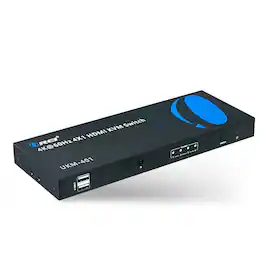
The UKM-401 is a 4K@60Hz 4X1 HDMI KVM Switch that features 4 HDMI inputs and 1 output. It features 4 USB-B and 4 USB-A ports to connect a PC or laptop and other computer peripherals such as keyboard or mouse. This versatile device allows you to connect 4 PCs and control & switch between them using only 1 set of Keyboard, mouse and Monitor Users can easily control the KVM switch via the RS-232 port, the included remote control, and the front panel buttons. It is widely used in security monitoring, education and training, exhibitions and broadcasting, command centers, etc. It has HDMI 2.0 and HDCP 2.2/1.4 compliant. Easy and flexible to install and simple to operate. KVM - This feature allows you to control 4 PCs through a single set of Keyboard, Mouse and Display. RS-232 Control - The device can be easily controlled through a PC using RS-232 protocol commands.

The JTECH-8KSW41C 4x1 HDMI switch allows you to connect 4 UHD sources devices to 1 display, while giving you the ability to easily switch between one of the other. Use either manual or auto switching mode to easily toggle between your input devices. The switch supports 8K @ 60Hz, 4K @120Hz, and 1080P @ 240Hz resolutions, along with support for HDR and Dolby Vision, allowing you to get immersed within your content. Latest HDMI 2.1 features such as VRR, ALLM, and QFT ensure that you get the full gaming experience.
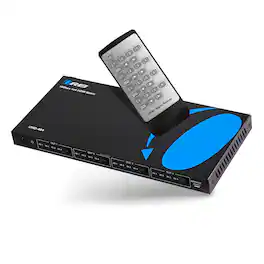
The OREI UHD-404 4x4 switcher is perfect for splitting, switching your HDMI signal to 4 different display. This matrix has 4 HDMI inputs and 4 HDMI outputs, so you can switch between 4 input source devices and send the signal simultaneously to 4 displays. This HDMI Matrix supports the transmission of the video signal (up to 4K2K@60Hz YCbCr 4:4:4) with multichannel digital audio from up to four high definition sources to up to four HDMI outputs. In this switcher, each output supports downscale functionality. It can display the same or different screen on 4 displays (the user can choose the display screen for any signal source). No setup or special configuration is required, simply connect the input device(s) and output device(s) and start using it. HDMI Audio Formats: Supports up to 7.1-channel audio, Dolby Digital, DTS Digital, Dolby TrueHD, and DTS-HD Master audio formats.

The 2-Port Full HD KVM Switch is plug-and-play. And all the cables you need are included. The KVM shows which computer you are using with a light on the unit (either PC1 or PC2). Toggling between two HDMI computers is as easy as clicking the remote port selector button allowing the user to multitask with two computers. Place the 6 ft remote port cable behind your computer set-up so the selector button can be placed on your desk for easy reach.