OWC - Drive Dock USB 3.2 (10Gb/s) Dual-Bay Drive Docking Solution for 2.5-inch and 3.5-inch NVMe U.2 and SATA Drives
Reviews coming soon
More Buying Options from Marketplace sellers

About This Item
- Key Specs
- Drive Form Factor: 3.5 in.
- External Interface: USB-C
- Internal Interface: SATA
- General
- Brand: OWC
- Product Name: OWC Drive Dock USB 3.2 (10Gb/s) Dual-Bay Drive Docking Solution for 2.5-inch and 3.5-inch NVMe U.2 and SATA Drives
- Compatibility
- Drive Form Factor: 3.5 in.
- Connectivity
- External Interface: USB-C
- Internal Interface: SATA
- USB Generation: USB 3.0 (The specification (generation) of the USB standard. Generations are backwards compatible with previous specifications (provided that those devices have the necessary adapter to accommodate the connection type).)
- Number of Bays: 2 (Each bay, or enclosure, holds an individual drive.)
- Power
- Power Source: Plug-in
- AC Adapter Included: true (An external power adapter is included for operation.)
- Warranty
- Warranty - Parts: OWC 2 Year Limited Warranty
- Other
- UPC: 810100981143
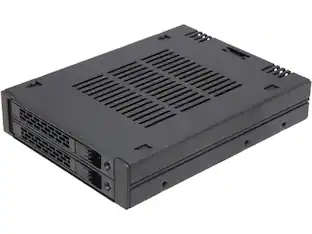
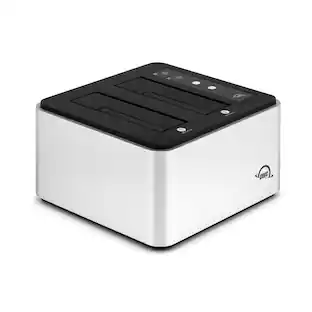
Read, write, clone, boot, transfer, store, backup, verify…. do it all with your SATA drives of nearly two decades plus the latest technology NVMe SSDs here today and yet to come with the OWC Drive Dock. With this world's first dual bay SATA/U.2/M.21 drive dock, you open a new world of quicker and easier use of bare 2.5-inch and 3.5-inch hard drives and solid state drives. With both USB-A and USB-C cables included, the ultimate in flexible compatibility is yours with the OWC Drive Dock. Use your drives with millions of computers and tablets, including Thunderbolt 3, Thunderbolt 4, and USB4 as well as machines from decades ago. No tools, no drivers, no enclosure disassembly… just instant, effortless Plug and Play drive use and swaps. A built-in power supply eliminates the bulky, power brick hassle. Just plug the OWC Drive Dock's standard dual prong power cord into an AC outlet and you're ready to enjoy the incredible convenience of this quiet, fanless data access solution. Whether you are churning through many drives or performing archival backup, you can swap drives safely with the OWC Drive Dock. With each drive bay having its own power source, you can perform bare HDD handling best practices by powering off the desired bay and waiting for spin-down before removal. You can also leave a drive docked in an unpowered bay for immediate access while saving electricity or putting powered-on hours on the drive.
- WHAT YOU NEED TO KNOW: The World's first NVMe U.2 + SATA Dual-Bay Drive Dock: Read, write, hot swap, and boot 2.5-inch and 3.5-inch HDDs and SSDs with SATA or U.2 connectors; Up to 1010MB/s
Q: What's the max capacity of HDDs that it takes?
A: undefined
Reviews
This product doesn't have any reviews yet.
Compare similar products

Read, write, clone, boot, transfer, store, backup, verify…. do it all with your SATA drives of nearly two decades plus the latest technology NVMe SSDs here today and yet to come with the OWC Drive Dock. With this world's first dual bay SATA/U.2/M.21 drive dock, you open a new world of quicker and easier use of bare 2.5-inch and 3.5-inch hard drives and solid state drives. With both USB-A and USB-C cables included, the ultimate in flexible compatibility is yours with the OWC Drive Dock. Use your drives with millions of computers and tablets, including Thunderbolt 3, Thunderbolt 4, and USB4 as well as machines from decades ago. No tools, no drivers, no enclosure disassembly… just instant, effortless Plug and Play drive use and swaps. A built-in power supply eliminates the bulky, power brick hassle. Just plug the OWC Drive Dock's standard dual prong power cord into an AC outlet and you're ready to enjoy the incredible convenience of this quiet, fanless data access solution. Whether you are churning through many drives or performing archival backup, you can swap drives safely with the OWC Drive Dock. With each drive bay having its own power source, you can perform bare HDD handling best practices by powering off the desired bay and waiting for spin-down before removal. You can also leave a drive docked in an unpowered bay for immediate access while saving electricity or putting powered-on hours on the drive.

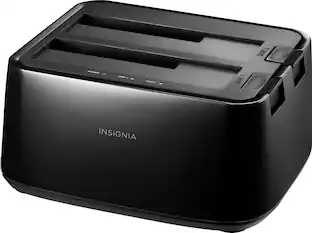
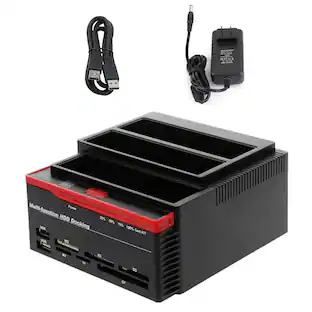
Connect and store external hard drives on your desktop with this Insignia hard drive enclosure docking station. Two slots accept SSD and HDD drives for simultaneous reading, and a USB 3.0 port allows for fast data transfer. An eject button lets you safely remove each drive when not needed, and this Insignia hard drive enclosure docking station features an LED indicator light to show the working status of each device.

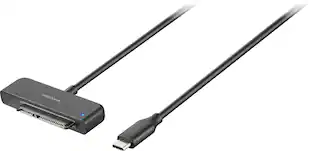
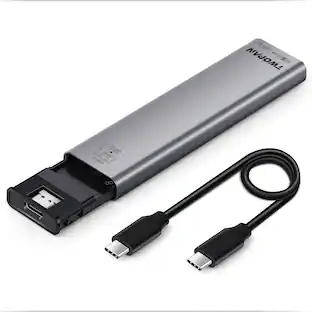
There’s nothing worse than low computer storage when you’re in the middle of working on a big project. Add portable data storage to your laptop or computer with the Insignia NS-PC25HDE 2.5" SATA to USB-C HDD Enclosure. It turns your 2.5" SATA drive into a USB-C connection with transfer speeds up to 6 Gbps, giving you a high-speed access to your data. The enclosure includes a USB-C cable and a USB-to-USB-C adapter for wide-ranging use. It also has a plug-and-play design, making it easy to use with most computers and laptops. Featuring UASP support, it further reduces processor requirements while improving your data speeds. Enhance your computer storage with a high-quality solution that will let you get things done.
OWC Drive Dock USB-C Dual Drive Bay Solution For Mac and PC. For Bare 2.5" and 3.5" SATA Drives. High-performance, swappable, bare drive access tool with USB-C connectivity (USB 3.1 Gen 2) for reading multiple 3.5" and/or 2.5" drives simultaneously. For creative workflows, backup, or other tasks requiring constant access to multiple drives, Drive Dock delivers a compact, easy solution with the performance of a USB 3.1 Gen 2 interface. Hot swap, read multiple drives simultaneously, or boot from bare drives. For video and audio content pros working with multiple bare drives on big projects, Drive Dock delivers amazing flexibility and convenience, making it an indispensable drive tool. Drive Dock's unique design makes hot-swapping a breeze. Two drive bays accommodate both 2.5" and 3.5" drives and can access a drive in each simultaneously. Each bay features its own independent power switch and LED activity monitor. Drive Dock uses a USB 3.1 Gen 2 interface for versatile compatibility and an auto-switching internal power supply compatible with standard dual-prong power cables. Drive Dock is flexible enough to use on almost any system and is compatible with Thunderbolt 3 ports. It works perfectly as an on-location backup solution, or for industry professionals using multiple bare drives. Featuring rugged aluminum construction, quiet, fanless operation, and complete with both a USB 3.1 Gen 2 Type-C cable and a USB 3.1 Gen 1 Type-C to Type-A cable, the OWC Drive Dock streamlines high-demand workflow.
| Pros for OWC - Drive Dock USB 3.2 (10Gb/s) Dual-Bay Drive Docking Solution for 2.5-inch and 3.5-inch NVMe U.2 and SATA Drives | |||
|---|---|---|---|
| There were no pros for this product— | Ease of use, Overall Performance, Compatibility, Data Transfer, USB | Ease of use, Overall Performance, Compatibility, Speed, USB-C | There were no pros for this product— |
| Cons for OWC - Drive Dock USB 3.2 (10Gb/s) Dual-Bay Drive Docking Solution for 2.5-inch and 3.5-inch NVMe U.2 and SATA Drives | |||
| There were no cons for this product— | Size, Power, Connection | There were no cons for this product— | There were no cons for this product— |
Specs
Find more like this
 4th of July Deal$78.99The price was $119.99
 $49.99The price was $59.99
More to consider
- $49.99The price was $59.99
 4th of July Deal$238.99The price was $279.99

Explore tech essentials Sponsored
 $439.99The price was $647.99
 4th of July Deal$229.99The price was $339.99
 $399.99The price was $700.99
Keep exploring
 $62.99The price was $68.99
- $49.99The price was $59.99
 $32.99The price was $39.80
 $159.99The price was $163.99
 4th of July Deal$149.99The price was $255.17