OWC - in-Line Digital Thermal Sensor HDD Upgrade Cable for iMac 2009-2010
Reviews coming soon
About this product
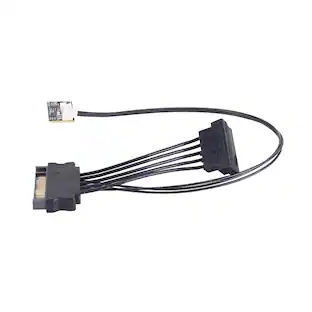
DIY Kit for all Apple iMac 2009-2010 Models for replacing the main hard drive. Includes all cables required for any drive installed into the main drive bay. Eliminate fan noise and maintain correct system fan control when upgrading your 2009- 2010 iMac. The only iMac HDD upgrade option on the market certified to pass the Apple Hardware Test. Fixes firmware incompatibility issues with third party hard drives. Engineered in-house and backed by OWC's award-winning customer support. Improve Performance and Capacity. Upgrade Your iMac with Confidence. OWC's in-line solution is the only hardware digital thermal sensor on the market allowing a third-party SATA drive to be installed in your iMac. A convenient, plug-and-play cable, the In-line Digital Thermal Sensor eliminates fan noise and maintains proper system fan control through the iMac's System Management Controller. This innovative device is designed specifically for the iMac, requires no software hacks and ensures compatibility with Apple's built-in diagnostic processes. Note: Before attempting to perform this installation, please watch the OWC Install Video, corresponding to your machine, in its entirety to determine your ability to perform this complex upgrade.
Features
WHAT YOU NEED TO KNOW
Includes all cables necessary for drive installation into main drive bay of Apple iMac 2009-2010 Models
This item does not include installation tools; hard drive and tools sold separately
Upgrade your iMac with any SATA drive, no Software hacks, AHT Diagnostic compatible
Compatibility: iMac 2009-2010 Models
1 Year OWC Limited Warranty. Free install videos available on manufacturer's site.
Specifications
- BrandOWCProduct NameOWC in-Line Digital Thermal Sensor HDD Upgrade Cable for iMac 2009-2010Warranty - PartsOWC 1 Year Limited WarrantyTools IncludedIn-Line Digital Thermal Sensor HDD Upgrade CableTool TypeUpgraded HDD CableUPC812437021110
Reviews
This product doesn't have any reviews yet.
Compare similar products

DIY Kit for all Apple iMac 2009-2010 Models for replacing the main hard drive. Includes all cables required for any drive installed into the main drive bay. Eliminate fan noise and maintain correct system fan control when upgrading your 2009- 2010 iMac. The only iMac HDD upgrade option on the market certified to pass the Apple Hardware Test. Fixes firmware incompatibility issues with third party hard drives. Engineered in-house and backed by OWC's award-winning customer support. Improve Performance and Capacity. Upgrade Your iMac with Confidence. OWC's in-line solution is the only hardware digital thermal sensor on the market allowing a third-party SATA drive to be installed in your iMac. A convenient, plug-and-play cable, the In-line Digital Thermal Sensor eliminates fan noise and maintains proper system fan control through the iMac's System Management Controller. This innovative device is designed specifically for the iMac, requires no software hacks and ensures compatibility with Apple's built-in diagnostic processes. Note: Before attempting to perform this installation, please watch the OWC Install Video, corresponding to your machine, in its entirety to determine your ability to perform this complex upgrade.
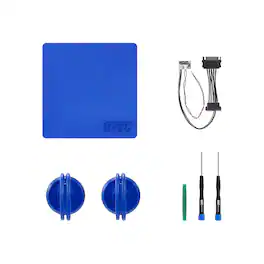
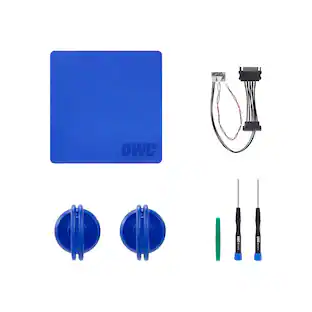
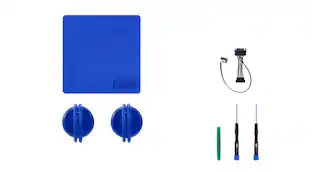
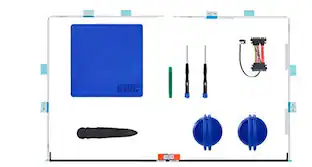
DIY Kit for all Apple iMac 2009-2010 Models for replacing the main hard drive. Includes all cables required for any drive installed into the main drive bay. Eliminate fan noise and maintain correct system fan control when upgrading your 2009- 2010 iMac. The only iMac HDD upgrade option on the market certified to pass the Apple Hardware Test. Fixes firmware incompatibility issues with third party hard drives. Engineered in-house and backed by OWC's award-winning customer support. Improve Performance and Capacity. Upgrade Your iMac with Confidence. OWC's in-line solution is the only hardware digital thermal sensor on the market allowing a third-party SATA drive to be installed in your iMac. A convenient, plug-and-play cable, the In-line Digital Thermal Sensor eliminates fan noise and maintains proper system fan control through the iMac's System Management Controller. This innovative device is designed specifically for the iMac, requires no software hacks and ensures compatibility with Apple's built-in diagnostic processes. Note: Before attempting to perform this installation, please watch the OWC Install Video, corresponding to your machine, in its entirety to determine your ability to perform this complex upgrade. Includes: OWC In-line Digital Thermal Sensor Cable, 2 suction cups for the outer glass removal, OWC Torx T8S Driver, OWC Torx T10S Driver, NewerTech Pry Tool, OWC Microfiber Pro Cleaning Cloth

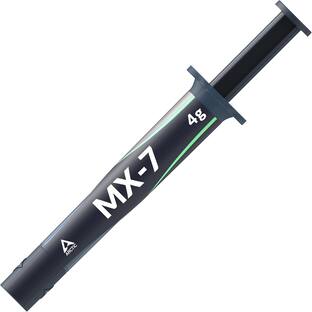
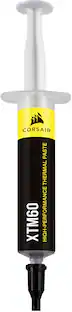
CORSAIR XTM60 High-Performance Thermal Paste is formulated for demanding PC enthusiasts, providing exceptional thermal conductivity to ensure your CPU or GPU operates at significantly lower temperatures – crucial for overclocking and high-end gaming. An included applicator card and low viscosity guarantee easy and clean application. With long-term stability that resists drying or cracking, and a safe, non-electrically conductive formula to safeguard your critical components, XTM60 helps you push your system to its limits, whether used with air or liquid cooling solutions.
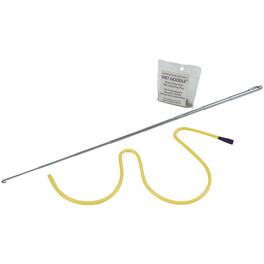
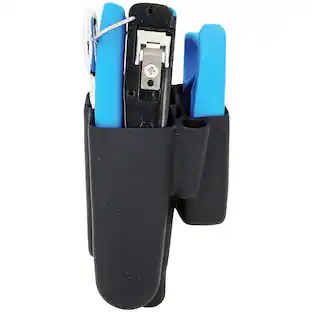
Accept no inferior knockoffs! Use the ORIGINAL Wet Noodle Retriever System from Labor Saving Devices! It provides a quick and easy solution for in-wall blind wire pulling. LSDI developed the ball chain and magnetic retriever concept many years ago to help save installation time. Since its conception, it immediately became a must-have tool for retrofit installations. Here’s how to use the Wet Noodle: Create a small hole for an entry point up on the wall (the Wet Noodle works best in uninsulated walls) and drill a small hole at the bottom directly below (1/4 in. hole for the small magnet end or 3/8 in. for the bigger end). Drop the Wet Noodle ball chain down, giving it a slight jiggle to make sure it finds the bottom plate. In most cases you will “catch” the ball chain by just putting the magnet end(s) into the bottom hole. If necessary, bend the flexible retriever into an S shape to get into the wall for more difficult retrievals. Slowly pull the ball chain to just inside the bottom hole. Using the pocket retriever, hook the ball chain and bring it out the bottom hole. Please note this works best in uninsulated walls.
| Pros for OWC - in-Line Digital Thermal Sensor HDD Upgrade Cable for iMac 2009-2010 | |||
|---|---|---|---|
| There were no pros for this product— | There were no pros for this product— | Thermal Conductivity, Overall Performance, Application Ease | There were no pros for this product— |
| Cons for OWC - in-Line Digital Thermal Sensor HDD Upgrade Cable for iMac 2009-2010 | |||
| There were no cons for this product— | There were no cons for this product— | Quantity | There were no cons for this product— |
Specs
Be the first to ask a question.
We’ll try to get your question answered within 24 hours by a Best Buy customer or brand representative.
Customers often buy these together




More to consider




Explore tech essentials Sponsored
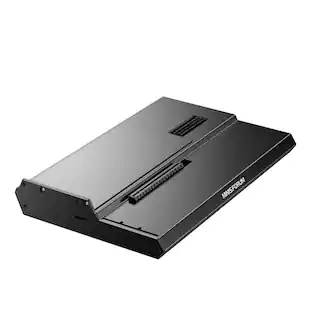
Minisforum DEG1 eGPU Dock, OCuLink 4i PCIe 4.0x4, ATX/SFX PSU, PCIe x16 GPU, Signal Amplifier, Follow Startup
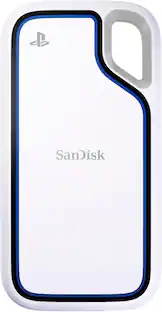
$119.00The price was $139.00SANDISK Extreme Game Drive for PlayStation5 2TB External USB Type C Portable SSD
$319.99The price was $465.99
Keep exploring
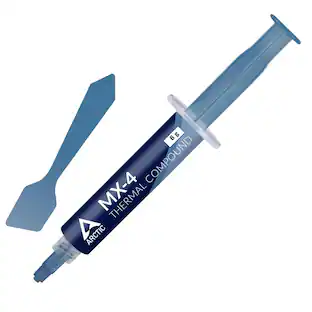
Arctic ACTCP00059A MX-4 8g with Spatula - Premium Performance Thermal Paste for all processors
$8.29The price was $9.99