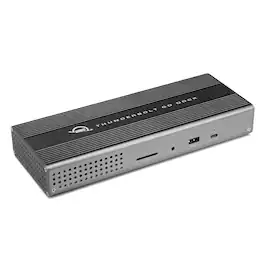
OWC - Thunderbolt Go Dock, 11 Ports, 90W Charging, Thunderbolt (USB-C), Compatible with USB-C Devices, Thunderbolt Share
Reviews coming soon
About this product
Connect everything you want everywhere you call a workspace easily with the OWC Thunderbolt Go Dock. Simply plug the power cable of this world's first full-featured Thunderbolt dock with a built-in power supply into a standard outlet in coffee shops, airports, vehicles, video production carts, and more to put 11 ports of connectivity empowerment at your fingertips. Tap into high-performance storage capacity including NVMe solutions. Record and livestream with an A/V mixer. Expand your capabilities with a PCIe expansion enclosure. Enjoy the feel of your favorite keyboard and mouse. Nearly any connectivity need you have or want is possible with a diversity of Thunderbolt and USB ports.As a digital nomad, hybrid employee, or creative production pro, you need to be able to expand your notebook's single display – imagine… TWO 4K displays – for maximum productivity at a temporary work location. With the Thunderbolt Go Dock's HDMI port and Thunderbolt technology, you can view more detail and make edits easier on a single 8K display. Edit large format video on one 4K display while previewing the raw playback on a second 4K display. Whatever your workstation display needs, the Thunderbolt Go Dock gives you the vision to go to a higher level.It's a hassle trying to figure out or remember what interface your gear and computer has so you can use it all with a dock. Whether you have a Thunderbolt or USB-C Mac, PC, iPad, Chromebook, or Android device, the Thunderbolt Go Dock's uplink port utilizes a USB-C connector to give you a multi-connectivity solution for millions of past, present, and future (yes even USB4!) computers and devices.
WHAT YOU NEED TO KNOW
Supports new Intel Thunderbolt Share technology with full Thunderbolt Share enablement and license for Intel Thunderbolt Share included.
Power Delivery: Thunderbolt 4 host port provides up to 90W of power to the host computer; Built-in power supply eliminates heavy power brick hassle while enabling more workflows vs bus-powered docks; Thunderbolt 4 device ports (for external drives and other devices) provide 15W of power; USB port provides up to 1.5A of power for bus-powered drives and device charging
Display Support: Up to one 8K display @ 60Hz, one 4K display @ 120Hz, two 4K displays @ 60Hz, two 5K displays @ 60Hz; Display Support by Port: Thunderbolt 4: Up to 8K @ 60Hz or 4K @ 120Hz via a native Thunderbolt 4 display or other display that supports USB-C connections and DisplayPort 1.4; NOTE: Actual display support varies by computer specifications; Supported Intel-based Apple Mac models and Thunderbolt 4 PCs support two displays
Dual display support, including available resolution and refresh rates, is dependent on host hardware and drivers; Silicon M1 Pro, M1 Max, and M1 Ultra Mac models, Intel-based Mac models, and Thunderbolt 4 PCs can support up to two displays at up to 4K @ 60Hz via Thunderbolt; Silicon M1, M2 and M3 Mac models can support one external display up to 4K @ 60Hz via Thunderbolt
Device Ports: (1) Host Port - Thunderbolt 4 up to 40 Gb/s (5000 MB/s); (2) Thunderbolt 4 (USB-C) Ports; (1) USB 3.2 Gen 2 Type-C Port up to 10Gb/s (1250MB/s) - USB 2.0/3.0 backwards compatible; (2) USB 3.2 Gen 2 Type-A Ports up to 10Gb/s (1250MB/s) - USB 2.0/3.0 backwards compatible; (1) USB 2.0 Port; (1) HDMI Port; (1) 2.5 Gigabit Ethernet (2.5GbE) RJ-45 Port; (1) 3.5mm Stereo Audio Output Port; (1) Secure Digital (SD) SD 4.0 UHS-II
- Maximum Number of Displays Supported1Number of DisplayPort Outputs (Total)0Passthrough PowerYes
Reviews
This product doesn't have any reviews yet.
Compare similar products
Connect everything you want everywhere you call a workspace easily with the OWC Thunderbolt Go Dock. Simply plug the power cable of this world's first full-featured Thunderbolt dock with a built-in power supply into a standard outlet in coffee shops, airports, vehicles, video production carts, and more to put 11 ports of connectivity empowerment at your fingertips. Tap into high-performance storage capacity including NVMe solutions. Record and livestream with an A/V mixer. Expand your capabilities with a PCIe expansion enclosure. Enjoy the feel of your favorite keyboard and mouse. Nearly any connectivity need you have or want is possible with a diversity of Thunderbolt and USB ports.As a digital nomad, hybrid employee, or creative production pro, you need to be able to expand your notebook's single display – imagine… TWO 4K displays – for maximum productivity at a temporary work location. With the Thunderbolt Go Dock's HDMI port and Thunderbolt technology, you can view more detail and make edits easier on a single 8K display. Edit large format video on one 4K display while previewing the raw playback on a second 4K display. Whatever your workstation display needs, the Thunderbolt Go Dock gives you the vision to go to a higher level.It's a hassle trying to figure out or remember what interface your gear and computer has so you can use it all with a dock. Whether you have a Thunderbolt or USB-C Mac, PC, iPad, Chromebook, or Android device, the Thunderbolt Go Dock's uplink port utilizes a USB-C connector to give you a multi-connectivity solution for millions of past, present, and future (yes even USB4!) computers and devices.
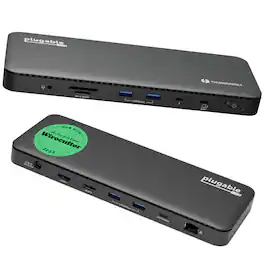
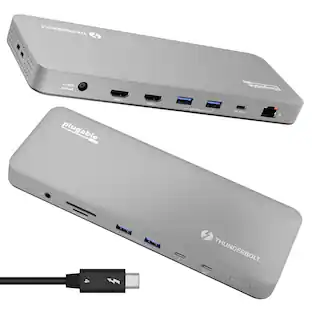
A “do-it-all” dock, the Thunderbolt Certified TBT4-UD5 Plugable Docking Station was awarded The Best Thunderbolt Docking Station by Wirecutter in 2025. It stands out as a versatile and powerful hub for modern workspaces. Its robust design includes an array of 13 ports, catering to a wide range of connectivity needs. Starting with the 40Gbps Thunderbolt 4 host port, this TB4 dock offers plenty of bandwidth to support two HDMI ports, each capable of driving dual 4K 60Hz displays. A downstream 40Gbps Thunderbolt 4 port is also included to provide high-speed connectivity for advanced Thunderbolt-based applications, such as fast storage devices. In addition to its display options, this Thunderbolt USB4 dock boasts a USB-C port with a 10Gbps transfer rate, ideal for quick file transfers and efficient data management. There are also 4x USB 3.0 ports (2x 10Gbps, 2x 5Gbps), perfect for connecting a variety of peripherals like keyboards, mice, and external drives. Throw in SD and Micro SD slots, a combo audio jack, Gigabit Ethernet, and a slot for a K lock, and this setup ensures that users can create a powerful and integrated workstation. Speaking of power, the TBT4-UD5 docking station Thunderbolt 4 packs it in with up to 100W Power Delivery (96W certified) — more than enough for most power-hungry laptops. Especially useful in business and education environments, the Plugable TBT4-UD5 Docking Station delivers exceptional functionality and convenience.

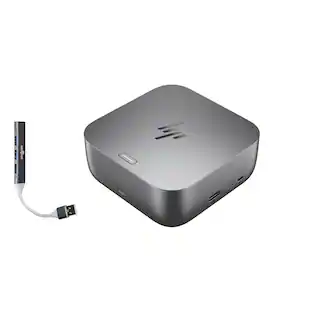
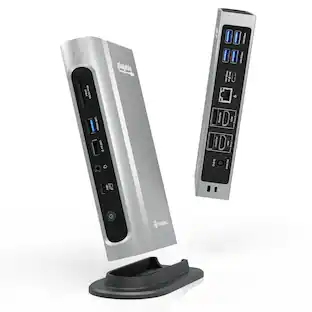
Power your Everyday – This dock starts working before you even take a seat. HP Quick Connect wakes your devices when approaching so you never have to slow your rhythm. Keeps the power flowing all day with a high-speed Thunderbolt 4 connection and plenty of ports to connect your devices.
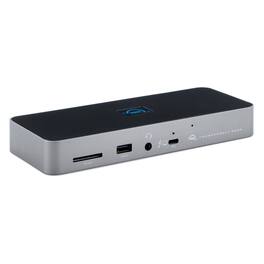
Three Thunderbolt ports and four USB ports empower you to connect to past, present and future devices. Up to two 4K/5K* displays or a 6K/8K display, high-performance storage including NVMe SSDs, A/V mixers, phones, tablets, even desktop accessories like a keyboard or mouse. With the OWC Thunderbolt Dock, an entire world of USB and Thunderbolt accessories is ready for you to connect and expand your capabilities. The latest Thunderbolt interface uses a universal USB-C connector to transfer data, output video, and charge devices through the same cable. The OWC Thunderbolt Dock’s Thunderbolt ports use that same USB-C connector to create a multi-connectivity solution for millions of existing and future Thunderbolt and USB-C computers and devices. Plus, the ports are fully USB4 future compatible. Massively expand the Thunderbolt functionality of your M1 Mac, any 'Intel' Mac with Thunderbolt 3, or any Thunderbolt 4 PC . You can also use the OWC Thunderbolt Dock with non-Thunderbolt USB-C machines like Chromebooks and iPads too. Gain convenient access to portable gear, headphones, and SD cards. Add your favorite Thunderbolt and USB devices, Gigabit Ethernet, and an SD card reader to your workflow... all while keeping your space free of cable clutter.
Specs
Be the first to ask a question.
We’ll try to get your question answered within 24 hours by a Best Buy customer or brand representative.
Find more like this




Customers ultimately bought

Explore tech essentials Sponsored
 $539.99The price was $638.99




Keep exploring
 $38.99The price was $45.99