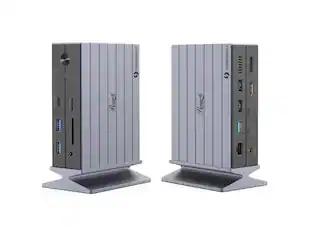
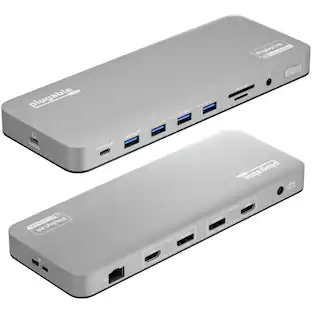
Plugable - 13-in-1 USB-C Triple Monitor Docking Station 100W - Windows Mac Chrome - Thunderbolt 3/4 USB-C - TAA Compliant - Black
About this product
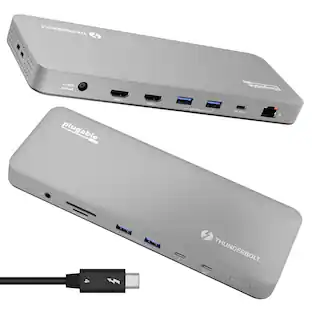
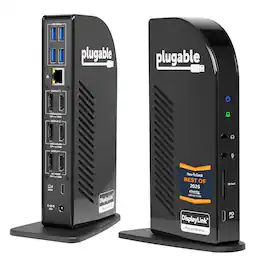
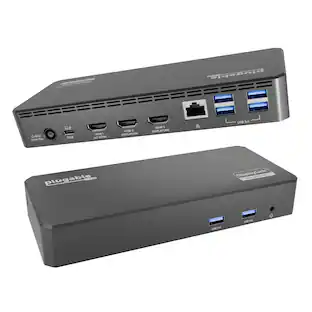
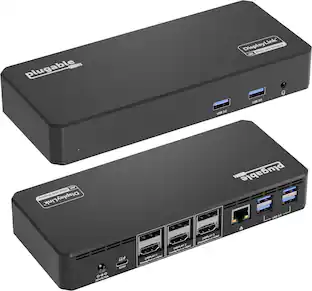
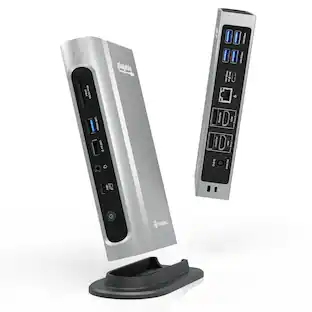
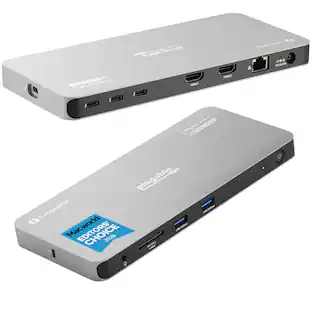
The Plugable UD-ULTCDL Triple Monitor USB-C Docking Station is an all-in-one solution for reliable multi-monitor productivity on Mac, Windows, and ChromeOS. Designed for home offices, corporate desks, and shared workspaces, this laptop dock connects displays, networking, audio, storage, and peripherals through a single USB-C cable. Powered by DisplayLink, this MacBook docking station can drive up to three extended displays from one USB-C connection, including on Macs that normally support only one external monitor. It also works as a usb c docking station dual monitor setup when you only need two screens. Video support depends on the HDMI port: HDMI 1 uses the computer’s native DisplayPort Alt Mode over USB-C for up to 4K@30Hz (or 1080p@60Hz when supported by the host), while HDMI 2 and HDMI 3 use DisplayLink USB graphics for up to 1920x1200@60Hz. DisplayLink outputs require DisplayLink drivers/DisplayLink Manager; with DisplayLink Manager installed, triple displays work on MacBook Neo, M1, M2, M3, M4, and M5. Note: DisplayLink outputs do not support HDCP, so protected streaming (Netflix/Disney+/Hulu) may not play on HDMI 2/3. If you need 4K@60Hz to a TV, choose a dock that explicitly supports it, such as the Plugable UD-ULTC4K. This 13-in-1 dock provides up to 100W USB-C Power Delivery to charge a laptop (rear USB-C) plus up to 20W USB-C PD on the front port for phones/accessories. Ports include 3x HDMI, 4x USB-A (up to 5Gbps), Gigabit Ethernet, SD card reader (SD/SDHC/SDXC/MMC), and 3.5mm audio in/out. UD-ULTCDL is not a Thunderbolt docking station. TAA compliant for government purchasing. VGA via an active HDMI-to-VGA adapter or a USB graphics adapter (e.g., Plugable UGA-3000); DisplayPort monitors not supported. In the box: dock, 1m USB-C cable, power adapter + 2m AC cord, quick start guide. Includes 2-year coverage with lifetime support from Plugable’s North American team
13-in-1 Laptop Docking Station
Expand your workspace with a powerful USB-C docking station featuring 13 essential ports. This laptop dock supports 3 monitors setups even on systems limited to one display, and delivers up to 100W charging for all day productivity.
Triple Monitor Support with DisplayLink
Connect up to three extended HDMI displays for a more productive workspace. Delivers up to 4K 30Hz on the primary monitor and up to 1920x1200 60Hz on displays two and three. Supports M1, M2, M3, M4, M5, and MacBook Neo, enabling multi-monitor expansion even on Macs normally limited to a single external display like the Neo. Driver install required for Mac - see gallery video for setup guidance.
100W Laptop Charging + 20W Device Charging
Charge your laptop through the rear USB-C port with up to 100W. The front USB-C port delivers 20W charging for phones and accessories, making this USB docking station ideal for a complete desk setup.
Universal Compatibility
This USB-C docking station is compatible with Windows 10+, macOS 11+, and ChromeOS systems with USB-C, USB4, or Thunderbolt ports. macOS requires DisplayLink Manager installation to enable multiple displays. Note: Does not support protected content (HDCP) playback, such as Netflix, Hulu, etc.
Complete Connectivity & What’s Included
Features 3x HDMI, 4x USB-A 5Gbps ports, USB-C 20W, SD card reader, Gigabit Ethernet, and audio in/out. In the box: Plugable 13-in-1 DisplayLink docking station, 1 meter (3.3ft) USB-C host cable, power adapter with AC power cord, and quick start guide.
- Maximum Number of Displays Supported3Maximum Supported Resolution4K (2160p)Number of DisplayPort Outputs (Total)0Passthrough PowerYes
Reviews
This product doesn't have any reviews yet.
Compare similar products
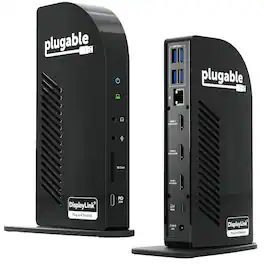
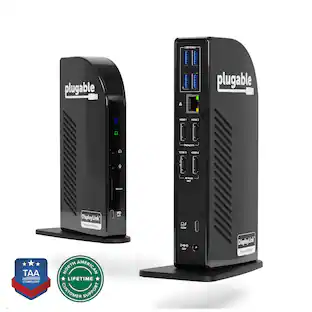
The Plugable UD-ULTCDL Triple Monitor USB-C Docking Station is an all-in-one solution for reliable multi-monitor productivity on Mac, Windows, and ChromeOS. Designed for home offices, corporate desks, and shared workspaces, this laptop dock connects displays, networking, audio, storage, and peripherals through a single USB-C cable. Powered by DisplayLink, this MacBook docking station can drive up to three extended displays from one USB-C connection, including on Macs that normally support only one external monitor. It also works as a usb c docking station dual monitor setup when you only need two screens. Video support depends on the HDMI port: HDMI 1 uses the computer’s native DisplayPort Alt Mode over USB-C for up to 4K@30Hz (or 1080p@60Hz when supported by the host), while HDMI 2 and HDMI 3 use DisplayLink USB graphics for up to 1920x1200@60Hz. DisplayLink outputs require DisplayLink drivers/DisplayLink Manager; with DisplayLink Manager installed, triple displays work on MacBook Neo, M1, M2, M3, M4, and M5. Note: DisplayLink outputs do not support HDCP, so protected streaming (Netflix/Disney+/Hulu) may not play on HDMI 2/3. If you need 4K@60Hz to a TV, choose a dock that explicitly supports it, such as the Plugable UD-ULTC4K. This 13-in-1 dock provides up to 100W USB-C Power Delivery to charge a laptop (rear USB-C) plus up to 20W USB-C PD on the front port for phones/accessories. Ports include 3x HDMI, 4x USB-A (up to 5Gbps), Gigabit Ethernet, SD card reader (SD/SDHC/SDXC/MMC), and 3.5mm audio in/out. UD-ULTCDL is not a Thunderbolt docking station. TAA compliant for government purchasing. VGA via an active HDMI-to-VGA adapter or a USB graphics adapter (e.g., Plugable UGA-3000); DisplayPort monitors not supported. In the box: dock, 1m USB-C cable, power adapter + 2m AC cord, quick start guide. Includes 2-year coverage with lifetime support from Plugable’s North American team
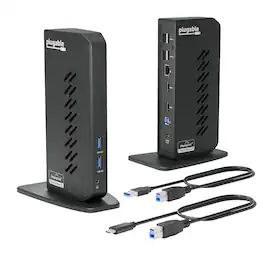
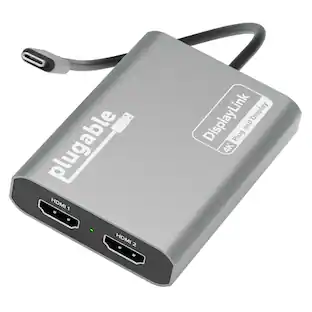
The Plugable UD-3900Z USB 3.0 and USB-C docking station is a reliable USB docking station designed for standardized workstation deployments across Windows, macOS, and ChromeOS environments. As a universal docking station, it enables consistent desk setups across mixed device fleets, expanding laptops and desktops with dual monitors, wired networking, audio, and USB peripherals through a single connection. This USB docking station dual monitor solution supports two HDMI displays up to 1920x1200 @ 60Hz and uses DisplayLink technology to enable extended or mirrored desktops on compatible Windows and ChromeOS systems, as well as on Apple Silicon MacBooks including M1, M2, M3, M4, M5, and MacBook Neo models, even on systems that are typically limited to a single native external display. The UD-3900Z provides 10 expansion ports, including 2 HDMI outputs, 2 USB 3.0 ports for high-speed devices, 4 USB 2.0 ports for keyboards, mice, and receivers, Gigabit Ethernet for stable wired network connectivity, and 3.5mm audio input/output. Both USB-C and USB-A host cables are included, allowing this USB A docking station to support legacy systems while also functioning as a modern USB C docking station. The compact vertical design helps reduce cable clutter and fits easily between monitors, making it well suited for hot-desking and shared workspace environments. This dock is HDMI-only and does not support DisplayPort. HDCP is not supported, so encrypted content such as Netflix, Hulu, or Blu-ray will not play. Designed for business applications rather than GPU-intensive workloads, it is not recommended for gaming or full-screen video playback. The included 24W external power supply powers connected accessories but does not charge the host laptop. In the box: UD-3900Z dock (7.5” x 2.8” x 5.3”), 24W power adapter with US wall plug (100-240V, 50/60Hz, 1.5m / 5ft), USB-A (USB 3.0) to USB-B cable (0.9m / 2.95 ft), USB-C to USB-B host cable (2.9m / 9.5 ft), and quick-install guide.
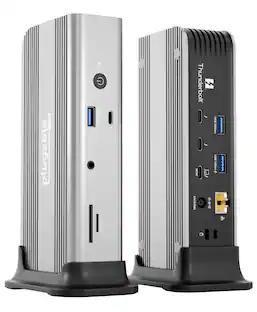
The Plugable UD-ULTC4K is a USB-C docking station designed for business and mixed-device environments. It supports up to three external displays through a combination of DisplayPort and HDMI connections, with up to 4K 60Hz resolution depending on host system capabilities. Named "Best Docking Station 2025" by How-To Geek. The dock includes 3 DisplayPort outputs and 3 HDMI outputs, allowing flexible monitor connections without requiring adapters for different display types. In addition to display connectivity, the dock features a front-facing USB-C port with up to 10Gbps data transfer and 20W charging for compatible accessories, 4 USB 3.0 ports with up to 5Gbps transfer speeds, an SD card reader, Gigabit Ethernet, and separate 3.5mm audio input and output ports. The host connection supports up to 100W USB-C Power Delivery, with 96W certified for supported laptops. The replaceable USB-C host cable can help simplify setup and maintenance in office deployments. Compatible with supported Windows, macOS, and ChromeOS systems. DisplayLink drivers are required for DisplayLink-based video outputs. HDCP is not supported, so protected content playback from some streaming services may be limited. Port configuration includes 1 USB-C host connection with up to 100W Power Delivery, 2 DisplayPort 1.2 outputs using DisplayLink, 1 DisplayPort 1.2 output using Alt Mode, 2 HDMI 2.0 outputs using DisplayLink, 1 HDMI 2.0 output using Alt Mode, 4 USB 3.0 ports, 1 USB-C port with 10Gbps and 20W charging, 1 SD card reader, 1 Gigabit Ethernet port, and 1 audio input.
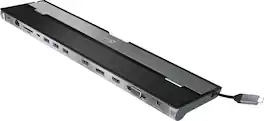
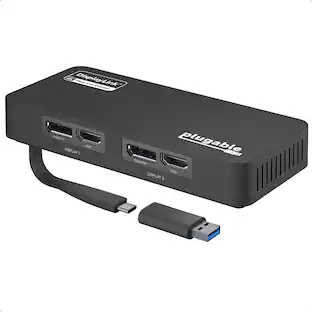
This triple display docking station turns your Mac or Windows laptop into a full workstation with a DisplayPort output, two HDMI outputs, and a VGA output, with resolution support up to 4K (3840 x 2160) on two displays and 1080p on the other one. You can also use your laptop screen for four displays in total, making it easy to access multiple applications at once. With 100W Power Delivery, three USB 3.0 ports, and a USB-C port, this docking station is perfect for your MacBook, Dell XPS, or other USB-C laptop requiring additional ports. This USB 3.0 docking station is also equipped with a RJ45 Gigabit Ethernet port, memory card reader/writer, and combo audio jack for maximum productivity. The elevated design assists with heat dissipation and, with its double-sided cable storage compartment, ensures an easy connection regardless of your USB-C port’s location. All 13 ports are combined into one slim docking station, so you’ll have all the connections you need to stay productive!
| Pros for Plugable - 13-in-1 USB-C Triple Monitor Docking Station 100W - Windows Mac Chrome - Thunderbolt 3/4 USB-C - TAA Compliant - Black | |||
|---|---|---|---|
| There were no pros for this product— | There were no pros for this product— | There were no pros for this product— | Ease of use, USB-C, Overall Performance, Ports, Connectivity |
| Cons for Plugable - 13-in-1 USB-C Triple Monitor Docking Station 100W - Windows Mac Chrome - Thunderbolt 3/4 USB-C - TAA Compliant - Black | |||
| There were no cons for this product— | There were no cons for this product— | There were no cons for this product— | Compatibility, Power Supply |
Specs
Customers often buy these together
 $209.99The price was $215.99

More to consider
 $119.99The price was $129.99




Explore tech essentials Sponsored
Discover related products
 $12.99The price was $19.99
 $143.99The price was $144.99
 $239.00The price was $275.00
 $30.99The price was $32.99







Keep exploring
 $34.99The price was $49.99
 $17.99The price was $21.99