Plugable - USB-C Dock with 4K HDMI 60W Charging Ethernet - 3x USB 3.0 Ports - TAA Compliant - Black
About this product
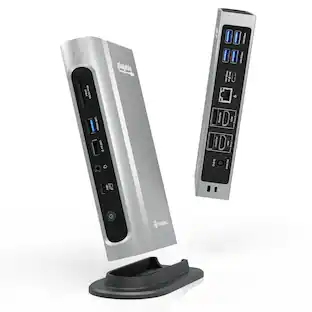
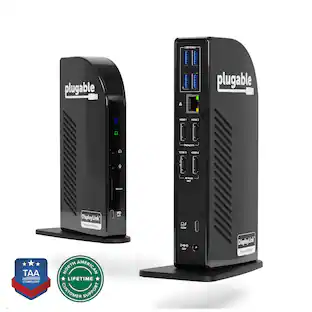
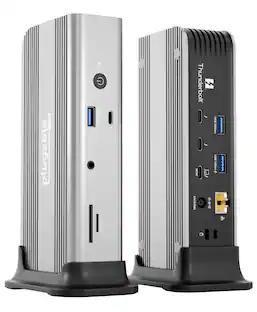
Streamline your workstation with the Plugable UD-CA1A USB-C Docking Station—a compact, versatile 9-in-1 solution that expands your connectivity through a single USB-C cable. This dock adds essential ports to your setup, including a 4K HDMI video output (up to 30Hz), Gigabit Ethernet, headphone and microphone jacks, three USB 3.0 ports, two USB 2.0 ports, and up to 60W of USB-C Power Delivery to charge your compatible device. The UD-CA1A is designed for a seamless setup experience. It offers driverless, plug-and-play functionality, meaning no additional software or drivers are needed to begin using it. Simply connect the dock to a compatible USB-C port on your device, and its full range of features becomes immediately accessible, including HDMI video output, USB ports, Ethernet, and audio connections. Its compact vertical stand, which can also be removed for horizontal use, provides flexible placement options to suit your workspace. This docking station is intended for laptops, tablets, and phones that support both USB-C Power Delivery and DisplayPort Alternate Mode (Alt Mode), which are required for video output and charging. Compatible systems include MacBook Air and Pro (M1, M2, M3), iPad Pro, iPhone 16 models, Dell XPS, HP Spectre, Lenovo ThinkPad, and other Alt Mode and Power Delivery-enabled devices. It is important to note that the UD-CA1A supports only a single HDMI display output and is not compatible with DisplayPort monitors or systems that lack Alt Mode or Power Delivery, such as many legacy USB 3.0 laptops. For setups requiring dual HDMI outputs, a different Plugable dock may be more suitable. The HDMI port provides native-level video output, supporting up to 4K resolution at 30Hz or 2560x1600 and lower resolutions at 60Hz. This makes the dock well-suited for productivity tasks and everyday use, though it is not recommended for high-frame-rate gaming or applications that require fast refresh rates. With up to 60W of USB-C Power Delivery, the dock helps keep your device charged during use. However, devices that require more than 60W may charge more slowly or not at all. If full-speed charging is critical for your setup, consider one of Plugable’s docking stations with higher power delivery support. Included in the box are the UD-CA1A docking station, a stand, a 1-meter USB-C cable, an 80W power adapter with a US plug, and a quick start guide. The dock is TAA compliant and backed by Plugable’s 2-Year Warranty and lifetime support from our US-based team.
10-in-1 Dock
Use a single USB-C port with this USB C dock that delivers a single 4K HDMI output Gigabit Ethernet, 3.5mm headphone and mic ports, 3x USB 3.0, 2x USB 2.0 ports, and laptop charging. Engineered for both home offices and professional IT setups, with TAA compliance for secure applications.
Native HDMI 4K Support Over USB-C Alt Mode
Single-Monitor HDMI 4K Support- Delivers full, native graphics performance with support for one external display and no drivers required on supported OS. Supports up to 4K at 30Hz (60Hz at 2560×1600 and below) via a direct USB-C video connection.
Space-Saving Versatility with Efficient Charging
Designed to adapt, the dock can be placed vertical with the stand or be positioned horizontally, making it easy to fit into any workspace. This versatile laptop docking station with power provides up to 60W of USB-C power delivery to keep your devices charged while maintaining a clean layout.
Compatibility
Works seamlessly with USB-C, Thunderbolt, USB4 devices running Windows, macOS, ChromeOS, and Linux. True plug-and-play - no driver required. Not compatible with iOS and iPadOS
Lifetime Support
Every Plugable product, including this docking station with laptop charging, comes with lifetime support. If you ever have questions, contact our North American-based team - even before purchase
- Maximum Number of Displays Supported1Maximum Supported Resolution4K (2160p)Number of DisplayPort Outputs (Total)0Passthrough PowerYes
Reviews
This product doesn't have any reviews yet.
Compare similar products
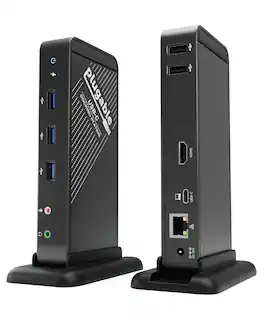
Streamline your workstation with the Plugable UD-CA1A USB-C Docking Station—a compact, versatile 9-in-1 solution that expands your connectivity through a single USB-C cable. This dock adds essential ports to your setup, including a 4K HDMI video output (up to 30Hz), Gigabit Ethernet, headphone and microphone jacks, three USB 3.0 ports, two USB 2.0 ports, and up to 60W of USB-C Power Delivery to charge your compatible device. The UD-CA1A is designed for a seamless setup experience. It offers driverless, plug-and-play functionality, meaning no additional software or drivers are needed to begin using it. Simply connect the dock to a compatible USB-C port on your device, and its full range of features becomes immediately accessible, including HDMI video output, USB ports, Ethernet, and audio connections. Its compact vertical stand, which can also be removed for horizontal use, provides flexible placement options to suit your workspace. This docking station is intended for laptops, tablets, and phones that support both USB-C Power Delivery and DisplayPort Alternate Mode (Alt Mode), which are required for video output and charging. Compatible systems include MacBook Air and Pro (M1, M2, M3), iPad Pro, iPhone 16 models, Dell XPS, HP Spectre, Lenovo ThinkPad, and other Alt Mode and Power Delivery-enabled devices. It is important to note that the UD-CA1A supports only a single HDMI display output and is not compatible with DisplayPort monitors or systems that lack Alt Mode or Power Delivery, such as many legacy USB 3.0 laptops. For setups requiring dual HDMI outputs, a different Plugable dock may be more suitable. The HDMI port provides native-level video output, supporting up to 4K resolution at 30Hz or 2560x1600 and lower resolutions at 60Hz. This makes the dock well-suited for productivity tasks and everyday use, though it is not recommended for high-frame-rate gaming or applications that require fast refresh rates. With up to 60W of USB-C Power Delivery, the dock helps keep your device charged during use. However, devices that require more than 60W may charge more slowly or not at all. If full-speed charging is critical for your setup, consider one of Plugable’s docking stations with higher power delivery support. Included in the box are the UD-CA1A docking station, a stand, a 1-meter USB-C cable, an 80W power adapter with a US plug, and a quick start guide. The dock is TAA compliant and backed by Plugable’s 2-Year Warranty and lifetime support from our US-based team.

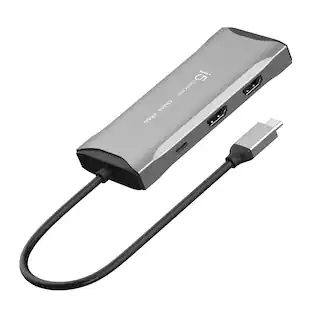
Expand to 8 ports from one Universal USB-C connection and connect to dual monitors (one at 4K 60Hz and one at 4K 30Hz). More points of connection make up for lost ports on newer laptops and the Silicon Motion technology delivers more power and productivity. This product is compatible with the iPhone 17, 17 Pro Max and 17 Pro.
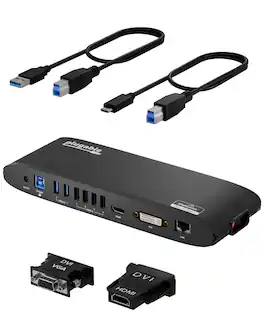
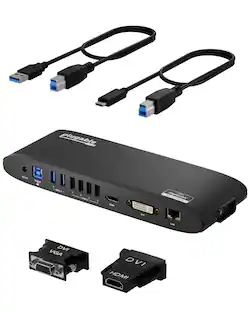
This universal USB 3.0 docking station is a one-stop upgrade for your Windows, MacBook, Chromebook, laptop, or desktop. Connect up to 10 accessories through a single USB cable. Latest drivers and firmware for compatibility with Windows 11 and earlier, macOS 11+, ChromeOS software not required. This DisplayLink docking station is not only compatible with Windows but great with M1, M2 and M3 Mac systems, and ChromeOS. Fully backward compatible with USB 2.0 PCs and devices. Features two graphics ports: an HDMI port and a docking station DVI port (HDMI and VGA adapter included) for mirroring/extending your system desktop to two external monitors, a Gigabit Ethernet port (10/100/1000 supported, full-duplex required), audio input/output, two docking station usb 3.0 ports, and four USB 2.0 ports. Great hot desking or hoteling solution when using multiple laptop docking stations in an office space. Compatibility Windows 11, 10, 8.1, 8, and 7, macOS 10.14+ for m1 displaylink compatiblity, and ChromeOS USB graphics require dual-core 2GHz+ CPU for best performance. Due to potential performance and software compatibility limitations we recommend fully updating the host computer's operating system, software, and drivers for best performance DVI dual-link connection not supported. 2560x1440 (1440P) resolution only available with native HDMI monitor. 1440P not supported when using HDMI-to-DVI adapter/cable or DVI monitor. Cannot be mixed with non-DisplayLink USB graphics adapters and drivers (e.g. MCT, j5, or SMSC). HDCP/Blu-ray playback not supported. Not recommended for gaming. HDCP not supported. Linux/Unix are not supported. Power and Charging Includes robust 20W UL certified power supply. USB ports function as hub only, does not provide power to devices In the Box UD-3900H, premium 20W UL certified power adapter (US AC Wall Outlet Plug, 100-240V 50/60Hz), USB 3.0 Type-A to Type-B cable, USB 3.0 Type-C to Type-C cable, DVI-to-VGA adapter, DVI-to-HDMI adapter, quick-install guide
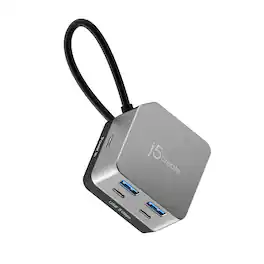
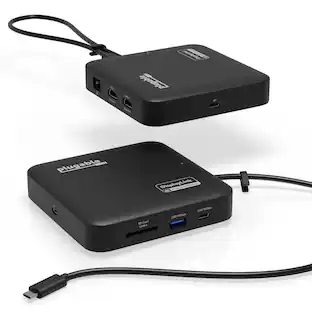
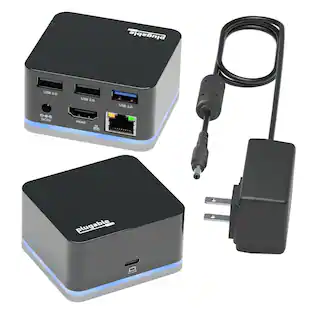
The Flexible Ports USB-C® 4K144 HDMI™ Hub - Cube Plus 6 in 1 provides extra connectivity for your computer. Features 4K144 HDMI™, four USB™ data ports, and charging - all in one compact device. The multi-adapter’s small size makes it easy to carry and helps save desk space. The HDMI™ port allows you to connect to a 4K monitor or TV. Supports USB™ 5Gbps for quickly transferring files and connecting high-speed devices. This is a plug-and-play device that does not require driver installation so you can use it right away!
| Pros for Plugable - USB-C Dock with 4K HDMI 60W Charging Ethernet - 3x USB 3.0 Ports - TAA Compliant - Black | |||
|---|---|---|---|
| There were no pros for this product— | Overall Performance, Connectivity, Portability, Port Quantity | There were no pros for this product— | Overall Performance, Port Functionality |
| Cons for Plugable - USB-C Dock with 4K HDMI 60W Charging Ethernet - 3x USB 3.0 Ports - TAA Compliant - Black | |||
| There were no cons for this product— | Heat Dissipation, Compatibility, Cord Length | There were no cons for this product— | There were no cons for this product— |
Specs
Be the first to ask a question.
We’ll try to get your question answered within 24 hours by a Best Buy customer or brand representative.
Customers often buy these together
 Top Deal$31.99The price was $34.99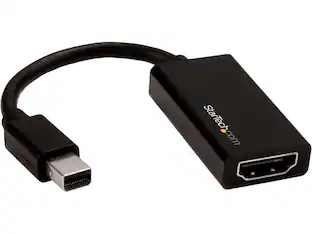
StarTech.com - MDP2HD4K60S Mini DisplayPort to HDMI Adapter - 4K mDP to HDMI Converter - UHD 4K 60Hz
$49.72The price was $54.33 $62.99The price was $64.99
 $38.99The price was $54.52




More to consider







Explore tech essentials Sponsored

Discover related products
 $12.99The price was $13.99
 $504.68The price was $535.66
 $249.00The price was $275.00
 $187.99The price was $197.23










Keep exploring
 $219.89The price was $249.99
 $38.99The price was $45.99
 $17.99The price was $21.99