60th Anniversary SaleEnds Sunday. Exclusions, terms and conditions apply.Shop now

Skip to contentGo to Product Search
Main Content

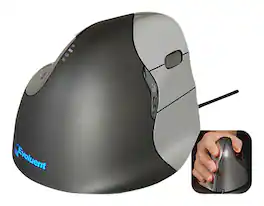
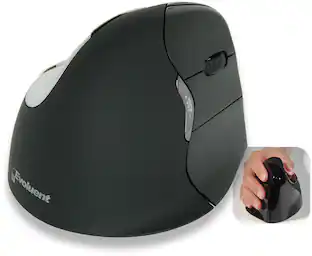
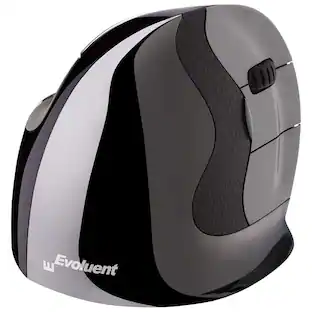
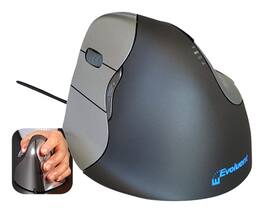
Prestige - Evoluent VM4 Vertical Right-Handed Mouse - Gray

Model: VM4R
SKU: 12611350
Sold & shipped by

About this product

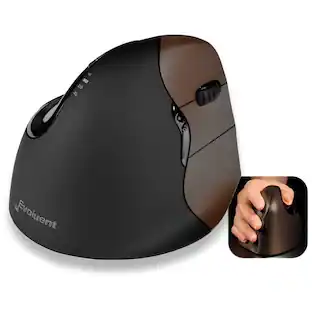
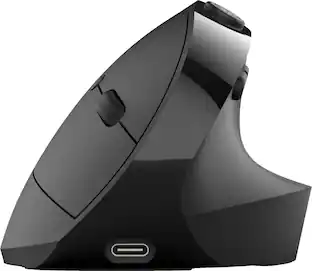
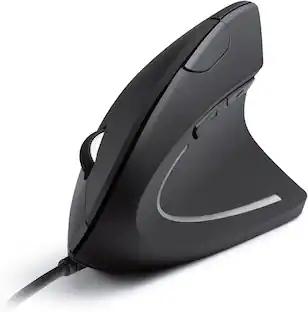
This vertical mouse features a sculpted design for right-handed users. The 6 programmable buttons and scroll wheel are easy to reach and use comfortably. Pointer speed controls on the side allow for convenient adjustment.

Features
  • From our expanded online assortment; not available in all Best Buy stores

  • Scroll wheel

    For easy forward and backward navigation.

  • 6 programmable buttons

    Offer enhanced functionality.

  • Sculpted, right-handed shape

    With thumb rest provides for comfortable use.

  • Extra-wide bottom-edge lip

    Prevents your finger from rubbing against the desk.

  • Pointer speed settings

    Include extra-low, low, medium and high. Controls on the side allow for convenient adjustment.

  • Top-mounted LEDs

    Indicate selected pointer speed.

See all features
Specifications
  • Number of Buttons (Total)
    6
Sponsored

Reviews

Rating 4.6 out of 5 stars with 92 reviews

92% would recommend to a friend

Customer Images

The vast majority of our reviews come from verified purchases. Reviews from customers may include My Best Buy members, employees, and Tech Insider Network members (as tagged). Select reviewers may receive discounted products, promotional considerations or entries into drawings for honest, helpful reviews.

  • Rated 5 out of 5 stars

    Great adition for my work

    Im a designer and I use the vertical mouse since 2010, it is a huge difference with other mouse, I can program buttons, and my wrist is relax and flows with the movement.

    This review is from Prestige - Evoluent VerticalMouse 4 Wireless Laser Mouse - Wireless - Black

    Posted by Jmoctezu

  • Rated 5 out of 5 stars

    Expensive but works wonderfully...

    Here's the deal. I've been working with computers for the past 20 years, and due to repetitive motion and bad ergonomics...I have bouts of metacarpal tunnel syndrome. Lately it started acting up again, so I took some reward certs and got a wireless Evoluent mouse. I had one years ago, while in California, but it was wired and it would get sweaty. this one is new & improved, glad to say. works like a charm, doesn't strain my hand or wrist. It's easily programmable, don't get sweaty, AND...on the bottom the base curves out just enough for your little finger to rest on. Despite the size and shape, I find that it isn't problematic moving the Evoluent mouse. (I still use a mouse pad but that's another story.) My one gripe is the price. When I went to make a purchase it was $106. Lucky me, I had $50 in Rewards certificates so it wasn't so bad. i understand the economics of it---a useful product for a smaller segment of the market--but eliminating the wired version and just selling the wireless would allow them to sell at a lower price. Just saying!

    This review is from Prestige - Evoluent VerticalMouse 4 Wireless Laser Mouse - Wireless - Black

    Posted by Selvy

  • Rated 5 out of 5 stars

    Great health investment!

    Totally love this product. I work a desk job and this vertically shaped mouse drastically reduced my wrist strain. It also comes with an extra side/floor piece that prevents your side pinky from rubbing against the table/pad and it really makes all the difference compared to other vertical mouse products out there. There are other features that this mouse has that I appreciate, such as the back/forward thumb buttons, which can come in handy if you work with lots of web pages. You can also adjust the speed of the cursor from the mouse itself (rather than going into the control panel settings every time you want to chage it). Best of all.. if you install the driver (free from the company website) you can customize all of buttons to your liking -- the driver is also needed if you want the bottom thumb button to have a function. I would highly recommend this item. Personally, it was a health investment that turned into something more. You really get what you pay for! PS. They also sell left-handed versions! :)

    This review is from Prestige - Evoluent VerticalMouse 4 Wireless Laser Mouse - Wireless - Black

    Posted by AJAY

  • Rated 5 out of 5 stars

    Good for wrist issues

    I purchased this fairly expensive mouse to help with one of my co-workers with her carpal tunnel issues. Setting up the mouse was fairly simple. I just plugged in the USB dongle and her windows machine auto installed the drivers. There is also software made by the manufacturer that you can easily download from their website, which gives you the ability to program the mouse buttons for different clicks and tasks. The physical design was nice and was much more comfortable than using a horizontal mouse. Mouse performance was unaffected by the design and pointing is precise. It definitely has a different feel than a traditional mouse, but my co-worker says her wrist issues are benefiting from the ergonomic design.

    This review is from Prestige - Evoluent VerticalMouse 4 Wireless Laser Mouse - Wireless - Black

    Posted by christechydude

  • Rated 5 out of 5 stars

    Great and comfortable ergonomic mouse

    I am a video editor and I have to be in the computer for long hours, I had been using a regular mouse for a long time when suddenly I started feeling pain in my hand one day, I didn't know what to do and I couldn't stop working because the deadline of my projects where approaching, so I looked up for ergonomic mouses and according to the reviews I thought this was the most appropiate for me, I use a Retina Mac book pro and it was easy to install, I just Plug it in and it ran smoothly. It is a little bulky but as long as it keeps my hand safe from pain, I am ok with it. Great buy so far!

    This review is from Prestige - Evoluent VM4 Vertical Right-Handed Mouse - Gray

    Posted by roxpox

Compare similar products

Prestige - Evoluent VM4 Vertical Right-Handed Mouse - Gray
4.6(92)

This vertical mouse features a sculpted design for right-handed users. The 6 programmable buttons and scroll wheel are easy to reach and use comfortably. Pointer speed controls on the side allow for convenient adjustment.
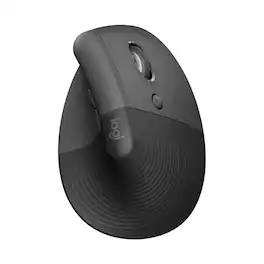
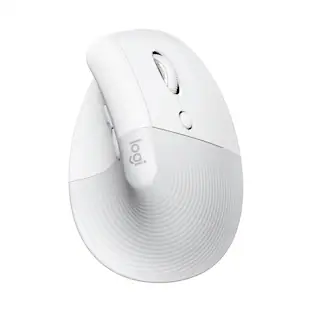
Logitech - Lift Vertical Wireless Ergonomic Mouse with 4 Customizable Buttons - Wireless - Off-White

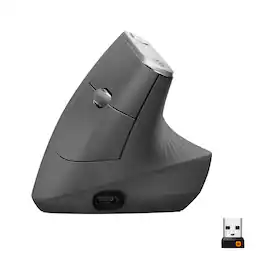
Desk life getting you down? Lift yourself up with Lift Vertical Ergonomic Mouse – a comfy and intuitive wireless mouse with quiet clicks crafted specially for small-to-medium hands. Available in right and left. Lift’s unique 57-degree angle elevates your wrist to give a feeling of relief — and sends a wave of comfort through the forearm and upper body. Scrolling feels second nature with SmartWheel, which easily shifts from precision to speed-scroll. Customize Lift ergo mouse using intuitive Logi Options+ Software.

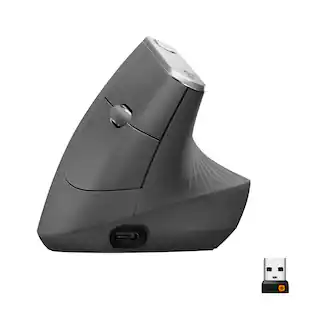
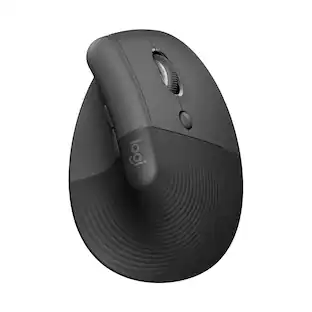
Logitech - MX Vertical Advanced Wireless Optical Ergonomic Mouse with USB and Bluetooth Connection - Wireless - Graphite

MX Vertical is an advanced ergonomic mouse that combines science-driven design with the elevated performance of Logitech’s MX series. The natural handshake position of MX Vertical reduces wrist pressure and forearm strain. The unique 57° vertical angle has been optimized for an ergonomic posture without compromising a pixel of performance. MX Vertical features a 4000 DPI high-precision sensor, resulting in 4x less hand movement and reducing fatigue. And the cursor speed switch allows you to instantly adjust DPI speed and accuracy with the touch of a button. MX Vertical stays powered for up to four months on a full charge – and gets three hours of use from a one-minute quick charge.
Logitech - MX Master 4 Wireless Laser Ergonomic Mouse with Advanced Performance Haptic Feedback - Wireless - Pale Gray

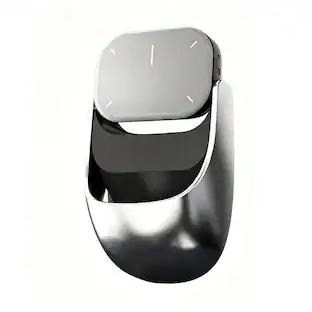
The Logitech MX Master 4 brings immersive control and precision you can feel with haptic feedback. Experience haptic feedback on specific actions, shortcuts, notifications like switching desktops, slider adjustments and more. Customize vibration intensity in Logi Options+. With Actions Ring shortcuts and MX Master 4, save up to 33% of your time by accessing tools and filters at your cursor, reducing repetitive movements by up to 63%. Experience uninterrupted performance with 2X more powerful connectivity, powered by an advanced radio chip, optimized antenna placement, and a new USB-C dongle.

Pros for Prestige - Evoluent VM4 Vertical Right-Handed Mouse - Gray
There were no pros for this productErgonomics, Ease of use, Overall Performance, Battery Life, SizeErgonomics, Ease of use, Battery Life, Overall Performance, BluetoothErgonomics, Overall Performance, Battery Life, Haptic Feedback, Connectivity
Cons for Prestige - Evoluent VM4 Vertical Right-Handed Mouse - Gray
There were no cons for this productWrist Pain, Price, Scroll WheelWrist Pain, Size, Scroll Wheel, PriceSize, Weight

Specs

Questions & Answers
  • Hi My name is Cynthia, I have small hands, will this mouse be the right size for me? Right now I am using the Jelly Comb ergonomic mouse (small size), but it is starting to give me problems (curser will not move correctly) so I want to replace it.

    This mouse is suitable for small hands that measure 7" or less from tip of your longest finger to the base of your palm.

    Answered by Camo
  • Anyone use this for AutoCad drafting?

    I am a Mechanical Drafter and I have the Evoluent vertical mouse and use it every day in AutoCAD. So far I have been very impressed and happy with it as a drafting mouse.

    Answered by psorens
  • I have an Apple Mac mini desktop. Will I be able to program and use all the buttons out of the box, or are there any downloadable drivers/software to accomplish this. With my current Microsoft mouse the forward and back buttons do not work on the Mac.

    Hello there, I believe that in order for all the buttons to have a function, you would need to download the driver found on the official website (find the Mac download). You can find what you need on the link below. Also, you may need to restart your computer in order to open the driver settings and be able to customize all of your buttons. I hope that helps! https://evoluent.com/support/download/ Good luck! AJ

    Answered by AJAY
  • What is the vertical angle?

  • Which button is the "right click" button? It's a Evoluent Verticle Mouse 4 for the right hand

Ask a question
No content

Customers often buy these together

Sponsored

Finance Options

My Best Buy® Credit Card
Buy Now, Pay Later

Finance Options

My Best Buy® Credit Card
Buy Now, Pay Later