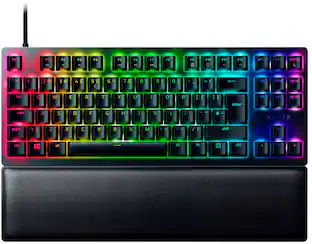
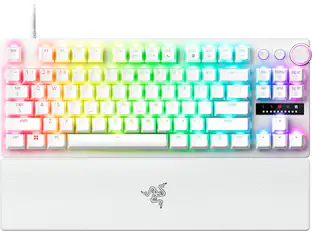
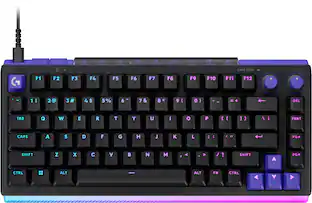
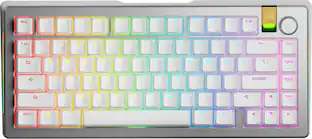
Form Factor: 75% (The size, arrangement, and physical configuration of the product.)
Keyboard Technology: Mechanical (Type of technology that detects a key press.)
Key Switch Behavior: Tactile (Refers to the mechanisms under the keycaps on a keyboard that enable you to type faster and more precisely. Linear switches move straight up and down without any sound or bump. Tactile switches provide a noticeable bump in the key press, and no sound. Clicky switches provide a bump in the key press and "clicky" sound.)
Connection Type: Wireless
General
Brand: Razer
Model Number: RZ03-05130200-R3U1
Product Name: BlackWidow V4 Pro 75% Wireless Mechanical Orange Switch Gaming Keyboard with Hot-Swappable Design
Color: Black
Features
Lighting Type: RGB
Customizable Lighting: true
Numeric Keypad: true
Touchpad: false
Keyboard Type: Gaming, Programmable
Palm Rest: true
Spill Resistant: false (Designed to resist some degree of accidental liquid spill. The level of spill-resistance is indicated by the product manufacturer, but the degree of protection may not be guaranteed after normal wear of the product.)
Foldable: false
Keycap Material: PBT
Maximum Number of Memory Profiles: 5
Functions
Form Factor: 75% (The size, arrangement, and physical configuration of the product.)
Number Of Keys: 88
Keyboard Technology: Mechanical (Type of technology that detects a key press.)
Dedicated Macro Keys: true (Perform shortcuts of key sequences to carry out commands with a single key. Key sequences may include key strokes, mouse actions, and/or menu actions.)
Adjustable Tilt Function: true
Number Of Programmable Macros: 0
Key Switch Type: Razer Orange
Key Switch Behavior: Tactile (Refers to the mechanisms under the keycaps on a keyboard that enable you to type faster and more precisely. Linear switches move straight up and down without any sound or bump. Tactile switches provide a noticeable bump in the key press, and no sound. Clicky switches provide a bump in the key press and "clicky" sound.)
Rollover: Full-key (Refers to the number of keys that can be correctly registered when pressed simultaneously. Rollover may be referred to as n-key rollover (KRO) or anti-ghosting.)
Multimedia Keys: true
Internet Keys: false
Number Of Programmable Keys: 85
Actuation Distance: 2.0mm
Actuation Force: 50g
Connectivity
Connection Type: Wireless
Wireless Connectivity: Bluetooth (The manner in which a device sends data to another device over a short distance without the use of wires or cables.)
Maximum Wireless Range: 32.81 feet
Number Of USB Port(s): 0 (The total number of USB ports including all generations and versions.)
Number of Devices Connectable Simultaneously: 2
Compatibility
Operating System Compatibility: Windows, Mac, Linux
Plug and Play Operation: true
Power
Rechargeable Battery: true
Battery Chemistry: Lithium-ion
Batteries Included: true (Indicates whether the product comes with the required batteries for its operation.)
On/Off Switch: true
Dimensions
Product Height: 1.56 inches (The out of box height of the item. Height is measured as the vertical distance from the bottom of the item to the top as it would be primarily used or placed.)
Product Width: 6.29 inches (The out of box width of the item. Width is measured as the horizontal distance from one side of the item to the other as it would be primarily used or placed.)
Product Depth: 15.05 inches (The out of box depth of the item. Depth is measured as the distance from the front of the item to the back as it would be primarily used or placed.)
Product Weight: 44 ounces (The out of box weight of the item.)
Mouse
Mouse Included: false
Warranty
Warranty - Parts: 2 years
Warranty - Labor: 2 years
Other
UPC: 840272911198
Unleash full immersion with the Razer BlackWidow V4 Pro 75%—a wireless, hot-swappable keyboard powered by Razer HyperSpeed and 4K Hz HyperPolling. Armed with Bluetooth, Razer Command Dial and an OLED display to monitor PC metrics, show custom GIFs and much more - creating your dream keyboard now has no limits.
True 4K Hz Wireless & Bluetooth 5.1 for seamless response and connectivity: Experience a greater level of gaming response powered by Razer HyperSpeed and Razer HyperPolling technology. Expand your control by connecting and toggling between 3 Bluetooth devices.
Hot-swappable Design with pre-loaded Razer Orange Tactile Switches Gen-3: Compatible with 3 or 5-pin switches, the keyboard’s socketed PCB allows you to easily swap out its pre-loaded switches for custom ones to achieve your desired key feel.
OLED Display with Razer Command Dial for maximum control and customizability: From checking your PC system metrics at a glance to customizing the display to show custom GIFs, expand your control with up to 100 customizable modes with the Razer Command Dial.
Optimized Typing Experience with enthusiast-grade typing acoustics: With a gasket-mounted FR4 plate, tape-enhanced PCB, lubricated screw-in stabilizers, and two layers of sound dampening foam, enjoy a clean typing sound and feel with minimal rattling or wobble.
2-side Underglow with Per-Key Lighting powered by Razer Chroma RGB: Featuring per-key lighting and a striking 2-side underglow, sync the keyboard with your battlestation and enjoy greater immersion for hundreds of integrated games.
Textured Doubleshot PBT Keycaps for enhanced durability and RGB shine-through: Tougher and more durable than ABS, the fadeproof keycaps maintain a matte, textured finish and are optimized to promote greater backlight illumination
Magnetic Plush Leatherette Wrist Rest for extra gaming comfort: With a soft, cushioned wrist rest that securely snaps to the keyboard, enjoy long-lasting comfort that helps you power through the most intense gaming marathons.
Razer Snap Tap: Enjoy truly responsive in-game movement via Razer Synapse 4 by prioritizing the latest input between a pair of assigned keys; Snap Tap is OFF by default and can be toggled ON/OFF in Razer Synapse
Whats Included
BlackWidow V4 Pro 75% Wireless Orange Switch Gaming Keyboard with Hot-Swappable Design
Unleash full immersion with the Razer BlackWidow V4 Pro 75%—a wireless, hot-swappable keyboard powered by Razer HyperSpeed and 4K Hz HyperPolling. Armed with Bluetooth, Razer Command Dial and an OLED display to monitor PC metrics, show custom GIFs and much more - creating your dream keyboard now has no limits.
From enthusiast-level customization to ultra-low-latency performance, the complete package has never come this compact. Meet the Razer BlackWidow V4 Mini HyperSpeed—a wireless, hot-swappable 65% keyboard powered by Razer Chroma RGB, complete with stealth pudding keycaps for maximum illumination.
Maximum battlestation impact, minimum silhouette. Meet a wireless, ultra-slim gaming keyboard that's the full package. With Razer Low-profile Mechanical Switches, dual-wireless connectivity, a full suite of dedicated controls, and more, top-tier control has never come thinner.
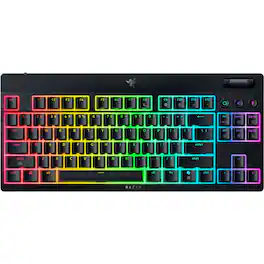
Maximum battlestation impact, minimum silhouette. Meet a wireless, tenkeyless, ultra-slim gaming keyboard that’s the full package. With Razer Low-profile Mechanical Switches, dual-wireless connectivity, a suite of dedicated controls, and more, top-tier control has never come thinner.
Pros for Razer - BlackWidow V4 Pro 75% Wireless Mechanical Orange Switch Gaming Keyboard with Hot-Swappable Design - Black
Customers are sayingCustomers are satisfied with the BlackWidow V4 Pro 75% Wireless Mechanical Gaming Keyboard's quality build, customizable OLED display, and vibrant RGB lighting. The inclusion of a comfortable magnetic wrist rest and the convenience of hot-swappable switches are also appreciated. While the keyboard offers versatile connectivity options and displays battery life, some users find its size larger than expected.
This summary was generated by AI based on customer reviews.
Keyboard Quality (38)
OLED Display (19)
RGB Lighting (16)
Battery Life (11)
Wrist Rest (10)
Size (4)
Customer Images
The vast majority of our reviews come from verified purchases. Reviews from customers may include My Best Buy members, employees, and Tech Insider Network members (as tagged). Select reviewers may receive discounted products, promotional considerations or entries into drawings for honest, helpful reviews.
Rated 5 out of 5 stars
first 75% TKL keyboard, very fun!
good keyboard, easy to setup, pairs will with other razer products!
Posted by JustinG
Rated 5 out of 5 stars
A solid, premium keyboard.
If you are looking for a premium compact gaming keyboard, then this should definitely be on your list of candidates. When first opening the box, this keyboard comes across as heavy for its size, and it has a very solid feeling. The key caps are actually the best that I have ever used. They have an extremely nice textured feel that is unlike anything that I have ever used before. While the keycaps are replaceable, I can’t imagine that there are any keycaps on the market that would feel better.
One thing to know about this keyboard is that it is only available with one set of switches, which are Razer’s own “orange” switches, which seem closest to Cherry brown switches. Whether this is good or bad is entirely subjective. I am not an FPS gamer, and my tasks tend more towards the RPG genre and coding/office type tasks. For me, these keys are great. I tend to slightly prefer the “blue” clicky switches, but these switches still feature a nice feel, but without so much noise. Note that these are mechanical switches, not optical or hall-effect. I happen to not be a fan of the feel of hall-effect switches, so I am happy with this decision. Optical switches might have been a nice touch in that they should be immune from dust, but since these switches are hot-swappable (and even come with three spare switches), I am completely satisfied. On the other hand, if you really want this keyboard, you can easily replace every switch in a matter of minutes, but this would obviously introduce extra cost.
The connection options abound, with the choices being a USB-C cable (also necessary to charge the battery), the included wireless dongle, and up to three separate BlueTooth devices. The dongle is actually rather large, and is just a small block with a USB-C female port in the back that you can plug a cable into. It is NOT the small USB-A type that can be stored in the keyboard. Using the wireless adapter, you can get up to a 4 KHz polling rate, but the funny thing is that you only get 1 KHz when using a direct cable connection. However, anything past 1 KHz is lost in the land of diminishing returns, so I don’t consider this to be a disadvantage.
But the star of this show is the OLED display in the upper-right corner of the board, and the associated rotary wheel. It does come with some defaults, but in order to fully customize it, you will need the Razer Synapse software. Thankfully, Synapse seems relatively lightweight and snappy to use. I have only tried a few brands (Asus, CoolerMaster, and Logitch), and so far this is one of the nicest keyboard software packages that I have used. Given how some of the competition makes software that can bring a high-end PC to its knees just adjusting keyboard settings, this is a very low bar to set, but it is still nice that Razer gives you something usable. You also have the option of installing the Chroma software to control the lighting, but I am not much of an RGB type of guy, so I just set a static color and call it a day. But once you do have the software installed, there are a few preset uses for the display (see attached screenshot). While they are sensible, the act of changing what the scroll wheel does is kind of fiddly, as you have to tap the side button to switch between usages of the display/wheel combo. This switching takes your eyes off of your monitor, and can take several presses to cycle through to the setting that you want. I found this to be somewhat cumbersome, so I generally just leave it set to control my volume and mute settings. The screen defaults to a video of a spaceship moving around and shooting things, but I am more practical, so I have it set to just showing keyboard status. Another useful option is showing three pages of customizable info showing various CPU/GPU usages and temperatures.
Of note is that the Synapse software can also enable the “snap tap” mode where the “A” and “D” keys can only register one of the two, and the most recent button wins. This is a great feature for FPS games, but be aware that some games (I’m looking at you, Counter Strike 2) consider this CHEATING and you can get BANNED for using this feature, so be careful before you enable it.
As great as this keyboard is, there are a few things that are less than ideal. The first, obviously, is the price. This thing is VERY well built, and that costs money. But you are also getting an OLED display that I have found to be nice, but hardly essential. I do not know how much the OLED added to the cost, and only you can determine if this excellent keyboard is worth the price. Another issue that I found is that the USB-C jack is set deep into the back of the case. I like to use a right-angle cable with my keyboard, but I don’t think that a right-angle cable exists that can fit. For most people, this is not a big deal. The final flaw is the size. This is a very well-built machine, but it is also a bit chunky (see attached photos for comparisons to other keyboards). I have never used a wrist rest with my keyboards before, but this keyboard is thick enough where I have to use the wrist rest (as nice as it is) to get the keyboard at a comfortable level in relation to my hand. If you are used to using a wrist rest, then you won’t even notice a difference.
So, overall, this is an excellent but expensive keyboard. I am very happy with the quality, but the value proposition will be VERY subjective based on what you are looking for in terms of features
Posted by Harrkev
Rated 5 out of 5 stars
The V4 75% Got Even Better with this Pro Version
I was excited to get my hands on the new Razer BlackWidow V4 Pro 75% Wireless Gaming Keyboard, coming from last year's model, the BlackWidow V4 75% Wired version and seeing all the upgrades Razer has put into this Pro version, I had to try it out. Razer has set a new benchmark for its V4 model, with adding wireless connectivity, an OLED screen while also keeping the design in mind for gamers and productivity. This keyboard blends functionality, customizability, and Razer's signature gaming flair into a sleek, versatile keyboard.
The 75% layout is perfect for those who want a balance between space-saving and functionality. The keyboard has an aluminum top plate that feels very sturdy and premium. It comes with a magnetic wrist rest, that just adds that much needed comfortability when typing and long game sessions, and I wish more gaming companies would add this to their keyboards. The keyboard is hot-swappable, which allows users to easily change switches without soldering, adding to its customizability. Razer’s Orange mechanical switches provide a nice tactile feedback with a solid click actuation, making them suitable for both gaming and typing. That being said, I know these switches are not for everyone with a slight click when actuating the key press. I personally love this for everyday typing, but can see where some of those sweaty mouse and keyboard gamers might not love that. The keys are double-shot PBT keycaps that are durable and resistant to fading, ensuring longevity, along with being shine through, so you can see the RGB through all the keys.
The V4 Pro comes with Razer’s “Snap Tap” which can be turned on in the Synapse app and this setting prevents the selected keys from registering simultaneously, overriding the former’s held-down key with the latter. This is a cool feature for quick movements in first person shooter games, but just know this might get you flagged in certain games like CS:GO, as companies are deciding if this feature is considered “cheating”.
The V4 Pro keyboard adds wireless connection this year, offering both Bluetooth and a low-latency 2.4 GHz Razer HyperSpeed dongle wireless connection. I love this feature in that I only need one keyboard on my desk. So, when I’m using my work laptop, I can have that connected to Bluetooth and have my gaming PC connected to the HyperSleep dongle. This allows me to easily switch back and forth between the two with just sliding the connection switch in the top left corner of the keyboard. Battery life is impressive, with claims of lasting up to 2100 hours in Low power mode and lasting up to 40 hours with RGB lighting and the OLED turned on. My only real nitpick is that the HyperSpeed dongle is a female USB-C dongle and not a Male USB-C. So, you can not plug the dongle directly into your computer and have to plug it into the provided USB-C cable and then plug that cable into your computer, which adds some clutter to your desk space
The standout addition to the V4 Pro is the customizable OLED screen in the top-right corner of the keyboard and offers some cool customizations, such as Real-time Stats where it displays system performance data like CPU and GPU temps. Custom Animations with Razer themed animations for a personalized touch. Media Controls where you can control volume, skip tracks or pause videos. Scroll wheel, which allows you to scroll vertically or horizontally, which I found very useful for when navigating Excel spreadsheets horizontally. Then switching between apps and lighting brightness adjustments, just to name a few. Though at the moment the OLED screen is limited to what Razer offers in the Synapse app and no 3rd party integration at the moment. The OLED screen is a nice little quality of life addition, so you’re not always having to use Synapse for controlling certain things.
Pros and Cons
Pros
Compact yet functional: The 75% layout saves desk space without sacrificing essential keys.
Hot-swappable design: Makes customization effortless.
OLED display: Adds both functionality and a wow factor.
Wireless versatility: Dual wireless modes and excellent battery life.
Premium build quality: Aluminum frame and durable shine through PBT keycaps.
Razer Synapse integration: Extensive customization options.
Tactile switches: Ideal for gaming and work.
Cons
Price: At a premium price point, it may not be accessible for all.
Limited OLED integrations: While innovative, the OLED screen's compatibility with 3rd party apps and games could expand further.
No dedicated macro keys: May be a drawback for those who like or productivity users.
Wireless Dongle: Dongle needs to be plugged into a cable and can’t be plugged into the PC
Razer Synapse integration: Having to download another software constantly running in the background in order to get all the features out of the keyboard.
Overall, The Razer BlackWidow V4 Pro 75% Wireless is a great refresh from the V4 Wired keyboard for gamers and professionals seeking a compact, customizable, and feature-rich device. The addition of the OLED screen, and wireless connection flexibility make it a standout option in a crowded market. While the premium price may deter some, the quality and functionality justify the investment especially for those who have a two computer setup with work and gaming, I highly recommend this keyboard.
Posted by Ian L
Rated 5 out of 5 stars
Top Keyboard Period
I have been looking for a gaming keyboard just like this one for a while now. Normally I try to stay with a wired keyboard to avoid lag or delay, but in my experience with recent keyboards this should no longer be a concern. This is definitely the case for the Blackwidow Pro v4 75%. I love everything about this keyboard, and you get just about any feature you could possibly think of.
I use my PC setup mainly for work, but I invest in it for gaming. So while I do want a good responsive keyboard to use during my gaming sessions, I also want to make sure that my keyboard is a joy to use while I am using it for work. I really enjoy using this keyboard for work. The typing experience is amazing. I like the Razer Orange Tactile Mechanical Switches they are using here. That combined with the Doubleshot PBT Keycaps make the actual process of typing comfortable. The keys have just enough travel, and I am able to comfortably maintain a fast typing speed with minimal errors.
I had to go on to Razer’s website to check why the keyboard sounded so good, besides the mechanical switches. I think it also has to do with the overall build of the deck as well. You get a couple of foam as well as some tape that is used to give the keyboard a sound profile that sounds very satisfying. I recommend going online and checking for videos of the keyboard being used so you can hear how great the keys sound. You are able to hear it for a few seconds on Razer’s website.
Ok, ok. So the build quality and sound profile are great, but why is this the must have gaming keyboard? You get an extremely fast 4k Hz wireless connection as well as being able to connect 3 devices with Bluetooth 5.1 built in to the keyboard. You are also able to just connect wired directly to the PC with the high quality wrapped USB-C cable. I was not able to notice any kind of delay in input when I used the Bluetooth and 4k Hz wireless adapter. I charged it up the first day I got it and it was able to last easily over a week without needing to be topped up again. I was fortunate that I started using this over our Thanksgiving break so I had some quality time setting it up and really getting some long gaming sessions in. Everything ran smoothly, and you get the Razer Synapse software to help you customize the keyboard to your liking even customizing key inputs.
Speaking of customization; this is a Razer keyboard so I feel like saying that the keyboard has RGB lighting is obvious. So while you get the typical lights and customization on the actual keys, you also get 2 light strips that run down the right and left side of the keyboard so splash some light along your desk as well. I love the soft glow it gives the desk around the keyboard. The next thing that is really stunning is the little OLED screen you have on the top right corner of the keyboard. At first I thought this was a little gimmicky, but after a week of using it I can say it is actually quite convenient. You get a wheel and side button near the wheel that really lets you use that little screen for things like track or volume adjustments, brightness adjustments, and audio meter or a little GIF animation when in standby. I have been using it mainly to keep the track info displayed while I am working and listening to my music.
They really have thought of just about everything you could want in a high end keyboard. After being amazed by everything else about this keyboard, it was a nice surprise to see that the very soft, subtle, and comfortable wrist pad connects to the keyboard with magnets. The magnets aren’t super strong so you won’t have to struggle to separate them, but it also never slides around. The wrist pad stays right in place. This would be the keyboard I would recommend to everyone. You get so many customization options, from lighting to key assignment, and they OLED screen gives you more control of the PC and what is playing on it. Add that to the fact that the keys are a joy to use and the sound is very satisfying, and I would be hard pressed to recommend any other keyboard. This should be top of your list.
Posted by Balboa3
Rated 5 out of 5 stars
A Razer Keyboard I Can Recommend
TLDR
Most Razer products have left me wanting. While not bad, they often didn’t have anything to stand out from the competition, especially when you factor in my much-despised Synapse 3 software. With the BlackWidow 4 and the new Synapse 4, Razer seems like it has brought out a whole new product line, rather than just refinements to its existing products.
SET-UP
Oh, Synapse. It has been a love/hate relationship with me. Honestly, Razer wants me to love it, but I’ve always hated Synapse. Synapse software has always sucked, in my opinion. Slow, resource intensive, and confusing.
Synapse 4 is a total rewrite of the software. It is markedly improved in nearly every way. Of my 3 biggest dislikes, 2 of them have been addressed and rectified. The new Synapse 4 is now multi-threaded and much less resource consuming. It is quick to load, and changes are immediate. My system no longer seems to struggle with the app. Synapse 3 was just a hot mess. No matter what computer I used it on, it was slow, bloated, and buggy. No matter what PC I installed the software on, the app was laggy and a memory hog. Razer has done a very good job at addressing the shortcomings.
My only real complaint left of the Synapse software is that it is still confusing. Razer’s competitors are much less confusing and more cohesive. But Razer should be applauded for attempting to rework the Synapse ecosystem. But, for me, there are still too many modules that need added for full functionality and to make basic changes like lighting control, but it is better. Kudos to Razer for attempting to address the issues.
USE
My son and I have both been using a 65% keyboard for some time now. While he seems to prefer a more compact keyboard for gaming, I find that 65% feels just a little too cramped for my tastes. For me, 65% keyboards are just too small, especially when typing. I often over reach keys and therefore have numerous misspellings. I know that the BlackWidow is technically only 10% larger, but it is just enough. It feels more spacious and maybe it's just my imagination, but it doesn’t feel near as cramped and uncomfortable. It strikes a great balance between a traditional full-size keyboard and a mini gaming keyboard, feeling just right.
I have multiple receivers plugged into the front USB ports on my gaming desktop. From XBox controller receivers to 2.4GHz dongles for a competitor’s mouse and keyboard. My current 65% gaming keyboard is an exercise in frustration and patience. No matter if it’s connected via Bluetooth or the 2.4 dongle, I often get skipped keystrokes and/or repeated keystrokes. While not as noticeable gaming, typing is frustrating and challenging.
I’m not sure how Razer did it, but I haven’t experienced these issues with the BlackWidow. ZERO. Regardless of whether I’m connected via the Razer dongle or Bluetooth, typing and gaming have been issue free. I have their dongle connected in the exact port that I had my previous keyboard dongle plugged into and with the additional receivers in their same ports, as well. Razer’s communication protocols are top notch.
There really isn’t anything not to like about the new BlackWidow. Razer’s new keys are super smooth with a satisfying click. However, note that they are either not dampened or minimally dampened, so they are considerably louder than the competition. But muting a mechanical switch often leads to a sense of mushiness. Not with the BlackWidow, they are mechanical, smooth, precise, and proud of it.
I wasn’t sure how I would like the new OLED display. I have another gaming keyboard with a display, but it serves little more than being a useless gizmo. The BlackWidow’s OLED display is not a useless gizmo. Customizable in the Synapse software, there are several options available that determine its functionality.
For me, the most important, is that the display can be programmed to display system vitals. I normally use a competitor’s standalone product for this. Sitting above my keyboard providing real-time system information, usually when testing laptops and desktops. The new Black Widow has rendered it obsolete. With a few easy customizations in the Synapse software, I can pick from a number of options to scroll through. Now, while gaming, I have my GPU, CPU, and system vitals continuously scroll through the display. AWESOME!!
Accompanying the OLED display is what Razer calls the Command Dial. It is a multi-function dial, programmable through Synapse, that can be used to control items like volume, OLED brightness, backlighting brightness, track selector, etc. It’s compact and easy to use. Most importantly, once set up, you don’t have to use Synapse to change its function. A quick push on the dials cycles it through the pre-programmed modes of your choosing. Slick!
NEGATIVES
First. There are 3 ways to connect they keyboard to a PC. Bluetooth, 2.4GHz via the supplied dongle, or hardwired. However, Razer’s dongle is does not have a built-in male USB-A or USB-C connector, thereby requiring a USB cable to connect it. Razer only includes 1 USB cable with keyboard. While it is sufficient, I would like to see a short 6” or so, cable added in the package for the dongle. I understand that if you are using the supplied USB cable for the keyboard, you don’t need the dongle, but it would be nice to have a short cable to keep from unplugging the dongle to hook the cable to keyboard for use or for charging.
Two. Many of the useful keyboard settings are only available via the Razer dongle and become inoperable while using Bluetooth. For example, you cannot get your system vitals via a Bluetooth connection on the OLED display, nor can you make changes to the display while connected via Bluetooth. In a perfect world, these things would be available regardless of connection protocol. Furthermore, when powering off the computer and/or switching between Bluetooth and 2.4GHz, Synapse does not carry over the last setting applied to the OLED display. Like I said earlier, I like it to monitor system vitals, but when switching to Bluetooth, it defaults to what I call the “Defender animation”. If I switch back to the 2.4GHz dongle, it keeps the Defender animation & I must go into Synapse and reselect the information icon to get it to change back, even though it is still showing as the active widget.
Third. While improved, the Synapse software is still confusing. There are just too many modules and pages to go through to fully customize your keyboard. Razer has set up their Synapse software to control a multitude of devices. I get it. Unlike other manufacturers, Razer divides their software into what you want to change. Say, lighting. You have to navigate to the Chroma studio to change color. On the plus side, you can make changes to all Razer products on that landing page, but I prefer to have each product broken down into their own sections, like the competition. Not really a negative, more of a personal preference for me.
FINAL THOUGHTS
Really my negatives of the BlackWidow are just nit-picking. What I would want in a perfect world. The BlackWidow is a great product. The typing experience is top-notch. I’ve done this whole review switching between Bluetooth and 2.4 and haven’t had a single hiccup. This was never possible with my current keyboard.
Most of my complaints regarding the older Synapse software have been addressed, and Razer has done a very good job with the software re-write. Razer fans will appreciate the familiarity of the Synapse interface but should be extremely pleased with the improvements under the hood. Excellent work Razer.
The BlackWidow v4 is an excellent product. Not only do the mechanical keys feel great, but the keyboard also has a high-end, premium look and feel. The keyboard is just big enough to be comfortable, without the added bulk and size of a true full-size. Battery life is good and can be increased even more by slowing the polling rate or by connecting via the included Bluetooth 5.1 protocol. After many hours of gaming and writing reviews, I’m still over 70%.
If you are looking for an excellent gaming keyboard that can be just as satisfying at a workstation, the BlackWidow 4 can easily do double duty and should be on your short list of options. The typing experience is first rate, and the Razer communication protocols are impeccable even in a crowded 2.4GHz environment. Razer has upped their game with the BlackWidow 4 and Synapse 4. Whether you are a current Razer customer or looking at getting into the Razer ecosystem, you won’t be disappointed.
HIGHLY RECOMMENDED