Early Black Friday Deals & DoorbustersEnds Nov. 15.Shop now

Skip to contentGo to Product Search
Main Content

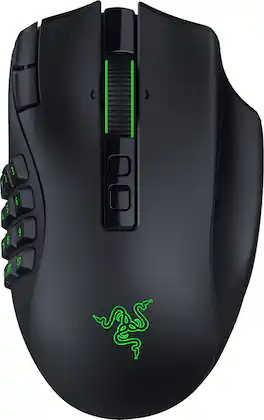
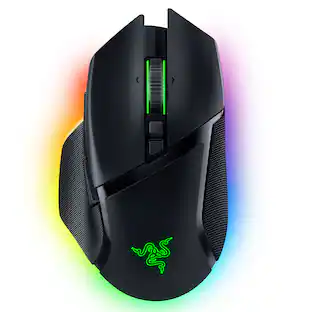
Razer - Naga V3 Pro Modular MMO Optical Gaming Mouse with Swappable Side Plates - Wireless - Black

Model: RZ01-05660100-R3U1
SKU: 6677245
Sold byBest Buy

Customers are saying

Customers are pleased with the ergonomic design, versatile button layout, and long-lasting battery life of this mouse. Users also appreciate the solid build quality and the high level of customization available for their specific needs. However, some individuals have expressed concerns regarding the device's weight, the performance of the companion software, and the audible volume of the clicks.

Generated by AI based on customer reviews.

Features

  • Adapt to Any Game Genre

    Customize your setup with 3 swappable magnetic side plates featuring 12-, 6-, or 2-button layouts, plus 2 quick-access edge buttons and a lockable ring finger button for MMO, MOBA, FPS, and battle royale gaming.

  • Command More With Fewer Movements

    Access up to 23 programmable inputs and create advanced macros with Razer Synapse, giving MMO raiders, competitive players, and multitaskers faster execution and streamlined control.

  • Take Control of Every Scroll

    Razer HyperScroll Tilt Wheel Gen‑2 delivers dual tactile modes, free-spin scrolling, and Smart-Reel auto switching, ideal for inventory management, spreadsheet navigation, content creation, and gaming.

  • Play With Next-Level Precision

    Razer Focus Pro 50K Optical Sensor Gen‑3 delivers up to 50,000 DPI, 930 IPS, and 90G acceleration with Frame Sync technology for accurate tracking in FPS, battle royale, and competitive esports titles.

  • Click Faster and Longer

    Razer Optical Mouse Switches Gen‑4 offer crisp tactile feedback, 12% lighter actuation, and over 100 million click durability for responsive gameplay during intense gaming sessions.

  • Versatile Connectivity for Gaming and Everyday Use

    Choose Razer HyperSpeed Wireless for low-latency gameplay, Bluetooth for longer battery life, or USB-C wired mode for charging and connected play.

  • Game for Days on a Single Charge

    Enjoy up to 155 hours on HyperSpeed Wireless or up to 280 hours on Bluetooth, with USB‑C charging and compatibility with Razer HyperFlux V2 and Mouse Dock Pro wireless charging systems sold separately.

Specifications

  • Lighting Type
    RGB
    Maximum Sensitivity
    50000 dots per inch
    Number of Buttons (Total)
    23
    Connection Type
    Wireless, Wired
Sponsored

Reviews

Customers are sayingCustomers are pleased with the ergonomic design, versatile button layout, and long-lasting battery life of this mouse. Users also appreciate the solid build quality and the high level of customization available for their specific needs. However, some individuals have expressed concerns regarding the device's weight, the performance of the companion software, and the audible volume of the clicks.
This summary was generated by AI based on customer reviews.
  • Button Layout (19)
  • Ergonomics (17)
  • Battery Life (15)
  • Build Quality (9)
  • Sensor Accuracy (3)
  • Weight (5)
  • Input Control (3)
  • Noise Level (3)

Customer Images

The vast majority of our reviews come from verified purchases. Reviews from customers may include My Best Buy members, employees, and Tech Insider Network members (as tagged). Select reviewers may receive discounted products, promotional considerations or entries into drawings for honest, helpful reviews.

  • Rated 5 out of 5 stars

    Just what I've been waiting for!

    We have gone through a few mmo mouses. We originally owned Razer naga trinity and it still works till this day. We then upgraded to the steel series aerox 9. Which has been pretty dependable. However, my husbands aerox 9 gave out after abour 4 years. He purchased the Razer Naga v3 and it has been a game changer. His hands use to feel stiff and cramped playing long sessions with the steel series mouse but now is able to play longer sessions without fatigue. After hearing this, I made the switch, also. It is much better ergonmically for smaller hands. Definitely would recommend, if you are having discomfort with your current mouse

    Posted by GRACEV

  • Rated 5 out of 5 stars

    Excellent mouse for buttons and bigger hands

    I've tried many flagship mouses over the past 8 years, from Razer and it's competitors and I have to say this one is leagues above them all. The swappable side buttons to allow for 2,6, or 12 buttons offers tons of flexibility for your workflow/gaming(I bought primarily for editing and program all my keyboard shortcuts). It's well construction and the swappable side is easy and secure without any wiggle movement at all. It feels nice and smooth and has a light on the bottom which has different colors to let you know which profile and it holds multiple configurations on board(4 total I think, which is a little low but np for me). It also has great power down options when not in use, a dongle has two modes for 2.4 ghz dongle and BT by itself for connecting. Behind the swappable side panel is a spot for the dongle and it fits securely as I've had competitors mice that didn't and the dongle rattles inside the mouse which annoys me. Anyhow, If you're big on smoothness and max amount of buttons this is it. I am also running this on linux(cachyOS) and no problems. I did have to go to windows to get their software for the profiles on board the mouse, but once in Linux, no issues and on KDE, it pops up perfectly in your setting to adjust. Overall, this mouse is the best mouse I've ever had the pleasure of using.

    Posted by DorkyDoc

  • Rated 5 out of 5 stars

    Exceptional Mouse 10/10

    I purchased this mouse when I found out it came out last month. I own the v2 pro and I have to say that this mouse is a massive improvement to the second version considering that there is a third click button on your ring finger! This makes utilizing hyper-shift much easier! I also like that this mouse has 8k polling rate when connected to the dongle. It also feels a bit lighter than the v2 pro. All in all this mouse definitely worth the money!

    Posted by Paf17

  • Rated 5 out of 5 stars

    Why the Razer Naga V3 Pro Became My Daily Driver

    As someone who spends a good portion of my day at a computer for both work and gaming, I'm always looking for peripherals that can pull double duty. I've used plenty of gaming mice over the years, but after spending a couple of weeks with the Razer Naga V3 Pro, it's become one of those devices that quietly works its way into your daily routine until you can't imagine going back. Unboxing & First Impressions: The unboxing experience felt premium without being flashy. Everything was neatly organized, and the mouse, side plates, cable, and wireless receiver were easy to access. The first thing I noticed when I picked it up was how solid it felt. There was no rattling, no loose buttons, and nothing about it felt cheap. The side grips have a nice texture that helps keep your hand planted, especially during longer gaming sessions. I'll admit I spent some time swapping the side panels before I even plugged the mouse in. Being able to customize the button layout is one of the main reasons I wanted to try the Naga V3 Pro, and it immediately made the mouse feel more versatile than a traditional mouse. Getting Started: Setup was quick. After installing Razer Synapse and updating the mouse, I created separate profiles for work and gaming. At first, I probably overcomplicated things by assigning buttons to everything imaginable. Within a few days, I learned which shortcuts I actually used most often and adjusted accordingly. That's something I appreciated throughout testing. The mouse lets you build a setup that works for you instead of forcing you into someone else's idea of the perfect layout. Real-World Gaming Experience: Most of my gaming time is spent in MMOs and RPGs, so the side buttons were the feature I was most excited about. After about a week, muscle memory took over. Instead of looking for abilities on my keyboard, I could quickly access skills, interrupts, cooldowns, and consumables directly from the mouse. During longer raid sessions, I found myself focusing more on gameplay and less on remembering key binds. Outside of MMOs, I was surprised by how much I liked it in other games. I expected to use only a few side buttons, but I ended up assigning inventory shortcuts, map controls, push-to-talk, and other commands that made gameplay smoother. Surprisingly Great for Productivity: While I expected to enjoy the Naga V3 Pro for gaming, I didn't expect it to become part of my workday. I programmed shortcuts for browser navigation, muting meetings, switching applications, and other common tasks. It doesn't sound like much on paper, but those small conveniences add up over the course of a day. In fact, after using the mouse for a couple of weeks, I spent an afternoon working directly from my laptop and caught myself reaching for buttons that weren't there. That's usually a sign that a peripheral has become part of your routine. Comfort During Long Sessions: Thankfully, the Naga V3 Pro felt comfortable from day one. The shape supports my hand well, and the thumb placement feels natural even when using the side buttons frequently. One weekend turned into an unexpectedly long gaming session with friends. Several hours later, the mouse was still comfortable to use, and I wasn't looking for reasons to take a break because of hand fatigue. For anyone who spends extended periods at their desk, that's a big plus. Wireless Performance & Battery Life: After the first day, I honestly stopped thinking about the fact that it was wireless. There were no disconnects, no lag, and no moments where I questioned whether the mouse was keeping up. Battery life was also strong enough that charging rarely crossed my mind. I simply used the mouse, and it was ready whenever I sat down to game or work. Pros: 1. Excellent button customization for MMO players 2. Interchangeable side panels add flexibility 3. Comfortable during extended use 4. Reliable wireless performance 5. Strong battery life 6. Great for both gaming and productivity 7. Easy to create custom profiles 8. Buttons and scroll wheel feel solid and consistent Cons: 1. It definitely can be more expensive than other wireless mice 2. Learning curve for first-time MMO mouse users 3. Synapse can feel overwhelming if you prefer simple setups 4. Larger design may not be ideal for every hand size Final Verdict: After using the Razer Naga V3 Pro every day, it has become one of those peripherals I don't really think about anymore, and that's a good thing. It just works. The extra buttons have made gaming more comfortable, the shortcuts have been useful during work, and the wireless connection has been completely reliable. Would I recommend it? Absolutely. If you play MMOs, use a lot of shortcuts, or simply spend long hours at your PC, the Razer Naga V3 Pro is one of those upgrades that quietly makes everyday gaming and productivity easier.

    Posted by Jaguarone

  • Rated 5 out of 5 stars

    IF need buttons in the mouse, this is it for games

    The Naga V3 Pro at glance is a full body that has been designed with buttons all around that allows multiple functions to each button. Despite of it and for what allows, it is light and fits well to the palm. Each buttons are immediately accessible to each fingers positions, easy to click respectively. Now, in the package comes with swappable plates that each has different number of buttons going from one with all keys of number pad almost, 12 buttons, to 2 buttons. These are addition to the side buttons next to the wheel for scrolling. With this option makes the maximum number of 23 programmable buttons then being 13 are the minimum number of buttons. With the mouse, aside of the plates, it include USB-A to USB-C Speedflex cable and Razer HyperSpeed Wireless USB dongle with USB Adapter, and the guide book. To start using it require Razer Synapse and Chroma, which allows to define and personalize respective buttons, and create macro among other functionalities other mention as reference. The connection via bluetooth is seamless if it not using the hyper speed option. Each mode determine how long last the battery, For bluetooth it maximum would be 280 hours and 155 hours for the second option. As using, it can sense the speed and sensitivity fast as moving as objects move. On its specification, the Max DPI is 5000, IPS of 930, and G (acceleration) 90. Also, it support up to 5 profiles and on the following is really nice touch from Razer that each buttons and the scrolling wheel have backlit as in the keyboards. As purpose of testing also, it was paired with Mac mini, not exactly worked for the gaming purpose, but it served ok for the any daily task. What I liked most: 1. Backlit light, it change the perception of gaming experience. 2. Its feel as place under the palm. Ergonomic and fees comfortable as go. 3. Bluetooth support as allows to use for another purpose out of game time. 4. Optionality to swap plates for different purposes. 5. Number of accessories compatible to it and enhance the full experience of gaming. What I wish it were better: 1. It was wireless charging by default instead of having to purchase second and third accessory. It comes a dock with swappable base that make compatible for wireless charging, or a mat with same purpose. To finish, the Naga V3 Pro is extremely adaptable to each game and player mode. It might result for some a bit overwhelming due to its variety and combinations that can be done then need to remember or used to each profile with all the customization. But, at least it might be more handy to have more option than less then Naga V3 Pro does the job.

    Posted by MigDigital

Compare similar products

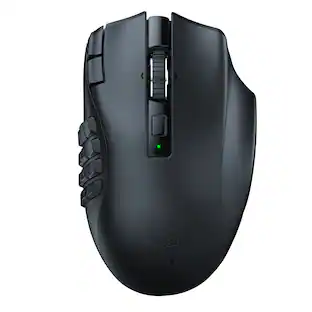
Razer - Naga V3 Pro Modular MMO Optical Gaming Mouse with Swappable Side Plates - Wireless - Black
4.7(97)

Stay one step ahead—no matter how the game changes. The Razer Naga V3 Pro is a modular wireless gaming mouse built to adapt across genres, upgraded to be more customizable, faster, and more precise than ever for MMO, battle royale, FPS, and more. Swap between 12-, 6-, or 2-button magnetic side plates and command up to 23 programmable buttons, including 2 quick-access edge buttons for on-the-fly DPI changes plus a lockable ring finger button for extra control. Take charge of scrolling with the configurable Razer HyperScroll tilt wheel (4-way) with 3 modes: Tactile Cycling, Free-Spinning, or Smart-Reel that auto-switches based on scroll speed (all adjustable in Synapse). Enjoy crisp, rapid clicks from Razer Optical Mouse Switches Gen-4, rated for 100M+ clicks with improved feel and 12% lighter actuation. Aim with next-level accuracy using the Razer Focus Pro 50K Optical Sensor Gen-3 (50K DPI, 930 IPS, 90 G) powered by Frame Sync for reduced latency. Go cable-free with Razer HyperSpeed Wireless for high-performance, ultra-low-latency play even in noisy tournament environments. Power through up to 155 hours on HyperSpeed or 280 hours on Bluetooth, recharge via USB-C, and unlock wireless charging with HyperFlux V2 or Mouse Dock Pro (sold separately). Get smarter control with AI Prompt Master and advanced macros to surface tailored strategies fast and execute chained actions instantly.
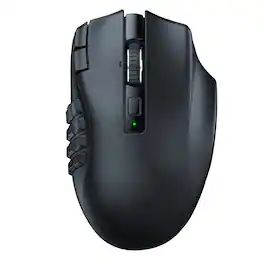
Razer - Naga V2 HyperSpeed MMO Optical Gaming Mouse with 19 Programmable Buttons - Wireless - Black

Rise to the top of your guild with the Razer Naga V2 HyperSpeed—a best-in-slot wireless ergonomic MMO mouse. Optimize skill rotations with an arsenal of 19 buttons and a dual mode scroll wheel. Power through raid progression with HyperSpeed Wireless, backed by up to 250 hours of battery life.
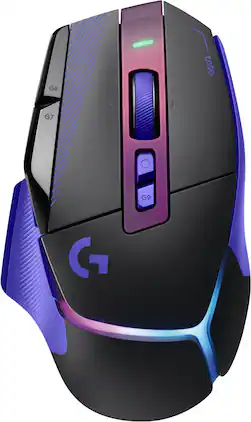
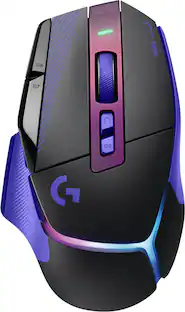
Logitech - G502 X PLUS Wireless Gaming Mouse for Desktop with HERO 44K Sensor and 13 Controls, USB-C mouse for PC, Mac - Wireless - Dark Lilac
5.0(4)

G502 X PLUS is the newest iteration of the world’s most popular gaming mouse, reinvented with breakthrough innovations. It features hybrid optical-mechanical LIGHTFORCE switches for incredible speed and tactical reliability, alongside the all-new, sub-micron HERO 44K sensor. Updated LIGHTSPEED wireless delivers a 68% faster response rate with an optimized battery. Complete with a reversible, removable DPI-shift button, a dual-mode hyper-fast scroll wheel, and an ultra-lightweight design, this iconic weapon ensures absolute execution. It comes fully loaded with a customizable, flowing 8-LED LIGHTSYNC RGB array and is available in premium black or white colorways.

CORSAIR - Scimitar Elite Wireless SE MOBA/MMO Optical Gaming Mouse with 16 Programmable Buttons - Wireless - Gun Metal Black

With 16 buttons, an adjustable 12-button Key Slider, the astonishingly accurate MARKSMAN S 33K sensor, and low-latency SLIPSTREAM WIRELESS, the CORSAIR SCIMITAR ELITE WIRELESS SE MMO Gaming Mouse is legendary MMO gaming gear. Embrace wireless freedom and enjoy up to 150 hours* of gaming on a single charge. Control the situation during intense raids and boss fights with 16 customizable buttons and the patented adjustable Key Slider which puts 12 buttons in comfortable reach of your thumb. Also control your stream like never before with native Elgato Stream Deck integration giving you quick access to your most important functions.

Pros for Razer - Naga V3 Pro Modular MMO Optical Gaming Mouse with Swappable Side Plates - Wireless - Black
Button Layout, Ergonomics, Battery Life, Build Quality, Sensor AccuracyOverall Performance, Button Layout, Battery Life, Ergonomics, WirelessThere were no pros for this product—Overall Performance, Ergonomics, Battery Life, Button Functionality, Connectivity
Cons for Razer - Naga V3 Pro Modular MMO Optical Gaming Mouse with Swappable Side Plates - Wireless - Black
Weight, Input Control, Noise LevelSize, Power SourceThere were no cons for this product—Size

Specs

Questions & Answers

  • Are the side swap plates from the Naga Trinity Wired mouse compatible with this one? Would love to go wireless but I really love the circular layout on the swappable plate of the Trinity.

    Unfortunately, no. The older Naga Trinity side plates are not compatible with the Naga V3 Pro due to differences in the design and fit. The V3 Pro comes with 2-, 6-, and 12-button side plates, but the original 7-button circular layout is not available.

    Answered by KEVINM
No content

Customers often buy these together

Sponsored