Register (Powered by Square POS)
- Terminal All-In-One Credit Card Machine$269.00$298.99

Related Item

About This Item
- Key Specs
- Subscription/Contract Required: No long term contracts
- Payment Types Supported: Magnetic stripe cards, NFC (Tap) cards, Chip cards, Cash App (QR Code)
- General
- Brand: Square
- Model Number: A-SKU-0665
- Product Name: Register (Powered by Square POS)
- Color: Black
- Dimensions
- Product Height: 10 inches (The out of box height of the item. Height is measured as the vertical distance from the bottom of the item to the top as it would be primarily used or placed.)
- Product Depth: 5 inches (The out of box depth of the item. Depth is measured as the distance from the front of the item to the back as it would be primarily used or placed.)
- Product Width: 0 inches (The out of box width of the item. Width is measured as the horizontal distance from one side of the item to the other as it would be primarily used or placed.)
- Product Weight: 5.1 pounds (The out of box weight of the item.)
- Compatibility
- Subscription/Contract Required: No long term contracts
- Features
- Product Type: POS terminal
- Payment Types Supported: Magnetic stripe cards, NFC (Tap) cards, Chip cards, Cash App (QR Code)
- Power
- Power Source: Plug-in
- Warranty
- Warranty - Parts: 2 years
- Warranty - Labor: 2 years
- Other
- UPC: 817044021652
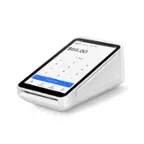
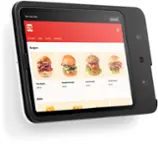
The fully integrated Square Register lets you start selling right out of the box with payments, software, and hardware all built by Square—no tablets or apps required. Square Register gives you two touchscreen displays: the seller display lets you effortlessly ring up customers, and the customer display lets customers see what they’re buying and pay and tip onscreen. Accept all major credit and debit cards and pay one simple rate with no hidden fees and no long-term contracts required. Get funds in your bank account as early as the next business day. The included point-of-sale software helps you take care of everything from managing items and payments to tracking sales in real time and building a customer directory. Square’s hardware is only approved for use in the country for which it is intended. For example, hardware sold or intended for sale in the United States is not approved for use in Australia, Canada, Japan, or the United Kingdom.
- Fully integrated system: Square Register gives you payments, software, and hardware together so you can start selling immediately with no extra tablets or apps required.
- No hidden fees: Accept all major credit and debit cards and pay one simple rate with no hidden fees and no long-term contracts required. Get funds in your bank account as fast as the next business day. Use offline payments to keep selling without Wi-Fi for up to 24 hours. Additional terms apply.
- Square from top to bottom: Get expert phone support, protection from eligible chargebacks, and a 2-year limited warranty.
- Dedicated customer display: Customize your setup with two touchscreen displays: one for you and one for your customers.
- Smart point-of-sale software: Grow your business with constantly improving point-of-sale software, including the Square Point of Sale app, Square Appointments, Square for Retail, and Square for Restaurants.
- Works with accessories (not included): Plug in optional cash drawers, receipt printers, order ticket printers, or bar code scanners and get up and running instantly.
Whats Included
- Square Register
- Customer display
- Power adapter cable
- Power adapter
- Accessory hub
- Customer display cable
- Mounting plate with cleat
- Mounting toolkit
Q: So is this the complete system would i need anything else to get stared with my business?
A: Hey! The other answer is correct. The Square Register does not need any other equipment to allow you to run your business, but if you would like to print receipts or have your cash drawer pop open for cash sales, you will need to purchase the external hardware.
Q: can I print receipt for customers? or do I have to buy a printer to go with this program?
A: I have always emailed or text the receipt to customer through the Square. Plus on the remote customer screen it gives that option for them to choose a receipt to be sent or not.
A: At the moment, we don't support assigning multiple vendors to sell items within one store. However, you can set up multiple employees and issue payroll based on sales. You can learn more about this here: https://squ.re/2QGG5r8 & https://squ.re/3xa6LbH.
Q: Am I able to connect a keyboard to this for easier input of merchandise?
A: We haven't fully tested the compatibility of keyboards (Bluetooth or wired) with our Register, so we don't officially support them, unfortunately. We are working to bring this feature to our sellers in the future though! That being said, we have heard from members of our Community that connecting a USB keyboard to the Register hub is possible.
Q: How big is the screen size?
A: Great question. The screen size of the Square Register is 13.27” (337 mm) diagonal.
A: The customer display cable is 40 inches long. You are able to read more FAQ's regarding the Square Register here, https://squ.re/2YaXUFI.
A: No its not
Q: Can a regular printer be hooked up to this register?
A: Standard computer printers can't be connected to the Square Register. To see all printers that are compatible, head to this page: https://squ.re/41qNccv.
Reviews
Customers are saying
Customers recognize the Register (Powered by Square POS) for its ease of use and overall performance. Many users find the system simple to use, and appreciate its sleek design. However, some customers have expressed concerns regarding the product's price and speed.
Customer Images
The vast majority of our reviews come from verified purchases. Reviews from customers may include My Best Buy members, employees, and Tech Insider Network members (as tagged). Select reviewers may receive discounted products, promotional considerations or entries into drawings for honest, helpful reviews.
Compare similar products

The fully integrated Square Register lets you start selling right out of the box with payments, software, and hardware all built by Square—no tablets or apps required. Square Register gives you two touchscreen displays: the seller display lets you effortlessly ring up customers, and the customer display lets customers see what they’re buying and pay and tip onscreen. Accept all major credit and debit cards and pay one simple rate with no hidden fees and no long-term contracts required. Get funds in your bank account as early as the next business day. The included point-of-sale software helps you take care of everything from managing items and payments to tracking sales in real time and building a customer directory. Square’s hardware is only approved for use in the country for which it is intended. For example, hardware sold or intended for sale in the United States is not approved for use in Australia, Canada, Japan, or the United Kingdom.

Square Terminal is your all-in-one device for payments and receipts. Take every payment quickly and securely with 24/7 fraud prevention and 24/7 phone support. Accept all major credit and debit cards and pay one simple rate with no hidden fees and no long-term contracts required. Get your money as soon as the next business day. Square Point of Sale has tailored solutions for your industry with unique tools to streamline everything you do. Square Terminal also works with any standard 2.25 in. x 50 ft. thermal printer paper, making refills easy. It does not have an internet browser or support additional apps.
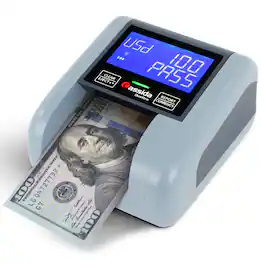
The Cassida Quattro instantly verifies bills in any orientation, displaying denomination and status for error-free use. Portable and upgradeable, the Quattro features a rechargeable battery, making it ideal for busy cash environments and events. Quattro not only detects fake bills but also counts and displays a full count report by denomination on-screen.

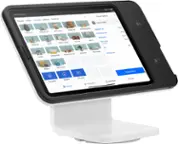
In just a few minutes, turn an iPad into an easy-to-use, professional point of sale with built-in payments and none of the clutter of extra cables and card readers. Manage your entire business from one place — no manuals, service visits, or training required. Then, keep your lines moving with an intuitive checkout that guides your customers through order confirmation and payment. Accept all major credit and debit cards and pay one simple rate with no hidden fees and no long-term contracts required. iPad sold separately.
| Pros for Register (Powered by Square POS) | |||
|---|---|---|---|
| Ease of use, Overall Performance, Design | Ease of use, Overall Performance, Battery Life, Size, Speed | There were no pros for this product— | Build Quality |
| Cons for Register (Powered by Square POS) | |||
| Price, Speed | Connectivity, Price, Software | There were no cons for this product— | Connectivity |