Rocstor - USB-C to Dual HDMI Adapter
Reviews coming soon
About this product
This USB-C to Dual HDMI Adapter allows you to connect two HDMI displays to a single USB-C port, delivering ultra-high-definition video at 4K/60Hz. It supports Multi-Stream Transport (MST) for multitasking and features Power Delivery (PD) for charging devices. With HDR and HDCP 2.2 support, it ensures vibrant visuals and secure content streaming. Ideal for both Windows and Mac systems, this adapter is designed for professionals and everyday users alike.
Features
Dual HDMI Outputs
Connect two HDMI displays simultaneously, supporting resolutions up to 4K at 60Hz.
Power Delivery Support
Provides up to 100W power delivery to charge connected devices while in use.
Multi-Stream Transport (MST) Support
Allows distinct video content on both displays for enhanced multitasking.
HDR and HDCP 2.2 Support
Ensures vibrant color reproduction and secure content transmission.
Compact and Portable Design
Lightweight and easy to carry, perfect for professionals on the go.
Specifications
- Connector Type (End 1)USB-CConnector Type (End 2)HDMI Type A
Reviews
This product doesn't have any reviews yet.
Compare similar products
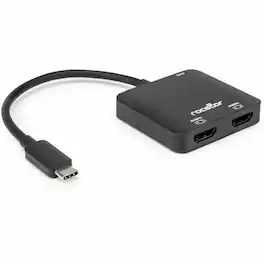
This USB-C to Dual HDMI Adapter allows you to connect two HDMI displays to a single USB-C port, delivering ultra-high-definition video at 4K/60Hz. It supports Multi-Stream Transport (MST) for multitasking and features Power Delivery (PD) for charging devices. With HDR and HDCP 2.2 support, it ensures vibrant visuals and secure content streaming. Ideal for both Windows and Mac systems, this adapter is designed for professionals and everyday users alike.

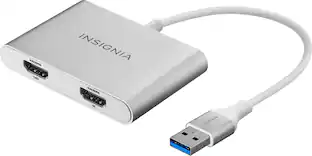
The Insignia USB-A 3.0 to Dual HDMI video adapter can mirror or extend your computer display to any HDMI-enabled monitor, TV, or projector. The HDMI-1 port can transfer up to 4K@30Hz resolution. The HDMI-2 port can transfer up to 1920x 1080P@60Hz. This adapter is compatible with Windows 10 or 11, but can’t support the Mac OS, Chrome OS, Android OS, Linux OS, Game OS. The driver can be installed automatically when computers internet connection is available, and Windows Update is enabled.

For the simplest and most discreet installation, this 10 ft. Manhattan 153188 1080p DisplayPort to HDMI Cable connects your DisplayPort video source to the HDMI port on your display. It doesn't need a power source, unlike some converter dongles that require active power and separate bulky video cabling. This cable lets you enjoy movies on a big-screen HDTV, extend your desktop to a second monitor for an expanded workspace or show presentations on a projector at school or work without needing any other adapter or converter.

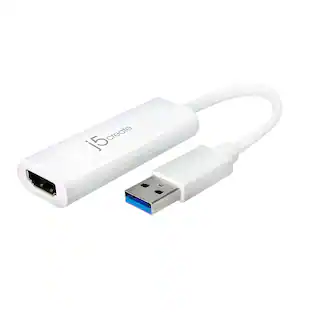
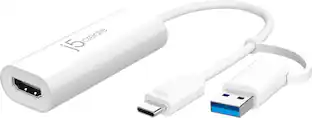
The JUA254 USB to HDMI Multi-Monitor Adapter works as an external video card, instantly allowing users to attach additional displays via HDMI connection without the hassle of a lengthy setup or having to install additional hardware. The USB 3.0 Display Adapter can support up to four displays running on the same computer, turning your workstation into a fully-functioning, multi-display powerhouse. This USB adapter works as an external video card, instantly allowing additional displays without the hassle of opening the computer casing and installing an external graphics card. You can have a second monitor with an extended display, a mirrored display, a rotational display (rotation mode not available for Mac), or make it your primary monitor. Now enjoy true 1080p HD resolution through any Windows or Mac computer with a USB 3.0 port. These adapters are also backwards compatible with USB 2.0 resolutions and playback, which are ideal for office applications. The simple plug-and-play function allows you to connect your computer to a second monitor or projector within seconds to create a new visual environment on Windows 10.
| Pros for Rocstor - USB-C to Dual HDMI Adapter | |||
|---|---|---|---|
| There were no pros for this product— | Ease of use, HDMI, Performance, Compatibility, Dual Monitors | There were no pros for this product— | Overall Performance, Functionality |
| Cons for Rocstor - USB-C to Dual HDMI Adapter | |||
| There were no cons for this product— | Driver Installation, Heat, Cord Length | There were no cons for this product— | There were no cons for this product— |
Specs
Be the first to ask a question.
We’ll try to get your question answered within 24 hours by a Best Buy customer or brand representative.
More to consider
Nippon Labs Model MINIDP-HDMI-10 10 ft. Mini DisplayPort to HDMI® 10ft 32 AWG Cable M-M 10 feet- OEM
$23.49The price was $31.99


Explore related products Sponsored
Keep exploring
Lian Li PCIe 5.0 Riser Cable 16X 200mm, Double Bandwidth, PCIe 4.0 Compatible, Black (PW-PCI-520X)
$64.99The price was $88.99