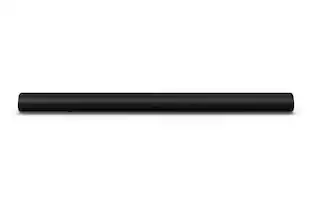
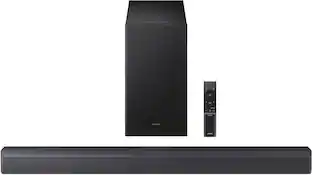
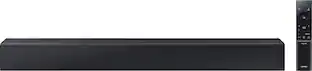
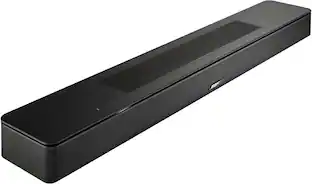
Roku - 2.0-Channel Wireless Soundbar 2023 Exclusively for RokuTV - Black
- Key Specs
- Wireless Connectivity: Wi-Fi (The manner in which a device sends data to another device over a short distance without the use of wires or cables.)
- App Compatible: true (The product can be connected to a program or software application on a mobile device, which then receives collected data from the product.)
- Wall Mountable: true (The product is able to be secured to a wall. Some products are designed ready to mount, while others may require additional hardware/accessories for installation.)
- Dialogue Enhancement: true (Improves clarity of dialogue in audio playback. This is typically achieved with dedicated speakers and/or technology that separates dialogue from the rest of the audio in order to make it clearer.)
- General
- Brand: Roku
- Model Number: 9301R
- Product Name: 2.0-Channel Wireless Soundbar 2023 Exclusively for RokuTV
- Color: Black
- Audio
- Number of Channels: 2.0 (The number of discrete channels of sound output. This can be a single number or multiple numbers separated by decimal(s). The first number is the primary, horizontally directed audio channels. The number after the first decimal, if applicable, is the number of subwoofer outputs or channels. The number after the second decimal, if applicable, is the number of height or atmospheric channels designed to immerse the listener by producing overhead sound effects.)
- RMS Power: 60 watts (The maximum amount of continuous power the device is able to handle.)
- Peak Power Handling: 120 watts (The maximum amount of power an electronic device, like a speaker, can handle without damage. This refers to short bursts of power, while root mean square (RMS) power handling indicates the amount of continuous power a device can sustain. Higher levels of distortion can also occur at peak power levels when the device is powered beyond its recommended usage.)
- Connectivity
- Wireless Connectivity: Wi-Fi (The manner in which a device sends data to another device over a short distance without the use of wires or cables.)
- Number of HDMI Inputs (Total): 0
- Number of USB Inputs: 0
- Number of HDMI Outputs (Total): 0
- Features
- App Compatible: true (The product can be connected to a program or software application on a mobile device, which then receives collected data from the product.)
- Wall Mountable: true (The product is able to be secured to a wall. Some products are designed ready to mount, while others may require additional hardware/accessories for installation.)
- Dialogue Enhancement: true (Improves clarity of dialogue in audio playback. This is typically achieved with dedicated speakers and/or technology that separates dialogue from the rest of the audio in order to make it clearer.)
- Dimensions
- Product Height: 2.5 inches (The out of box height of the item. Height is measured as the vertical distance from the bottom of the item to the top as it would be primarily used or placed.)
- Product Width: 3.9 inches (The out of box width of the item. Width is measured as the horizontal distance from one side of the item to the other as it would be primarily used or placed.)
- Product Depth: 31.5 inches (The out of box depth of the item. Depth is measured as the distance from the front of the item to the back as it would be primarily used or placed.)
- Product Weight: 5.1 pounds (The out of box weight of the item.)
- Included
- Remote Control Included: false
- Cable(s) Included: AC power
- Mounting Hardware Included: true
- Certifications Listings & Approvals
- ENERGY STAR Certified: true (Devices carrying the ENERGY STAR service mark, such as computer products and peripherals, kitchen appliances, and other products, generally use 20% to 30% less energy than required by federal standards.)
- Warranty
- Warranty - Parts: 1 Year Manufacturer Warranty
- Warranty - Labor: 1 Year Manufacturer Warranty
- Other
- UPC: 829610007113
Easily upgrade the sound of your Roku TV with Roku TV Wireless Soundbar. Set up is simple—just plug it into power and place anywhere for clearer, louder TV sound. No extra cables. No extra clutter. Just great sound. Enjoy audio that’s in seamless sync with the picture on your Roku TV—exactly the way it should be—and hear every word of your entertainment with crisp, clear dialogue. Automatically lower the volume level for louder scenes and boost it for quieter ones, improve the clarity of voices, and even quiet loud commercials without lifting a finger. Need a streaming break? Rock out to your favorite tunes with vibrant, studio-quality sound from your favorite channels or a connected Bluetooth device. And for those moments that need an extra punch of power, you can easily expand your set up with a Roku Wireless Bass or Wireless Bass Pro, for deep, rich lows you can feel. Additionally, one remote is all you need to control your Roku TV, adjust the volume, and access sound settings. Take your Roku TV to the next level with Roku TV Wireless Soundbar. Because once you hear it, you’ll wonder how you ever lived without it.
- Exclusively for Roku TV: Roku TV Wireless Soundbar is designed to work seamlessly with any Roku TV.
- Simple sound settings: Automatically lower loud commercials, boost the volume of voices, and optimize the sound for night listening, all in one place.
- Clutter-free setup: It’s easy to set up with your Roku TV—just plug it into power to get started. The wireless connection makes it a perfect fit for any setup.
- Place it anywhere: Plug in your Roku TV Wireless Soundbar, then place it below your TV or wall mount it for your perfect setup.
- Works with your remote: Roku TV Wireless Soundbar works with any Roku TV remote, so you don’t have to juggle remotes.
- Audio/video sync: Experience sound that’s in seamless sync with the picture on your Roku TV.
- Bluetooth streaming: Pair your phone to Roku TV Wireless Soundbar to enjoy your music in vibrant, studio-quality sound.
- Automatic software updates: Your soundbar gets even better over time with regular updates, so it’s always working at its best.
- Easily expandable: Want bigger sound? Add Roku Wireless Bass for rich lows you can feel. Roku Plus Series TVs users can also add Roku Wireless Speakers for immersive 4.1 surround sound.
- Energy Star® certified: This Roku device is ENERGY STAR® certified to save you money and help protect the environment.
Whats Included
- Roku TV Wireless Soundbar
- AC power cord
- Wall mount template
- Wall bracket screw x2
- Wall mounting screw x2
- Wall anchor x2
- Wall bracket x2
Product Manuals
A: Absolutely! It's designed to work seamlessly with any Roku TV, no matter the brand name. This includes Roku TVs made by Roku, TCL, Hisense, Sharp, JVC, Westinghouse, RCA, Magnavox, Sanyo, and Element. Happy Streaming!
A: You can buy an attachment for for your TVs bracket.
A: Hello, MM! The Roku Wireless Soundbar stays in standby mode until the Roku TV is turned on. There is also a Fast TV Start mode that allows you to listen to music when the TV is in standby mode. Please note: Fast TV Start uses more power than normal standby, and overrides default power settings. You can turn Fast Start TV on and off anytime from the Settings menu.
Q: Will i be able to add a roku sub woofer later if i purchase only this bar now?
A: Hello, Ross! Yes, the Roku Wireless Soundbar is compatible with the Roku Wireless Bass or Roku Wireless Bass Pro.
A: I know it works with a TCL Roku TV, so it might work with a Westinghouse Roku TV. You go into the TV's menu under audio. Then you choose "Wireless Soundbar"
Q: Can I use this simultaneously with the hdmi arc for multiple sound outputs?
A: Hello, Chris! No, this wireless Soundbar becomes the only source for sound output when connected to a Roku TV.
A: Hello Shawny, Please visit Roku Support for any product or support related questions at https://support.roku.com/ or call 408-556-9391
Q: will this soundbar work with a 43 " LG tv bought about 5 months ago?
A: Hello David, no this sound bar is only for Roku TVs.
People also viewed
 $129.99The price was $159.99
 $99.99The price was $129.99
 $249.99The price was $399.99
 $1,599.99The price was $1,999.99





Today's top picks
- $249.99The price was $399.99
- $1,599.99The price was $1,999.99
 $299.99The price was $399.99
 $179.99The price was $279.99
- $129.99The price was $159.99