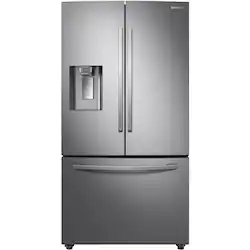
Samsung - 28 cu. ft. French Door Refrigerator with External Water & Ice Dispenser - Stainless Steel
- Key Specs
- Color Finish: Stainless steel
- Product Height: 70 inches (The out of box height of the item. Height is measured as the vertical distance from the bottom of the item to the top as it would be primarily used or placed.)
- Product Width: 35 3/4 inches (The out of box width of the item. Width is measured as the horizontal distance from one side of the item to the other as it would be primarily used or placed.)
- Height To Top Of Refrigerator (Without Hinges): 68 7/8 inches (Height from bottom of refrigerator to top of the door, without the top hinges.)
- Height To Top Of Door Hinge: 70 inches (Height from bottom of refrigerator to top of the door, including the top hinge.)
- Depth Without Handle: 33 1/2 inches (Measurement from the back of the product to its front (with door closed), not including handle.)
- Depth With Handle: 36 inches (Measurement from the back of the product to its front (with door closed), including the handle.)
- Total Capacity: 28 cubic feet
- Refrigerator Style: French Door
- Lighting Type: LED
- Ice Maker: Yes
- App Compatible: true (The product can be connected to a program or software application on a mobile device, which then receives collected data from the product.)
- Works With: SmartThings, Bixby (Compatible with or able to be connected to other smart devices or applications.)
- Voice Assistant Built-in: No (A digital assistant built into the device that uses voice commands to answer questions and control smart devices.)
- General
- Brand: Samsung
- Model Number: RF28R6221SR/AA
- Product Name: 28 cu. ft. French Door Refrigerator with External Water & Ice Dispenser
- Color: Stainless Steel
- Color Finish: Stainless steel
- Dimensions
- Product Height: 70 inches (The out of box height of the item. Height is measured as the vertical distance from the bottom of the item to the top as it would be primarily used or placed.)
- Product Width: 35 3/4 inches (The out of box width of the item. Width is measured as the horizontal distance from one side of the item to the other as it would be primarily used or placed.)
- Product Depth: 36 inches (The out of box depth of the item. Depth is measured as the distance from the front of the item to the back as it would be primarily used or placed.)
- Height To Top Of Refrigerator (Without Hinges): 68 7/8 inches (Height from bottom of refrigerator to top of the door, without the top hinges.)
- Height To Top Of Door Hinge: 70 inches (Height from bottom of refrigerator to top of the door, including the top hinge.)
- Standardized Width: 36 inches (An approximated measurement (exact width may differ slightly) determined by the manufacturer in accordance with industry standards. Standardized sizes are intended to assist consumers when purchasing appliances and planning for installation.)
- Counter Depth: false (The product case installs flush with the depth of standard kitchen counters to provide a built-in appearance.)
- Depth Without Handle: 33 1/2 inches (Measurement from the back of the product to its front (with door closed), not including handle.)
- Depth With Handle: 36 inches (Measurement from the back of the product to its front (with door closed), including the handle.)
- Depth Without Door: 28 7/8 inches (Measurement from the back of the product to its front, not including the door.)
- Depth With Door 90 Degrees Open: 47 3/7 inches (Measurement from the back of the product to its front, with the door open at a 90-degree angle.)
- Product Weight: 310 pounds (The out of box weight of the item.)
- Capacity
- Total Capacity: 28 cubic feet
- Refrigerator Capacity: 19.1 cubic feet (Total amount of space within the refrigerator compartment. Usable space may be reduced by shelves, cabinets, or other storage features.)
- Freezer Capacity: 8.9 cubic feet (Total amount of space within the freezer compartment. Usable space may be reduced by shelves, cabinets, or other storage features.)
- Performance
- Minimum Operating Temperature: 38 degrees fahrenheit (The lowest recommended ambient (surrounding) temperature in which the product can ideally operate stated by the manufacturer. Generally long-term exposure of the product to temperatures less than the minimum can result in ineffective operation.)
- Maximum Operating Temperature: 110 degrees fahrenheit (The highest recommended ambient (surrounding) temperature in which the product can ideally operate stated by the manufacturer. Generally long-term exposure of the product to temperatures more than the maximum can result in ineffective operation.)
- Features
- Configuration: Freestanding (The size, arrangement, and physical configuration of the product.)
- Panel Ready: false (Product is ready to be fit with a customized front panel that integrates with existing cabinetry and décor.)
- Refrigerator Style: French Door
- Fingerprint Resistant: true
- Garage Ready: true (Garage Ready appliances have been tested by the manufacturer to operate within a wider range of external temperatures than the average home environment, such as a garage which can fall below freezing or heat above 100 degrees Fahrenheit. Please refer to the manufacturer's documentation for detailed external operating temperature requirements.)
- Door-Open Alarm: true
- Temperature Control Type: Electronic
- Defrost Type: Automatic (Ice build-up can reduce the appliance’s cooling capacity, making it work harder and consume more energy. Defrosting is necessary to maintain its efficiency and each type has its own advantages depending on user needs and preferences. Manual defrost appliances require unplugging to melt ice naturally, but offer more space, lower energy consumption, and lower cost without the internal heating element. Frost-free appliances regulate temperature to prevent ice build-up automatically. Automatic defrost systems use a timer to circulate heat and prevent ice accumulation, while adaptive defrost systems use sensors to determine the optimal times for heat circulation.)
- Hinge Setting: Fixed left, Fixed right
- Lighting Type: LED
- Ice & Water
- Ice Maker: Yes
- Ice Maker Location(s): Refrigerator
- Ice and Water Dispenser: Ice and water
- Ice and Water Dispenser Location: External
- Dispensed Water Type: Cold Water
- Storage
- Number of External Doors/Drawers: 3
- Number of Refrigerator Shelves: 4
- Refrigerator Shelf Style: Adjustable, Fixed, Removable
- Quick Access Door: false (A door-within-door that provides convenient access to your favorite food and drink items without opening the main door.)
- Gallon Door Storage: true (Designated storage space for gallon-sized containers, such as milk, juice, and water.)
- Humidity-Controlled Crisper: true
- Refrigerator Shelf Material: Tempered Glass
- Freezer Info
- Freezer Compartment: true
- Freezer Location: Bottom
- Freezer Door Type: Pull Out Drawer
- Freezer Shelf Material: Other
- Filter Info
- Water Filtration: true
- Water Filter Model Number: HAF-QIN (The water filter model(s) recommended for use with the product.)
- Electrical
- Estimated Annual Electricity Use: 725 kilowatt hours (Predicted amount of electricity needed to operate the product under average conditions for one year.)
- Estimated Annual Operating Cost: 87 United States dollars (Predicted cost of operating the product under average conditions for one year.)
- Certifications Listings & Approvals
- ENERGY STAR Certified: true (Devices carrying the ENERGY STAR service mark, such as computer products and peripherals, kitchen appliances, and other products, generally use 20% to 30% less energy than required by federal standards.)
- ADA Compliant: true (Meets standards set by the Disabilities Act (ADA) Standards for Accessible Design)
- Chemical Disclosures: Free of PFAS, PFOA, lead, and cadmium. Libre de PFAS, PFOA, plomo, y cadmio (The disclosure of Per- and Polyfluorinated Substances (PFAS) and/or other chemicals.)
- Compatibility
- App Compatible: true (The product can be connected to a program or software application on a mobile device, which then receives collected data from the product.)
- Works With: SmartThings, Bixby (Compatible with or able to be connected to other smart devices or applications.)
- Voice Assistant Built-in: No (A digital assistant built into the device that uses voice commands to answer questions and control smart devices.)
- Other
- UPC: 887276405872
Preserve perishables with this stainless steel Samsung French-door refrigerator. Twin Cooling Plus technology offers accurate temperature control to keep vegetables and fruits fresh for longer, while the 28-cu. ft. interior capacity provides ample storage space. This ENERGY STAR-compliant Samsung French-door refrigerator features adjustable flip-up shelves, letting you fit and access tall items easily.
- CoolTight doors: Align perfectly with any stylish kitchen design.
- Electronic controls: Make operation simple.
- Generous storage: Includes 2 drawer dividers and an auto pull out drawer to create plenty of space to organize frozen food.
- Organize contents with ease: Includes 2 humidity controlled crispers, 5 spill-proof tempered glass shelves, 3 fixed shelves and more to provide ample space for storing items.
- AutoFill pitcher: Automatically refills when placed on its dock inside the french door refrigerator, so you'll have a pitcher of chilled, filtered water ready anytime.
- Dispenser light and high-efficiency LED lighting: Bright lights to illuminate interior.
- Door alarm: Alerts you when the refrigerator door is accidentally left open to save energy.
Whats Included
- Samsung 28 Cu. Ft. French Door Refrigerator
- Water filter
Product Manuals
Documents
- Energy_Guide_PDF
Q: What is the part number for the water filter? I can't find it in the manual.
A: I'm happy to help with this, Darboleen! Our specifications for this refrigerator (https://bit.ly/39tkUC9) list water filter HAF-QIN as the compatible filter. ^Jecca
Q: Is this fridge fingerprint resistance stainless steel?
A: Thanks for asking, Missy! this model is not listed as fingerprint resistant. ^Jecca
Q: Is there a second ice maker in the freezer compartment?
A: Thanks so much for asking, WinstonWolfe! Yes, this model has an ice maker in the refrigerator section that is connected to the dispenser. It also has an additional ice maker in the freezer compartment. ^Jecca
Q: That freezer drawer on my Samsung refrigerator locked it's it's stuck it won't open what do I do
A: Knowing the current condition of the freezer drawer saddens us. We want to aid you with this, Bossie. It would be nice if we could speak to you directly so we can have the freezer drawer serviced on our end. Please feel free to get back to us via the following options: 1. Facebook Messenger: http://m.me/samsungsupport 2. Twitter: https://twitter.com/messages/compose?recipient_id=18768513 3. Samsung Community: https://us.community.samsung.com/t5/Samsung-Community/ct-p/us When you message us, please provide us with this reference number 1147034341, to help our team pull up your information. Have a great day! ^Chrystel
A: undefined
Q: how do you reset the filter after replacing filter on the RF28T5201 samaung
A: Hi BJ. Thank you for reaching out regarding your Samsung - 28 Cu. Ft. French Door Refrigerator on how do you reset the filter after replacing it. Regarding your concern, here are the steps you need to follow: 1. Find the Filter Reset button on the control panel if it's available. It is sometimes the secondary function of another button on the panel. 2. Once located, touch and hold the correct button for 3 seconds until the light resets. 3. The filter icon will either turn off or change back to its normal color when it's reset. This starts the 6 month timer over again. I suggest you check this link for further assistance. Replace the water filter in your Samsung refrigerator https://www.samsung.com/us/support/answer/ANS00060149/ Also, I have included your user manual for assistance. Please go to page 42. https://downloadcenter.samsung.com/content/UM/202008/20200814074426173/DA68-04012L-00_FDR_RF6000T_ND__EN-MES-CFR__USA_u.pdf Should you need more assistance, please feel free to get back to us via the following options: 1. Facebook Messenger: http://m.me/samsungsupport 2. Twitter: https://twitter.com/messages/compose?recipient_id=18768513 3. Samsung Community: https://us.community.samsung.com/t5/Samsung-Community/ct-p/us Thank you for being a valued customer of Samsung. Have a great day. Reference Ticket Number: 1144520530 ^Camille
A: I'm happy to help with this, Sammy! On the main control panel, located inside the refrigerator compartment, there is an "Ice Maker" button. Above this button are two icons, one for each of the ice makers. If you tap the Ice Maker button it will cycle through having either, both, and neither ice maker on. When both Ice Maker On icons are lit up, both ice makers should be producing ice. ^Jecca
Q: does this come in black stainless steel?
A: undefined
People also viewed
 $1,699.99The price was $3,499.99
 $1,999.99The price was $3,499.99
 $1,599.99The price was $3,099.99
 $1,999.99The price was $2,699.99
 $2,699.99The price was $3,599.99
 $1,699.99The price was $2,999.99
 $1,799.99The price was $3,499.99
 $2,599.99The price was $4,099.99
 $1,799.99The price was $2,599.99
 $2,199.99The price was $3,059.99
 $1,299.99The price was $1,899.99
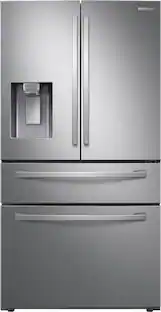 $1,799.99The price was $2,699.99
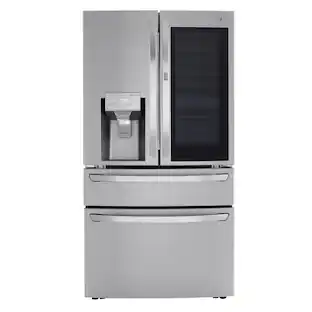 $3,199.99The price was $4,799.99
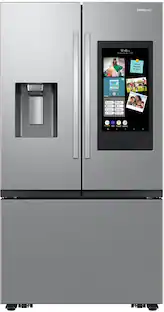 $2,899.99The price was $3,149.99
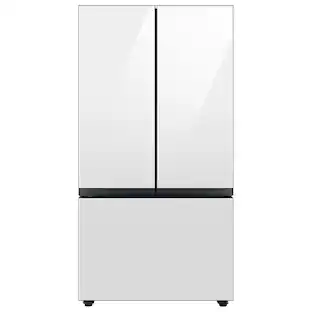
Today's top picks
 $499.99The price was $749.99
 $199.99The price was $249.99
 $789.99The price was $1,049.99










